Author: Jim Stephenson

  • 11 Best RTX 3090 Gaming PCs Gamers Are Wild About (Aug 2026)

    11 Best RTX 3090 Gaming PCs Gamers Are Wild About (Aug 2026)

    Without a doubt, the RTX 3090 is the most powerful graphics card in the market right now. Ray tracing and 8K gaming are made possible with DLSS technology. But the price of this GPU may cost more than an actual gaming rig, assuming you can even get your hands on one of these babies.

    This is where RTX 3090 prebuilt gaming PC’s come into play. Now, it’s true that only a small percentage of the gaming populace can afford the RTX 3090, but there’s just no denying the power behind this graphics card.

    We’re now seeing the best RTX 3090 prebuilt gaming PCs out there. And today, we’re going to give you a list of what prebuilt gaming pc to be on the lookout for.

    If you’re a gamer and have been meaning to upgrade to the 30XX series, this is the best time to do so.

    CUK Mantis – Best RTX 3090 Prebuilt Desktop

    Quite possibly the best prebuilt desktop in the market right now, the CUK Mantis does not shy away from hiding what it’s capable of.

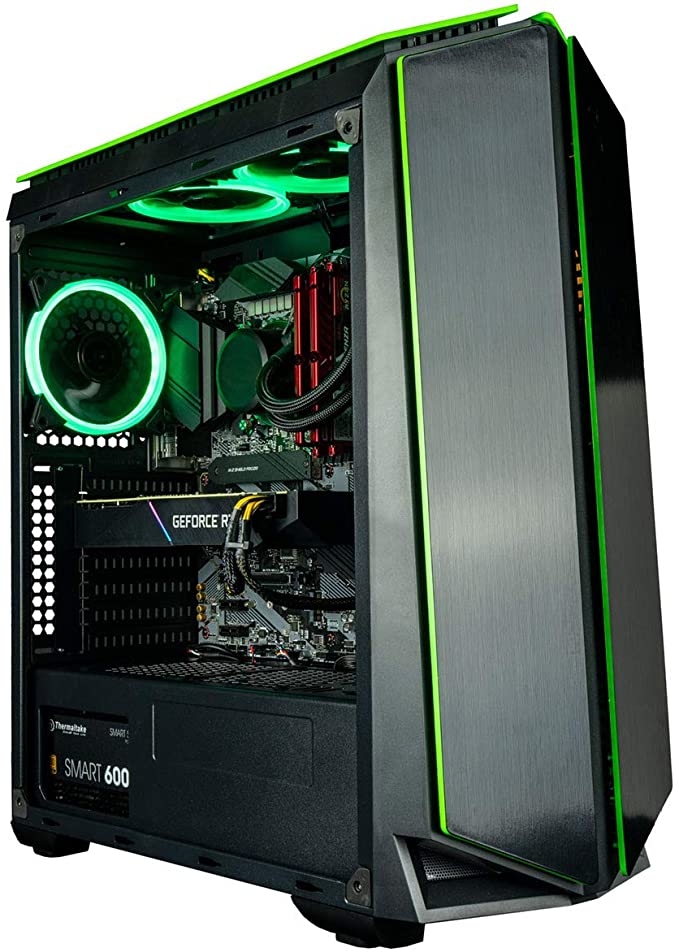
    The CUK Mantis gamer pc comes with an Intel Core i9-12900KF, 64GB of DDR4 RAM, 1TB SSD, secondary 2TB HDD, and Gold-Rated 850-watt power supply. The PC is also equipped with six green LED Fans, an AIO cooler, and tempered glass PC Case. You’ll find similar budget cases that have tempered glass and other features.

    When we’re talking about setting up dream units, this is probably it. The CUK Mantis can deliver 4K gaming for prolonged periods of time. If you’re a content creator and want to show off games at the best graphics setting and running at the highest frame rates possible, then the CUK Mantis should be on your shopping list.

    What’s The Price Tag?

    CUK Mantis is priced under $4,700, making it the most expensive prebuilt gaming pc in the market.

    Empowered PC Sentinel – Another Powerful RTX 3090 Beast

    The Empowered PC Sentinel is one of the best prebuilt gaming PCs out there in the market right now. It comes with a 12th generation Intel Core i9-12900KF processor running at clock speeds of 3.20GHz and up to 5.20GHz.

    It doesn’t shy away from packing 64GB of RAM at 3200MHz frequency. Storage-wise, it comes with your typical 1TB NVMe m.2 SSD along with a secondary 2TB HDD. This powerful combination of CPU and other components assures its users the best performance possible for games and other multi-threaded tasks. Oh, did we mention that the Empowered PC Sentinel is also liquid cooled?

    What’s The Price Tag?

    Empowered PC Sentinel guarantees quality and delivers nothing but the best performance possible. The price tag for this beast comes in at a whopping $4,299, but it’s currently discounted to $3,999.

    CUK Continuum Micro– Small Form-Factor RTX 3090 Prebuilt PC

    Another prebuilt PC from CUK (Computer Upgrade King) is the Continuum Micro Gamer PC. Basically, this has the same specs inside a CUK Mantis, but it comes in a micro-ATX case. If you want a small-form factor PC but still powerful enough to run Elden Ring at high frame rates, this is the PC.

    The CUK Continuum Micro gamer pc comes with an Intel Core i9-11900KF processor, 64GB DDR4 RAM, 1TB NVMe SSD, 2TB HDD, 850-watt power supply, and AIO liquid cooler.

    If you just want power without taking up a lot of table space, the CUK Continuum Micro is the best option for you.

    What’s The Price Tag?

    The CUK Continuum Micro will cost you $3,999 for the 64GB DDR4 RAM / 1TB NVMe SSD variant, while the 128GB / 2TB NVMe SSD will cost you $4,499.

    iBUYPOWER Pro TraceMR 224i – Best Value RTX 3090 Gaming PC

    iBuypower is a brand that needs no introduction, simply because it’s known for its affordable gaming lineup. However, they are venturing into the high-end gaming space when they made a gaming monster called the iBuypower Pro TraceMR224i, and boy, does it pack some power under the hood.

    The iBuypower Pro TraceMR 224i comes with an Intel Core i9-11900KF processor, 32GB of RAM clocking at 3200MHZ, and 1TB SSD. It also comes with 240mm Liquid Cooling.

    What’s The Price Tag?

    The iBuypower Pro TraceMR224i costs $3,799 for both the Intel Core i9-11900KF variant and Intel Core i9-12900KF variant.

    MSI Aegis RS 10TH-061US – A Gaming PC With Massive Storage

    The MSI Aegis RS 10TH-061US is every content creator’s dream PC setup. Not only does it come with the powerful RTX 3090, it also comes with a storage capacity of 3TB (1TB NVMe SSD and 2TB HDD secondary storage).

    The MSI Aegis RS 10TH-061US comes with the Intel Core i7-10700K processor, running at 8 cores and 16 threads. Gaming is a breeze with this kind of CPU because it clocks in at 3.8GHz at the base speed and can be overclocked to 5.1GHz.

    The MSI Aegis RS 10TH-061US comes with 16GB Dual-Channel RAM (2 pieces of 8GB sticks) clocking in at 3000MHz frequency.

    What’s The Price Tag?

    With massive storage comes massive price tag. In this case, the MSI Aegis RS 10TH-061US has a reasonable price tag of $4,666.

    CUK Mantis Ryzen – Best RTX 3090 Workstation Desktop

    If you want to upgrade your workstation, or purchase a workstation-grade system, the CUK Mantis Ryzen should be on your radar.

    The Mantis Ryzen comes with an AMD Ryzen 9 5950X Processor, 64GB RAM, 1TB SSD, and 4TB HDD. By swapping the Intel Core i9 with the AMD Ryzen 9 5950X, this Mantis is better equipped for multi-threaded tasks.

    With more memory and extra storage, this makes it the best choice for heavy gaming, serious graphics design, video editing, game design, and other CPU-intensive tasks.

    What’s The Price Tag?

    The CUK Mantis Ryzen costs $3,899 for 64GB DDR4 RAM / 1TB SSD variant.

    OMEN GT13-0090M 30L – Best Bang For Your Buck

    Even if it’s a few hundred bucks cheaper than the PC’s listed above, the OMEN GT13-0090M 30L gaming PC should never be underestimated.

    First off, the OMEN GT13-0090M 30L comes with a 10th Gen Intel Core i9-10850K processor, 32GB (3200Mhz) DDR4 RAM, and 1TB SSD. It also comes with Thermal Cooler Master 120mm Liquid Cooler running at 4500RPM Fan Speed, allowing you to run heavy games at max settings for prolonged periods.

    It definitely packs a punch and confidently competes with the other RTX 3090 PCs in the market.

    What’s The Price Tag?

    The OMEN GT13-0090M 30L costs $3,499 for the RTX 3090 variant. Other variants come with the Intel Core i9-10900 Processor, but is only powered by the RTX 3080.

    Skytech Prism II – Cheapest RTX 3090 Prebuilt Desktop

    The Skytech Prism II is the cheapest RTX 3090 PC you can get your hands on right now, but it doesn’t mean that it’s lacking in power or specs.

    A Skytech Prism II is equipped with an AMD Ryzen 9 5800X Processor, 32GB of RAM, and 1TB SSD. It has everything you need to run AAA games at high frame rates. This powerful gaming PC makes it possible for you to game at 4K Resolution, thanks to the combined power of the AMD Ryzen and RTX 3090.

    What’s The Price Tag?

    Skytech Prism II comes in with a $3,999 price tag. Unlike the CUK product line, there’s only one variant in the market.

    CUK MPG Velox by MSI – Another Affordable RTX 3090 PC

    Speaking of affordable RTX 3090 prebuilt gaming PCs, we’re here to introduce the CUK MPG Velox by MSI.

    This gaming PC comes with an Intel Core i7-12700F processor (12 cores and 20 threads), which is still powerful when combined with the RTX 3090. Rather than being liquid cooled, the CUK MPG Velox by MSI uses traditional inbuilt fans, which isn’t as convenient but you end up with a more cost-effective unit. If you want to know more about the different PC case sizes, we have an article for that.

    It also comes with 32GB DDR4 RAM, so you’re guaranteed lag-free gaming. The CUK MPG Velox by MSI comes with 512GB SSD and 2TB HDD secondary storage. Granted, it’s not as large as the 1TB variants from other brands, but you can still store games with large file sizes without worry.

    What’s The Price Tag?

    The CUK MPG Velox by MSI costs $3,399 for the 3090 variant, which isn’t a complete surprise. The specs inside the CUK MPG Velox by MSI may be lackluster compared to the other gaming rigs in this article, but it’s still powerful. If you want to guarantee good gaming performance without having to shell out a lot of money, the CUK MPG Velox by MSI might be the best option for you.

    CUK ROG Strix GA15DK – Powered By AMD Ryzen 9

    For fanboys of AMD Ryzen, the CUK ROG Strix GA15DK is the one to look out for. This beast of a RTX 3090 gaming guarantees high performance all thanks to its powerful components.

    The CUK ROG Strix GA15DK is equipped with the AMD Ryzen 9 5900X, running at 12 cores and 24 threads with a base clock speed of 3.7GHz. This can be overclocked to a maximum of 4.8GHz. You also don’t need to worry about bottlenecking because it’s supported by 64GB of Dual-Channel RAM (2 pieces of 32GB RAM), clocking at 2933MHz.

    For storage, you can rest easy as the CUK ROG Strix GA15DK comes with 1TB NVMe SSD storage and 3TB 7200rpm HDD secondary storage.

    What’s The Price Tag?

    The CUK ROG Strix GA15DK 3090 Variant will cost you $4,799. The CUK ROG Strix GA15DK also comes with RTX 3070 variants and RTX 3080 variants.

    The Big Debate: Should People Go For An RTX 3090 Prebuilt Gaming PC vs Build Their Own Gaming PC?

    If you’re concerned about your budget, the best decision is to always build your own gaming PC. One can even argue that you could get more bang for your buck for building your own PC because you can get better hardware than what’s inside a prebuilt gaming PC for less cash.

    But when and why should you go for a prebuilt PC as opposed to building your own? Let’s take a look at two factors.

    Convenience

    The main selling point of a prebuilt PC is convenience. It saves people the hassle of building a PC from scratch. For people who aren’t tech-savvy enough or for those who don’t have time to learn how to build a PC, a prebuilt PC makes more sense to purchase. You won’t have to go through the trouble of picking out which case to buy (or what sizes to pick, for that matter), the graphics card to purchase, and so on.

    A prebuilt PC saves you the time of finding compatible components and takes out a lot of the guesswork involved in building your own PC. You also won’t need to worry about warranty because you just send the entire PC to the manufacturer.

    If you want to upgrade your prebuilt PC, you can get in touch with the suppliers or manufacturers. They can do this for you at little to no cost at all.

    Make no mistake though. Prebuilt PC’s from the best manufacturers in the world aren’t just nice to look at. These are units that are meant to withstand intense gaming demands. These units undergo stress testing to ensure that all components work as intended before they are shipped to you.

    Your prebuilt PC will also come with a registered Windows with pre-installed drivers. All you have to do is download your games once you receive your unit.

    Performance

    Performance of 3090 gaming PCs is great, and there’s no doubt about it. But in theory, you could also get better performance than a prebuilt PC when you build your own. You can get lower prices for more powerful hardware than what’s inside a prebuilt PC. Blame it on the individual parts’ markup inside a prebuilt computer.

    This means you guarantee yourself better in-game performance and longer future-proofing for less money spent.

    Prebuilt PC Buying Guide: How Do You Choose The Best RTX 3090 Gaming PC?

    When it comes to gaming, you’re not relying on the GPU’s power alone. Other components also come into play that affect gaming performance, and they can literally make or break your gaming rig.

    When you’re out shopping for a prebuilt gaming PC, it pays to keep an eye out for the following components that should help you get the best RTX 3090 gaming PC possible while reducing instances of GPU bottlenecking and hardware compromise.

    Processor

    An important component that you shouldn’t ever compromise is your processor. An underperforming processor combined with an RTX 3090 can lead to low performance in general.

    You want to purchase a processor that comes with multi-core design, a decent clock speed, and as power-efficient as possible. You’re looking at least 8 cores and 16 threads, clocking in at a minimum of 3.0GHz.

    Both latest generation processors from Intel and AMD are capable of synergizing well with the RTX 3090, so it’s just a matter of personal preference. If you ask me, an AMD Ryzen 9 5900 is a great choice if you want a processor for multi-threaded productivity tasks. Or if you are an Intel nut, the Intel Core i9 is capable of matching the RTX 3090’s performance.

    RAM

    RAM provides both capacity and speed for your gaming PC, and it decides on whether or not you can open heavy games and software simultaneously.

    Talking about the RAM capacity, a high-end gaming PC equipped with an RTX 3090 should come with at least 16GB of RAM. This is the bare minimum for any heavy gaming PC. But if we’re talking about productivity, you can’t go wrong with going for 32GB.

    From the tech side of things, you should be on the lookout for the speed or frequency of the RAM. The faster the RAM, the faster it performs and the better it multitasks.

    You should go for DDR4 RAM clocking in at 2933MHz at the bare minimum. Going lower than that could cause bottlenecking.

    Storage

    Heavy games come with large file sizes, so you need a sizable storage solution to accommodate your growing library of games. For a high-end PC powered by an RTX 3090, you should have at least 1TB of SSD (solid state drive) storage. Combined with RAM, your games load faster when stored on an SSD compared to an HDD storage.

    Gamers also have a backup HDD storage ranging from 1TB to 3TB where they store their game data, video recordings, and more. Though, if you can shell out more money for SSD’s with higher storage capacity, then go for it.

    Normal Cooling or Liquid Cooling

    Going for normal cooling or water cooling depends on what kind of processor you have. Prebuilt gaming PC’s with water cooling solutions come with water-cooled CPUs. If your processor is an Intel i9 or Ryzen 9, a water-cooled CPU might be necessary. But if you’re just going for an i7 or Ryzen 3000 series, normal cooling will suffice.

    Aesthetics

    A prebuilt gaming PC worth thousands of dollars should also look just as good on the outside as it does on the inside. Aesthetics don’t really affect gaming performance at all, so it boils down to personal choice and preference. Do you want something minimalist in design, or do you want your rig to don the RGB lights?

    Now we got that out of the way, it’s time we looked at the best RTX 3090 gaming PC available in the market.

    How Much Would It Take To Build Your Own Gaming PC with RTX 3090?

    As of this writing, people are not able to get their hands on an RTX 3090 due to limited stocks. However, if you were one of the lucky few who did manage to get their hands on it, then building your own gaming system is the way to go.

    The same thing can be said for the RTX 3060, RTX 3070, and RTX 3080 graphics cards. If you can’t afford the RTX 3090 gaming setup, most of the prebuilt gaming PCs we have on this list will come with the RTX 3060/RTX 3070/RTX 3080 variants.

    We can assume that the price of an RTX 3090 card is about $2,000 to $2,500. Then you can have this list:

    1. An Intel Core i9-12700k processor costs about $349.
    2. Corsair Vengeance 32GB DDR4 RAM costs about $142
    3. Western Digital 1TB NVMe SSD is about $79, depending on brand
    4. Corsair RMX Series 850-Watt Power Supply is about $114
    5. NZXT Kraken 240mm AIO Liquid Cooler is about $120
    6. Corsair 4000D Tempered Glass Mid-Tower ATX Case is about $90

    All in all, you’re looking at about $3,300 to $3,500 to build an RTX 3090 gaming PC. If you want more power and more storage, you can go for higher capacity RAM and SSD, and you’d still spend less than buying a prebuilt gaming pc.

    The Bottom Line

    There you have it, a list of the best prebuilt gaming PCs in the market that comes with the Nvidia RTX 3090 GPU. The list here encompasses different budgets with different requirements, but all in all, you really can’t go wrong with choosing any one of these computers.

    These PCs are guaranteed to give you the best performance for the best value, and more. Whether you’re all about that 4K resolution gaming with Elden Ring, or running Minecraft with Ray-Tracing on, these PCs are beasts in their own right.

    Of course, it goes without saying that if you have access to stocks of RTX 3090, you are probably better off with building your own system. You’ll end up spending less than what you’re going to pay for a prebuilt gaming PC, and you’re able to get better CPU and other components without spending extra money.

    Our personal favorite here would probably be the Skytech Prism II if we’re talking about budget. It’s one of the cheapest prebuilt gaming computers in the market right now. Generating power from the AMD Ryzen processor, 4k Gaming is made easy with this beast of a unit.

    But if we really have to stretch out our budget, we’re probably going with the CUK Mantis. Not only does it get you the best bang for your buck, but you’re also investing in longer future-proofing for your system. You’re good to go for the next few years without having to upgrade any of its components.

  • Most Invasive Gaming Apps Revealed

    Most Invasive Gaming Apps Revealed

    Personal Data: Most Invasive Gaming Apps Revealed

    Apps form part of our daily life. You don’t need to be a hardcore gamer to enjoy the multitude of gaming apps on the market. You play them, your kids play them. They seem harmless enough. Just a bit of fun, right?

    Recently Apple updated their privacy policy giving us more information about what personal information apps require from us, and how they use it. It’s all too easy to click “Accept” without actually reading the terms and conditions we are accepting. You might not realize that these games share your location, purchase history, identifiers, and usage data with 3rd parties.

    We analyzed 35 of the most popular games on the App Store to determine the answer to the following questions:

    Methodology

    For this study, epicwin researched the most popular gaming apps from the official Apple App Store Awards 2021[1]. We also conducted a survey of 4,839 gamers from our mailing list to find out their favorite gaming apps. Combining these two resources we determined the 35 most popular games to be included in our research.

    The study used the Apple privacy labels featured in the App Store[2], which categorizes all the information that can be collected on users by apps. Specifically, the two categories we used were (1) Data Linked to You: this personal data may be collected and linked to your identity, and (2) Data Used to Track You: this personal data may be used to track you across apps and websites owned by other companies.

    Each app was given a rating based on the percentage of personal information collected in each category. The apps were then ranked from most invasive to least invasive in each category.

    Finally, an overall rating was calculated based on the average percentage of personal data collected in each of the categories.

    Gaming Apps Collecting Personal Data Linked to Your Identity

    Key findings:

    • Pokémon GO collects 100% of the available personal data linked to your identity
    • Pokémon GO is the only app in the study that collects your “Health & Fitness” information
    • 51% of gaming apps use at least one category of personal data linked to your identity
    • 28% of gaming apps collect data on your location
    • 11% of gaming apps collect data on your contacts
    • 48% of gaming apps don’t collect any personal data linked to your identity. These include the popular Subway Surfers, Among Us! and Heads up! apps
    Gaming apps that collect the MOST personal data linked to your identity
    1. Pokémon GO
    2. 8 Ball Pool™
    3. Call of Duty®: Mobile
    4. Roblox
    5. Bridge Race
    6. Stacky Dash
    7. Count Masters: Crowd Runner 3D
    8. High Heels!
    9. My Child Lebensborn
    10. Roof Rails
    Gaming apps that collect the LEAST personal data linked to your identity
    1. Among Us!
    2. Clue: The Classic Mystery Game
    3. Farming Simulator 20
    4. Five Nights at Freddy’s
    5. Heads Up!
    6. Monopoly
    7. Nail Salon 3D
    8. Papa’s Mocharia To Go!
    9. Subway Surfers
    10. Sushi Roll 3D

    Ranking based on the percentage of personal data categories used from “Data Linked to You” by selected iOS games.

    Gaming Apps Sharing Your Personal Data With 3rd Parties

    Key findings:

    • 8 Ball Pool™, Call of Duty®, Subway Surfers share 60% of personal data categories analyzed with 3rd parties including your location and contact information
    • 57% of gaming apps share at least one category of personal data with 3rd parties
    • 17% of gaming apps share your location with 3rd parties
    • 5% of gaming apps share your contact information with 3rd parties
    • 43% of gaming apps don’t share any personal data with 3rd parties. These include the popular Roblox, Minecraft and Among Us! apps
    Gaming apps that share the MOST personal data with 3rd parties:
    1. 8 Ball Pool™
    2. Call of Duty®: Mobile
    3. Subway Surfers
    4. Water Sort Puzzle
    5. High Heels!
    6. Nail Salon 3D
    7. Project Makeover
    8. Roof Rails
    9. Shortcut Run
    10. Tangle Master 3D
    Gaming apps that share the LEAST personal data with 3rd parties:
    1. Among Us!
    2. Bloons TD 6
    3. Farming Simulator 20
    4. Five Nights at Freddy’s
    5. Heads Up!
    6. Minecraft
    7. Monopoly
    8. My Child Lebensborn
    9. Roblox
    10. Stardew Valley

    Ranking based on the percentage of personal data categories used to track you by selected iOS games.

    How Much Personal Data Each Gaming App Is Tracking Overall

    Using data from two categories – “Data Linked to You” and “Data Used to Track You” – we compiled an index showing the most invasive gaming apps on the market.

    8 Ball Pool‪™‬, Call of Duty®: Mobile and Pokémon GO are the top 3 most invasive gaming apps.

    The MOST invasive gaming apps
    1. 8 Ball Pool™
    2. Call of Duty®: Mobile
    3. Pokémon GO
    4. Water Sort Puzzle
    5. High Heels!
    6. Roof Rails
    7. Shortcut Run
    8. Tangle Master 3D
    9. The Game of Life 2
    10. Bridge Race
    The LEAST invasive gaming apps
    1. Among Us‪!‬
    2. Bloons TD 5
    3. Farming Simulator 20
    4. Five Nights at Freddy’s
    5. Geometry Dash
    6. Grand Theft Auto: San Andreas
    7. Heads Up‪!‬
    8. Incredibox
    9. Monopoly
    10. Papa’s Mocharia To Go‪!‬

    Ranking based on the average percentage of personal data categories used from “Data Linked to You” and “Data Used to Track You” by selected iOS games.

    James Stephenson, founder of epicwin, said,

    “We all spent a lot more time playing games on our phones last year. It was easy to hand our children our phones to distract them while we worked from home. Games gave us an escape from the reality of rising COVID numbers and other bad news.

    “It’s frightening how easy it is to give up our personal data, and how easily we give it up. Most of us have no idea what information is being collected about us, or how it is used. It is my hope that this study can shed some light on the matter. At least when we know what’s happening with our personal data we can make informed decisions to keep ourselves and our children safe online.”

    Fair Use Statement

    We grant permission to use the images and data found on this page freely. When doing so, we ask that you kindly attribute the creators by linking to this page so your readers can learn more about the project and its methodology.

  • 6 Best Capture Cards For Streaming As Of Aug 2026 – Upgrade Your Twitch Game!

    6 Best Capture Cards For Streaming As Of Aug 2026 – Upgrade Your Twitch Game!

    If you’re an aspiring streamer looking to create gaming console content, or you just want to share your amazing gameplay when you play games, then you need a capture card. There are capture cards meant for PC gaming, while there are capture cards meant for consoles. Apart from helping you stream footage, you can use some capture cards to build your overall stream overlay. You can link your stream capture software, audio mixer software (if you have any), high-end webcam or DSLR, and a stream deck to a capture card to stream or capture HDR footage without compromising video quality.

    The best gaming capture cards in the market today have impressive features. The high end cards allow for recording gameplay at 4K/60Hz and HD recording. Now, to take advantage of a capture card’s power, your streaming computer needs to be just as powerful. The newest Nvidia and AMD graphics cards can get you all the power you need to capture epic gaming moments at the highest resolution and frame rate possible.

    What’s a Capture Card?

    But first, what is a capture card? A capture card is a piece of hardware used together with a third party software to capture on-screen content and encode it for playback through livestream or high-quality recording.

    Capture cards are compatible with PC and consoles as long as they have an HDMI cable. You can also find portable capture cards that you can bring along when you travel. PC gamers and console gamers both enjoy the use of a capture card for streaming or for capturing gameplay.

    How Do You Use a Capture Card?

    How do you capture gameplay footage using a capture card? Well, you need to know what systems are compatible with a capture card first.

    Most capture cards are compatible with the following devices:

    1. Current generation consoles: Nintendo Switch (or Switch OLED), Playstation 5, Xbox One
    2. Personal Computers
    3. Macbooks (check for capture cards’ hardware requirements first)
    4. DSLR Cameras, or any digital camera, with HDMI output

    To use a capture card, you need the following:

    1. HDMI output with HDMI cable
    2. TV or monitor
    3. Personal computer (gaming hardware recommended) for storing or recording footage
    4. Capture software (i.e. Streamlabs OBS, Bandicam, etc.)

    Top 3 Best Capture Cards For Streaming

    Now that we know what a capture card is and how you can use it to record gameplay, it’s time to reveal the top 3 capture cards for streaming and recording gameplay footage.

    Best External Capture Card: Elgato HD60 X

    Elgato HD60 X Best Capture Cards for Streaming

    A brand that needs no introduction. Elgato is one of the leading manufacturers for all recording and streaming hardware. From microphones to stream decks to capture cards, it comes as no surprise that Elgato is on this list.

    The best capture card in the market right now is the Elgato HD60 X. What’s really impressive about this capture card is the 4K passthrough and makes use of G-Sync or FreeSync technologies. The latter was made possible with the latest updates on the Elgato HD60 X.

    This capture card will cost you about $200, and comes with three key capture resolutions:

    • 4k at 30FPS
    • 1440p at 60FPS
    • 1080p at 60FPS

    Resolution and frame rate capabilities in a capture card such as Elgato HD60 X is just remarkable and makes it the best value capture card for streaming or recording. To help you save bandwidth, the encoding is set at 4:2:0 by default. You can set it to 4:2:2 via non-default codecs and will work at 1080p/60FPS or 1440p/30FPS recording, but don’t expect that feature out of the box.

    You get 4:4:4 passthrough functionality, or in this case, you get uncompressed recording. This kind of capture device allows you to record high quality videos without losing a lot of that information.

    All in all, this is an external capture card that’s worth investing on if you’re a serious video game content creator or streamer. I use the Elgato Game Capture HD60 S myself and my console captures have never been as crisp and clear. If you’re due for an upgrade, get the HD60 S or the HD 60 X when budget permits.

    Best Budget Capture Card (External) – EVGA XR1 Lite

    EVGA XR1 Lite Best Capture Cards for Streaming

    Those looking for a capture card but on a tight budget should go for the EVGA XR1 Lite. Do not underestimate this beast just because it’s affordable.

    The EVGA XR1 Lite provides you with 4K/60FPS pass-through, which makes it perfect for the next-gen consoles (PS5 or Xbox One). You can record gameplay at 1080p/60FPS without lag or compression as well. This capture device is also simple to use. All you need is HDMI ports and cables to connect to PC or console and a USB Type C cable. You can also connect it to a DSLR camera for the best quality webcam footage.

    The EVGA XR1 Lite is housed in a sleek yet durable plastic chassis. You also get lighting indicators that lets you know if the card is idle, active, updating, or not working. It’s also certified to use with OBS software, and makes it one of the best plug-and-play capture cards in the market right now. If you have a gaming PC with decent specs, then the EVGA XR1 might be a solid pick amongst the other cards.

    Best High-End Capture Card – Elgato Game Capture 4K60 S+

    Elgato Game Capture 4K60 S+ Best Capture Cards for Streaming

    Second to the HD60, the Elgato Game Capture 4K60 S+ makes it to the top three best capture cards for streaming for a number of reasons. This is also a personal review of sorts given that this is the capture card that I am currently using right now.

    While most capture cards need to be linked to a gaming PC or console to record in-game footage, you only need an SD card for the Elgato Game Capture 4K60 S+ so you can record footage and store it on the card itself. Plug the capture card in, press Record, and you’re all set! All you really need to do from there is to keep on purchasing another SD card when the previous one is filled.

    This is one of the few capture cards in the market right now with their own separate storage to capture game footage. It’s also versatile because you’re recording gameplay footage at 4K/60FPS and in HDR at the same time. Truly one of the best capture cards in the market, and if you can’t get the HD60 X, the Elgato Game Capture 4K60 S+ is a decent second choice.

    Honorable Mentions For Best Capture Cards For Streaming

    The next list will contain what we think are honorable mentions for the best capture cards in the market right now. Most of them are external capture cards, but there are a couple on here that are internal capture cards.

    The list below is not arranged in a particular order, so feel free to check out which one is the best capture card for you.

    Genki Shadowcast (Wireless)

    GENKI ShadowCast Best Capture Cards for Streaming

    If you want to run a streaming software that doesn’t have you installing an external or internal capture card, you might want to consider an wireless capture card. And the best capture card in that category is the Genki Shadowcast.

    The Genki Shadowcast plugs in directly to your streaming video source via an HDMI cable without requiring an extra HDMI cable. You can simply plug it into a free HDMI slot on your consoles (Playstation 5 or Xbox series) or PC to receive the video feed.

    Once the Genki Shadowcast is tied to a source device, you connect to it using a single USB-C cable on your laptop or PC that you’ll use as the capturing device. For those with minimal desk space or those who want to run a compact setup for recording gameplay, or streaming gameplay, then you’ll want to consider the Genki Shadowcast.

    For about $50, this makes the Genki Shadowcast the most affordable capture card for streaming without compromising video quality.

    Asus TUF CU4K30 (External USB-C)

    Asus TUF CU4K30 Best Capture Cards for Streaming

    The Asus TUF CU4K30 is the best capture card for those who don’t have an available PCIe slot or USB-A port but have a USB-C port instead. In simpler terms, if you’re using a third party software for streaming on a thin gaming laptop, chances are you won’t have those two mentioned slots/ports.

    But the Asus TUF CU4K30 comes to the rescue for that one PC gamer who just games on a thin laptop. The Asus TUF CU4K30 supports a 4K/30FPS recording, or you can drop it to 2K resolution at 60FPS, or even better at 1080p/120FPS streaming/capture. The card can also pass video signals from your game system or gaming hardware through your TV or monitor at 4K/60Hz with HDR or 2K at 144Hz or 1080p at 240Hz. The Asus TUF CU4K30 comes in a sleek aluminum chassis with RGB lighting that serves as status indicators.

    AVerMedia Live Gamer Duo (Internal)

    AVerMedia Live Gamer Duo Best Capture Cards for Streaming

    Avermedia’s Live Gamer Duo is probably one of the best internal capture cards out here. As the name implies, you can juggle two video capture tasks simultaneously. Avermedia Live Gamer Duo is equipped with two HDMI inputs (ports) which will let you handle both consoles (Playstation, Nintendo Switch, or Xbox Series) or gaming PC capture and hooking up an HDMI video feed using a DSLR or digital camera.

    Not only is your desktop PC recording and streaming at 1080p/60FPS, but you’re also showing on-screen appearance at the same video quality.

    This internal card captures 1080p/60FPS video game content using its own software, while handling two different video input sources. You’re streaming and recording (lag free pass through) at 4k at 60Hz with Full HD, 1080p at 240Hz, or 1440p at 144Hz video quality. This is the best capture card if you’re serious about creating video game content.

    AVerMedia Live Gamer 4K (Internal)

    AVerMedia Live Gamer 4K Best Capture Cards for Streaming

    AVerMedia Live Gamer 4K is the cheapest internal capture card in the market right now that allows for capturing gameplay at 4K/60FPS footage in HD resolution. Unfortunately, you can’t broadcast at that quality, even with third party software. If that’s not a big letdown for you, the AVerMedia Live Gamer 4K has more to offer.

    AVerMedia Live Gamer 4K lets you record footage at 1080p at 240FPS, which is huge! If you’re the type of PC gamer who likes RGB lighting, then you might enjoy the RGB lighting from the AVerMedia Live Gamer 4K, as it can add more flair to inside your PC.

    Elgato Game Capture HD60 Pro (Internal)

    Elgato Game Capture HD60 Pro Best Capture Cards for Streaming

    4K videos take up a lot of bandwidth when you upload them, and uploading them to your YouTube channel might reduce the quality a bit but not as what you’d anticipate. Your viewers will still have to sit through a few more seconds of buffering longer than what they’re accustomed to.

    If you want to dump your external capture card for an internal one, look no further. The Elgato Game Capture HD60 Pro should be on your radar. This is also probably the only budget capture card from Elgato, so that’s another bonus for bagging the Elgato Game Capture HD60 Pro.

    This internal capture card captures game footage at 60FPS and Full HD. It’ll take up half the PCIe slots that its 4K counterpart consumes and costs you $100 less too. Apart from broadcasting in full HD, you can also record and store footage to your hard drive at 1080p at 60FPS in H.264 codec at a max of 60Mbps bitrate. This internal card also provides you complete support for streaming on your YouTube channel and Twitch.

    With the help of Game Capture HD, OBS Studio, or XSplit, broadcasting at 1080p is flawless even for something as budget-friendly as this capture card.

    Elgato Game Capture 4K60 Pro Mk. 2 (Internal)

    Elgato Game Capture HD60 Pro Best Capture Cards for Streaming

    Probably one of the priciest capture cards on this list, the Elgato Game Capture 4K60 Pro Mk. 2 is a PCIe internal capture card that allows you to capture 4K resolution footage at a max of 140Mbps bitrate without sweating. This kind of video capture power shouldn’t even be made possible, but here we are with the Elgato Game Capture 4K60 Pro Mk. 2.

    The Elgato Game Capture 4K60 Pro Mk. 2 comes with Multi App Access, which lets you network multiple streaming and recording apps to access your capture card simultaneously. You’re able to stream, broadcast, and record gameplay footage at 4K HDR at standard dynamic range.

    AVerMedia Live Gamer Bolt (External)

    AVerMedia Live Gamer Bolt Best Capture Cards for Streaming

    If you’re a PC gamer looking for the best capture card for streaming, but can’t afford the Elgato brand, the AVerMedia Live Gamer Bolt is your next best option. Out of all the capture cards we’ve seen and tested, the AVerMedia Live Gamer Bolt delivers the lowest latency of added latency. This makes it the perfect partner for recording games that require fast reflexes.

    The AVerMedia Live Gamer Bolt delivers 4K/60FPS HD Recording or 1080p/240FPS resolution. The only downside here is that you need a Thunderbolt 3 Port, which you can only find in certain motherboards or gaming laptops.

    Frequently Asked Questions About Capture Cards

    Why Do You Need a Capture Card If You Can Record Using Third Party Software?

    OBS and other third-party broadcasting software are great and all, but they have certain limitations. These limitations include the capture quality from your gaming PC or console.

    For example, let’s say you have an Xbox series console and you want to run an HDMI camera instead of your typical USB web camera. The easiest way for you to get both of these to work on your PC is to hook them up to a capture card.

    OBS and other third-party software are reliant on your system’s resources. Your CPU and GPU will affect capture quality greatly, so you can imagine the strain it will put on low-end hardware. Modern CPUs have gotten quite better at handling multitasking for recording and streaming, but a capture card reduces a lot of that load on your system.

    If you have a console and a gaming PC, a capture card allows you to record gameplay footage or broadcast gameplay from your console using the stream outlay that you use for PC game footage.

    Will Capture Cards Reduce Video Quality and Flashback Recording Quality?

    A good dedicated capture card allows you to increase the quality of your stream or video game recording. As mentioned above, the card reduces CPU and GPU strain from recording and streaming.

    Simply put, you can run on a midrange gaming PC while capturing high resolution and framerate footages from consoles or PC using a capture card.

    This is made possible with something called Chroma Subsampling. This reduces bandwidth requirements, which affect the quality of the final output. Bear in mind that when you upload your content to sites such as YouTube, then the quality might drop even further. But you reduce the quality drop greatly when you use a capture card.

    Do I Need To Use A Built In Audio Mixer To Record Audio?

    You don’t need a separate or built in audio mixer to capture in-game audio. Your capture card will be recording or broadcasting audio as crisp as it records or broadcasts videos.

    With the help of OBS, or any streaming software for that matter, you can use the software’s built in audio mixer to help you generate the best audio quality for recording and broadcasting.

    Of course, you can’t edit your audio when you’re broadcasting but you can always enhance audio for your recordings during post-production.

    Will Price Matter?

    Elgato and AVermedia brands are two of the most expensive brands for capture cards in the market right now, but it doesn’t mean they’re making it less accessible to the public. They have budget-friendly options for gamers who’re getting into streaming or recording but don’t want to invest a lot of money just yet.

    Granted, you can’t expect the same kind of features for their budget-friendly counterparts that you’ll find on the ones that are on this list. As for the other brands, you’ll probably be able to find capture cards that have the same specs as the ones on this list but at a lesser price tag.

    To put it simply, you’re getting what you’re paying for.

    What’s Our Verdict?

    Regardless of your streaming setup, here’s our own verdict for the best capture card (both internal and external):

    External Capture Card: Elgato HD60 X

    There’s no question here that the best external capture card is the HD60 X. It’s got everything you need to record and broadcast gameplay footage, regardless of the capture device. Imagine recording video game content from a game console that matches the video quality of a high-end gaming PC.

    Streaming software is negligible at this point because you can make use of Elgato’s own app to help you improve video input quality and audio quality. But if you can’t afford the Elgato HD60 X, the HD 60 S+ is the second best option for you if you want external capture card.

    Internal Capture Card: Avermedia Live Gamer Duo

    We’re torn between the Avermedia Live Gamer Duo and Elgato Game Capture 4K60 Pro Mk. 2 for this category, simply because you can’t go wrong with choosing either.

    Internal capture cards are meant for people who don’t want to deal with hardware that occupies desk space beside their desktop computer. Unfortunately, current generation game console such as an Xbox series or Playstation 5 can’t install an internal capture card so they’ll have to make do with a wireless card or an external capture card.

  • 8 Ridiculously Awesome Wall-Mounted PC Build Examples (Aug 2026)

    8 Ridiculously Awesome Wall-Mounted PC Build Examples (Aug 2026)

    While the growing popularity of desktop PCs and PC gaming has seen a rise in creative and striking computer setups, featuring more RGB than you can shake a mechanical keyboard at, there are some who have pushed the boundaries of computer building even further.

    If you’re someone who never seems to have enough desk space or who is struggling with temperature management, there’s one trend in PC building that has taken off and may be something worth looking into.

    This trend is the wall-mounted PC, and it’s as impressive to look at as it is crazy sounding. Think of it as taking high-end prebuilt gaming PCs to the next level.

    While many people still love the standard mid-tower desktop, and there are plenty of great options available if this traditional setup appeals to you, there’s something truly amazing about a wall-mounted PC, whether it be the exposed components whizzing overhead or the sheer practicality of freeing up all that extra space – it’s no wonder these setups have exploded in recent years.

    The growth in popularity of this slightly strange but highly appealing system has seen a number of incredibly badass looking computers be put together, and as they become ever more elaborate we move one step closer to that glorious cyberpunk future that awaits us!

    In this post we’re going to look at 8 of the most zany and impressive wall-mounted PC builds from all over the world, to give you a little bit of inspiration and to encourage you to consider if you really need that new PC case after all!

    Image Source

    This build was posted on the overclock.net forums way back in 2014, by user Recoil P, and it’s probably one of the earliest trackable wall-mounted PC builds making this a very early iteration of the new very popular, and incredibly refined philosophy of wall-mounted computers.

    The build consisted of an Intel Core i7-920 and a GTX 590 paired with a custom water cooling system made from a variety of specialist custom parts from Aquacomputer, Monsoon, Phobya, and Alphacool, and a few others.

    While the component list shows the age of this system, at the time it would’ve been a beast, and despite its relatively simple design compared to today’s standards, it’s clear to see how much desk space this has saved.

    There are some interesting design choices too, such as the reverse mounted graphics card and minimal blue lighting.

    If you’re interested in looking at the build log, you can check it out here!

    Image Source

    Another great early build is this one by Show4Pro, as posted on overclock.net here

    As you’ll see in the post, this one was put together over the course of a month and took around 100 hours to build indicating how much effort and care goes into these designs. Much of the work would need to be done by hand and custom rigged, so if you thought building a PC was nerve-wracking enough, imagine bolting it all to your wall as you do it!

    The build itself consisted of an Intel Core i7 950, an ASUS Rampage III Extreme,  12GB of Corsair Dominator RAM, 4 x 120GB Corsair Force SSDs, 2 1TB Western Digital HDDs, another 2TB Western Digital Caviar Green HDD and a further 1.5TB  Caviar Green HDD with a Corsair AX1200i as well as cooling components from EK Supreme, Swiftech, FrozenQ, XSPC and Koolance among an array of others.


    It’s a seriously impressive build for a very early run at this style of PC, and while the specs may be well and truly outdated today (and were probably quite a pain to swap out) this PC would’ve been a true spectacle at the time and is a historic piece in the world of wall-mounted PCs.

    Image Source

    This build, put together by Chris Howell was highlighted on Bit-Tech.net in 2015 and it’s one of the most visually consistent and striking builds on the list, that looks like it comes straight from the Metro franchise or maybe even the Bioshock Universe!

    The steampunk aesthetic is awesome and is well connected by copper-colored accents on the fans and power supply, as well as the HDD. The copper cable routing is also a genius touch to hide the cables, and the custom wooden backboards look great too, if they may be a little difficult to keep clean.

    You can check out the build itself here.

    Image Source

    The next build was put together by an Imgur user known as FerosRigs, and as you can see this is a very nice system with a batman-esque pairing of purple and green lighting that looks as if this PC is Bane’s own personal gaming rig!

    This builder has put together an array of different rigs and as their name suggests they’re clearly an avid builder keen on experimenting with systems and pushing them to be as artistically appealing as they are powerful.

    There are several nice touches here such as the metrics display to monitor temps and speeds, as well as invisible cabling and very cool lighting around the power supply fan and around the rear of the backboard for a nice surround effect.

    You can check out some of the builds here.

    Image Source

    This rig by Reddit user u/vicoooo is a very nice minimalist system that shows you don’t have to go crazy with the cable management or the lighting to get a very sleek and clean-looking system that would suit almost any room or aesthetic.


    The lack of a theme is actually a boon and the simple, clean layout speaks more to the practical user who wants to get the benefits of the space and cooling wall mounting can provide without agonizing over thematic details and elaborate lighting and cable management.

    You can find the build log here.

    Image Source

    Back to the heavily themed builds, this rig goes to show how glorious it can be to honor your favorite franchise or show with a stunning wall mounted PC.

    This rig was put together by Imgur user marksmanguy and shows how well yellow and blue work together, and how to incorporate a lot of personality into your wall-mounted PC.

    This PC truly floats like a butterfly and stings like a bee! 

    The build log can be found here!

    Image Source

    This build by Imgur user JalfreziJeff is an interesting carbon fiber style system that makes heavy use of this effect along with plexiglass and RGB lighting and gives a feel of a Formula 1 racing car engine more than a high performance gaming machine!

    You can find the build here!

    Image Source

    This build by Imgur user kdevault813 is a much more modern PC and has some awesome touches such as the power gauge on the right and old-fashioned switches coupled with a rustic wooden backboard.

    The build is no slouch despite its old-fashioned aesthetic and the whole build can be found here!

    https://www.youtube.com/watch?v=gGYMwpwOQns

  • 3 Great Mini-ITX Builds – The Best Mini Gaming PCs (Aug 2026)

    3 Great Mini-ITX Builds – The Best Mini Gaming PCs (Aug 2026)

    PC building enthusiasts used to go for big computer cases, on the principle that the more room they had, the more high-end gaming tech they could fit into it.

    These days though, the fashion in building is to go smaller and use mini-ITX motherboards. Result? Powerful mini-gaming PCs, less of a footprint.

    The rise in popularity of mini-ITX cases, and the unstoppable advance of computer hardware (GPUs and CPUs) means it’s never been as easy to build a powerful mini gaming computer as it is right now.

    If you’re thinking of downsizing, we’ve put together three options for small form-factor mini gaming PCs: a budget version, a mid-range, and a high-end option.

    That way, you can build your own mini budget gaming PC, according to your gaming needs, your budget and your sense of personal style, without worrying about what goes with what.

    Think of these as the closest thing to buying a pre-built machine, but optimized for performance and price.

    We’re giving you a bridge into the world of mini-builds for gaming PCs, so even if you haven’t been sure till now which components you’d need to get what results – and what you’d probably have to pay for them – you can follow our lead, or vary it slightly to suit your own individual tastes, and put your own stamp on your build.

    In Brief – Three Mini-ITX Builds

    Let’s take a quick look at the three mini-ITX gaming builds we’ve put together. The table will give you some basic idea of what the build contains, as well as Amazon links to the components you’ll need to build them. We’ve also added in the link to the pre-built version.

    [affiliatable id=’115896′]

    A Budget-Friendly Mini Gaming PC

    This budget gaming build features a compact mini-ITX cube-style case. It’s the Cooler Master Elite 130, which is one of the most budget-friendly cases on the market. But because of a rush of powerful mini graphics cards, you can fit a pretty high-end system in this much smaller case if you want to.

    Here though, we went cost-conscious with an Intel Core i3-10100f and a GTX 1650 Super.

    The i3-10100f is quad-core, and the GTX 1650 Super 6GB graphics card will let you play most games you could want on a reasonably pocket-friendly 1080P monitor. And if your favorite games don’t demand high-intensity graphical performance (Hello, Fortnite…), this is a build that will play them on all the higher settings.

    We chose the Intel Core processor because while a budget AMD processor like the Ryzen 3 3200g would at least work, the Intel would outperform it in this scenario.

    In terms of the other specs, this build has 8GB of DDR4 memory, 550W of power and an SSD of 240GB. If you feel like amping up the storage, you could switch out the SSD for a 1TB hard drive for around the same price, but the SSD felt right in a smaller build.

    This is a solid mini gaming PC that delivers for any games that are not graphically thirsty, and should run anything you feel like on a 1080P monitor, at least on lot-to-medium settings.

    How To Build It – The Parts You’ll Need

    [affiliatable id=’115898′]

    A Mid-Range Mini Gaming PC

    We like the budget-friendly build because it delivers a lot without killing your plans for the month. But if you have a couple hundred more dollars stashed away, you can upgrade from the little build that could to something a little more stylish and mid-range.

    This system upgrades to an Intel Core i5-10400f processor and a GTX 1660 6GB graphics card.

    What does that give you that you didn’t have before? Well, a more hardcore graphics card means you’ll be able to blast any game on a 1080P monitor. If you’re not keen on the GTX 1660 6GB, feel free to go for something like an RX 590 8GB instead; it’ll hurt not at all and give you an extra 2G to play with.

    We have to be honest, the NZXT H210 case sends chills up our spine. This thing is not only built to impress, it’s dressed to impress too.

    Again, we’ve gone for Intel, but if you wanted to focus on your AMD lifestyle, you could go with a Ryzen 5 3600 processor and a B550 mini-ITX motherboard here. But then you’re starting to push the price higher than the mid-range market.

    In storage terms, you’re looking at 480GB SSD. And here, a semi-modular 650W power supply helps keep your cable management game on point.

    This is a mid-range mini gaming PC build that rips the roof off most games you can name.

    How To Build It – The Parts You’ll Need

    [affiliatable id=’115899′]

    A High-End Mini-ITX Gaming PC Build

    Wanna go hog wild on a build? Let’s go hog wild, just to know we’re alive. If you’ve got the budget and the dream, we can fix you up with a sweet high-end mini-build.

    Let’s start with an Intel Core i5-10400f processor and an RX 5600 XT graphics card.

    The RX 5600 XT graphics card means you’re maxing out any game on an 1080P monitor, and barbarian hordes be damned! If you upgrade your monitor to a 1440P, you’re still looking good for entry-level 4K gaming – bear in mind, this is a mini-build!

    If you want to go down the competitive gaming route, pairing this build with a FreeSync monitor with a sweet refresh rate will give you relatively flicker-free in-game action too.

    This high-end mini-build is equipped with 16GB of RAM, a 480GB SSD, and a semi-modular 650w power supply.

    Again, if you want to go the AMD route rather than Intel, try a Ryzen 5 3600, but for our sack of cash, the i5-10400f gives you the performance bump you want to feel when you’re going high-end.

    You do you – if you go with the Ryzen 5 3600, you might have some budget left elsewhere to max out some other elements of your build. For us, the CPU and GPU are pretty core when it comes to that feeling of “Look what we have built…”.

    The case is NZXT’s H210 mini-ITX chassis. It’s another one we can’t stop looking at, with its tempered glass side panel and its PSU shroud.

    If you’re going to spend the big bucks, you might as well have a build that looks as though you’ve spent the big bucks – and this fits the bill beautifully for our money. It also of course has plenty of space inside to fit a system this high-powered.

    One of the joys of building a high-end mini gaming PC is that you can future-proof your gaming experience to a much greater extent than you can when you’re constrained by budget and size.

    This is a build that makes our gaming hearts sing a happy little song. Sure, there are bigger builds with practically nuclear-powered graphic performance and processing power that could run an international war.

    But the fun about mini-builds is the relatively low footprint they carry, while still delivering the power and the slickness. Here we’re looking at a mini-build that knocks on the door of 4K gaming and looks like the nuclear football.

    Forgive us if we love it really rather a lot. And while it’s high-end on the inside and stylin’ on the outside, it’s still nowhere near the cost you’d be looking at for one of those all-singing, all-dancing gazillion-core big beasts.

    Ultimately, if you want a slick and superpowered mini-ITX gaming PC, we think this beauty will meet your needs right now. And, as a bonus, the components are hot enough that we think it should go on meeting your needs for quite some time into the future.

    How To Build It – The Parts You’ll Need

    [affiliatable id=’115900′]

    Buyer’s Guide

    We’ve put together what we think are three great mini-builds, with occasional strip-out alternative options for you. Where we’ve mostly gone with Intel processors, you can go for an equivalent AMD module if you feel more of a connection to that brand and its performance characteristics.

    But what should you think about before you click the “buy” button on any component for your own mini PC gaming build?

    Keep Your Goals In Mind

    Have a clear idea of what you intend to use your mini PC gaming build for once it’s built.

    If you have to choose between a lower-end, lower-spec component now, or a better one next month when you have more cash, we’d usually advise you wait till you can get the higher-spec component, because the higher the spec you can afford, the more future-proof your build will be.

    Obviously, that might result in you building your mini gaming PC over a longer timescale than you’re prepared to commit to. If that’s the case, go for the most powerful component you can afford right now, for the future-proofing, but don’t go over the budget you’ve set for yourself. Which reminds us…

    Set Yourself A Build Budget

    Everyone feels the pull of going up a level in their build. It’s only natural, you want a machine that slays all-comers, looks hotter than spit on a griddle and gives you the longest-living, most future-proof machine for the smallest footprint.

    But unless there’s a piece that’s a once-in-a-lifetime bargain, resist, resist, resist. Have a budget, be prepared to spend money on getting components that help you achieve your build goals, but don’t blow the budget to move up a level, because the real world exists outside of your build too, and it gets annoyed if you do that kind of thing.

    If a mini ITX case is too much money for you, you might want to consider other PC case sizes.

    Prioritize

    What’s most important to your build? The high-performance PCU? The GPU that gives you access to 4K gaming? The memory that can make your gaming PC smart in your day-job, as well as a killer gaming, build?

    Choose which elements are the most important to you, and prioritize your spending on maxing out those elements first. You can always bring the rest up to speed and par over time if need be. But by putting your primary build needs first, you’ll be happier with the overall build for longer.

  • Checking Your Laptop’s Model and Specs (Find Out What Kind of Laptop You Have)

    Checking Your Laptop’s Model and Specs (Find Out What Kind of Laptop You Have)

    There are several reasons for you to ask “what kind of laptop do I have?”, and it’s not exactly a bad question either. It’s important for you to know what your laptop’s device specifications are in order to determine the following:

    • do you need to upgrade certain parts?
    • are you planning on installing software or games on your laptop?
    • is your Windows laptop running as it should be?
    • is my laptop using hardware resources properly?

    All these questions and more can be answered when you know what your laptop’s exact model is.

    How Do You Check Your Laptop’s Specs?

    If you’re planning on buying a new game, or installing a new software, then it’s not enough to find the model number. Granted, you can still find the model number and input it in Google to find out what laptop model you have, but this may not be a good idea if you have a refurbished laptop. Chances are, some parts might’ve been upgraded or replaced.

    How To Find Out What Your CPU or Processor Is

    Not all laptops will have a small system summary stuck near their keyboard panel, so this info might not be available at a glance.

    This is relatively easy, but there are other methods as well. You just right-click on the Windows icon, which is found on the bottom left part of the screen. You’ll see a list of options after, but click on System. You’ll want to go through the section called “Device Specifications”, which should be halfway down the list.

    How To Check Your Motherboard

    Go to the search bar and type in “System Information”. Then click on “System Information” when it shows up. You’ll see a lot of information about your laptop model on here.

    But what you should be looking for is the field titled “Baseboard Manufacturer”. This is your motherboard, and you’ll know what model you have and what its specs are on your laptop.

    Knowing what motherboard you have will let you know what slots are available on that laptop in case you want to add more hardware (like RAM or SSD).

    How To Check Your GPU

    If you bought a new laptop and you want to find out if it can run the latest games, you can double check for what kind of GPU you have. Note that GPUs on a laptop aren’t exactly similar to a PC GPU. For one thing, you can’t upgrade GPUs on a laptop. Second, the specs may not even be the same to an extent. For example, specs of a GTX 1660 on a PC might be different than a GTX 1660 installed on a laptop. This isn’t exactly detrimental, but you should manage expectations on what you can and can’t do with your laptop graphics card.

    To identify what kind of graphics card you have, just go down to the Windows button on the far left corner and click on it. Open Control Panel. Select Device Manager and click on the tab that says “Display Adapters”. You should be able to see both the onboard GPU (the one that’s tied to your and dedicated GPU (if ever there is one).

    How Do You Find Your Laptop’s Model Number? 

    To answer the question “what kind of laptop do I have?”, there’s one important piece of information that you need to have: your laptop’s model number. This singular piece of information can answer some of the questions that you might have. A laptop model number is located at the back or at the bottom of your laptop’s chassis. Not all laptops might have this information readily available, but don’t worry.

    Just flip your laptop upside down and you should be able to find the laptop model number immediately. If it’s not found at the bottom of your laptop, jus turn it on and go to Control Panel.

    Select System and Security, and then click on System. You should see every hardware detail on the system information window, including your laptop’s model number displayed on the computer screen.

    How Do You Determine What Kind Of Laptop You Have? 

    Okay, now that you know your exact model number, and maybe even the serial number, it’s time for you to learn how to find out other useful details about your laptop.

    Finding The Serial Number

    If you want to know where you can find your laptop’s serial number, just flip it over and you’ll find it at the bottom cover. Instead of looking for the model number, you’re now looking for the serial number. These pieces of information are bundled up together in one corner of the laptop, but not all laptops will have this readily available.

    Serial numbers are unique to each product, brand, and model. This is used for warranty purposes and ownership identification. In case your laptop gets stolen, you can use your laptop’s serial number as a way for people to keep an eye out if it’s getting sold.

    When you purchase a laptop, or computer hardware in general, serial number is used as part of the financial transaction. This is listed on the official receipt and warranty card. If you used a credit card to purchase your laptop, that serial number is tied to your credit card information.

    On Top Or Below Keyboard Panel

    You can also find pieces of information about your laptop posted right below or on top of the keyboard panel. At a glance, you’ll know what operating system you’re running, how much RAM it has (by default), the model name, graphics card, processor, and more through stickers or a small label.

    If your laptop is refurbished, there’s a small chance that the previous user might have done upgrades on it before selling it. You can easily verify if there are upgrades previously done by checking the device manager.

    This is one of the few ways that laptop manufacturers make it easy for their users to find out what kind of laptop do they have.

    Using the Control Panel

    In case you don’t know how much RAM you have or what kind of processor you’re running because the laptop you bought doesn’t have the stickers on labels, fret not. You can always find these pieces of information and more through the Control Panel.

    Just click on Windows button and click on Control Panel (or the Gear icon if your operating system is Windows 10). You can also use your search bar found on your taskbar too. Just type Control Panel and hit Enter button. You’ll see the System and Security Window open up.

    Then click on the System link, and you’ll see all the other details you have on your laptop, including the model number.

    Using Windows System Information

    In the event you can’t find the information you need using the three steps above, don’t worry. You can always use the System Information App. The process is different for each Windows OS, but we’ll show you how to do that for Windows 7, 8, and 10.

    Windows 10

    If you’re using Windows 10, just navigate your way to the little search bar on the bottom left part of the screen (if it’s enabled), and from there, type in System Information and Hit Enter. You’ll see a little pop-up window and scroll your way down until you see a field titled “System Model”. You just found the exact model number of your laptop.

    Windows 8

    Things are different with Windows 8. Start the process by opening the Search option. Type in “msinfo32” and you’ll see a search results window open up. You should see a search results, one of which is titled “Msinfo32”. From there, you’ll see a field titled “Model”. You now know how to check model of the laptop if you’re running on Windows 8.

    Windows 7

    Click on the Start button at the bottom left part of the screen. Click on the Search Bar and type in “System Information”. You’ll see a list of search results after you hit the Enter button. Click on System Information and you should see the field called “System Model”. This info is your laptop’s exact model.

    Closing

    There you have it. That’s how you answer the question “what kind of laptop do I have?”. You now have enough information about your laptop to let you determine if you need to upgrade certain parts, know what specs you have so you can list it for selling, or if it’s time to replace your laptop with one that has higher specs.

    https://www.youtube.com/watch?v=juyuFGB4WOc&t=3s
  • Best Gaming PC Under $1,000 for 2022: MAX Out Any Game (Aug 2026)

    Best Gaming PC Under $1,000 for 2022: MAX Out Any Game (Aug 2026)

    When it comes to building a new gaming PC, there has always been a relatively consistent price point that is considered the absolute sweet spot in terms of price to performance, and this has been around $1000 for a long time.

    At this price point, you will be able to get some of the best components available for gaming, while not entering the realm of diminishing returns where better performance starts to cost exponentially more for only a slightly better gaming experience.

    For 1000 dollars you will be able to build a PC capable of maxing out any game at the best possible settings while at a resolution of 1080p, and may be able to get strong performance at even 1440p with some slight graphical tweaks.

    The beauty of this sweet spot is that you’re able to invest the money into the key components a gaming PC needs, such as a top quality graphics card and CPU, while trimming back in some key areas to get a system that packs an incredible amount of punch but that doesn’t break the bank.

    The other benefit of building a parts list this way is that you can find very special deals and offers that can lead to even more immense savings, and there are always flash deals and specials on various computer parts that can add immense value to your build and lead to you getting even more performance for a better price, or getting insanely good prices on decent performance.

    In this guide, we’re going to run down our recommended parts list for a solid 1000 dollar gaming PC, including all of the key components to look for and why we think they’re so great.

    We’re also going to provide some alternative options should you find your budget changing a little for the better or worse, to give you some other options if you’re desperate to start gaming!

    DISCLAIMER: PC parts and components are subject to significant price changes, particularly in the current market due to shortages in materials and components.

    This may lead to steep increases in the price of some components, well above their recommended retail price, so take care to plan for this accordingly.

    Graphics cards, in particular, have seen huge surges in price due to these unfavorable conditions, so if you find yourself priced out at the moment try looking at the second-hand market or at pre-built systems as alternatives.

    Build Overview

    If you’re sick of being stuck on a console or tired of a slow, unreliable laptop, you’re probably about ready to find yourself a powerful and excellent value desktop gaming PC.

    Graduating to this type of system will open up many doors to amazing new experiences, whether they be playing the latest games at max settings, or trying out VR for the first time. The options and flexibility you have with this kind of system is unparalleled.

    In terms of specs, we’ve put together some amazing components to create a solid mid to high end performance gaming PC, and included some excellent performance as well as some shrewd savings.

    For the CPU, we’ve decided to go for the latest Intel Core i5 Processor, the 11th generation 11400F, the Nvidia RTX 2060, 16GB of RAM, a 500GB SSD with a 2TB HDD, as well as a gold rated 750W power supply by Gigabyte and the excellent NZXT 510 Mid Tower Case which has plenty of space for all these components and good airflow and cable management features.

    Parts List

    • CPU – Intel Core i5 11400F
    • CPU FAN – Cooler Master Hyper 212 EVO
    • MOBO – Asus PRIME B560-PLUS ATX LGA1200
    • GPU – ASUS GeForce RTX 2060
    • RAM – 16GB Corsair Vengeance LPX 3200Mhz
    • SSD – 500GB SAMSUNG 980 NVMe SSD
    • Storage – 2TB SEAGATE Compute
    • Case – NZXT 510 ATX Mid Tower
    • PSU – Gigabyte P GM 750W 80+ Gold Certified Fully-Modular ATX Power Supply
    • ODD – Install using USB
    • OS – Windows 10 (Not included in budget)

    Breakdown

    This parts list is one of the best performing we could come up with and for the money, there are few better options out there.

    That being said there are alternatives to the choices we’ve made, and depending on price fluctuations there may be slightly better value to performance at different times, however, this will be one of the best builds around for the foreseeable future, and only a few small changes would need to be made to keep this system running well into the future.

    CPU – AMD or Intel?

    AMD has really closed the gap on Intel in the last few years, and their Ryzen series of CPUs, particularly the 3600X, is one of the best performers when it comes to gaming, and the market share AMD holds over this is a strong indication of how well Ryzen has performed recently.

    However, Intel has begun the fightback with their 11th generation of i5 processors, with the 11400F being on par with or superior to the 3600X and even the 5600X, despite the fact that both of these processors are quite a bit more expensive than the latest offering from Intel.

    The 11400F is also 100% geared towards gamers as the processor’s ‘F’ designation indicates that there are no included onboard graphics – so this card is fully designed to be paired with a powerful aftermarket graphics card and the savings this cutback has created is one of the reasons why this processor is so well priced despite its excellent performance.

    It also has a lower power consumption compared to the AMD offerings, so you will likely find this processor cooler and give you more wattage to either use a more powerful GPU or upgrade without needing to buy a newer, more powerful power supply if your power ceiling is a concern.

    If you do get the chance to purchase an AMD processor such as the 3600X or 5600X at a similar price to the 11400F, it’s really a toss up in terms of performance, value, and preferences, however, be aware that the AMD processors will require a different motherboard with a compatible AM4 socket.

    Graphics Card – GeForce or Radeon?

    The graphics card market is one of the most challenging for builders and gamers at the moment, and a whole host of issues has caused price inconsistencies and a massive unbalancing of supply vs demand has caused even low quality or outdated cards to be selling for far more than their recommended purchase price.

    That being said, prices will eventually stabilize, and it is possible to sometimes find cards at their proper retail price.

    One of the best options at the moment is the ASUS GeForce 2060, which provides extremely solid mid to high tier graphics card performance, and will certainly crush any game at 1080p with relative ease. Going for RTX 3060 laptops or graphics cards will definitely be more expensive.

    While the 30 series cards have technically launched and a 3060 would be nice to have, they are so scarce that it seems unreasonable and unrealistic to suggest trying to use one of these cards at the present time, however when the supply of these newer cards increases feel free to move up to a 3060 or even 3070 if your budget allows for this, as they have the latest technology and will provide a significant performance boost over the 20 series cards.

    There are also some competitive options from Radeon and AMD, such as the RX 5600 XT and RX 5700 XT, as well as GeForce’s 2060 Super or 2070 Super if you can find one at a good price.

    All of these cards are VR ready and will provide astonishing performance at 1080p and even 1440p, allowing you to enjoy all the most demanding games of the day in the highest possible quality.

    In terms of raw gaming performance, this is the most important component in a gaming PC, so cutting back in a few less important areas to ensure you can get a quality GPU is the best way to get awesome bang for your buck.

    RAM – Do you need 8GB or 16GB?

    This is an interesting question, as it has most definitely become the normal standard to see gaming PC’s use 16GB of RAM and many games do suggest 16GB for their recommended settings.

    That being said, 8GB of RAM is still functional and will deliver pretty solid gaming performance if you have a quality CPU and GPU, providing you don’t plan to multitask while you game.

    If you’re someone who likes to watch youtube or listen to a podcast, play music and game at the same time, or want to use your desktop for workstation tasks such as editing and production, 8GB of RAM will make your system feel a little slow and unresponsive at times, so 16GB definitely has its advantages.

    Always make sure of course that you’re using DDR4 RAM in dual channel format when you install it into your motherboard and go for a good 3200Mhz speed to get the best performance at the best price.

    Storage – SSD or HDD

    While the humble HDD was once a mainstay of all gaming PCs, times have changed and the SSD now dominates the storage market in terms of performance, and the price for a good SSD has dropped significantly as a result of this.

    While some builders now rely only on SSD’s for their storage needs, a good sized SSD paired with an HDD can offer excellent performance and capacity at a superb price.

    Hard drives may be much slower than SSDs, but they can store media such as videos and pictures where loading times are so critical, while your SSD can be used for your favorite games, operating systems, and important applications like Photoshop or video editing software.

    An alternative to this would be to take the money used on a large HDD and spend it instead on additional SSD storage, such as a single 1TB SSD drive, like the 1TB Samsung 970 or 980.

    This one will depend on how essential boot speeds and application launching is to you. While it’s true that SSDs do have better performance, an HDD is more reliable and will likely last longer than an SSD, so think carefully about how you want to structure your storage.

    Case Options

    Cases are one of the most competitive parts of PC building, and there are a truly staggering amount of excellent cases out there that provide sleek aesthetics with the latest USB connectors as well as good cable management, airflow and quality finishing.

    We’ve chosen the NZXT 510, however there are many great mid towers at a similar price point, so you can look around and pick one that you feel suits your budget or aesthetic needs.

    HOWEVER, make sure that whatever case you choose has the dimensions to accommodate your graphics card as well as your chosen case fan, or you may find yourself having to return parts which can be a huge waste of time and money. Fan control software usage can also help with choosing what kind of case is best for you.

    Power Supply

    If the CPU is the brain of the gaming PC, and the GPU is the brawn, then the power supply is the heart of the system and is what will be delivering power to all these different components.

    We’ve chosen the excellent Gigabyte P GM 750W 80+ Gold Certified power supply as it has a range of excellent features and ample wattage for this build and any future upgrades or additions you may decide to add.

    The 80+ gold rating makes this pc highly efficient and delivers clean stable power to your sensitive parts very effectively, and it is also fully modular which is an excellent feature that helps make cable management far easier and reduces dust build-up inside the case of the PC.

    Operating System/Optical Drives

    We’ve not included an OS in the budget as there are many ways to get access to an OS. Some already own a copy of Windows, while others may want to use Linux or get it free from their school.

    Windows 10 is the preferred option for a gaming laptop or PC though, and there are various ways to get it at a reasonable price.

    Optical drives are no longer needed unless you have a CD copy of Windows, but most people use flash drives to install their OS these days.

  • Best Gaming PC Under $600 in 2022: Max Games Out Easy (Aug 2026)

    Best Gaming PC Under $600 in 2022: Max Games Out Easy (Aug 2026)

    Having a solid gaming PC for 1080P gaming doesn’t have to mean spending a fortune. This $600 gaming PC build will be able to run most games on higher settings on 1080P monitors and with excellent framerates. 

    The only catch is that you’ll have to build this computer yourself on a budget. The reality isn’t as daunting as the idea of it though, and by building the computer yourself you can cut down on the high markups costs that are attached to pre-build PCs. Plus, with that money you’ve saved you’ll be able to invest in a more powerful system. 

    So if you’re up to the challenge, read on to see what components you’ll need to build a powerful gaming PC at just $600.

    $600 Gaming PC Build Overview

    While everyone covets a new gaming computer that has liquid cooling, an incredible graphics card and CPU combo, lots of RGB lights and a cool case, these are not really necessary components for you to be able to play your favorite games on higher settings.

    So if you’re chiefly interested in being able to play today’s best PC games on high settings on a 1080P monitor, it is possible to do this with build a PC with a budget of $600 or less. You could go for prebuilt PCs under $1000 if you want to extend your budget.

    While the parts list below doesn’t include an AIO cooler and no RBG-laden case, it still lets you experience your favorite games with a whole new level of graphics.

    For $600, you can get an Intel Core i3-10100f processor, an RX 5500 XT graphics card, 16GB of memory, a 480GB SSD, and a 650W power supply. 

    The i3-10100f and the RX 5500 XT combination will be able to run demanding games on higher settings, and will run max settings of less demanding games like Fortnite and League of Legends with no problems at all. 

    Parts List for $600 Build

    • CPU: Intel Core i3-10100f
    • MOBO: Gigabyte H410M. This supports 10th Gen Intel Core Processors, and has an ultra-speedy M.2 with PCle Gen3 X4 and SATA interface.
    • GBU: XFX RX 5500 XT. This GBU is equipped with the XFX Thicc II Pro cooling technology, giving you optimal performance and cooling.
    • RAM:  OLOy 16GB. This RAM is compatible with Intel and AMD, has a lifetime warranty and is available in black, orange, titanium, red and white.
    • SSD: ADATA 480GB. This SSD not only boasts low power consumption and noise level, but a sequential read/writes performance of up to 520/450MB and has an LDPC (Low Density Parity Check) error correcting code to ensure data integrity.
    • Case: AeroCool Cylon. This case supports liquid cooling with a 240mm radiator in the front panel, as well as air cooling with a 120mm fan on top. It also supports high-end graphics cards up to 371mm. There’s also a removable PSU dust filter for easier cleaning and the fans can be controlled via any fan control software.
    • PSU: Gigabyte 650W

    The ODD can be installed from USB and the OS would be Windows 10. 

    While prices of components vary over time the grand total of this parts list (not including the price of Windows 10) is between $570-$630.

    Why isn’t Windows 10 Included in the Price?

    We probably don’t need to tell you that your computer won’t run without an operating system, but we’ve still left the price of an operating system out of the overall price of the build. Because while Windows is the best operating system for gaming, a brand new copy of Windows costs about $100. 

    However, there are alternatives. 

    Installing a free Linux operating system is an option, for example. While you are limited in what games you can play, it’s obviously considerably cheaper than forking out $100 for Windows.

    Another option is buying a Windows 10 key from a third party marketplace for about $30. While sources like Kinguin.net are considered trustworthy places to buy a Windows key, buying a Windows license from a third party source is definitely risky.

    Lastly, you could install Windows 10 for free and not activate it. This is probably your best option. This is because Microsoft lets anyone install Windows onto their computer without needing to activate it. For the most part, you can still use Windows even when it’s not activated.

    However, you do lose out on some customization options like setting a custom background for your desktop. But that’s probably a sacrifice worth making for an essentially free version of Windows. Plus, using a non-activated version of Windows is definitely a valid option until you can afford an activation key for it.

    PC Gaming System Breakdown

    One of the best parts about choosing components to build a new computer is that while there are definitely right and wrong components to get, there isn’t a right or wrong way to go about it. While the components listed above will perform well for $600, there are other routes you can explore with this build. Below, we’ll discuss some of the other options you have. 

    Another bonus to building a computer is that you always have the option to upgrade it in the future, and we’ll talk more about possible upgrade routes too.

    But before we look at the different component options and potential upgrades, let’s take a look at what kind of performance you can expect from this $600 gaming PC.

    For just under $600, this PC can handle nearly all games on max settings on a budget-friendly 1080P monitor. For example, it can run less-demanding games like Apex Legends, League of Legends, and Rocket League on max settings at about 100+ frames per second. You’ll also find gaming laptops with the same price tag to have the same specs too.

    It also runs more demanding games like Call of Duty: Warzone and The Witcher 3 on higher settings at around 60+ frames per second. 

    So whether you’re building this system for competitive eSports titles or some of the more detailed and demanding games, this system can easily handle both on higher settings.

    Intel Core i3-10100f vs Ryzen 3 3100 vs Ryzen 5 3600

    There are three processor options that would work well with this build. These are the AMD Ryzen 3 3100, the Intel Core i3-10100f, and the AMD Ryzen 5 3600. 

    We included the Intel Core option in our parts list because when the cost of the motherboard and memory is included, it’s probably the most affordable option. Of course, prices do vary, especially when sales are on, so it’s a good idea to shop around before you make a final purchase to see if you can get something at a discount.

    GTX 1660 vs RX 590

    While the three processors we mentioned above are all viable options, which graphics card to go with (either an AMD RX 590 8GB and a GTX 1660 6GB) is an even tougher call. 

    Most benchmarks indicate that the GTX 1660 and RX 590 perform equally as well in most games, and they’re usually available for the same price. So the best option is probably to go with what the cheapest GPU is at that moment because both cards will deliver a similar experience. 

    Can Upgrades Be Made?

    While this $600 gaming computer is pretty powerful already, there are some upgrades you can make in order to really get the most out of it and get the best performance.

    The first upgrade would probably be to add more storage. This build already has a CPU and GPU combo that could easily max out games on a 1080P monitor, so upgrading these two components probably won’t make sense unless you’re also upgrading your monitor too.

    So we would suggest jumping up to add an SSD with an additional 500GB or more. Later, if you want to go for a 1440P or 4K monitor, then the CPU and GPU will need to be upgraded too. But since this build already has a decent motherboard and power supply, that shouldn’t be too hard to accomplish. 

    Accessories For Your New PC

    If you’re looking for a monitor, keyboard, and mouse to accompany your new system, you’ll definitely need to get one of each. Below you’ll find some budget-friendly recommendations that will compliment your new PC build.

    We haven’t considered other accessories such as the best capture cards for streaming, microphones, and webcams as they might force you to go over your budget.

    Gaming Monitor Picks

    Sceptre C248B

    This monitor has 3ms fast response time, and ghosting and blurring is reduced so you enjoy your game with clarity and precision.


    Gaming Keyboard Picks

    Logitech G213

    For advanced gaming-grade performance, this keyboard is up to 4 times faster than standard keyboards so every press of keys is instantaneously displayed on the screen. The tactile performance keys also make for more responsive gaming. 

    You can also easily personalize up to 5 lighting zones from over 16.8 million colors to match your style and gaming gear thanks to Color Spectrum Illumination. 

    Dedicated media control lets you quickly play, pause, skip and adjust the volume of music right from your keyboard. 


    Redragon K552

    This small, compact keyboard has dust proof mechanical switches and equivalent linear switches for fast clicking action that has minimal resistance, no tactible, bumpy feel and is quiet to boot.

    It is also backlit with rainbow LED and has different lighting effects and game modes, including 2 user defined modes. There are also multiple brightness levels to the speed precision keycaps for crystal clear, uniform backlighting. 

    This keyboard is also ergonomically designed with high-quality, durable metal-abs construction and plate-mounted mechanical keys and switches. Even during gaming marathons they can stand up no problem!

    All 87 keys have anti-ghosting capabilities and conflict-free nkey rollover. There are also 12 multimedia keys, and the non-slip ergonomic, splash-proof design comes with gold-plated high-speed corrosion. 

    This keyboard also comes with a free USB connector so you always have a reliable connection, and is compatible with Windows 10, 8 and 7, Windows Vista and Windows XP.


    Thermaltake Tt eSPORTS

    Designed with metal-look edges and blue illumination, this keyboard is super stylish and imposing. 

    This keyboard also uses Tt Type II Plunger Switches with mechanical keycaps that improve gaming performance by giving you unparalleled speeds and responsiveness. 

    The keycaps can also be replaced with tT eSPORTS’ Metal caps for tougher, more resolute feel to key presses. Plus, if you get bored of looking at the standard keys, you can switch them up with these metallic offerings.

    The function keys also have cool functions like Repeat Rate, letting you control the speed at which they repeat, be it fast or normal. So you can choose a rate that matches your comfort level. There’s also the Switcher, which you can turn into WASD keys or vice versa.

    There’s also incredible illumination backlighting with this keyboard, bringing you style and functionality during evening gameplay. The blue LEDs with beautiful adjustable illumination back lighting makes gaming in the dark easier than ever. 


    Gaming Mouse Picks

    Logitech G203

    From the world’s best selling gaming gear brand, this mouse from Logitech has an 8,000 DPI gaming-grade sensor that responds precisely to movements. You can also customize sensitivity with Logitech G HUB gaming software, where you can peruse up to 5 DPI settings.

    You can also play in color with the vibrant Lightsync RGB featuring color wave effects that are totally customizable with an incredible 16.8 colors.

    To choose from preset colors and animators you’ll need to install Logitech G HUB software, and you can use this software to make your own animations too. Game-driven, audio visualization and screen mapping options are also available. 

    The classic and simple 6-button layout and classic gaming shape of the mouse is much loved for a reason. It allows you to play comfortably and with total control. To simplify tasks, each button can also be customized using Logitech G HUB software.

    The mouse’s primary buttons are mechanical and tensioned with durable metal springs for reliable, consistent performance and excellent feel. You’re sure to appreciate the crisp clicks and precise feedback while gaming.


    Redragon M711

    This mouse has 5 DPI options for you to choose from (500,1,000, 2,000, 3,000 and 5,000) to meet your needs, whether you are using the mouse for gaming or work. It can be adjusted simply by taking advantage of on-the-fly DPI switching to instantly match mouse speed to gaming demands.

    The Mouse Point Speed setting also lets you make small changes to the movement speed of the mouse so you can find the right fit mode for you.

    This mouse also has 7 programmable buttons and 16.8 million lighting ‘breathing’ RGB that enable superior productivity and efficiency to meet all your needs.

    It also has 5 memory profiles each with a dedicated light for quick identification and 16-million color backlight breathing RGB LED that emits ambient light for a unique gaming experience.

    This mouse has also adopted the latest professional gaming chip, AVAGO, to capture fast and accurate movement for precise control, and the aforementioned 5 adjustable DPI settings that you adjust depending on what you’re playing. This mouse also has a maximum tracking speed of 100IPS.

    The M711 Cobra gaming mouse is a must-have accessory for those serious about gaming, as it’s ergonomic design is unparalleled.

    You’re sure to be impressed by the incredible comfort, lethal accuray and laser-sharp precision of this durable mouse, that is great for both gaming desktops and laptops.

    It’s also incredibly silent, so you can click away without worrying the noise will disturb others, especially if you’re using the mouse in a library, dormitory or office setting.

    It isn’t hard to see why die-hard gamers love this mouse. Whether you are aiming, attacking, slashing or targeting, this mouse will be your greatest weapon. It is compatible with Windows 2000/ME/XP/03/Vista/7/8/10 for programmable using and Mac OS for normal use.


    Conclusion

    This PC build proves that you don’t need to spend a small fortune on a computer that is powerful enough and capable of running today’s top games at higher settings.

    It may not be a high-end gaming computer that can handle 4K gaming, or push a 1440P 144Hz monitor, but it’s great for those who have a laptop or older desktop that struggles to run games on a 1080P monitor at a playable framerate, and don’t have the massive budget required to upgrade to a high-end system. This $600 gaming PC build is a fairly affordable solution.

    This build will not only give you the performance necessary to run the best games out there on higher settings, but will also give you plenty of room to make upgrades further down the line too.

  • 17 Best Prebuilt Gaming PCs Under $1,000 (Aug 2026)

    17 Best Prebuilt Gaming PCs Under $1,000 (Aug 2026)

    While it’s satisfying to build your own gaming PC on a budget, the markets aren’t exactly stable enough to let people build, upgrade, or customize.

    But building your own PC isn’t exactly something you can decide to do in one day. You need to do research on how components complement one another, how to build, and how to manage both hardware and software needs at once. This is why most people just prefer to purchase a prebuilt gaming PC.

    Granted, a prebuilt gaming PC might be a couple hundred dollars more than building from scratch. But it does give you that convenience and peace of mind that you don’t get with building your own gaming PC.

    In this article, we’re looking at 17 of the best gaming PC under 1000, and all of them are prebuilt. We’ll take a look at their different specs and what makes them good for beginners who don’t have the skills to build their own gaming PC.

    NameSpecs
    CYBERPOWERPC Gamer XtremeCPU: Intel Core i5-11400f
    GPU: NVIDIA RTX 2060
    RAM: 8GB of DDR4 RAM
    Storage: 500GB SSD
    See Pricing
    iBUYPOWER ProCPU: AMD Ryzen 5 5600G
    GPU: AMD RX 6600 XT
    RAM: 16GB of DDR4 RAM
    Storage480 GB SSD
    See Pricing
    CUK Continuum Micro GamingCPU: AMD Ryzen 3 3200G
    GPU: AMD Radeon Vega 8
    RAM: 16GB DDR4 RAM
    Storage: 512GB SSD
    See Pricing
    IBUYPOWER Trace 49310CPU: AMD Ryzen 5 36000
    GPU: AMD Radeon RX 5500XT
    RAM: 8GB DDR4 RAM
    Storage: 240GB SSD
    See Pricing
    Periphio Gaming DesktopCPU: Intel Core i5
    GPU: GeForce GTX 1650
    RAM: 8GB DDR4 RAM
    Storage: 120GB SSD
    See Pricing
    Skytech ShadowCPU: Intel Core i5-9400F
    GPU: NVIDIA GeForce GTX 1660
    RAM: 8GB DDR4 RAM
    Storage: 500GB SSD
    See Pricing
    CYBERPOWERPC Gamer MasterCPU: AMD Ryzen 3 3100
    GPU: AMD RX 550
    RAM: 8GB of DDR4 RAM
    Storage: 240GB SSD / 2TB HDD
    See Pricing
    HP PavilionCPU: AMD Ryzen 5 5600G
    GPU: AMD RX 5500
    RAM: 8GB of DDR4 RAM
    Storage: 256GB SSD
    See Pricing
    YEYIAN SAI R01 Gaming PCCPU: AMD Ryzen 5 3600
    GPU: Nvidia GeForce GTX 1650
    RAM: 8GB DDR4
    Storage: 500GB SSD
    See Pricing
    Allied Gaming StingerCPU: MAD Ryzen 5 1600AF
    GPU: Nvidia GeForce GTX 1650
    RAM: 8GB DDR4
    Storage: 240GB SSD
    See Pricing
    Skytech ArchangelPU: AMD Ryzen 5 3600
    GPU: NVIDIA RTX 3060
    RAM: 16GB of DDR4 RAM
    Storage: 1TB SSD
    See Pricing
    SkyTech Blaze II Gaming ComputerCPU: AMD Ryzen 3 3100
    GPU: Nvidia GeForce GTX 1650
    RAM: 8GB DDR4 RAM
    Storage: 500GB SSD
    See Pricing
    HP Pavilion TG01 CPU: Intel Core i5-10400f
    GPU: Nvidia GeForce GTX 1650
    RAM: 12GB DDR4
    Storage: 512GB SSD
    See Pricing
    Acer Aspire TCCPU: Intel Core i3-9100
    GPU: Intel UHD Graphics 630
    RAM: 8GB DDR4
    Storage: 512GB SSD
    See Pricing
    Allied Gaming JavelinCPU: AMD Athlon 3000G
    GPU: Integrated Vega 3 Graphics Card
    RAM: 8GB DDR4 RAM
    Storage: 240GB SSD
    See Pricing
    Dell Gaming Optiplex TowerCPU: Intel Core i5 Pprocessor
    GPU: Nvidia GeForce GT 730
    RAM: 16GB DDR4
    Storage: 256GB SSD
    See Pricing
    CUK MantisCPU: AMD Ryzen 3 3200
    GPU: AMD Radeon
    RAM: 16GB
    Storage: 512GB SSD
    See Pricing

    CYBERPOWERPC Gamer Xtreme

    • CPU: Intel Core i5-11400f
    • GPU: NVIDIA RTX 2060
    • RAM: 8GB of DDR4 RAM
    • Storage: 500GB SSD
    CYBERPOWERPC Gamer Xtreme Best Gaming PC Under 1000

    This is probably one of the best prebuilt gaming PC under $1,000. If you have the capability to purchase this gaming computer, then there’s no other option than the CYBERPOWERPC Gamer Xtreme.

    Up first, we’re looking at an Intel Core i5-11400f processor backed by 8GB DDR4 RAM and 500GB SSD. Needless to say, you’re looking at a powerful and fast PC. The GPU, however, is the cherry on top of this pre built gaming PC ice cream.

    The CYBERPOWERPC Gamer Xtreme comes with a Nvidia RTX 2060 GPU, which is one of the most difficult graphics cards to get your hands on. The RTX 2060, combined with the Intel Core i5-11400f, guarantees excellent gaming performance for the latest high end games at high settings.

    Our only disappointment here is the 8GB DDR4 RAM, but it’s actually not an issue because you can just easily upgrade to the latest hardware and you’ll be running a beast of a gaming rig. It’s also worth noting that this PC is similar to how 120Hz gaming laptops are built.

    iBUYPOWER Pro

    • CPU: AMD Ryzen 5 5600G
    • GPU: AMD RX 6600 XT
    • RAM: 16GB of DDR4 RAM
    • Storage480 GB SSD
    iBUYPOWER Pro Best Gaming PC Under 1000

    The iBUYPOWER Pro is one of those pre built gaming PCs under $1000 that comes with an AMD Ryzen CPU. For those AMD fanboys out there, this is your option.

    The iBUYPOWER Pro comes with an AMD Ryzen 5 5600G, backed by 16GB of RAM, AMD RX 6600XT, and 480GB SSD. You should be able to run all of the latest game titles without having to worry about scaling down to lower than high settings.

    Compared to the CYBERPOWERPC Gamer Xtreme, the iBUYPOWER Pro’s CPU is a bit on the underwhelming side but it does beat the CYBERPOWERPC Gamer Xtreme in terms of RAM. Other than that, both prebuilt gaming PCs are solid choices for heavy gaming with enough gaming power to compete against a high-end gaming PC. But if you want a PC for video editing, then consider the iBUYPOWER Pro.

    CUK Continuum Micro Gaming

    • CPU: AMD Ryzen 3 3200G
    • GPU: AMD Radeon Vega 8
    • RAM: 16GB DDR4 RAM
    • Storage: 512GB SSD
    CUK Continuum Micro Gaming Best Gaming PC Under 1000

    CUK is a known brand when it comes to prebuilt gaming PCs, so it’s no surprise that apart from the CUK Mantis, they have another entry level gaming pc under $1000 – The CUK Continuum Micro Gaming.

    Under the hood, there’s some serious power here for those who’re into AMD hardware. The processor is an AMD Ryzen 3 3200G, and is backed by 16GB DDR4 RAM with a AMD Radeon Vega 8 GPU. Games and files are stored on the 512GB SSD that comes with the CUK Continuum Micro Gaming.

    When it comes to gaming at highest resolutions possible, the AMD Radeon Vega 8 does an amazing job at getting you high FPS output at 1040p and 1080p resolutions. And yes, there’s room for future upgrades on the CUK Continuum Micro Gaming.

    Storage-wise, 512GB SSD is more than enough to store games and files without having to make room for either consistently. If you need more storage, you can always upgrade to 1TB (or 2TB SSD) when budget allows it.

    IBUYPOWER Trace 49310

    • CPU: AMD Ryzen 5 36000
    • GPU: AMD Radeon RX 5500XT
    • RAM: 8GB DDR4 RAM
    • Storage: 240GB SSD

    IBUYPOWER Trace 49310 Best Gaming PC Under 1000

    IBUYPOWER is one of those recognizable brands for prebuilt gaming PCs, and they have different PCs for varying price ranges. On this list, we have the IBUYPOWER Trace 49310, which is one of the best gaming PCs on this list.

    On this PC, we have the AMD Ryzen 5 Processor, backed by 8GB DDR4 RAM, AMD Radeon RX 5500XT Graphics Card, and 240GB SSD for storage. Granted, you’re not getting a lot of storage or RAM but the graphics card and CPU combo makes up for the entirety of this investment.

    Casual and heavy gaming is an easy feat for the IBUYPOWER Trace 49310, and can even play the latest games at medium settings (all thanks to the processor’s overclocked capabilities). For those AMD Radeon fanboys out there, the IBUYPOWER Trace 49310 is definitely a good purchase for those on a tight budget but still want to have their own gaming PC under $1000.

    Periphio Gaming Desktop

    • CPU: Intel Core i5
    • GPU: GeForce GTX 1650
    • RAM: 8GB DDR4 RAM
    • Storage: 120GB SSD
    Periphio Gaming Desktop Best Gaming PC Under 1000

    With a name sounding like it came from Harry Potter, Periphio’s gaming desktop is a solid buy if you want a gaming PC under $1000. Periphio Gaming Desktop also has impressive hardware specs and could give other PCs here a run for their money.

    The Periphio Gaming Desktop runs on Intel Core i5 (2nd generation processor), Nvidia GeForce GTX 1650, 8GB DDR4 RAM, and 120GB SSD. Yes, we know. The storage is just horrendous compared to the others on this list, but you’re already getting a GTX 1650 and 8GB DDR4 RAM.

    Games like Fortnite and Rainbox 6: Siege should run on this gaming rig on medium to high settings. But like all the other gaming desktops on this list, there’s room for upgrade. If you want to store more games, you should boost your storage to at least 500GB SSD. It should set you back a hundred bucks or so, depending on how big the SSD you’re getting.

    Skytech Shadow

    • CPU: Intel Core i5-9400F
    • GPU: NVIDIA GeForce GTX 1660
    • RAM: 8GB DDR4 RAM
    • Storage: 500GB SSD
    Skytech Shadow Best Gaming PC Under 1000

    Skytech is no stranger to prebuilt gaming PCs, and here we have the Skytech Shadow gaming PC. This is a beast of a gaming rig for less than $1000.

    To deliver decent gaming performance, the Skytech Shadow is powered by Intel Core i5-9400F processor, Nvidia GeForce GTX 1660, 8GB DDR4 RAM, and 500GB SSD. With this hardware specification, you shouldn’t feel the need to upgrade any time soon. If you do want to squeeze out more power, upgrade the RAM to at least 16GB. More if you want to do some video editing or audio editing. With the GeForce GTX 1660 graphics card, you’re looking at high FPS output at 1080p resolution for games like League of Legends and Fortnite.

    All in all, the Skytech Shadow is a solid pick for gamers who want to own a powerful CPU without having to spend a lot of money.

    CYBERPOWERPC Gamer Master

    • CPU: AMD Ryzen 3 3100
    • GPU: AMD RX 550
    • RAM: 8GB of DDR4 RAM
    • Storage: 240GB SSD / 2TB HDD
    CYBERPOWERPC Gamer Master Best Gaming PC Under 1000

    The CYBERPOWERPC Gamer Master is a budget prebuilt gaming PC version of the Gamer Xtreme variant, but make no mistake, this is still a good gaming PC.

    Unlike the Gamer Xtreme variant, the CYBERPOWERPC Gamer Master has an AMD Ryzen 3 3100 CPU, backed by 8GB DDR4 RAM, 240GB SSD with a 2TB HDD, and AMD RX 550 GPU. Both processor and GPU are on the weaker side compared to the Gamer Xtreme, but you do get more storage.

    It might also struggle to play the latest game titles at medium settings, but you should be able to max out most modern games shouldn’t be an issue. If you’re looking to save money in buying a gaming rig with the option of being able to upgrade or future-proof, the CYBERPOWERPC Gamer Master is a solid choice.

    HP Pavilion

    • CPU: AMD Ryzen 5 5600G
    • GPU: AMD RX 5500
    • RAM: 8GB of DDR4 RAM
    • Storage: 256GB SSD
    HP Pavilion Best Gaming PC Under 1000

    HP is no stranger to the pre built PC and gaming laptop scene. While they’ve been focused on releasing gaming laptops with a powerful CPU, HP still has a decent lineup for gaming PCs.

    One of their entries on this list is the HP Pavilion gaming pc, a solid pre built gaming PC that puts out a solid 1080p gaming performance.

    The HP Pavilion gaming desktop comes with an AMD Ryzen 5 5600G Processor, AMD RX 5500 GPU, 8GB DDR4 RAM, and 256GB SSD. The HP Pavilion also comes in a micro-ATX case, making it a decent choice for people who’re into minimalism for their desktops, or those who just want PC gaming that doesn’t take up a lot of table space. On the one hand, you could also go for mini ITX builds.

    Install a 1080p monitor on the HP Pavilion gaming desktop, and you’ll have a gaming computer that outperforms probably all of the other contenders on this list. Is the HP Pavilion one of the best gaming PCs on the market right now under $1,000? It’s safe to say that it is.

    The HP Pavilion gaming desktop has enough power to guarantee decent gaming performance to play high end games at medium settings or higher.

    YEYIAN SAI R01 Gaming PC

    • CPU: AMD Ryzen 5 3600
    • GPU: Nvidia GeForce GTX 1650
    • RAM: 8GB DDR4
    • Storage: 500GB SSD
    YEYIAN SAI R01 Best Gaming PC Under 1000

    Don’t be fooled by the name because it might be a new brand, but this gaming PC has a lot to offer. The YEYIAN SAI R01 gaming PC makes it to this list because of the power it holds.

    The YEYIAN SAI R01 gaming PC comes with an AMD Ryzen 5 3600 processor, Nvidia GeForce GTX 1650, 8GB DDR4 RAM, and 500GB NVMe SSD. It has enough storage for the most games but still gives you more room to upgrade to push this gaming computer’s performance to another level.

    This is another one of those tight budget gaming PC under $1000 that makes it worth investing on. It comes with pre installed Windows 10 64-bit operating system, RGB lighting, and typical PC features.

    Allied Gaming Stinger

    • CPU: MAD Ryzen 5 1600AF
    • GPU: Nvidia GeForce GTX 1650
    • RAM: 8GB DDR4
    • Storage: 240GB SSD
    Allied Gaming Stinger Best Gaming PC Under 1000

    The Allied Gaming Stinger is a relatively new gaming desktop under $1000 that’s hit the prebuilt gaming PC market. It’s not exactly the fastest gaming desktop on this list, but it does give you guaranteed gaming performance for a lot of the modern AAA games.

    Under the hood, the Allied Gaming Stinger comes with an AMD Ryzen 5 1600AF processor, Nvidia GeForce GTX 1650 GPU, 8GB DDR4 RAM, and 240GB SSD. It comes with the usual PC features such as pre installed Windows operating system, RGB lighting, and more.

    It competes with most other gaming PCs on this list without difficulty, and for the price you’re paying, it’s a steal. However, don’t expect a lot as well from the Allied Gaming Stinger because you get exactly what you pay for. This gaming PC still has room for upgrades, so you can actually just invest in this gaming computer and then replace the RAM, SSD, and even GPU in the future.

    It’s a good investment, and if you’re looking for a solid gaming computer that’s easy on the budget, the Allied Gaming Stinger is a good gaming desktop.

    Skytech Archangel

    • CPU: AMD Ryzen 5 3600
    • GPU: NVIDIA RTX 3060
    • RAM: 16GB of DDR4 RAM
    • Storage: 1TB SSD
    Skytech Archangel Best Gaming PC Under 1000

    The Skytech Archangel competes with the likes of the CYBERPOWERPC Gamer Xtreme in terms of power and hardware, but the Skytech Archangel does it better. The Skytech Archangel is equipped with an AMD Ryzen 5 3600, 16GB DDR4 RAM, 1TB SSD, and Nvidia RTX 3060 GPU. This is probably one of the most powerful pre built gaming PC that outperforms even a midrange custom PC with little to no effort on its end.

    The GPU and CPU combination delivers excellent gaming performance on a 1440p 144Hz monitor, so playing games at 4K resolution is a walk in the park for the Skytech Archangel. If you’re willing to spend a bit more above $1,000, the Skytech Archangel is an obvious pick for the best gaming PC under 1000 USD. Coincidentally, a lot of 144Hz gaming laptops have the same specs as the Skytech Archangel, if not better.

    SkyTech Blaze II Gaming Computer

    • CPU: AMD Ryzen 3 3100
    • GPU: Nvidia GeForce GTX 1650
    • RAM: 8GB DDR4 RAM
    • Storage: 500GB SSD
    SkyTech Blaze II Best Gaming PC Under 1000

    Another entry level gaming PC from Skytech is the Blaze II Gaming Desktop. Unlike the Archangel, the Skytech Blaze II is on the more affordable side of the best gaming pc under 1000 USD.

    Under the hood, the Skytech Blaze II comes with an AMD Ryzen 3 3100 Processor, Nvidia GeForce GTX 1650 GPU, 8GB DDR4 RAM, and 500GB SSD. It’s a prebuilt gaming PC that’s easy on the wallet but doesn’t really shy away from competing against some of the best gaming PCs on this list.

    This is a solid gaming computer that can play most games on medium to high settings without difficulty, though it might struggle to play high end games on anything but a lower setting. This is what you might expect from most gaming PCs that are built from scratch by people who’re also tight on the budget.

    If you want a reliable but robust budget friendly gaming PC, the Skytech Blaze II is a good investment.

    HP Pavilion TG01

    • CPU: Intel Core i5-10400f
    • GPU: Nvidia GeForce GTX 1650
    • RAM: 12GB DDR4
    • Storage: 512GB SSD
    HP Pavilion TG01 Best Gaming PC Under 1000

    Another entry from the HP Pavilion gaming desktop line is the TG01. The HP Pavilion TG01 is another excellent choice for those who want to have more power on their gaming rig without being afraid of spending a little too much.

    The HP Pavilion TG01 comes equipped with an Intel Core i5-10400f processor (2.9GHz), Nvidia GeForce GTX 1650 GPU, 12GB DDR4 RAM, and 512GB NVMe SSD. It’s not exactly the latest hardware on this gaming rig, but for those on a tight budget, the HP Pavilion TG01 can outperform most of the gaming PCs within its price range.

    The HP Pavilion literally has everything you need for a non-stop gaming experience. The system itself is compatible enough to run the Windows 11 operating system, but don’t upgrade if you want to do just gaming from this beast.

    Acer Aspire TC

    • CPU: Intel Core i3-9100
    • GPU: Intel UHD Graphics 630
    • RAM: 8GB DDR4
    • Storage: 512GB SSD
    Acer Aspire TC Best Gaming PC Under 1000

    Another solid budget gaming computer is the Acer Aspire TC. It’s not exactly as powerful as the rest of the other desktops on this list, but it’s enough for those who want to play older games on medium to high settings.

    The Acer Aspire TC comes with an Intel Core i3-9100 processor (9th Gen), 8GB DDR4 RAM, 512GB SSD, and Intel UHD Graphics 630 built-in. It doesn’t have a separate graphics card, but you can always upgrade in the future.

    The specs are decent enough to put Acer Aspire TC on this list, mostly because it’s still one of the best prebuilt gaming PC choices. This gaming computer, however, might struggle to play games that have been released recently, so don’t expect a lot.

    The Acer Aspire TC is a solid buy for those who just want to play light games such as Fortnite and Overwatch, or those who want to have a gaming PC under $1000 that can do office productivity tasks with ease.

    Allied Gaming Javelin

    • CPU: AMD Athlon 3000G
    • GPU: Integrated Vega 3 Graphics Card
    • RAM: 8GB DDR4 RAM
    • Storage: 240GB SSD
    Allied Gaming Javelin Best Gaming PC Under 1000

    Looking for a small gaming PC that’s still more powerful than your typical desktop? The Allied Gaming Javelin is an entry level gaming desktop with a modest list of specifications.

    The Allied Gaming Javelin run on an AMD Athlon 3000G processor, 8GB DDR4 RAM, an Integrated Vega 3 Graphics Card (as powerful as as an Nvidia GeForce 910M graphics card), and 240GB SSD for storage. Then you get free lifetime tech support, pre installed Windows OS, and other PC features.

    Granted, it’s not the best gaming PC on this list, but it’s not a deal breaker because you still upgrade this gaming PC and turn it into a midrange gaming PC under $1000 without breaking your bank.

    We’re not exactly fans of onboard graphics card because it limits your gaming performance. The only upside to running an integrated GPU is the money that you save from buying a prebuilt gaming PC.

    Dell Gaming Optiplex Tower

    • CPU: Intel Core i5 Pprocessor
    • GPU: Nvidia GeForce GT 730
    • RAM: 16GB DDR4
    • Storage: 256GB SSD
    Dell Gaming Optiplex Tower Best Gaming PC Under 1000

    A brand that needs no introduction, Dell is a powerhouse when it comes to gaming PCs or laptops. They might even have some of the best gaming PCs in the market at higher price ranges, but don’t worry. They have an entry for the best prebuilt gaming PC under $1000.

    The Dell Gaming Optiplex Tower sounds a lot like sci-fi headquarters, but there’s a lot of power underneath this gaming PC. The Dell Gaming Optiplex Tower comes with an intel Core i5 processor, 16GB DDR RAM, 256GB SSD, and Nvidia GeForce GT 730 graphics card.

    I know what you’re thinking. It’s not exactly as powerful as any other gaming PC under $1000 on this list, but it does give you a decent gaming performance. Casual gamers and people who want to do office work can rely on the Dell Gaming Optiplex Tower’s hardware. And yes, it’s a gaming PC under $1000 so there’s a lot of room for upgrading this rig. PC gaming on this machine might be on the casual side of things, so don’t expect to run the modern AAA games on anything but low settings for this budget PC.

    CUK Mantis Gaming PC

    • CPU: AMD Ryzen 3 3200
    • GPU: AMD Radeon
    • RAM: 16GB
    • Storage: 512GB SSD
    CUK Mantis Best Gaming PC Under 1000

    Last, but definitely not the least, we have the CUK Mantis. They’re known for cranking out high-end gaming PCs, but they’re also known for making a gaming PC under $1000.

    The CUK Mantis is nice to look at, having 6 RGB cooling fans with a tempered glass side panel on the side. Underneath the hood, you have an AMD Ryzen 3 3200 processor, 16GB DDR4 RAM, 512GB SSD, and an AMD Radeon graphics card. It can definitely play most games on medium to high settings, but a bit on the low to medium settings for the latest games.

    The processor may not be as powerful as the latest generation of Intel Core processors, but gaming is still going to be great on this machine. Overall, the specifications of the CUK Mantis is impressive and should make for the best prebuilt gaming PC for those who just want to play games on the casual side.

    How Do You Choose the Best Gaming PC Under $1000?

    Choosing the best gaming PC under $1000 can be difficult, especially when you don’t know how to make heads or tails out of the hardware specifications. But this guide should make things easy for you.

    Processor

    Processor is one of the biggest hardware considerations to look at if you want to run AAA games. You need some decent processing power if you want your graphics to look good and run smooth. At the bare minimum, you need 9th gen Intel Core processors or AMD Ryzen Processors (if you’re an AMD Radeon fanboy).

    RAM

    PC games will take up a lot of space, and even though some of the PCs on this list run on 8GB, you actually need more than that if you want to play the most demanding games. 8GB is probably stretching it out for processing power and multi-tasking on the fly, so anything that’s at least 12GB DDR4 to 16GB DDR4 should be a decent choice. A solid RAM combined with either the latest Intel Core i5 or an AMD Ryzen should allow you to multi-task with ease.

    Graphics Card

    It goes without saying that in order for you to run PC games smoothly, you need a dedicated graphics card. Integrated graphics cards found in most budget prebuilt gaming PCs can limit your FPS output and overall gaming performance.

    A solid choice for brands would either be an AMD Radeon RX graphics card or an Nvidia GeForce GTX or RTX series, depending on what your budget will allow you to purchase. It’s worth noting that upgrading a prebuilt gaming PC’s graphics card might be a daunting task, seeing as there is a global shortage. And you don’t want to bottleneck your unit with a crappy GPU that’s about a decade old.

    Storage

    PC games need a lot of storage, especially the latest and popular games in the market right now. Sometimes, a 250GB SSD might not suffice so it’s best to settle for a minimum of 500GB SSD. Expanding your prebuilt gaming PC storage to 1TB SSD shouldn’t be an issue because you can cop 1TB SSD’s for a couple hundred dollars. You can also expand your storage to up to 2TB HDD so you can store your video, audio, and text files.

    How Difficult Is It to Upgrade a Prebuilt CPU?

    In terms of difficulty, upgrading a prebuilt gaming PC is just similar to upgrading a custom-built PC. It’s relatively easier to upgrade a prebuilt PC than to upgrade a prebuilt gaming laptop.

    The difficulty of upgrading a prebuilt CPU lies in budget constraints and access to the latest hardware. But if you want to plan out your upgrades, here’s how you could approach it:

    1. Upgrade the RAM or Storage first. RAMs and SSDs are affordable enough, and should cost you a couple of hundred dollars to purchase the latest hardware. Getting 16GB DDR4 RAM and 500GB SSD should allow for superb performance for casual gaming and heavy office productivity tasks.
    2. Upgrading your CPU or motherboard is your next big task, but should give you a boost in terms of gaming. If your prebuilt PC doesn’t have it installed, you might want to upgrade to an Intel Core i5-10400f, or settle for an Intel Core i5-11400f if you can afford it. The motherboard is a difficult upgrade because you need to make sure that all of your existing hardware is compatible with the board. The latest gaming motherboards should be able to accommodate the latest generation of Intel Core and AMD Ryzen processors and have expanded capacity for both RAM and SSD.
    3. Lastly, you should be upgrading your graphics card if you want more than decent performance for gaming. But as mentioned earlier, there is a global shortage for graphics cards so pricing and availability are kind of iffy. If you do find available graphics cards, either brand new or used, you’ll find that their prices are heavily inflated. If you want to get the latest RTX or GTX series, or AMD Radeon graphics cards, then expect to shell out at least a thousand dollars or so. That’s how heavily inflated they are right now.

    Brand New or Used Parts for Upgrading?

    It definitely goes without saying that for upgrading your prebuilt gaming PC, you should always stick with brand new parts. The reason being here is that in case any of the hardware fails, you have the option to avail of their warranties.

    But if availability of parts is an issue from where you live, or from where you shop for PC parts, then used parts are probably the way to go here. Now, the biggest advantage of getting used parts is that you can save a lot of money compared to buying the brand new counterparts. But you also run the risk of faulty hardware. In most cases, warranties for used parts are almost always non-existent because they’ve already expired. That’s one of the main reasons why their previous owners have released them.

    If you’re relatively new into owning a gaming PC, or have yet to purchase a prebuilt one yourself, then buying brand new is the way to go. You save a lot of money and time when you’re faced with technical issues.

    Frequently Asked Questions

    What Am I Looking For In a Prebuilt Gaming PC?

    If looking at hardware specifications confuse you, you should be on the lookout for the CPU and GPU. As long as your prebuilt gaming PC has an Intel Core or AMD Ryzen Processor, and Nvidia or AMD Radeon graphics cards, you should be fine.

    Caveat here is that you might end up spending more than $1000 if you do get these brands. But on the upside, you are getting hardware that you won’t have to upgrade for the foreseeable future. Don’t focus too much on what the PC cases look like too. They’re irrelevant for the meantime as you’re more after what’s inside the system.

    This is all dependent on what you need a prebuilt gaming PC for too. Do you need to run certain games at certain settings? If so, then you’re better off with getting the latest hardware even if it means costing you more than a thousand dollars.

    If you just want to do some casual gaming on the side but carry out multitasking for office productivity, then you can go for the bare minimum specs. Any of the gaming PCs under $1000 that’s listed here will meet your gaming and productivity needs.

    How Long Does a Prebuilt Gaming PC Last?

    A prebuilt gaming PC has the same lifetime as a custom PC, and it all boils down to usage and hardware. A prebuilt gaming PC can outlast a maxed-out gaming rig if the latter’s used for hardcore gaming sessions.

    You can expect prebuilt gaming PCs to last at least five years or so, depending on what hardware you have and how often you use it. Most people make the mistake of never turning their gaming rigs off, which severely affects the PC’s longevity negatively. Unless you’re running liquid cooling and high-end graphics cards with high-end CPUs, turn your PC off when you’re not using them.

    In terms of sticking with a prebuilt gaming PC’s default parts, you can always upgrade them without difficulty. Future-proofing your prebuilt gaming PC can be easily done by purchasing a new RAM and/or SSD for storage. Upgrading your parts bit by bit will turn your prebuilt gaming PC into a custom PC once it’s all said and done.

    How Much Storage Should I Have?

    Casual gaming and heavy gaming require at least 100GB of storage, but you need to settle for at least 240GB SSD if you want to reduce load times and multi-task with ease. Thankfully, SSD storage is affordable, so you should be able to upgrade your existing SSD’s on your prebuilt gaming PC.

    Does My Gaming PC Need A Lot of RAM?

    For gaming, you need a decent amount of RAM. A bare minimum would be about 8GB to run Windows 10 Operating System smoothly and even then, there’s no guarantee you’re able to multi-task efficiently with just 8GB.

    You can get some decent performance for gaming and office productivity if you’re at 12GB or 16GB DDR4 RAM. You don’t need more than that unless you’re doing video editing or other multi-threaded tasks.

    Is It Okay If My PC Doesn’t Have a Cooling Feature?

    Cooling is an important feature for gaming PCs, but it’s not exactly installed in some prebuilt gaming PCs under $1000. Some prebuilt gaming PCs that are more than a couple thousand dollars might have liquid cooling in place, but even then, they’re running high-end GPUs and CPUs that need overtime cooling.

    Now all prebuilt PCs will have some form of cooling. RGB fans are mostly used for cooling with extra ventilation windows within the panels to help dissipate heat, but that doesn’t mean you should run your rig 24/7. Upgrading to a liquid cooling system might be difficult because your casing or your motherboard might not be able to accommodate such a system.

  • Best Mini-ITX Cases for Any Budget (Aug 2026)

    Best Mini-ITX Cases for Any Budget (Aug 2026)

    The Mini ITX case is proof that size does not matter at all for PC gamers. In fact, we’ve seen a lot of custom PC builds making use of the mini ITX together with a mini ITX motherboard. No one’s making multi-GPU SLIs or Crossfire gaming rigs anymore. Most of the PC components such as audio cards, Wi-Fi, and Ethernet that we’ve relied on for years are now embedded on to the motherboard. M.2 SSDs are roughly the size of a finger and cloud services are taking care of mass data storage. No one really needs all that bulk from full tower PC cases.

    With all that being said, we’re going to talk about the best mini ITX cases in the market right now and why you shouldn’t be ignoring them. Chances are, you’re reading this because you no longer need to rely on bigger PC cases to build a decent gaming PC.

    What Are Mini ITX PC Cases?

    A mini ITX, or ITX Case, is different from all the other PC cases in the market because it’s compact and smaller. They allow for more desktop space while still handling powerful PC components without being limited by compatibility. Majority of mini ITX cases right now are no bigger than the size of a laptop, which is a great choice for people adopting a minimalistic approach to workstation management or those who’re conscious about available table space.

    What you are lacking in size doesn’t necessarily mean you’re going to be lacking in the performance department. Mini ITX builds are just as powerful and efficient as a full tower PC, albeit you only have to deal with minimal compatibility issues.

    The Top 10 Best Mini ITX Cases In The Market

    We’ve curated the best mini ITX PC cases for you to choose from. We’ve done hours of research to come up with this top 10 list, along with an Honorable Mentions list right below. Note that the list is not arranged in any particular order.

    Cooler Master NR200

    Best Mini-ITX Case In The Market

    Cooler Master NR200 Best Mini ITX Case

    When it comes to building a mini ITX PC, your biggest concern is the case’s ability to handle powerful components, which end up being bigger than most mini ITX cases. But with the Cooler Master NR200, you don’t have to worry about that. It can accommodate a graphics card up to 330mm in length, or to put it simply, can fit an Nvidia GeForce RTX 3090. There are two racks for 2.5 inch and 3.5 inch drives with enough room for NVM.e SSD. It can also accommodate a either a 240mm liquid or CPU cooler.

    The fact that it can handle a 30XX series GPU and liquid cooling makes the Cooler Master NR200 the best mini ITX case in the market right now.

    Razer Tomahawk

    Best Mini ITX PC Case For RGB Enthusiasts

    Razer Tomahawk Best Mini ITX Case

    If you’re looking for a stylish mini ITX, the Razer Tomahawk will get you sorted out with all the RGB swag you need. The Razer Tomahawk can accommodate 240mm liquid cooling radiators with 3 slots for 2.5 inch drives, along with three more expansion slots.

    The front panel of the Razer Tomahawk gives you access to different ports along with the Razer Chroma Lighting Effects found at the bottom of the case. The stylish underglow definitely makes the Razer Tomahawk a premium Mini ITX case in the market.

    Lian Li Q58

    High End Mini ITX Case

    Lian Li Q58 Best Mini ITX Case

    Second to the Cooler Master brand, we have Lian Li as one of the top brands who make the best mini ITX cases in the market. And on this list, we have the Lian Li Q58, a premium mini ITX case with a hefty price tag. The PC case is made from a mixture of steel, tempered glass, and aluminum, making the Lian Li Q58 a durable and versatile case. The Lian Li Q58 comes with a PCIe 4 Riser cable which allows you to install a RTX 3000 or RX 6000 series graphics card.

    As for the thermal issues, Lian Li Q58 has a lot of mesh panels along with a mesh GPU intake. There’s a total of 3 fan supports to help keep your PC components cool even when running demanding games. You can even install a large 280mm radiator at the top of the chassis, beating out the Cooler Master NR200 and Razer Tomahawk above.

    Thermaltake Tower 100

    Mini ITX Case With More Compact Design

    Thermaltake Tower 100 Best Mini ITX Case

    If you ever wanted to know what a vertically inclined console would look like, it would be a gaming PC built with a Thermaltake Tower 100. Make no mistake about this compact tower because it has enough room for both CPU coolers and full-sized graphic cards, albeit you’d be looking at somewhat of an odd motherboard I/O setup.

    The Thermaltake Tower 100 comes with pre-installed routing channels that have cables coming out the back, but if you don’t use them, cables exit out the top behind the top filter. There are two USB 3.0 slots with a USB 3.2 Gen 2 Type C port in the front panel along with your headphone and microphone jacks.

    The Thermaltake Tower 100 can also accommodate a standard ATX power supply, so you won’t have to spend extra on purchasing an SFX II power supply. Air flow won’t be an issue here since air is pulled from two directions (back and underside of the case) and exits at the top. You also get transparent side and front panels that let you showcase your RGB components and cable management swag.

    BitFenix Prodigy M2 2022

    Best Mini ITX Case with Cube Aesthetics

    BitFenix Prodigy M2 2022 Best Mini ITX Case

    If cube is your aesthetics, then the BitFenix Prodigy M2 2022 model is the PC case for you. The design is sleek and first impressions are almost always positively guaranteed. This mini ITX PC case measures at about 250x310x340mm and comes with two easy-to-grab handles so you can easily lug this around.

    The side panels comes with two USB 3.0 ports with HD audio jacks. The case supports GPUs up to 310mm long (as long as you remove the HDD cage). If you have a modular power supply design, the cage might come in handy too. As for storage, the BitFenix Prodigy M2 2022 can equip up to five 2.5″ SSDs or 3.5″ HDDs. Your choice.

    Heating is not an issue here. There are vents located underneath and on the side, along with two 1000RPM/120mm fans that’s built in within the case. It can also accommodate a 240mm radiator for those who want to do some liquid cooling instead.

    At a glance, you might think that this is a large ATX tower and makes a great choice for those who want a compact mini ITX PC case without losing customization and expandability.

    Lian Li TU150

    A Portable Mini ITX Case For The Minimalist

    Lian Li TU150 Best Mini ITX Case

    There’s so much to talk about with the Lian Li TU150 mini ITX PC case. It has enough space for a triple-slot GPU, SFX power supply, four fans, and not to mention areas to route cables located at the back of the motherboard tray and roof. It may not be the most portable case on this list simply because of what it can accommodate, even though it’s a tad bigger than some of the cases on this list.

    Fractal Design Node 202

    A Console-Style Mini ITX Case

    Fractal Design Node 202 Best Mini ITX Case

    If you want a mini ITX case that looks like a console, the Fractal Design Node 202 is the case for you. The Fractal Design Node 202 dons the classic rectangular Xbox vibes and looks just as sleek as the console itself.

    There are two versions: one with power supply and one without. You get up to 10L of storage space, but you need smaller components for cooling. You’ll need at least two low profile 120mm fans, and that’s the best possible choice of fans you can have. You can pick up a liquid cooler for the CPU as well, but even with this tight of a space, heating is never going to be an issue. There are ventilation slots located right around the CPU and GPU mounts.

    Thermaltake Core V1

    Overall Best Budget Mini ITX Case

    Thermaltake Core V1 Best Mini ITX Case

    Whoever said Thermaltake mini ITX PC cases are expensive might be lying because there is one entry from Thermaltake here that lets you take the budget route. Introducing the Thermaltake Core V1.

    The Thermaltake Core V1 accommodates up to 285mm graphics card with room for standard ATX PSU and CPU coolers for up to 140mm. All of which are extremely affordable PC components, by the way. When it comes to budget compact cases, the Thermaltake Core V1 is the KING!

    The front of the Thermaltake Core V1 case allows you to mount 200mm fan with room for two 80mm fans at the back, so the case actually has direct airflow through it. The motherboard is horizontally inclined, which means your graphics card and other components are vertically aligned.

    Phanteks Eclipse P200A

    Impressive Mini ITX Tower Case

    Phanteks Eclipse P200A Best Mini ITX Case

    The Phanteks Eclipse P200A may be a mini ITX, but it doesn’t adhere to mini ITX builds. At most, the Phanteks Eclipse P200A will resemble closer to that of a standard ATX build due to the fact that it looks like a full tower case.

    It’s larger than most mini ITX cases, so it can accommodate standard PC hardware. You’re looking at 3-slotted graphic cards up to 355mm long and ATX power supply installed into the Phanteks Eclipse P200A. You have enough clearance for 165mm CPU coolers as well as clearance for multiple 240mm radiators if you’re just into liquid cooling. You can expand further into one 280mm cooler through the front slot. The Phanteks Eclipse P200A comes with an integrated front dust filter and extra fan mounts so you get plenty of air flow through the case.

    Lian Li PC-O11D Mini

    A Larger Than Usual Mini ITX Case

    Lian Li PC-O11D Mini Best Mini ITX Case

    We’re not playing favorites here. It just so happens there are three entries from Lian Li on this list because they’re just so good at what they do. The third mini ITX case from Lian Li is the PC-011D Mini.

    If you want something that’s a mix of a standard case and a really small mini ITX PCs, then the Lian Li PC-O11D Mini is the one for you. The Lian Li PC-O11D Mini requires a SFX L Power Supply or SFX, which might be more expensive than standard ATX PSUS, but hey, the good news here is that the PSU is individually mounted and has its own section. You get enough room for your other components.

    The Lian Li PC-O11D Mini accommodates both mini ITX boards and ATX motherboards, which gives you a lot of freedom for your build. You have enough room for four HDDs, with two of them being 3.5″ removable racks.

    Honorable Mentions

    We got our top 10 out of the way, and we’re moving on to our honorable mentions. These are just as good as the other mini ITX cases mentioned above.

    Phanteks Evolv Shift 2

    Best Slim Design Mini ITX

    Phanteks Evolv Shift 2 Best Mini ITX Case

    If you want a slim mini ITX case, the Phanteks Evolv Shift 2 is worth considering. It’s on this list for several reasons, on top of its incredible slim aesthetics.

    The Phanteks Evolv Shift 2 accommodates a full-sized graphics card up to 335mm long, which is basically any other graphics card out there. Because of the slim case, you’re going to end up using a SFX power supply, but don’t even fret because everything about the Phanteks Evolv Shift 2 is worth it.

    You get CPU coolers for up to 85mm tall, so either a low profile CPU cooler or a 140mm to 120mm AIO cooler should do the trick. You also get two color options for Phanteks Evolv Shift 2: black and grey. You get dual side tempered glass panels and the case can accommodate a single 3.5″ HDD or up to three 2.5″ drives.

    Thermaltake Suppressor F1

    Cube Aesthetics Mini ITX PC Case

    Thermaltake Suppressor F1 Best Mini ITX Case

    Looking like something out of a sci-fi film, the Thermaltake SUPPRESSOR F1 is a budget-friendly mini ITX case with minimalism at its core. The core comes with dual 2.5″ and 3.5″ drive bays, so you can set up four storage devices using the modular device racks, which is a great feature for the price you’re paying. You also get dual expansion slot that can accommodate cards up to 285mm.

    As you can see from the image alone, the Thermaltake SUPPRESSOR F1 was built with ventilation in mind. It comes with a 200mm intake fan preinstalled in front with two 80mm fans in the rear, so you get direct air flow through the case. You also get enough space for liquid cooling for radiators up to 140mm.

    Cooler Master Elite 110

    Cooler Master Brand On a Budget

    Cooler Master Elite 110 Best Mini ITX Case

    If you’ve been told that you can get a Cooler Master case at an affordable price tag, they were probably referring to the Cooler Master Elite 110. Don’t be fooled by the $50 price tag because there’s a reason why the Cooler Master Elite 110 is on this list, and it’s not the price tag.

    The Cooler Master Elite 110 comes with mesh front panel design that allows for front and back air flow, while accommodating a 120mm radiator. It weighs about 6lbs or less so it’s lightweight and portable.

    You can use GPUs up to 210mm long and CPU cooler up to 76mm tall. The Cooler Master Elite 110 can accommodate multiple storage devices with four 2.5″ device bays and three 3.5 inch device bays. Of course, to adhere to its budget-friendliness, the Cooler Master Elite 110 accommodates a standard ATX PSU up to 180mm long.

    NZXT H210i

    Best Performing Overall Mini ITX Case

    NZXT H210i Best Mini ITX Case

    One of the best overall mini ITX case out there is the NZXT H210i, and it comes with a premium price tag too.

    The NZXT H210i offers more clearance than any other mini ITX chassis listed on here, so it’s no surprise that the case is dubbed as one of the top mini ITX cases for custom PC builders.

    NZXT H210i can accommodate graphics cards up to 325mm long and CPU coolers up to 165mm tall. Sure, there are other mini ITX systems on here that can house longer GPUs but the reality is that you don’t need anything longer than 325mm. An RTX 3090 is under 325mm long, so the NZXT H210i would be the perfect mini ITX chassis for such a GPU.

    If you want to build a high-end gaming mini ITX system, the NZXT H210i should be your only choice.

    Thermaltake Core P1

    Best Open Air Mini ITX Chassis

    Thermaltake Core P1 Best Mini ITX Case

    We talked about the Core V1, but now let’s talk about the Thermaltake Core P1. And yes, that’s exactly how it looks like. It’s an open air mini ITX case with a sleek tempered glass design. It comes with two 2.5″ external drive bays with one 3.5″ and one 2.5″ internal drive bay. It also comes with five expansion slots.

    As for clearance, the Thermaltake Core P1 can accommodate CPU cooler height up to 170mm with GPU length up to 380mm with 240mm AIO clearance on the left side. Did we mention that this is a budget friendly case and comes in at a price tag of less than $100?

    Is Mini-ITX Bad For Gaming?

    Regardless of the best mini ITX case you’ve chosen from the list and the mini ITX form factor, the biggest concern for any mini ITX case is its dust management and cooling features. Insufficient cooling might put more strain on your gaming rig, whether you have a full tower or the best mini ITX case. Dust filtration and prevention can also kill your system faster than you can say “HARDCORE”.

    But when it comes to components, some of the best mini ITX cases we’ve listed here can house even the most powerful of GPUs (e.g. RTX 3090) and cooling won’t be an issue for some because they have enough clearance for liquid cooling systems and added internal fans.

    What Are Some Limitations Of A Mini ITX PC?

    Space is the biggest limitation from any mini ITX case because it’s a compact case all throughout, and this is also common among small form factor builds and micro ATX builds. But there are other limitations as well:

    Expansion Might Be A Challenge

    Mini ITX motherboards might give you a challenge for expansion, especially when it comes to RAM. You’ll probably be limited to 16GB or 32GB dual channel RAMs with limited frequency too. You’ll only get one PCIe slot, but then again, no one’s building multiple SLI GPUs or Crossfire builds anymore.

    For expansion slots, you’ll find that most of the ones we listed here have two expansion slots while there are a few with three expansion slots. Other than that, expansion is only a primary concern for PC builders who want to make the most out of their mini ITX motherboards and the case itself.

    Larger GPUs Might Not Fit All Mini ITX PC Cases

    Not all large GPUs will fit inside mini ITX cases, but as we mentioned earlier, the RTX 3000 series don’t exactly take up much space either. Manufacturers of GPUs will provide the necessary details so you’ll be able to determine whether or not a GPU will fit inside your compact case.

    Overheating Might Be A Problem

    One of the biggest worries for using mini ITX cases is overheating due to the compact nature of the space. But more often than not, this is a minor misconception. From what we’ve listed on here, the best mini ITX case can accommodate liquid cooler and CPU cooler systems without any difficulty. Some cases even have better air flow than mid tower cases.

    Unless you’re planning on overclocking your components, then there’s no real issue for overheating here.

    What Do You Want From A Mini ITX?

    The compact design of the best mini ITX PC might is one of the biggest aesthetic features that draw in a lot of PC builders to use the case. When you’re building a powerhouse of a workstation, you might consider a mid tower case or a full tower case, but there are builders out there that will use a mini ITX chassis.

    Limitations aside, your options for a mini ITX case are endless. This article alone gave out 15 of the best mini ITX cases in the market right now. All you have to do is secure the other components and you’re on your way to building a high-end gaming rig that’s compact and doesn’t take up a lot of desk space.