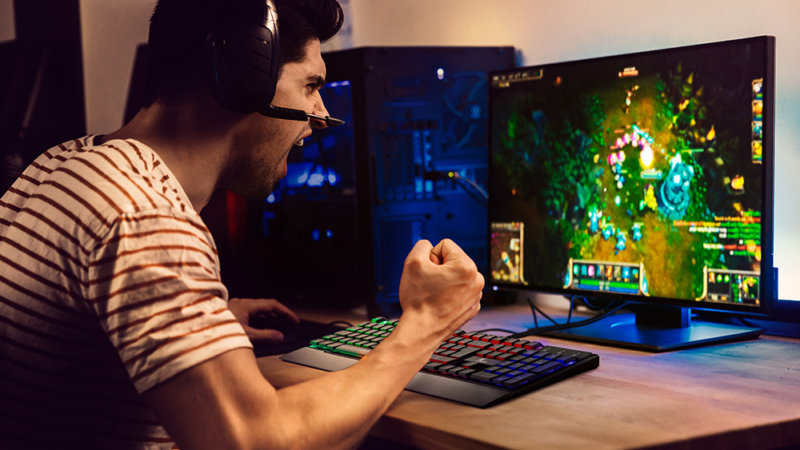
Imagine playing a game of Fortnite, Call of Duty Warzone, or any first-person shooting game. You’re having fun playing with friends, and all of a sudden, you get dropped from a mile away by a headshot. As you’re spectating your body, you see the one who killed you approach and repeatedly made the sitting and standing movement right over your face.
You see this go on and on for a few seconds before you respawn, and then just when you think it’s over. You die again, and two other opponents join in and start to do the “sitting and standing” movement right on top of your face again.
This is a prime example of BM or Bad Manners (bad manner, if you will), and it’s one of the biggest problems in the video game community.
What Does BM Mean In Gaming?
BM stands for Bad Manners or Bad Manner, and is a gaming term or slang referring to any form of toxic, unsportsmanlike conduct, and disrespectful behavior towards other players.
The gaming community, as a whole, is made up of good people. But there are other players out there who make the game unnecessarily a bad experience for their fellow gamers. In other words, it’s being a bad sport before, during, and even after a game.
With the rise of esport’s popularity and becoming more mainstream, popular games are gaining more players who’re just in it to play casually. These are the players who aren’t into gaming that much, but would love to take it up as a new hobby.
What Does The Prevalence of BM Mean For The Gaming Community?
BM is one of those new slang terms that refer to any action that may give the other player a negative experience in any game. For new players just getting into a particular game, BM means a lot of things.
For one thing, a new player being exposed to bad manners early on within that game’s gaming community is a form of gatekeeping. In gaming terms, gatekeeping is when older or veteran players are trying to stop new players from enjoying the game because they don’t like to share the experience. These older players hope that these new players will just give up on the idea of getting into the game.
For example, let’s have World of Warcraft. When new players are flocking towards a new server, older players will take advantage of them by making characters from the opposing faction. In this case, if the server is predominantly Horde, these older players will make Alliance toons. Then they’ll basically try to make these new players’ lives a living hell by taking their kills or ganking them. Any negative behavior that prevents new players from having a normal and decent experience in-game is considered as BM.
What Are The Different Types of Bad Manners?
More often than not, there are different types of bad manners exhibited by different players across different games. This article will categorize these different bad manners into the following:
Verbal
Action-Based
Mind Games
Verbal
Verbal BMs, or bad manners, manifest through trash talk, or making negative statements in a negative way that target the other players’ religion, race, and sexuality among other things.
It’s one thing to have friendly banter with opponents, but it’s already considered BM when the trash talk is already personal or directly attacks the player outside of what he or she has done in game.
What does verbal BM mean in gaming? Well, it’s a gateway to cyberbullying. Apart from putting the player in a bad mood, there is a tendency for the perpetrator to constantly throw out racist, sexist, and other derogatory statements.
Action-Based
What does action-based BM mean in gaming? This category of BM is carried out through various actions, emotions, or tactics within a particular game that will affect the other players’ negatively.
Going back to World of Warcraft as an example for an action-based BM, your opponent will purposefully kill all of the mobs that you need to kill using his or her higher level toons. With this action, you’re unable to move forward with your quest and you’ll end up losing your patience or motivation to continue on with the quest as long as the opponent is still around.
Other examples of action-based BM is tea-bagging, which is a common occurrence in first-person shooting games. When a player gets killed, the opponents stands on top of them and proceeds to repeatedly press the “crouch” and “stand” buttons. Tea-bagging is a disrespectful way to celebrate a victory against an opponent, and is often a bannable offense for some games.
Spamming taunts in an MMORPG is also considered an action-based BM.
Mind Games
Bad manners that fall under this category are very discrete, so much so that you don’t even realize that you’re already a victim of it. We say discrete because this type of BM doesn’t attack a player directly, or even in a disrespectful way.
This type of BM is meant to affect the player’s performance or mindset heading into the game. One common type of mind game is called “Dragging It Out”, and we’ll use Magic the Gathering: Arena and Hearthstone as examples.
An opponent dragging it out is making you wait for a long time unnecessarily. In Magic The Gathering, it’s called Roping. The opponent will literally take their sweet time wasting one turn by consuming the allocated turn-time. If a turn is 30 seconds long, he or she will make one action and proceed to consume that turn or phase until the next reset. As a result, you’ll want to quit the match because you want to move on to the next one.
In Hearthstone, players are often spamming taunts and premade statements from their characters repeatedly to drive you nuts. The point and meaning of spamming taunts and one-liner is to make you lose your focus or concentration for that match, among other things.
What Games Are Most Popular For BM?
Video games that are competitive in nature have a higher occurrence for toxicity, bad manners, and unsportsmanlike conduct. Prime examples of games that are known for being toxic are League of Legends and Dota 2, with players quitting left and right just because of the BM they get from the enemy team.
Bad mannered players will always proliferate different games, and these types of people are just unavoidable at this point.
What Can People Do Against Bad Mannered Players?
Bad mannered players are found in all games, but it doesn’t mean that we can’t do anything about them. A gaming community is only as good as the people that knows what to tolerate.
When it comes to bad mannered players, the logical thing to do is to just ignore them. They’re playing the same game like you are, but the goal of their gaming is far from yours. These BM players aren’t in it to enjoy the game, but they just want to deal as much damage emotionally and mentally to their fellow players in game.
Another thing to do for the worst types of BMs is to report them to the admins. Gaming publishers aren’t exactly lenient to people who like to play the BM card every now and then. Depending on the nature of their actions, bad mannered players get banned or suspended for a period of time. Worst case, their account gets deleted or removed completely.
The Macbook Pro is the ultimate gadget for the on-the-go professional and is considered as the ultimate laptop for a lot of people. For some people, the Macbook Pro is their choice of laptop because of their portability. For others, it’s their sheer power. For the handful, the brand speaks for itself.
But even if the Macbook Pro is expensive, some people just can’t live without it mostly because they’re more familiar with the macOS system than Microsoft Windows. Sometimes, the macOS just offers more for them than any Windows laptop. The latest run of Macbook Pro and Macbook Air are equipped with the M1 processor, known for its power and efficiency. Combined with the SSD storage, the Macbook is a lot more powerful than some Windows laptops (non-gaming laptop, at least).
But there are other laptops out there that we consider to be Macbook Pro alternatives. And by alternatives, we mean these Windows laptops are just as powerful or close to matching the Macbook Pro’s speed and capabilities. These alternatives for the former Macbook user who’s transitioning into Microsoft Windows, or those who want a Macbook-like experience but don’t want to shell out a lot of money.
The Best Macbook Pro Alternatives in the Market Right Now
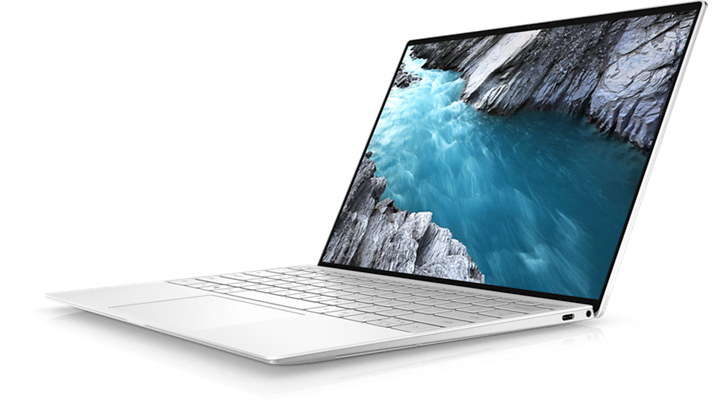
Dell XPS 13 OLED
Dubbed as the Best Macbook Pro Alternative
If we’re talking about the best Macbook Pro alternative, then it’s got to be the Dell XPS 13. Hands down, its processor is just as powerful as the Macbook Pro’s M1 processor and its design is an absolute replica of a Macbook Pro (minus the Apple logo).
The Dell XPS 13 is a lot more portable than it looks. It weighs about 2.64 lbs. and is about 0.58 inches thick. The Macbook Pro weighs 3.1 lbs. and is 0.61 inches thick. These maybe just numbers, but it does put into perspective just how more compact the Dell XPS 13 is.
For the hardware, the Dell XPS 13 offers more power with system memory being upgradeable up to 32GB and storage up to 2TB. The 13-inch Macbook Pro on the other hand has about the same system memory capacity and the same storage capacity, while the Macbook Air gets up to 16GB system memory and 2TB of storage.
There’s also more connectivity with the Dell XPS 13 than both Macbook Air and Pro. The Dell XPS 13 contains 2 Thunderbolt 3 ports, 3.5mm audio jack, and a microSD slot. There’s a USB-C to USB-A adapter included so you can hook in an external mouse or keyboard. There’s also the variant with touch-based screen capabilities along with UHD+ resolution. Needless to say, the Dell XPS 13 does a good job at giving the Macbook Pro a run for its money.
Now you know why it’s the best Macbook Pro alternative right now.
Our second entry for the best Macbook Pro alternatives is the Asus Zenbook 13 OLED. It’s got all the aesthetic premium design and feel of a Macbook Pro, minus the hefty pricetag.
The display of the Asus Zenbook 13 OLED is at 1080p resolution, but the OLED Panel makes everything on the screen look as crisp and more beautiful. But the Asus Zenbook 13 OLED is more than just looks.
Under the hood, you’re getting either Ryzen 5 or 7 processor, neither of which are underpowered for carrying out multi-threaded tasks. In fact, the latest AMD processors come close to the Apple M1’s performance. You’re also getting up to 16GB system memory with expandable storage up to 512GB SSD. Granted the ports are limited compared to the Dell XPS 13, but no one’s complaining here.
The Asus Zenbook is here to say and is definitely one of the more affordable Macbook Pro alternative in the market.
If you think there’s no Windows laptop out there that’s lighter than the Macbook Air, then you’re wrong because here comes the Lenovo ThinkPad X1 Nano. It boasts of a 13-inch display, which is the same size as the Macbook Air. It also weighs 1.99lbs., making it lighter than the Macbook Air by almost a pound (the Macbook Air weighs 2.8lbs.).
For the hardware, the Lenovo ThinkPad X1 Nano comes with a Tiger-Lake Intel Core i5 or i7 processor and starts off at 8GB system memory (up to 16GB) with 256GB SSD (up to 512GB). It’s not exactly a powerhouse workstation but it does have enough power for office productivity tasks.
But the hardware is not the selling point for the Lenovo ThinkPad X1 Nano. The keyboard on this sleek laptop beats out Apple’s Magic Keyboard by a mile. The keyboard design of the Lenovo ThinkPad X1 Nano is preferred by those who’re typing a lot, like journalists or someone who likes to write emails a lot.
All in all, the Lenovo ThinkPad X1 Nano is the perfect office partner with a decent battery life that doesn’t force you to shell out thousands of dollars. Is it the best Macbook alternative? If you think going light and compact is your preference, the Lenovo ThinkPad X1 Nano is a solid choice for Macbook alternatives.
You want to know what Macbook Pros and Macbook Airs would be like if they had more ports? Look up Razer Book 13. Razer needs no introduction because it’s known for making gaming paraphernalia. They’ve recently jumped into the gaming laptop scene and now they’re known for their Razer Blade series. However, these laptops weren’t focused so much on productivity like an Apple Macbook, but more geared towards gaming.
Razer Book 13 is their attempt to compete against the Macbook and other best Macbook Pro alternatives on this list. Unlike most of their products, the Razer Book 13 does not have a discrete graphics card so it’s thinner and more portable than its gaming counterparts. It does come with an 11th gen Intel Core i5 or i7 and boasts of a 14 hours battery life. But the Razer Book beats the Macbook Air because of the ports. It has two Thunderbolt 4 ports, HDMI slot, SD card slot, headphone jack, and a USB-A port.
The HP Spectre x360 line of laptops was one of HP’s best productivity lines yet. Previously, the HP Spectre x360 13 made the headlines but now we have the Spectre x360 14, considered as an upgrade from the x360 13.
The HP Spectre x360 14 boasts 13.5 inch display with a 3:2 aspect ratio, making it the perfect productivity partner. The base model of the HP Spectre x360 14 comes with a 1920×1280 IPS display with anti reflection features. You can upgrade up to a 3000×2000 OLED display if you want more vivid images. The HP Spectre x360 14 comes with 8GB of RAM and 256GB SSD, but both are upgradeable.
The color scheme of the HP Spectre x360 14 is just beautiful. You can choose between Natural Silver or Nightfall Black. Granted, the HP Spectre x360 14 is a tad bigger than its competitors on this list but the large display makes it all worth it.
HP Envy line of laptops was created to compete against the likes of Dell and Apple’s productivity laptops. But the former is a lot more affordable but comes equipped with a lot more powerful hardware.
The HP Envy 15 makes it to the list because of its $1,600 price range and for the inclusion of an Nvidia GeForce RTX 3060 graphics card. It’s relatively cheaper than Dell XPS 15 too. The only downside here is that it’s a lot clunkier than the other Macbook Pro alternatives on this list because of the graphics card.
All the size of the MacBook Pro 16 without the weight
Looking for a laptop with large displays but still considered as one of the best Macbook alternatives? The LG Gram 16 has everything you need. It’s large, it’s powerful, and yet it bears this ultra-thin profile for portability.
It’s the lightest notebook on this list, coming in at a weight of 2.62lbs. On top of that, it has excellent battery life despite its thinness and guarantees productivity and performance with its Intel Core i7 processor. It also has a great battery life and is a lot more rigid than the Macbook itself.
The LG Gram does not have a discrete graphics card, but you don’t really need this laptop for gaming. The LG Gram 16 falls just below the $1,500 price range, which makes it a lot more affordable than the Macbook Pro.
All in all you’re getting a competent office partner for a significantly reduced cost compared to the Apple Macbook. The LG Gram 16 is definitely a solid Macbook alternative for anyone looking for portability and power but with a cheaper price tag.
The HP Elite Dragonfly made quite a scene in 2020 and became a fan favorite for businesspersons due to its LTE-ready connectivity and luxurious aesthetics. Now, HP has gone and released the HP Elite Dragonfly Max.
The HP Elite Dragonfly Max is one of two Dragonfly models released at the same time. The other model is the Dragonfly G2. But we’re listing down HP Elite Dragonfly Max because it has a lot more to offer.
It comes with 10th or 11th generation Intel Core processors with Thunderbolt support, specifically a Thunderbolt 4 port. You also get up to 32GB of RAM and of course, 5G support. The HP Elite Dragonfly Max’s mic and webcam setup is also as impressive as the specs of the laptop itself.
What Can Compete with the Apple M1 Chip?
Apple users are enjoying the new Macbook Pro and Air for the aesthetics and the macOS itself. Both laptops are powerhouses for the creative individual and gives you enough power for video editing and audio editing on top of your usual office productivity tasks.
What is the Apple M1 Chip Anyway?
Back in 2020, Apple made the bold move of switching from the Intel processors to its own M1 chips for their Macbooks. This paid off as the Macbook’s performance received a huge boost in terms of graphics and processing. The M1 chip architecture now became the standard for use on all Apple laptops and desktops.
This move gave Apple more flexibility and allowed more room for hardware and software optimization. If you want something that can compete against the M1 chip, you’re going to want to look for a laptop with an AMD or Intel processor.
What Are The AMD and Intel Alternatives?
Intel Core processors ruled the market for quite a while but now we’re seeing AMD rise up and go head to head against Intel once more. AMD’s Ryzen processors have earned the respect of content creators for its multi-threading capabilities.
From any of the best Macbook alternative on this list, you want to look for a laptop that’s at least in the 13-inch sizing. Laptops that are 13-inch or 14-inch in size usually come with Core i7 and Ryzen 7 CPUs, with some base models having at least a Intel Core i5 or Ryzen 5. Both Ryzen 5 and Core i5 are all fine for office productivity and day-to-day tasks, but with diminished power levels.
If you really want to land a Core i7 or Ryzen 7 processor, you’re going to want to bump up in size. Some would even have the Core i9 and Ryzen 9 processors, which obviously beat out the M1 processors from Apple. Both line of processors from Intel and AMD are considered workstation-grade CPUs, so performance is anything but subpar and truly competes against the Apple M1. When these processors are combined with a discrete GPU, SSD, and high capacity RAM, the Apple M1 is surely beat.
Minecraft is game filled with limitless possibilities, and if you think it’s a game for kids, you’ve thought wrong.
For the uninformed, Minecraft is a block-building game. Think LEGO or MegaBlox. This is a world-building simulation where you and your friends log on to a Minecraft world or server and build anything that comes to mind.
A popular mode played by fans is Survival Mode. The premise is simple, you build a house or a shelter to survive the night and explore the next day. Monsters, spiders, and creepers come out at night, so gathering and mining becomes a problem.
For novice players, this can get overwhelming but as they become more experienced, Survival mode becomes a walk in the park, so much so that players just build whatever house they want to stay in for the night.
If you want to enhance your Minecraft experience and want to take building houses to the next level, this article will list down the best house ideas for Survival mode. These cool Minecraft houses are meant to inspire you for your next build.
Wooden and Stone Houses
Modern Minecraft houses are made from two consistent materials: wood and stone. These house designs are meant for people who want to become familiar with how the building system works before delving into the more complicated Minecraft house designs.
Typical Wooden Starter House
Source: DioRods
This is a typical build that new players often go for in Survival mode. The template of this modern house design is simple: you only need to lay out 7 x 8 blocks (Length and Width respectively), and go on from there.
The size of the house is pretty much Goldilocks, meaning it’s not too big and not too small. You can spice this build up with using Mossy Cobblestones or Spruce Wood. Some players even make use of stone bricks for a more visual appeal.
Durability-wise, the build itself is practical and can be effective against zombie swarms. It shouldn’t take you a couple of hours to farm the necessary materials.
Redstone House
Another compact build that’s made entirely out of stone is the Redstone House design. While the design isn’t game-changing, this is one of the popular house building ideas for players who love to turtle up.
There’s no trace of any wooden materials here because all you need are a lot of Redstone blocks, or concrete and smooth quartz. It all boils down to what you want and how fast you want it done. As stated, the sizing is about 8×8 (LxW) so farming and mining shouldn’t be that long.
Oak Wood House
Opposite to the Redstone House is the Oak Wood Minecraft house build. Instead of Redstone or Concrete, you will need a ton of oak blocks. The modern aesthetic of the Oak Wood is appealing to players who want a minimalistic design but still want something more effective in terms of defense.
The Oak Wood is a lot bigger than the first two houses mentioned because its template is a 16×16 block layout. This might take longer to complete, but the payoff is just huge. You only need to farm Oak Planks and Oak Wood for the floor lining and then swap over to Birch Wood Planks. You’ll need Birch Wood to build the walls and roof of the house. It’s not exactly beginner-friendly, but is a good diving board into the more complex builds.
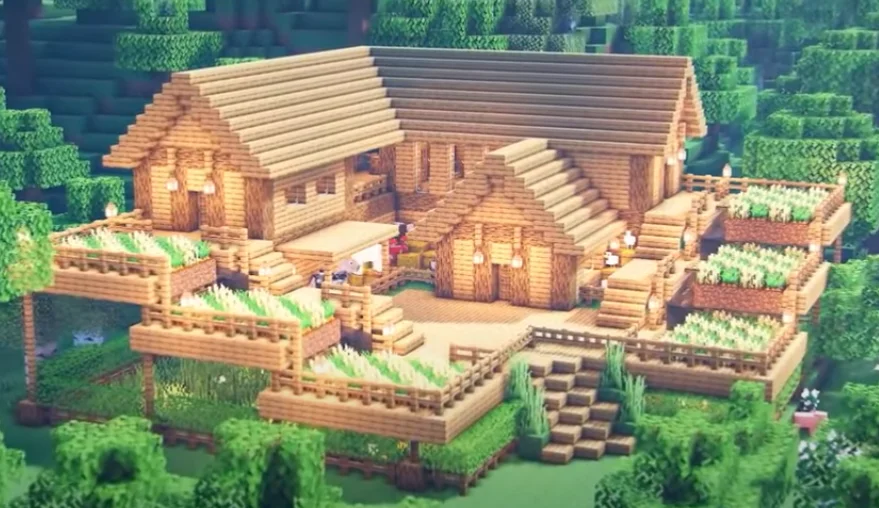
Compact Wooden Farm House
Another good early game house build is this two-storey farm house, the first floor being the farm itself. The house is compact enough to house a bed, some interior decorations, and an Enchanting Table. We say that this is a good early game build because you only need resources like Oak Wood and Spruce Wood for the exterior of the house.
In the Survival world, this is a go-to build idea. You only need a layout of about 11 by 16 blocks to build the house, and go on from there.
Large Wooden Mansion
When you’ve been playing the Survival game for too long, you become bored building simple house ideas, so now you want to take things to the next level. And we’re talking about building humongous mansions.
Contrary to the size of this build idea, the task of building the house itself isn’t that large. You just need to farm an insane amount of Oak and Oak Logs, so you’re spending hours cutting down these trees and more.
The house is big enough to accommodate several rooms and added functionalities like animal pens. You have enough space here to segregate pens for each of your horses, pigs, sheeps, and cows. And we all know how important these are in a Survival game.
If you want to take this build up a notch, you can build a basement or an underground base, which should get you more space for farming or decorative slots.
Cobblestone Minecraft House
The Cobblestone House is a relatively new Minecraft house, mostly because people prefer to use Concrete or Redstone. But it’s somewhat become more popular with the new players who don’t want to farm for hours.
Simplicity is the name of the game here because the Cobblestone house doesn’t have anything flashy tied to its aesthetics. At the core of it all, you’re only using two materials: Oak and Cobblestone. The size is about 9 to 5 blocks but you can adjust based on what you need and want. You can go for different wooden and stone blocks too. A personal favorite combination of mine is Spruce and Redstone.
Large Oak House
Much like the Large Wooden Mansion, the Large Oak House is a complex and bigger variant. You need a 31 by 31 layout as foundation for the entire house and yes, it can be built in Survival game.
You’ll need at least 812 Oak Logs, 680 Oak Fences, and 692 Oak Planks plus a decent light source that you can farm early game. Beacons will do fine for the lighting, but Glowstones can be a good alternative too.
This large modern house is probably one of the best Minecraft house ideas just for the awesome combination of Oak wooden planks.
Survival Raft House
If your Minecraft Survival game has a map with water on it, then this Minecraft home idea is definitely a must-try.
The Raft House, as players call it, is one of the best house ideas made popular by Gorillo. The core theme of this cool Minecraft house is a house in the middle of the lake or sea. The reason why it’s so popular isn’t because it’s aesthetically pleasing to look at, but rather, it’s one of those cool Minecraft house ideas that help players survive against a different kind of enemy: Griefers.
Spaced out far from land, you’re able to protect your valuable in-game items from random mobs and griefers who just want to break into other people’s homes. And if you’re wondering how to get to your house, well, you just build a raft. Hence the name, Raft House.
To get started with this build, you’ll need some wooden materials like Oak and Spruce to make the raft and exteriors of the house.
Campsite Tent House
Another idea brought to you by Gorillo is the Campsite Tent House. Both the Raft and Tent House may not exactly fit the category of modern Minecraft house ideas, but they have their unique purposes.
The Campsite Tent House is the ideal Minecraft house idea for the player who can’t stay in one spot. Imagine this situation: you’re out in the woods and far from the safety of your friends. You’ve probably wandered too far and you’re hearing Creeper noises left and right.
The Campsite Tent House comes into play by providing you some shelter and a place to rest at night. Gorillo explains in a YouTube video for the Campsite Tent House that he makes it using black and white wool combined with a Spruce fence to build the tent support. There are also Spruce trapdoors located at both ends of the tent. This Minecraft house idea gives you both mobility and protection without compromising each other.
Two-Toned Beach House
If you’re feeling more creative, the Beach House is one of those cool Minecraft house ideas that doesn’t require any building experience while helping you play the Survival game.
The Beach House is a combination of convenience and affordability because you only need two combinations of stone and wooden materials to make the exterior and finish it off with a White Stained Glass for an awesome view of the beach.
This is often a go-to modern house idea for players who want to keep a certain distance away from other players while keeping close to resources. Similar to the Campsite Tent House, the goal here is to stay protected while being mobile and distant. It’s affordable enough that you can build it once more if you’ve strayed far from your original beach house.
Note that this Beach House turns into a Lake House when the beach is not included in your map.
Aesthetic Mushroom House
A unique way to approach building a survival house is to make it colorful and thematic. A good example here is the Mushroom House, and yes, it’s a creative inspiration for your next build.
This house sports three color themes – white/beige, red, and a little bit of green. For the exteriors, you need Green Concrete, Spruce Wood Trapdoors, Stone Brick Walls, and Mushroom Stems.
The Mushroom House is also one of the smallest houses in this article as its layout only requires a 4×4 dimension, making it a decent starter house. You could also scale it larger if you want to accommodate added features. All in all, the Mushroom House is one of the most refreshing new ideas to come across Minecraft.
Little House On The Prairie
If you’re familiar with the show Little House on the Priarie, this design should make your survival game a little bit more nostalgic.
This Minecraft house design is a good mix of western cabin and Japanese style house, with the latter usually bringing in a Cherry Blossom Tree with a white fence around it. This Minecraft modern house is compact, following an 8×8 layout, so it’s not exactly tedious to build and doesn’t draw in a lot of attention from other players.
For the exteriors, you can make use of two different wooden material combinations and one stone material to give it a nice mix of light and dark shading. For interiors, you got enough space to craft a bed, a kitchen, some walled lights, and a reading room if you fancy it.
Open Spaced Mountain Cabin
Another cute mountain house inspired design is the Open Spaced Mountain Cabin and is one of those Minecraft house designs that draws the attention of both new and old players alike.
This is a modern Minecraft home that looks like it was designed by Martha Stewart. The layout of the build follows a 7×6 layout initially for cutting grass then follow it up with the 11 block layout for the underground or ground floor foundation, so it’s kind of wide but allows for more room for interior decoration. The aesthetics is cute enough that you may not even want to venture outdoors anymore.
After building the ground floor foundation, you’ll need to build the second floor, which is ideally about 9 blocks high, so the entire layout will look like 11x7x9 (Length, width, height respectively).
Your choice of materials for the exteriors will vary. If you want a brighter color, you can go for White Concrete. In contrast, you could go for Redstone if you want something darker.
Los Angeles-Inspired Modern Mansion
If you think you can’t pretend you’re building a celebrity house in Minecraft, think again. This is one of many modern Minecraft home designs that’s inspired by real world modern architecture. Think swimming pool with wide open window panes and an edgy layout.
Build a new Minecraft house that looks like something Ryan Reynolds would live in, at least in a Minecraft universe. The design is straightforward and is one of the best Minecraft house ideas for those who want to make their building experience more exciting and rewarding.
The construction of the house starts with a 14 x 12 layout, and is made up of mostly glass panes, stone materials, and some wooden materials here and there. Then place stone bricks along the foundation of the base and then add two block to each base until the structure is about three blocks high. Bring in your wooden materials for the inner area, and following the same layout as the stone materials. By this time, your structure should have a two-wall foundation and then go on and fill in with all the niceties.
Grand Modern Mansion
The grandest Minecraft modern house idea is probably this one, and we’re talking about a month or two of farming, gathering, and building all in all. This is what we considered one of the great Minecraft house ideas that’s both luxurious to look at and rewarding to build.
The size of the layout is 54 blocks by 52 blocks (length and width respectively) and takes up a good combination of wooden and stone materials. Your ideal material here would be oak and redstone or cobblestone. For lighting, Glowstone comes in quite handy here. One of our servers had a player who made his own version of this mansion complete with a man-cave. His man-cave was so detailed from the PC on the carpeted floor to the different jerseys on the wall.
Preparations are a plenty here so we won’t go into too much detail, but the overall idea of this build is about luxury. Some of the stone materials such as Smooth Quartz are hard to find but easy to craft, so you’re going to spend ample time exploring the place.
Compact Beach Modern Mansion
The words COMPACT and MANSION don’t really make sense until you see this modern house idea in Minecraft. If you’re looking to upgrade your current beach or lake house, consider this Minecraft house idea.
The concept of this Minecraft house is simple. It’s a solid combination of mostly wooden materials with a little bit of stone and concrete with a dash of glass panes, at the very least. Then more materials might be needed down the line if you want to add more visual appeal.
For decorations, you can go with paintings, barrels, ship items, lanterns, some crafting or enchanting tables, and a campfire. You can definitely make use of this in a Survival game, but since this might be a tedious build, you might want to go for a mobile house idea as you’re building this house.
The size of the house is about 6 by 8 blocks, but you can reduce it by as much as 5 by 8 blocks if you want less gaps in between this cool Minecraft house idea.
The resource required for decorative purposes include paintings, smokers, barrels, strings, item frame, lanterns, crafting table, and a bunch of others. Campfire and oak leaves are also going to be needed to make this house look exceedingly presentable to fellow players. You can also pull off a building like this in Survival Mode, so there’s that added benefit as well.
Some Tips To Build These Minecraft House Ideas Like a Pro
Set The Foundation First
The first tip you should consider listening to is to build your foundation for your modern house first. If you noticed in the list of Minecraft house ideas here, we’ve always mentioned how wide and how long each house is.
To start building the foundation for your modern house, all you really need to do is cut the grass, dig a hole if you’re building an underground house, or lay blocks around terrain when needed if you’re into a Japanese style house or a mountain house.
The ultimate goal here is to identify just how much space you need to build your suburban Minecraft house, or if you can accommodate a Survival house in a restricted area given to you.
Cubes are Overrated
Square huts are great and all, and don’t make for bad Minecraft house ideas, but a cube-shaped Minecraft house is overrated. Your first goal in a Survival game is to have proper living accommodations, such as roof and walls to protect yourself from griefers and monsters, so your first instinct is to go for a cube structure.
If you’re up against some great players, they’ll know how to deal with your cube house by building something around it to prevent you from entering it or exiting it when you respawn. By shaping the house differently, you can prevent getting boxed in by your opponents unnecessarily.
Watch How-To Videos From Experts
Professional builders such as Gorillo can make anything on Minecraft, that’s why they’ve taken their ideas on how to build the perfect Minecraft home and made videos on how to go about with their builds.
These professional builders will include the nifty details in their YouTube video tutorial for making particular house designs, such as the number of smooth quartz blocks you need or the amount of jungle planks you need to build the exterior.
There are also YouTube videos out there that will teach you how to go about with structures for Minecraft treehouses, how to build a real life ocean floor, and other things that would make you want to go into creative mode.
Flat Walls Are Bad!
There’s enough material to build a Minecraft house, so much so that you can actually go for more than one type of stone material to build your house. Some of the house ideas listed above make use of a Redstone or Cobblestone combined with White Concrete to give their Minecraft house a two-toned color scheme
Add some flair into your interiors by building pillars to give your own take of a Minecraft modern house more identity and make it look like it’s more spacious than it looks.
Go For Themes
You can only go so far when it comes to building basic Minecraft houses, and in the Minecraft world, the sky’s the limit for creativity. Your survival house doesn’t need to be restricted to just walls, roofs, and some trap doors.
Why not add life to your Minecraft house design by adopting a theme? A common example is a medieval theme, commonly used by professional builders in the Minecraft world. We’ve seen some amazing videos of people building Minas Tirith from Lord of the Rings and even Hogwarts.
Your house design doesn’t need to look like a castle but you can give it some medieval vibes with the right material combination. The same can be said for build a wooden house, tree houses, or even a hanging house (if you’re risky enough).
Other good examples of themes for a Minecraft house would be a haunted mansion, underwater houses, mountain houses, and even video game themed house build.
Experiment, Experiment, Experiment
If you’re always on the lookout for the next house idea, the best way is to just experiment, experiment, experiment. Some of the best Minecraft house ideas we’ve seen started out as experiments and bloomed into perfection.
From underground houses to an underwater house design for Minecraft houses, you just have to know what kind of house you want to kind of build and go from there. There’s no one judging you if you’re experimenting in Minecraft.
Building a City? Use Negative Space!
Some builders aren’t satisfied with just building a house. They often build cities, and if you’re planning to take your creative mode to the next level, then you’re in luck.
You don’t need to be a professional when it comes to building and designing a city. One important tip to make your city look just as good as the real life pros would’ve designed it is to use negative space.
Negative space adds more detail to a particular city structure without directly affecting the way it looks. For example, adding an alleyway and pavement in the sides of a building is a good example of making use of negative space.
Be Like Hansel and Gretel. Leave a Trail.
When we’re too immersed with the exploration part of Minecraft, we often lose sight of how far we’ve travelled from our home base. This makes it difficult for us to return and makes us more susceptible to attacks from creepers and griefers.
A good way to survive the Minecraft world is to leave a trail. You could leave trails of stone blocks, or make certain carvings on the ground to let you know where you’ve been. Then when you’re ready, you just follow the trail you’ve made and return home safely.
Practice On Your Own Minecraft Server
Having your Minecraft server is like an initiation rite into becoming a full-fledged Minecraft player. They’re really affordable and give you enough space and flexibility to accommodate players if you want or just to give you alone time to build your Minecraft house without any interference from other players.
You can go purchase your Minecraft server from different providers, and you just need to do a quick Google search honestly. The monthly cost is about US$3, depending on what features you’ve purchased. Some of the hosting providers are similar in nature to web hosting platforms for websites. You get DDoS protection, a subdomain, 24/7 customer service, and more.
Real Life Architecture Can Be Inspiring Too!
Don’t know what to do with your excess Spruce logs or Spruce planks? Can’t figure out how to plan stairs leading to another part of the house? Or have you just hit a creative roadblock?
If you don’t know what to build for your next survival house, you can always look at real life modern architecture for ideas. Some of the best Minecraft houses in the game look like they were designed by award-winning architects but they were just inspired by them.
Building an underground house? Why not look up architecture for underground man caves or luxury basements that rich people have? If you know what kind of survival house you want to build but don’t know about the design just yet, all you need to do is to do a quick Google search.
General Tips for Playing Survival Mode
Be Careful Out There
Don’t be too complacent even in the daytime. You’ll be surprised to know that even professional Minecraft builders can be oblivious to the Minecraft world when consumed by their creative juices. You’re hyper-focused on getting ores and all of a sudden you get eaten by a Creeper.
Thankfully, the game makes it easy for you to watch yourself because there are audio cues to watch out for. It might take some time before you’re familiar with all of them, but a general advice is this: if you hear something unusual, check your surroundings.
Slow and Steady Wins The Race
What we mean here is that you should pace yourself when you’re getting into Minecraft. Some people make the mistake of taking in a large project and as a result, they become overwhelmed and just quit.
If you’re a beginner, start out small first and get used to the building system, how to gather materials, and so on. Then as you progress with your in-game knowledge, you also progress with how you approach building projects.
If you’re a solo player who doesn’t have a consistent group to play with, large projects are still possible but might take you longer as opposed to having other people help you.
Set a Day for Building and Another For Gathering
Part of pacing yourself in the game is to know when to build and when to gather. Beginners make the mistake of doing both at the same time because they want to do as much as they can with the limited time available to them.
However, if you want to progress smoothly in the game, you’ll want to schedule your gathering for one day and building for another day. This helps you avoid burnout and mental fatigue due to hyper-focusing.
When you create a day for gathering, you’re ensuring that your next building day will be smoother because you already have the materials to help you build. Rome wasn’t built in a day, and neither was that large mansion you saw from Gorillo’s YouTube.
Some Final Words
If you’re new to Minecraft and want to know how to build an underground house, this article of different Minecraft house ideas should come in handy. There are a lot of resources out there to help you build modern houses in Minecraft.
Much like the Assassin’s Creed franchise, Tomb Raider needs no introduction simply because it’s one of the largest video game franchises in the world. Tomb Raider didn’t only make waves as a video title, but we’re also talking about comics, movies, and novels. There are rumors of an upcoming Netflix anime adaption for Tomb Raider, but we’ll leave that be for now.
Even if you didn’t start Tomb Raider from the very beginning, you’ll know all about Lara Croft through Angelina Jolie’s adaptation of her in two Hollywood movies.
Who’s Lara Croft, you might ask? She’s an archaeologist/millionaire who loves to explore tombs, lost islands, and ruins. As the player, your goal is to help her find secret treasures while navigating your way through the many dangers. The premise of the franchise is simple: you roam around, kick butt, solve puzzles, and even take on some platforming activities.
Here’s The List of Tomb Raider Games In Order:
The Tomb Raider franchise covers 12 games and 2 RPGs. The entire series has sold about 82 million copies worldwide.
The first three Tomb Raider games in order were published by Core Design, spanning 1996 up to 1999. The second trilogy rested in the hands of Crystal Dynamics where it was their turn to take a spin at the Tomb Raider chronicles.
In 2013, the Tomb Raider franchise was handed over to a new publisher: Square Enix, the same publisher behind other successful franchises such as Final Fantasy. Their trilogy was dubbed as the “Survivor Timeline”, and generated the highest sales out of all the games in the franchise.
Original Trilogy
Tomb Raider -1996
The first Tomb Raider debuted for the Sega Saturn console in 1996 and introduced Lara Croft to the entire world.
The plot of the 1996 Tomb Raider was straightforward. Lara was hired by Jacqueline Natfla, a rich businesswoman, to help her locate the Scion of Atlantis. The first Tomb Raider then set the blueprint for the rest of the franchise.
Tomb Raider, at its core, was a third-person game with a combination of puzzle-solving and action and adventure. As you explored different tombs and ruins, you needed to solve puzzles to move forward. You also had to fight your way through jaguars, raiders, and other enemies.
This is where you’re also introduced to Lara’s trusty double pistols with infinite ammo. While she relies on her guns to solve most of her problems, she can also do hand-to-hand combat.
The first Tomb Raider game had 16 different levels, which was already comprehensive for a game during this timeline.
Tomb Raider II: Dagger of Xian – 1997
The second game of the Tomb Raider original trilogy followed in 1997 for Playstation and Microsoft Windows. Unfortunately, Sega Saturn never got their own version. The second game sold more than 8 million copies and became one of the best-selling titles for the franchise.
The second Tomb Raider game takes Lara to the Great Wall of China where she needs to locate the Dagger of Xian. According to the game, the dagger belonged to the first Emperor and is extremely valuable. The second game was as big as the first game, but the game mechanics remained the same. There was also more emphasis on combat than puzzle solving, which was somewhat of a breather for a lot of the fans.
Tomb Raider II: The Golden Mask
It wasn’t uncommon for games during this time-period to have expansions, and Tomb Raider II had one called The Golden Mask. This expansion featured a new mission with four levels. The As the title mentions, you’re tasked to locate the Golden Mask and fight your way through monsters and dinosaurs. This took some realism out of the Tomb Raider franchise, but who’s complaining, right?
Tomb Raider III: Adventures of Lara Croft – 1998
Lara’s adventures continued on until 1998 with Tomb Raider III: Adventures of Lara Croft. The game debuted for both Microsoft Windows and Playstation. The third installment of the original trilogy brought Lara to locate 4 pieces of meteorite scattered across the world.
There weren’t new gameplay mechanics here, but the game did run on a new graphic engine which allowed for improved performance and graphics. The engine also paved the way for more complex puzzles and levels, which is why the third installment of the original trilogy focused more on puzzles than combat.
Second Trilogy
Tomb Raider: The Last Revelation -1999
Following the success of the first trilogy, it wasn’t long before more sequels were announced. The first Tomb Raider title of the second trilogy was titled The Last Revelation, with its release date in 1999. The game was slated for Playstation and Microsoft Windows, with Dreamcast and classic macOS getting a port a year later.
The first game for the second trilogy now introduced mystical elements into the game, with Lara’s goal of imprisoning Set, the Egyptian God. The entire game, however, wasn’t as impressive as the first three games. There weren’t new gameplay mechanics introduced, and overall, there were no significant innovations made towards the fourth installment of the franchise.
Spoiler alert: The Last Revelation ends with the death of Lara Croft.
Tomb Raider Chronicles – 2000
Following the story of The Last Revelation, the fifth installment was titled Tomb Raider Chronicles. Lara’s friends attend her memorial at Croft Manor and vividly talked about Lara’s earlier adventures so you were playing through flashbacks.
Tomb Raider Chronicles debuted for Sony Playstation, Sega Dreamcast, and Microsoft Windows in 2000. Much like The Last Revelation, no significant innovations were made towards the game. You still had to go through different challenging puzzles but ultimately, it was still the same game.
The last part of Tomb Raider Chronicles suggested that Lara could be alive below the Great Pyramid ruins.
Tomb Raider: Angel of Darkness – 2003
The third installment of the second trilogy, and the sixth game for the entire franchise, was titled Tomb Raider The Angel of Darkness. This game debuted in 2003 for Microsoft Windows and Sony Playstation 2. Later that same year, there was a port for classic macOS X PCs. Since this was the first game for Sony Playstation 2, players welcome visual and performance upgrades as well as a new gameplay mechanic: stealth. The stealth system took inspiration from the Metal Gear franchise.
The Angel of Darkness followed the stories from both The Last Revelation and Chronicles. After her supposed death, Lara found herself in Paris. This time, her mentor named Wener Von Croy gives her a new quest: to find Obscura Paintings. But before the mission begins, Von Croy dies in the hands of an assassin.
The French authorities believed that Lara was the murderer, so this game now has you proving your innocence while trying to find the Obscura Paintings. All in all, the introduction of the stealth mechanic in the Angel of Darkness was something that the original Tomb Raider game needed.
Legend Timeline
Tomb Raider: Legend – 2006
Tomb Raider Legend is the first installment of the third trilogy, and the seventh game for the entire franchise. Tomb Raider Legend debuted for Sony Playstation 2, Playstation Portable (PSP), Nintendo Gamecube, Nintendo DS, Gameboy Advance, and Microsoft Windows. The game was also released for Sony Playstation 3 in 2011.
By this time, Crystal Dynamics was in charge for the Tomb Raider games so they decided to reboot everything including Lara Croft’s origin story. Tomb Raider Legend now has Lara searching for the legendary Excalibur all around the world.
Even though a new developer was behind the game, the mechanics from the original Tomb Raider games were still there. The graphics and the graphics engine were overhauled, so you were now looking at a newly designed Lara Croft with improved enemy AI and control.
Lara Croft Tomb Raider: Anniversary – 2006
Lara Croft Tomb Raider: Anniversary was the second installment of the third trilogy and debuted in 2007 for Sony Playstation 2, Playstation Portable, Xbox 360, Nintendo Wii, and Microsoft Windows. A year after, there was a port for macOS X and Sony Playstation 3. The game was also a celebration of 10 years of Tomb Raider and Lara Croft.
The game was a remake of the 1996 Tomb Raider game so it brought back the origins story once more with improved graphics and the Scion artifact plotline. The game didn’t exactly deviate from the 1996 original version, but there were some additions to the levels and story.
Lara also had some new moves, which was similar to what she was doing back in Tomb Raider Legend. The overall game design for Tomb Raider Anniversary was a great improvement from the previous installments.
Tomb Raider Underworld – 2009
The third part of the third trilogy is Tomb Raider Underworld, which was released in 2009. The game was released for Sony Playstation 3, Xbox 360, Nintendo DS and Wii, and Microsoft Windows.
Because this was released for the PS3, the game had improved graphics, gameplay, inventory system, and movement. There was also the addition of a multi-purpose grappling hook and a Hint system where the game would guide new players when solving puzzles or platforms.
As much as there were more gameplay mechanics introduced, the story was a bit underwhelming for some players as they just worked their way through Lara’s own family mystery. Tomb Raider Underworld may not be everyone’s favorite Tomb Raider game, but it does not disappoint all throughout.
Survivor Timeline Trilogy
Tomb Raider (Reboot) – 2013
Tomb Raider came out of a four-year hiatus with Crystal Dynamics and Square Enix, the RPG giant, rebooting the series once more. The game was released for Sony Playstation 3, Xbox 360, and Microsoft Windows. A year later, they also released for Linux and macOS X.
As expected from a Tomb Raider universe reboot, Lara Croft has a new origin story. The game’s plot takes place in Yamatai, a fictional lost Japanese island. Lara and her team were searching for the island but they end up being shipwrecked and stranded on an island.
Now the story for the third reboot Tomb Raider introduces a new kind of Lara; a Lara Croft with no combat experience at all. Your goal in this action-adventure game is to survive, help your friends, and escape the island. The game is more linear and focuses more on survival than combat/puzzle-solving, and the map grows wider as you explore it.
The first game of the Survivor Timeline Trilogy also introduces RPG mechanics where Lara gains XP (experience points) by hunting, combat, exploration, and of course, raiding tombs. You gain skill points every time you level up and use these points to increase survival, combat, and exploration skills.
Lara Croft and the Temple of Osiris (Spinoff) – 2014
Following in the footsteps of the Guardian of Light, Temple of Osiris was the second Tomb Raider spin-off with A-RPG elements. There is a four-player coop online and offline where you play as either Lara, Carter, Isis, and Horus. The story is simple enough. Lara and team must go defeat Set, an evil Egyptian God in the underworld.
Rise of the Tomb Raider – 2015
Rise of the Tomb Raider is the second installment of the reboot and keeps the same design and gameplay. It was an Xbox-timed exclusive released in 2015 for Xbox 360 and Xbox One. Then it was released for PS4 and Windows a year later.
The plot takes Lara to Siberia where she needs to look for the legendary city of Kitezh, which hides the secret to immortality. But Lara is not the only one looking for this city. The game takes you to different countries around the world, and much like all the other games before, you had to fight enemies (some stealthily) and solve puzzles at the same time.
Rise of the Tomb Raider also ran on a new game engine developed by Eidos Montreal and Nixxes Software, which greatly improved the graphics and performance of the Tomb Raider saga.
Shadow of the Tomb Raider – 2018
The latest Tomb Raider game is titled Shadow of the Tomb Raider, released in 2018 for Windows, PS4, and Xbox One. The Shadow of the Tomb Raider is the third and final installment of the Reboot Trilogy.
For Shadow of the Tomb Raider, Lara explores the Americas for the legendary city of Paititi top stop the Mayan apocalypse. For the third installment, there were a few tweaks that Tomb Raider needed, such as swimming, increased difficulty, and a grappling hook. As usual, you solve puzzles, raid tombs, and scavenge for resources in a semi-open world.
Where Else Did Lara Croft Go?
Television
There was an animated series released in 2007 produced and broadcast by GameTap. This was one of the series of reimaginings of video games series. Lara Croft was voiced by Minnie Driver and the show was titled Revisioned: Tomb Raider. The show ran between May and June of 2007.
Netflix announced an anime-style adaptation for Tomb Raider in January 2021. The series is in the works as of this writing, with Tasha Huo as the executive producer. The show will follow the events after the Reboot trilogy and Lara will be voiced by Hayley Atwell (Agent Carter from the MCU).
Novels
There were six novels written for the Tomb Raider franchise. The first three novels revolved around the original timeline and was published in 2003 up to 2005. The first novelw as titled Amulet of Power and was based after the events of The Last Revelation. The sequels, The Lost Cult and The Man of Bronze, followed the events after the first novel.
Another set of novels were released during the 2013 Reboot trilogy. Tomb Raider: The Ten Thousand Immortals was published in 2014 as a continuation to events of the first installment of the Reboot trilogy. The fifth book, Lara Croft and Blade of Gwynnever, was published in 2016 but it was a standalone adventure. The sixth book, Path To Apocalypse, was released in 2018 and tied in to the Shadow of the Tomb Raider game.
Comics
Lara was featured in a lot of comics starting from 1997. The comics were produced by Top Cow Productions and she made her first appearance in Witchblade. She then appeared in her first comic book series, which ran from 1999 to 2005. There was an attempt to reboot the comics back in 2007 but licensing issues stalled Top Cow Productions.
Final Words
There you have it: all the Tomb Raider games in order, and to say that it was a journey is an understatement. Lara Croft is a video game legend, and the Tomb Raider brand is one of the biggest video game brands in the industry. We can’t wait to see what she’ll be up to for the next few years. We don’t know what the new Tomb Raider title will be, but next generation consoles running on the Unreal Engines will definitely be a new gameplay experience for old and new fans alike.
You’re probably thinking that budget and graphics card don’t really go together at this time, especially when they’re hyper-inflated no matter where you shop. At the same, you’re probably thinking too that budget graphics cards are not up to par with the newer and more expensive cards.
Both assumptions are wrong because a budget GPU will limit you to pixelated and low resolution gameplay. It’s not even possible for a low budget graphics card to hinder you from playing some of the newest games too.
Today, we’re looking at the best budget graphics cards in the market, coming from different GPU generations. You’ll be looking at graphics cards that are best value and some a bit older but still really powerful than a lot of the newer cards.
Are These Refurbished Units on the List?
All the graphics cards you’re going to see here are brand new, and with their original MSRP considered (not the inflated pricing right now).
Any of the budget GPUs we list down here are capable of playing non demanding games at medium to high settings, and some of the future games at low to medium settings.
First on this list is probably the best value graphics card, simply because it’s an RTX 3000 series. The first of a handful of Nvidia Geforce graphics cards on this list is the Nvidia GeForce RTX 3050, which was first announced back in CES 2022. The RTX 3050 is the company’s budget entry into the graphics card market, starting at $249.
The RTX 3050 was designed to undercut the company’s first entry level GPU, the RTX 3060. The latter was formerly priced at $329, so you’re looking at spending $80 to get a mid range graphics card that has excellent ray tracing performance and allows you to play some of the more recent games at ultra graphics settings. Its performance can be somewhat compared to the likes of its older brothers, the Nvidia GeForce GTX 1650 and GeForce GTX 1050Ti. There are also gaming laptops in the market that run on the RTX 3050 as well. The newer budget gaming laptops will have an RTX 3050 installed in them too.
The RTX 3050 runs on a graphics power of 130W, so Nvidia recommends getting at least a 550W PSU to run this GPU. This graphics card is definitely the choice of upgrade if you’re coming from the older 1600 series graphics cards. It’s also a solid pick if you’re going for a midrange PC build.
Coming in at a sub-$100 price tag is the Gigabyte GeForce GT 1030, and is probably the cheapest video card on this list. If you’re upgrading your old GPU from an old PC, or you want to build a gaming PC but on a restrictive budget, the GT 1030 is a solid choice.
It has a 2GB DDR5 integrated memory and while it may not let you play a few games that are graphically demanding at max settings or medium settings, it does a good job at letting you play some of the older games at medium to high settings.
The GT 1030 is an entry level GPU that may not work for most gamers out there, but if you’re tight on your cash and need a quick GPU upgrade to tide you over before the next Black Friday sale, then the GT 1030 is GeForce card for you.
Before the launch of the AMD Radeon RX 6500 XT, AMD introduced the RX 6600 and presented it as the best 1080p option for gamers. The RX 6600 came out October 2021 and was marketed for most gamers who were used to playing games at 1080p but still need the high refresh rates.
If you wanted to get you hands on the best budget graphics card for 1080p gaming, look no further because the AMD Radeon RX 6600 is everything you need without making you shell out a ton of cash.
AMD Radeon brags that the RX 6600 can play demanding PC games such as AC Valhalla and Resident Evil: Village at 100FPS and at max settings. This is super impressive for a GPU that’s relatively affordable.
Like the RX 6500 XT and most of the AMD Radeon GPUs, the RX 6600 is available through partnered OEMs such as Gigabyte, ASRock, ASUS, and so on. The AMD Radeon RX 6600 comes in at a price tag of $329, which is slightly more expensive than the AMD Radeon RX 6500XT and is probably in line with the Nvidia GeForce RTX 3050, but who’s complaining?
If you’re building a gaming PC, the AMD Radeon RX 6600 is the best choice out of the budget AMD graphics cards on this list if you can’t get your hands on an RTX 3050.
The second entry for AMD Radeon into the budget graphics cards is the AMD Radeon RX 5600 XT and yes, it’s another GPU meant for gamers who want to play games at 1080p resolution. Considered as one of the best budget graphics cards, the AMD Radeon RX 5600 XT blows out most of the midrange graphic cards and competes right along side the high end ones.
Being an AMD graphics card, it doesn’t have ray tracing and it’s about close to the $300 price tag. If you’re on a tight budget with a $300 ceiling, stretch it further by just getting the AMD Radeon RX 6600 instead.
But for what it’s worth, AMD Radeon RX 5600 XT is a solid choice still for cheap graphics cards and should be able to play the not-so demanding games at ultra or max settings (when available).
Going back to the Nvidia GPU, we have the Nvidia GeForce GTX 1650 Super and it comes in with a price tag of less than $200. While the RX 5500 XT clearly outperforms the Nvidia GeForce GTX 1650 Super and the RX 580 having more VRAM than the 1650 Super, you’re probably wondering why people should even consider buying this Nvidia card.
Well it’s still a powerhouse card. You’re looking at a 1755MHz base clock speed, dual fan configuration, and 4GB VRAM. Playing games and doing some video editing won’t be a problem for the Nvidia GeForce GTX 1650 Super. When the price tag of the Nvidia GeForce GTX 1650 Super comes down, this should make it even more enticing to consider buying and might even be a strong contender for best budget Nvidia graphics card.
Another addition to the AMD Radeon 6000 series is the AMD Radeon 6500 XT. This new AMD card joined the 6000 series back in January 2022 and was marketed as another budget offering (together with the 6600 XT). The AMD Radeon 6500 XT comes in at a $199 price tag, which is cheaper than the RTX 3050 Radeon 6600 XT by a $100 or so.
Specs-wise, we’re looking at 2,610MHz game frequency and with a boost frequency up to 2,815MHz. It’s a 4GB GDDR6 VRAM with 18Gbps and uses a 64-bit interface to offer more memory bandwidth by as much as 144GB/s. The AMD Radeon 6500 XT requires a 400W PSU to equip this on a new gaming PC.
For those on a tight budget, the gaming experience with a AMD Radeon 6500 XT compared with the RX 6600 XT and RTX 3050 may not be as impressive. You can still play games at ultra or max settings with the AMD Radeon 6500 XT, or at the very least for the older titles, Future games at ultra and max settings might be too much for the AMD Radeon 6500 XT.
All in all, when we’re talking about pure graphics card performance on a budget, the AMD Radeon 6500 XT packs a punch and might be one of the best cheap graphics cards out there. The boost clock speed isn’t as fast as the RTX 3050, and it lacks ray tracing cores, but the AMD Radeon 6500 XT is categorically good enough for PC gaming.
If you’re just looking for graphics cards under $200, the AMD Radeon 6500 XT is a solid pick out of the other AMD cards on this list. AMD’s reference designs are impressive and competes just as well with Nvidia cards that have ray tracing performance.
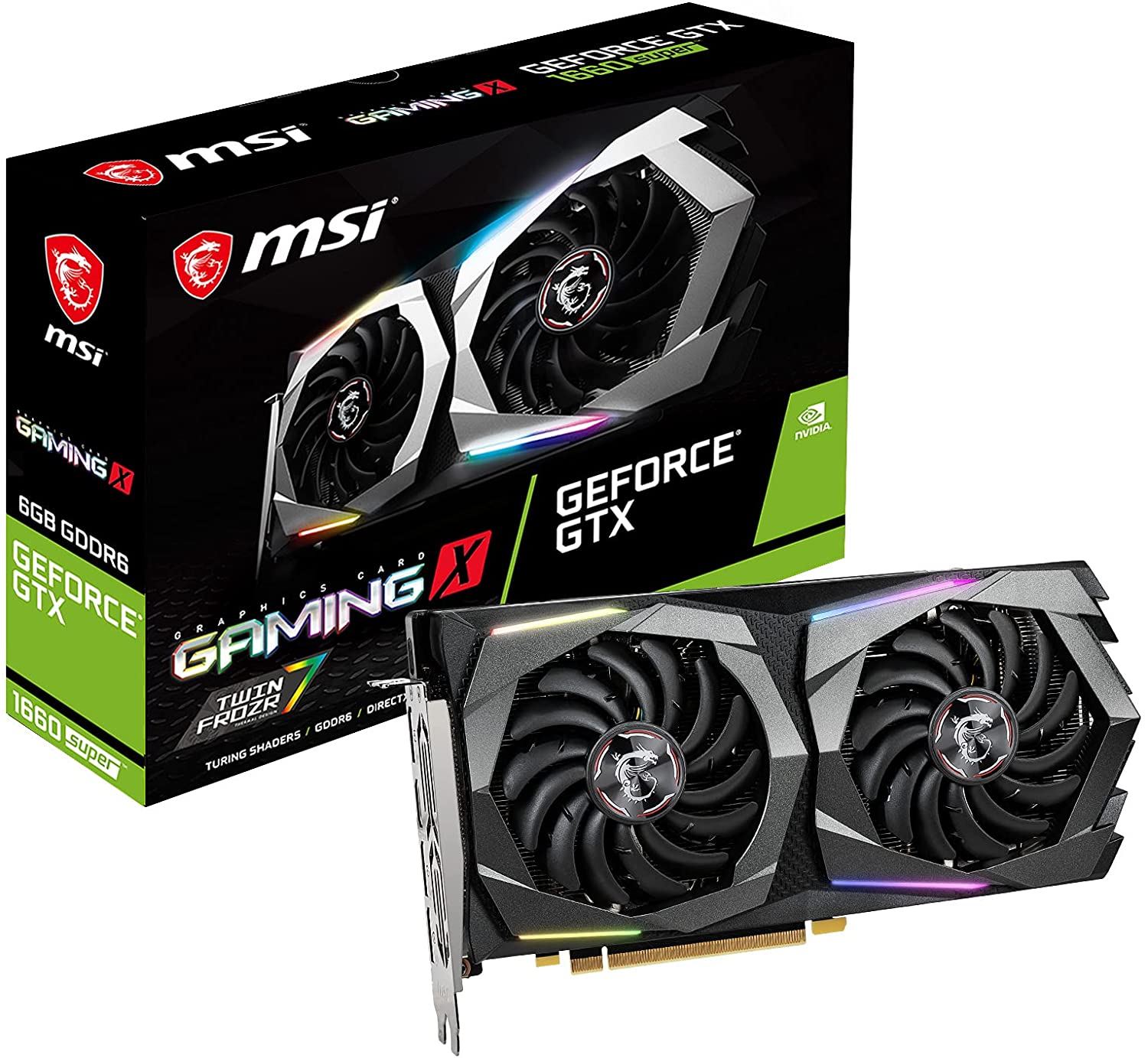
Considered as the cream of the crop for budget graphics cards, the Nvidia GeForce GTX 1660 Super is right up there with the RTX 3050. It’s a competitive graphics card for gamers who want to game at 1080p resolution at high or max settings. The Nvidia GeForce GTX 1660 Super sits at about $200 or so, but inflation might drive it up to $300 to $400.
Compared between the GTX 1660 and the GTX 1660Ti, the Nvidia GeForce GTX 1660 Super sits comfortably right in the middle. It offers a significant increase in performance compared to the GeForce GTX 1660 and easily matches the GeForce 1660 Ti’s performance at $50 less. This makes the Nvidia GeForce GTX 1660 Super one of the best buys for cheap graphics cards that give you unmatched gaming performance without breaking bank.
Let’s look at the specs. The Nvidia GeForce GTX 1660 Super comes in with a 1,530MHz base clock speed with a 1785MHz boost clock speed. Memory configuration sits at 6GB of GDDR6 VRAM, so on paper it beats the GeForce GTX 1650 and Nvidia GeForce GTX 1660 altogether. The Nvidia GeForce GTX 1660 Super draws in 130W of power and recommends you run with a 500W power supply unit to build a gaming PC with this graphics card.
So between the Nvidia GeForce GTX 1660 Super and the RTX 3050, which one’s a lot better? The newer models of the Nvidia RTX 3000 series come with Tensor and RT Cores (ray tracing cores) that will let you support ray-tracing and DLSS, but if you don’t really care about those, the Nvidia GeForce GTX 1660 Super is the best bang for buck GPU for 1080p gaming, video editing, and multiple displays.
Its gaming performance alongside the RTX 3050, previous generation of 2000 series and 1600 series, and other AMD GPUs is marginal at best, meaning it’s not exactly better but it’s not also more underwhelming than the RTX series. But unfortunately, not every GeForce card on this list will be close to what its MSRP is. The Nvidia GeForce GTX 1660 Super is one of those GPUs affected by hyper-inflation brought about by global shortage.
For those who don’t have $200 to purchase a GTX 1660 Super, the next pick is the AMD Radeon RX 580 Gaming Edition. The RX 580 has been around for years but the gaming experience guaranteed by this card is still at par with the other graphics cards on here.
The AMD Radeon RX 580 Gaming Edition comes with 8GB VRAM and requires a 500W PSU to run it. It also has the WINDFORCE 2X Cooling System that’s also equipped on the RX 5500 XT. While it’s a previous generation AMD GPU, don’t underestimate it. The AMD Radeon RX 580 Gaming Edition has always been one of the go-to budget graphics cards, even today.
It may not match the RX 5500 XT’s gaming performance, but it doesn’t lag behind as well because it can dish out 1080p gaming without any problem. . If you want to save money on buying a cheap graphics card, the AMD Radeon RX 580 Gaming Edition is a solid choice.
This is probably the best graphics card that’s right around the $150 price point. The XFX Radeon RX 570 may be the last on this list, but definitely not the least performing graphics card. It’s a bit underperforming compared to the RX 5500 XT and RX 580, but the XFX Radeon RX 570 is a beast of a GPU still that it runs games on a 1080p monitor without breaking a sweat.
The XFX Radeon RX 570 has 4GB of VRAM with 1264MHz, so it’s a powerhouse when you’re not nitpicky about the specs. It’s not nearly as impressive as the other graphic cards on here, but it’s a powerhouse nonetheless.
Frequently Asked Questions About Budget Graphics Card
Should You Consider Purchasing Secondhand Graphics Cards?
When we’re talking about budget graphics cards, we weren’t exactly referring to buying secondhand GPUs, but going for this budget route isn’t exactly a bad idea either. Years from now, the RTX 3000 series and the RX 6000 series will become previous generation graphic cards to make way for the new ones. You’d probably be looking at the 12GB or 16GB GPUs that’s really expensive now, but fall right under the budget graphics card category in the future.
Picking up a used GPU might be a good idea, but you have some considerations to make. You have to make sure that the GPU hasn’t been abused as much, or hasn’t been overclocked (if it’s capable), or if it works as intended. Personal warranty on a used GPU can only go so far compared to purchasing a new unit with manufacturer warranty.
Another point of consideration is the price of the used graphics card. The discrepancy between buying a secondhand RTX 3060 and a brand new RTX 3050 might be significant, but will it be worth it to spend more on something that’s used with no added manufacturer protection?
It boils down to the amount of research you’ve done if you want to purchase a secondhand GPU. You also want to see it for yourself or if you’re not familiar with the hardware jargon, bring along a friend with you when you inspect the unit (when possible).
Brand new is still the best route for buying cheap graphics cards. The price you pay for used RTX 3060 will never come close to buying an RTX 3050 brand new and with manufacturer warranty.
Can You Buy a GPU Used For Cryptocurrency Mining?
This question would’ve probably tied in with purchasing a secondhand unit, but we feel this deserved a separate section. Since 2017, we all saw how GPU prices skyrocketed when scalpers left and right were buying GPUs. This instance created a price bubble for graphics cards and hyper-inflation became the new normal.
When the cryptocurrency bubble burst, the GPU market suddenly got a huge stockpile of secondhand units that were used for mining. These units were used 24/7 at full capacity for months, or even years. To put it simply, you were looking at video cards that were abused to the full extent of their technological capabilities.
This would be the equivalent of buying a car that’s been used for drag racing. The salesman might tell you the engine’s still running, but you’re not exactly sure how the other components are after all the driving.
Now, would it still be worth it to purchase a secondhand unit that was used for mining? Our instinct here would probably be to tell you NO because you’re not exactly sure how long the graphics card will last. Remember, these GPUs were running 24/7 with no break. The hardware and materials have deteriorated to the point where it just might die anytime soon.
At best, it’s a gamble to purchase a budget GPU used for cryptocurrency mining. You either hit it big with an affordable RTX 3000 series, or lose out on money when that RTX 3000 series bricks.
Why Are Graphics Cards So Expensive?
This is a blanket question but not every graphics card out there has been affected by hyper-inflation. The top-tier graphics cards, and some of the graphics cards on here like the GTX 1660 Super, were primarily the big targets for scalpers and miners alike.
Miners drove the price up to a point where MSRP was no longer being followed. At some point, a graphics card that cost $200 when they first released ended up increasing up to 200% in MSRP. For example, the GTX 1660 Super was about $200 or so and then if you go to Amazon, it’s right about $300 to $400 give or take.
Scalpers also contributed to the inflation of the GPU market when they hoarded the graphics cards and sell them for double or triple the MSRP. And with a global shortage for GPUs, basic economics dictated that there wasn’t enough supply for a strong demand.
To prevent this from happening again, manufacturers such as AMD and Nvidia have put certain technological limits on their GPUs to discourage miners from purchasing them. This in turn would lead to higher availability to the actual consumers these graphics cards were meant for.
What’s The Right Budget For a Graphics Card?
Ultimately, the better your graphics card is, the higher framerates you get for your games. Most of the graphics cards you see on this list can run most of the new games at medium to high settings. A few might even push that further to 1080p resolution gaming.
It will boil down to how much money you’re willing to spend on a graphics card that will meet your needs (both gaming and otherwise). If you want to consider a budget graphics card, an ideal price range would be between $150 and $300.
That’s a price range that allows you for more room for compromise without having to sacrifice performance for price. Playing games such as Rocket League or League of Legends will suffice with a GT 1030 or RX 550, and these cards cost about $80 to $150.
You also want to consider how powerful you want your graphics card to be if you’re restricted by budget. Sometimes, you’ll find a few gamers here and there who’ll think that paying $150 for a card that could run League of Legends at sub par quality is a waste.
The bottom line is this: if you just want a cheap upgrade to your old gaming rig, or you want to build a new gaming PC on a budget, any of the graphics cards listed here is more than capable of giving you excellent gaming performance. If you don’t mind the added features such as ray tracing and DLSS, then a graphics card from this list should do just fine.
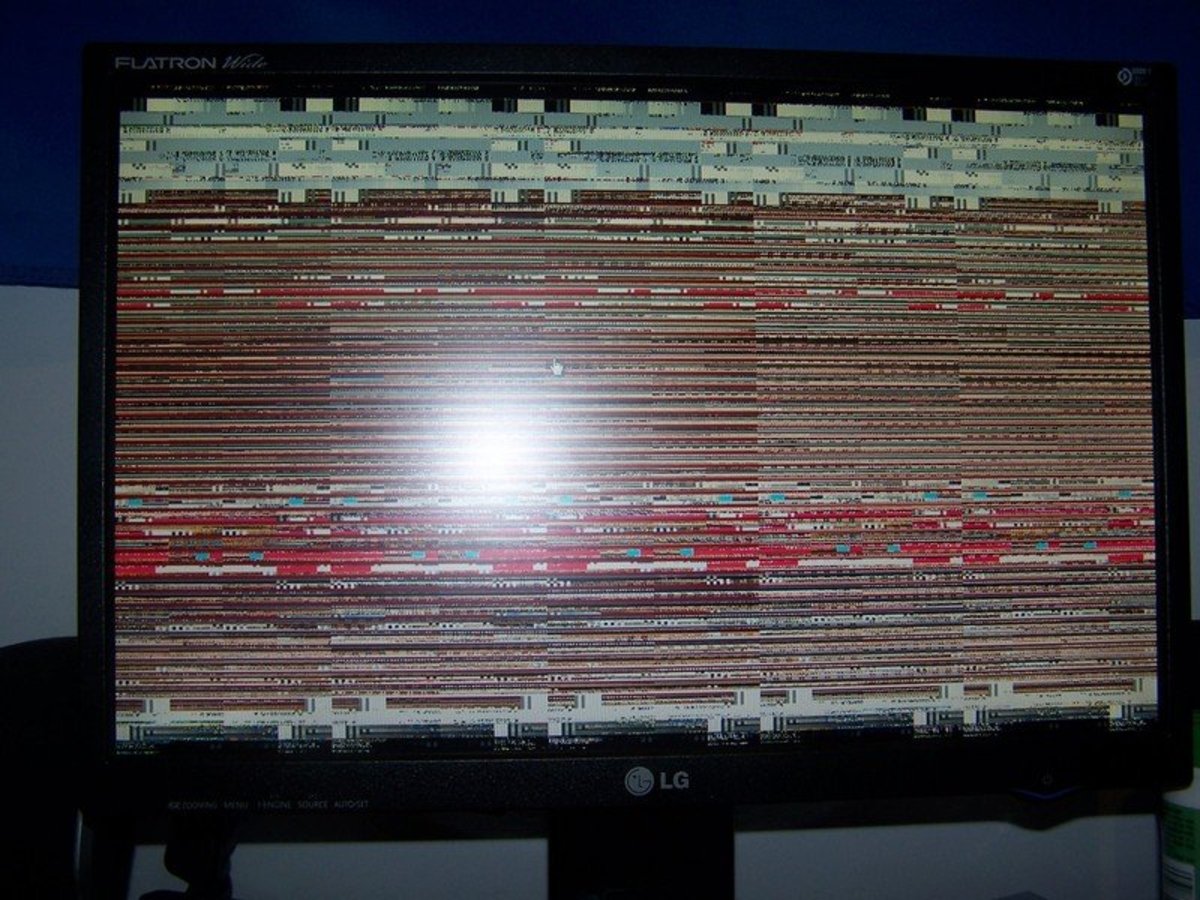
You’re sitting there, chilling, playing games on your latest PC build, then one moment your screen flickers, and the last thing you see is your reflection on a black screen. You’re utterly confused and surprised at the same time.
You still hear the audio coming in, but there’s no display. It goes on like this for a minute or two, then the screen comes back to life. You then see a message on the screen saying that the display driver was unresponsive. It recovered now and you’re thinking to yourself: what if this is the start of many display issues?
Has this ever happened to you? If it hasn’t, you should know that what has been illustrated isn’t a display issue but more of a driver issue. Don’t rush into thinking that you’re going to need to replace your graphics card soon.
All you really need to do to resolve this issue is to reset your graphics driver. But how to reset graphics driver, you might be wondering. For starters, problems with your GPU is mostly hardware-related most of the time, but there are rare cases when it’s the software or driver itself. In even rarer cases, you might just need to clean your graphics card every now and then to resolve certain display issues.
But if it’s a software problem, chances are you’re dealing with a faulty driver update or something to do with you overclocking your GPU. Your best solution here is to troubleshoot the device before it’s too late.
And the first thing you will always need to do is to restart graphics driver. And we’re going to show how to reset graphics driver, regardless of the manufacturer and how old it is.
How To Reset Graphics Driver the Right Way
A quick way to reset graphics driver is to press four buttons at the same time (Win+Ctrl+Shift+B), regardless of operating system. If you’re not a tech enthusiast, “win” refers to the Windows button on your keyboard.
Your screen will flicker to black and your graphics driver will automatically restart. It will also fix any issues you’ve been having that prompted you to restart in the first place. Doing the Win+Ctrl+Shift+B reset will not close your other programs, so you can instantly remedy instances of freezing issues and other display issues.
If you’re a gamer, chances are you have disabled your Windows key so be sure to enable it first before you use this method.
The Freezing Persists After Win+Ctrl+Shift+B Key Combination. What Do You Do Next?
After you restart graphics driver using the method above and the freezing persists, your display driver might have a more complicated problem. If the freezing persists, you can use one of these three methods:
Update Windows
Update The Graphics Card Driver
Uninstall and Re-install Graphics Card Driver
#1 – Update Windows
When you still have to deal with a frozen screen, updating your Windows might be able to solve your problem.
Press Win+I keys. This will open up the Settings Window. You can also click on the Windows Icon and click on the Gear Icon (if you’re on Windows 10) to go to the Settings Window.
Go to “Update & Security” , then make your way to the right pane and click on the “Check for Updates” link/button.
If there are pending updates, the system should automatically install after they have downloaded.
Manually restart your PC to complete the driver installation
Wait and see if you still have freezing issues. You can do this by playing a game or running a program that’s taxing on your GPU. If the freezing still occurs, proceed to the second step.
#2 – Uninstall And Re-Install Graphics Driver
When updating your windows operating system doesn’t work, you might need to reinstall your graphics driver. You’ll have to uninstall your current graphics driver first to do this. Don’t worry because Windows will automatically find the right graphics drivers for your PC.
To do this, you need:
Use the keyboard shortcut Win+R keys to open the Run dialog box
Type in “Devmgmt.msc” (without quotes) and then press Enter. This will open Device Manager without using the Ctrl+Alt+Delete method.
Click on Display Adapters and right click on your graphics card icon. This will open a short tab underneath. Click on “Uninstall Device”.
Once you successfully uninstalled your graphics driver, Windows will install a new one. You can also browse for the driver itself on the manufacturer’s website.
#3 – Update Graphics Driver To Latest Version
If you don’t want to uninstall your graphics driver, you can update the graphics driver instead. This might also fix the problem. There’s also a chance that your Windows PC might not reinstall your graphics driver after restarting.
Navigate your way to the bottom left corner and right click on the Windows icon
Click on Device Manager from the menu that pops up
A new window will open. Look for Display Adapters and double click on it. This will show you your graphics properties, including the graphics drivers.
Click Update Driver from the new window
Restart your PC
Check for freezing by running a game or a graphically-demanding application.
Another thing to note is that you can use your manufacturer’s software to update your graphics drivers as opposed to right clicking on the start menu. If you’re using an Nvidia graphics card, you can update via Nvidia Control Panel instead.
What If My Display Drivers are Corrupted?
A corrupted driver is an uncommon problem for all hardware components. It usually happens when you’re currently updating and installing a driver but the process is interrupted. When you reset your graphics driver, you’re only trying to restart the graphics card. This will not fix a corrupted driver.
If you’re faced with a corrupted driver, you’re going to want to install a new graphics driver or the latest version.
To reinstall your graphics driver, just do the following:
Open the Run dialog box by click on Start Menu or Windows Icon, or use the keyboard shortcut Win+R. Type in “devmgmt.msc” and hit Enter.
Go to Display Adapters and click on it to expand the menu. Right click on your graphics adapter and click Uninstall.
Restart your PC to complete the process.
This will then force Windows to install a new driver after restarting. Then do step #3 listed above this section.
What Are Some Precautions You Need To Be Aware Of?
If the problems still persists even after you’ve done all the other steps above to restart graphics driver or reinstalling them, chances are you might have a bigger issue than just your graphics drivers.
You don’t want to keep on resetting or refreshing your graphics card driver using the keyboard combination of Win+Ctrl+Shift+B because you might end up bricking the GPU itself. Just use this keyboard shortcut when you have to, or in dire emergencies when you have not saved your work but need to do something about your frozen screen.
If you’re unsure about why you’re still having problems after having done all of the steps above, it’s a lot safer to assume that you might have hardware issues. You’ll want to bring it to a computer technician and see what they can do from there.
How Do You Reset GPU Overclock Configurations?
An uncommon problem to frozen screens or display issues in general is when you overclock a GPU. Now not everyone overlocks but there are a few that do. Overclocking is when you’re trying to boost your GPU’s performance further by increasing its clock speed. Manufacturers will also make it clear that you can overclock their GPUs by adding the letters OC on their boxes.
If you overclocked your GPU, you can reset your configurations using the same software. If you’re using something like MSI Afterburner, you’ll find the reset button at the bottom of the UI.
How Do You Reset GPU Software?
When you install a certain brand of GPU (like Nvidia), you’ll also install a control panel of sorts that will help you manage your GPU. For Nvidia, you’ll have Nvidia Control Panel and Nvidia GeForce Experience. The latter, unfortunately, needs to be downloaded manually because it doesn’t install along with the Control Panel. For AMD, you’ll have AMD Radeon Settings. Both are found on your taskbar and are always turned on when you turn on your PC.
In rare cases, your GPU software might actually be causing some problems. For Nvidia, all you have to do to reset the software is to right click on the icon and open the Panel. Click on 3D Settings, and click Restore Defaults.
If you’re using AMD, right click on the icon to open the panel then click on the Preferences button. Click Factory Settings Default to reset the software. This process will take a few seconds to complete and might remedy your GPU issues if resetting graphics driver did not work for you previously.
For hardcore gamers, there’s nothing more important than displays with high refresh rates. Screens like these were only accessible to monitors up until a few years ago. Today, you’re seeing gaming laptops with refresh rates that match some of the best monitors out there.
What does a high refresh rate mean for a gamer though?
Faster and smoother visuals
Lesser graphic tears during gameplay and cinematics
In-game character movement is a lot snappier
Combine this high refresh rate with a high end graphics card, and you’ll get a gaming experience unlike any other. If you think high FPS gaming is not possible with gaming laptops or even mini ITX builds, you’ve thought wrong.
Today, we’re looking at the best 144Hz gaming laptops, ranging from the compact 14″ to the large and in charge 17″. We’ve done hours of research and curated 13 powerful gaming laptops that offer 144hz refresh rate. These laptop can play the latest games and let you do video editing without breaking a sweat all thanks to the high end GPUs installed.
Probably one of the best 144hz gaming laptops in this list is the Lenovo Legion 7i, and it shows. The laptop’s size is just as impressive as the hardware underneath. A 16-inch display compbined with an RTX 2060 should let you play most games at high settings.
There’s a bit of thickness and heftiness to this laptop, measuring at 0.92×14.2×10.2 inches (HWD) with a weight of 5.5lbs. The display aspect ratio sits at 16:10 and fills up nicely across the screen. The sloped corners of the laptop are a lot slimmer than they look.
Gaming performance is excellent with the combination of hardware you’re getting. AAA games such as Witcher 3 and Horizon Dawn should run smoothly at high settings.
Best Value 144Hz Gaming Laptop For Competitive Gaming
Specs at a glance:
CPU: Intel Core i7-11800H
RAM: 16GB RAM
STORAGE: 512 GB SSD
GPU: NVIDIA GeForce RTX 3070
The MSI GL66 sits at second place on this list for the best 144hz gaming laptops because it’s probably the best value gaming laptop for what you’re paying.
The laptop design is just as impressive with a metal lid and RGB keyboard backlight, which is fully customizable by the way thanks to MSI Center Software. This is also an Nvidia GeForce RTX 3070 laptop which makes playing games or watching movies enjoyable. Gaming at 1080p is made possible with the combination of the Intel Core i7 processor and the RTX 3070, allowing the MSI GL66 to compete against the other high end gaming laptops on this list.
Now, if you’re thinking about powerful gaming laptops, ASUS ROG is usually the first thing that comes to mind, or Alienware, or Razer Blade. But you’d be shocked to know what’s under the hood of the Asus ROG Strix Scar G733.
Just from the specs alone should make the Asus ROG Strix Scar G733 the best gaming laptop in this list, and it is. There’s just a lot of power here with the combination of the AMD Ryzen 9 CPU and Nvidia GeForce RTX 3080. The 17.3″ display sets you up for a QHD resolution of 2560×1440 with 240Hz refresh rate. You also get 64GB of RAM with 2TB SSD for storage space. If money is not an issue for you, go for the Asus ROG Strix Scar G733.
GPU: NVIDIA GeForce RTX 2070 8GB GDDR6 with ROG Boost
We’re not playing favorites here, and it’s no pure coincidence that we have another Asus ROG gaming laptop on the list. The ROG Strix G17 G712LW-ES74 is just as powerful as its sibling, the Strix Scar G733. This bad boy comes with a 17.3″ 1080p display with an IPS panel and a low response time of 3ms.
To get you the gaming experience that you need, the ROG Strix G17 G712LW-ES74 comes with an Intel Core i7-10750H backed by 16GB of RAM and the Nvidia RTX 2070 GPU. Sure, it’s not an RTX 3000 series laptop, but the ROG Strix G17 G712LW-ES74 supports the same DLSS and ray tracing capabilities.
Apart from gaming, you should also be able to do some video editing or 3D modeling without straining the laptop too much. It’s what most gamers would consider a mid range gaming laptop, but don’t let them fool you into thinking that this also gives mid range performance.
It may not be as powerful as the Razer Blade, or as the Strix Scar G733, but it should play a lot of AAA games at medium to high settings with minimal issues.
One might think that a 14-inch laptop could hardly handle enough hardware power to give you 144Hz refresh rates, let alone house an RTX 3000 series GPU. But the Razer Blade 14 is not to be underestimated. At this size, it doesn’t let you know how much power Razer can pack into something this small.
You’ll be given two options for the Razer Blade 14: one with the RTX 3080 GPU and one with the RTX 3070. But regardless of what option you pick, they still outpower every other laptop on this list.
Both versions are equipped with the AMD Ryzen 9 5900HX processor, 1TB of SSD, and 16GB RAM. The 14-inch screen consistently hits 144hz at 1080p resolution and scales up to 165hz in 1440p, giving you the sharpest visuals compared to any other laptop on here.
There’s no doubt that the Razer Blade 14 is on the list for the best 144hz laptops. With those specs, casual and competitive gaming performance is guaranteed to be excellent.
Acer Nitro 5 is one of the few laptops on this list that gives you 144hz without reaching the $1000 price tag, making it the top choice for people who want to play games on the go but also carry with them a handy workstation.
The Acer Nitro AN515-57-700J is Nitro 5 ‘s 15-inch models. The display sits at a max of 1080p resolution with a refresh rate of 144Hz and low response time of 3ms. You can also opt for the 17-inch models for Nitro 5, but they will end up costing more.
When it comes to the specs, the Acer Nitro 5 AN515-57-700J is not to be underestimated. You might consider it to be the best laptop under $1000 because it has a high end GPU (an RTX 3050Ti, to be exact) and enough RAM and CPU to let you play games at high frame rates, do some video editing, or even office tasks.
Only a few gaming laptops out there could ever beat the Lenovo Legion 5’s battery life. At best, other gaming laptops can handle about 4 to 5 hours unplugged for normal use, and about a couple of hours unplugged for gaming or watching movies.
But the Lenovo Legion 5 lets you hit up to 8.5 hours, which isn’t exactly game-changing but still double the duration compared to other laptops. And its battery life doesn’t even have you skimping on hardware too.
The Lenovo Legion 5 comes with a GTX 1660Ti graphics cardso you can game on the go, and the Ryzen 7 4800H processor backed by 16GB of RAM should let you do creative tasks easily. Now it’s not the right laptop if you want to play AAA games on high settings. But if you just want something for daily use and casual gaming, the Lenovo Legion 5 is a good option.
Let’s get one thing straight here: the Asus ROG Zephyrus M GU502GU may be thin but it’s not underpowered. The laptop design may be sleek but it has enough power underneath to compete against other laptops with high end GPUs.
With a Core i7 CPU and 16GB of RAM and a GeForce GTX 1660Ti graphics card, the Asus ROG Zephyrus M GU502GU can’t be beat. It has enough power to let you play some of the latest games, granted some of them might be at lower settings, but who’s complaining?
It’s portable and lightweight, making it the best traveling partner for the gamer or office worker on the go. It has more power to let you carry out office and other creative tasks without breaking a sweat.
Acer Predator Helios 300 is what we’d consider to be a solid buy if you’re looking for the right laptop with enough hardware for high end gaming performance. If you’re torn between the Acer Nitro 5 and the Acer Predator Helios 300, go for the latter.
You have two options for the Acer Predator Helios 300: one at 15.6″ and one at 17.3″. Both have refresh rates of 144Hz and have better displays than most of the other gaming laptops on the list.
With an Nvidia RTX 3060 and an 11th-gen Intel Core i7, you should be able to play the latest games for this mid range laptop.
Of course, we’re never going to deny the fact that we have an Alienware on this list. More importantly, the Alienware M17 R4 is the candidate for one of the best 144hz gaming laptops.
Let’s talk about the laptop design first because we’re just so impressed with the optomechanical keyboard. The Alienware M17 R4 comes with a cherry-switch mechanical keyboard, which is something that’s not found in a lot of gaming laptops.
This is a midrange beast with high end specs. You get a Core i9 CPU, an RTX 3080 graphics card, and enough power to let you run most games at high settings. It shows too. The Alienware M17 R4 is a beast in terms of size too.
The Acer Predator Triton 300 SE is another budget-friendly option for different people. It’s the right laptop for casual players who want a traveling gaming gadget, or a hardcore gamer who don’t want to splurge on a gaming laptop, or even the artist who want enough power to run creative tasks.
The Acer Predator Triton 300 SE bears a 14-inch screen, which puts it right up against the Razer Blade 14. But just because it’s more affordable than the Razer Blade 14 doesn’t mean it’s underpowered too.
It runs on a Core i7 processor combined with an RTX 3050Ti graphics card, stacked with 16GB RAM and 512GB SSD. Gaming is smoother than it looks even with its high refresh rate and high resolution display.
Another Budget Friendly 144Hz Gaming Laptop Option
Specs at a glance:
CPU: Intel Core i7-11800H
RAM: 16GB RAM
STORAGE: 1TB SSD
GPU: NVIDIA GeForce RTX3050 TI
Cutting into the list is the MSI Katana GF66, which is another budget friendly option for both hardcore gamers and casual gamers alike. The hardware specs aren’t exactly as impressive as the other high end laptops on this list, but for the price you’re paying here, the MSI Katana GF66’s specs make the most sense.
You’re looking at a Core i7 processor with 16GB of RAM and 1TB SSD, and to top it off, you have the RTX 3050Ti. All in all, it’s mid range power stacked into one amazing affordable laptop. But we’re disappointed with the battery life and the screen display is less vivid compared to the others on here. You’re going to want to go for the high end variants of the MSI Katana GF66, which are equipped with RTX 3060. But with the 3050Ti, gaming experience shouldn’t even be an issue unless you’re running at higher resolutions.
But make no mistake, the MSI Katana GF66’s 144hz refresh rate is just as impressive. You’re probably looking at high resolution gaming at 60fps or higher. The MSI Katana GF66 is what we’d consider the 144hz laptop for the budget conscious gamer.
Another 15.6 Inch Powerhouse With 144Hz Refresh Rate
Specs at a glance:
CPU: 11th Gen Intel 8-Core i7
RAM: 16GB RAM
STORAGE: 1TB SSD
GPU: Three variants: RTX 3060, 3070, or 3080
Last but definitely not the least, we have the Razer Blade 15, which is just as competitive as its smaller brother, the Razer Blade 14. This is also the high-end option for those who don’t mind paying for premium hardware.
There are three variants to choose from, if we’re talking about the GPU options. You’ll get the RTX 3060 starting at $2,399 and RTX 3080 starting at $3,698. For the latter, the RTX 3080 is paired with the 12th Gen Intel 14-Core i7 CPU, delivering the most power and lets you take advantage of the high end QHD screen’s refresh rate and high resolution.
If you want more power and more portability, you can go for the 14″ version if you really fancy the Razer laptops. But if you don’t mind lugging in a few extra pounds with you, Razer Blade 15 is a solid choice from the other best 144hz laptops on the list.
Which Is Better For Gaming Experience – 120Hz Laptop or 144Hz Refresh Rate?
When it comes to choosing a gaming laptop, a high enough refresh rate is one of the biggest considerations. While you’re not exactly replicating the kind of power you may have on your gaming rig, you can still get a high end laptop with a full sized keyboard and Full HD or QHD display that outmatches commercial pre-built gaming PCs.
Ideally, gamers want a high refresh rate so they get the gaming experience at the desired FPS they want. In this case, if they want to achieve 120fps gaming, they’d need at least a 120Hz refresh rate. The laptops we have on this list are some of the best 144Hz laptops, so there’s no doubt that you can’t go wrong with whatever you’re choosing.
Take note that you will go through diminishing returns as you go higher. This means that a 144Hz laptop might not have that much difference compared to a 240Hz laptop, but the difference between a 60Hz laptop and a 144Hz will be more pronounced. But all things should be considered when buying any one of the best 144hz laptops on this list. If you don’t have enough hardware power on that 144Hz laptop, your gaming performance might diminish.
What Are Things To Consider When Purchasing 144Hz Laptops?
If you want to get the best gaming experience possible, you should buy the right 144Hz gaming laptop for you. There are 13 best 144hz laptops on this list, each more powerful than the other in terms of hardware with some being more portable.
Gaming Laptops Are Always Pricey
The engineering behind the best gaming laptop, 144hz or not, is mind-boggling to say the least. How do you compact so much power into a chassis that’s roughly 20″ or smaller? This is why gaming laptops are expensive, to begin with.
When we’re talking about the best gaming laptop, ideally you want the high end specs packed into a small chassis, much like the Razer Blade lineup or the Asus ROG Strix lineup. For this kind of compromise, you’re expected to pay at least a couple thousand dollars. They’re more than enough to compete with any gaming PC in the market, but you have to manage your expectations. Like a gaming PC, hardware also matters when it comes to pricing for a gaming laptop but not as much. You still end up paying less for an RTX 3080 laptop as you would with a gaming PC.
There are also budget-friendly options on this list that will still have you paying a thousand bucks or so, but at least they’re not going to bankrupt you.
The Right Model Matters For Gaming Experience
If you want the best bang for your buck, you need to find the right model for you. When it comes to choosing the best 144hz gaming laptops, you have to choose between power and portability, but never both. Technically you can, but you end up paying more, like the Asus ROG Strix Scar or the Alienware M4 laptops.
Now going for power means that you might be foregoing portability because you’ll end up with a bigger laptop. This is because you need enough space to handle a big GPU or enough room for proper ventilation. A good example here would be the Alienware brand, and not just limited to their 144Hz laptop. They don’t really shy away from making heavy and giant laptops because they pack so much power into them.
On the other side of the spectrum, going for portability might have you foregoing power. Portability does have an advantage because some of the budget friendly options here on this list are just that: portable. But with a budget gaming laptop, you need to manage your expectations because you’re choosing size over power.
When you’re going for portability, you’re going for a laptop with a midrange GPU or less storage than their bigger counterparts mostly because of the chassis’ limitations to accommodate large components. But once again, you can go for both size and portability. The Razer Blade 14 is a good example of a portable but powerful gaming laptop, but you do end up paying more.
Which is Better? 1080p Resolution or 1440p Resolution?
If you’re a competitive gamer who’s into first person shooters, then you’ll know that 1080p resolution will always be the king, even though 1440p is becoming the new standard for gaming resolution. The latter has you focusing more on an immersive gameplay as opposed to making every last frame work.
Any laptop with less than a 17-inch screen would probably be better off with a 1080p resolution because going higher than that might not make a lot of difference, at least visually. If you’re the type of gamer who wants to keep that FPS at 120 or higher, you’ll probably want a 15″ laptop with 1080p display. If you can afford it, go for a 17″ screen with 1440p resolution.
Do 4K Gaming Laptops Exist?
Because we’ve listed all the best 144hz laptops on here, you’re probably thinking: do 4K gaming laptops even exist? And the answer is YES! But before you get excited with buying one, allow us to explain why you shouldn’t.
It makes little to no sense to getting a 15″ laptop with 4K display, unless there’s a specific need for you to carry a portable gadget that can give you that. You’re just wasting money at this point, if you ask me. Even if you’re getting a 17″ laptop, 4K gaming is more of a luxury at this point. Playing ultra settings on demanding games on a 4K laptop is just too demanding, so you end up not getting the FPS that’s acceptable for you. Remember that you are running high end hardware on limited space with limited ventilation and cooling options. You’re not even coming close to what you actually need on a PC to allow you to game at 4K or higher resolutions with an IPS Panel at 60fps.
At the end of the day, if you have the money to burn and you simply want to carry around a laptop that you can brag to your gamer buddies, then by all means, go for the 4K gaming laptops instead. Some of the best gaming laptops in the market right now have 4K resolution, but don’t be shocked by their price tags.
Cooling Issues and Noise Issues
Let’s say you have a gaming laptop and gaming PC with the same hardware. 12th Generation CPU with RTX 3080 GPU, 32GB of RAM, and 1TB of SSD. Put on a visually demanding game and run it at Ultra settings, and you’ll see that the gaming laptop will probably dip in FPS at some point. This is due to the fact that the laptop’s hardware will need perform at max capacity to meet the demands of the game. But to prevent overheating, performance is affected when the laptop’s software has them regulating both CPU and GPU. In other words, either CPU or GPU, or even both, will be slowed down to some extent to let the laptop breathe a little.
It goes without saying that gaming on a laptop, no matter how powerful or portable it is, is going to be hot and noisy. At the very least, running an AAA game on high settings on any one of the laptops listed on here might make them sound like there’s a small car running around in your room or office. But for doing office tasks, creative tasks, or entertainment-related activities, noise shouldn’t even be an issue at this point for any of the laptops listed here.
High performance hardware on a laptop means more heat is generated due to the fact that you don’t have enough space for proper air flow to dissipate heat. Alienware and Razer both have their methods for dissipating heat. This includes the building of their chassis with heat-resistant materials such as aluminum or a mix of aluminum and other plastic.
A gaming PC with a full tower case and on liquid cooling system with enough vents to properly let air in and out of the case will not be bothered by such issues, unless you overclock the CPU or GPU components.
What Do We Recommend?
Out of the 13 144hz refresh rate laptops on here, we have made our choices for the best laptops that give you the best gaming experience possible.
For The Budget Conscious Gamer
We recommend the MSI Katana GF66 for several reasons, but the biggest reason is that you’re getting an RTX 3000 series GPU. Its 1TB SSD should let you store enough games and videos on here without forcing you to delete some of them to make room for new ones.
If the MSI Katana GF66 is not accessible to you for whatever reason, a good second option is the ROG Strix G17 G712LW-ES74. It’s a midrange gaming laptop with a lot of power underneath.
For The Gamer With Money To Splurge
If you have the money to splurge, the Asus ROG Strix Scar G733 is probably the best choice on here. You’re getting 64GB of RAM and an RTX 3080 graphics card. That’s almost as powerful as any workstation in the market. We’d probably bet it’s one of the best gaming laptops in the market right now too for the specs that it has.
Final Words
There you have it. 13 of the best 144Hz gaming laptops that you can find in the market right now. We’ve chosen them based on power, portability, and their capacity to be both. You’ll find solid options for the budget route, and you’ll find other laptops on here if you want to splurge money.
When we’re talking about the best graphics card within the mid-range performance spectrum, nothing else comes to mind than Nvidia GeForce RTX 3060. At 3,840 CUDA Cores and 6GB GDDR6 VRAM, it’s no surprise that every gamer wants this video card.
But availability of the RTX 3060, along with the RTX 3070, RTX 3080, and RTX 3090 are limited. So much so that you just have to purchase prebuilt PCs that have these GPUs, or gaming laptops that are equipped with these cards.
Today, we’re rounding up the best RTX 3060 laptops you could get your hands on. Here’s a quick table to help you navigate this list:
At the top of our list is the ASUS TUF Gaming F15, simply because it’s the best overall RTX 3060 laptop in the market right now. As a leading digital publisher, ASUS has a few RTX 3060 laptops in their roster of gaming laptops.
Talking about the ASUS TUF Gaming F15, there’s a lot of power underneath this sleek laptop. The ASUS TUF Gaming F15 comes with a 14-core Intel Core 17-12700H processor, 16GB DDR5 RAM, and a 1TB NVMe SSD. All of these hardware combined with the RTX 3060 makes for one powerful laptop that can handle the latest AAA games with ease.
The display of the ASUS TUF Gaming F15 is just as impressive, sitting at 15.6 FHD with a 300Hz refresh rate. No big deal considered this is the standard for display size when it comes to gaming. At 1080p gaming, it doesn’t even break a sweat. Think of the ASUS TUF Gaming F15 as a mini desktop PC that you could fit inside your backpack.
One thing that we have to point out here is that the ASUS TUF Gaming F15 comes with a thermal cooling function for when you want to do some extreme gaming sessions. Despite being housed in plastic, the ASUS TUF Gaming F15 is durable enough. The heating is manageable thanks to the plastic material’s heat reduction capability and the laptop’s cooling system.
All in all, this is probably one of the best gaming laptop deals you’ll ever see anywhere because it comes with a price tag of $1,500 (or less, depending on where you’re shopping).
Arguably, second to the ASUS TUF Gaming F15 is the ASUS ROG Strix G17. If you’re looking for good gaming laptop deals, the ASUS ROG Strix G17 should be on your list.
Unlike the TUF Gaming F15, the ASUS ROG Strix G17 uses an AMD Ryzen 9 5900HX processor with a clock speed of 3.3GHz (but can be overclocked to 4.6GHz). This makes it the most powerful laptop on this list that runs on an RTX 3060 graphics card. We say it’s powerful because you can overclock the processor to give you more power for gaming or for editing/rendering.
For the screen size, the ASUS ROG Strix G17 boasts of a 17.3 FHD screen at 1920x1080p resolution with a 144Hz high refresh rate. You can literally play any AAA game at 1080p sitting at about 40+ FPS without making the laptop work a lot. This is made possible with the 16GB DDR4 RAM and the 512GB NVMe SSD. Portability and power form the backbone of the ASUS ROG Strix G17. All of this combined with the RTX 3060 can just make you run the most demanding games with ease.
Just like the TUF Gaming F15, the ASUS ROG Strix G17 does not have any heating issues, giving other laptops of the same specs a run for their money. The overall build of the laptop is decent enough and worth the $1,695 you’re going to pay.
If you can’t get your hands on an ASUS TUF Gaming F15 laptop or an ASUS ROG Strix G17, there’s nothing wrong with settling for second best. And that laptop is the Acer Predator Helios 300.
Make no mistake, just because it’s second best doesn’t mean mediocre specs The Acer Predator Helios 300 comes with an Intel i7-11800H processor, 16GB DDR4 RAM, and 512GB NVMe SSD. If it’s power you’re looking for, this is the RTX 3060 laptop you should set your eyes on.
The Acer Predator Helios 300’s display measures at 15.6 FHD capable of 1920×1080 resolution, with a 144HZ high refresh rate. What really sets the Acer Predator Helios 300 apart from other future brands is its 100% color-accurate panel and good color calibration. This makes the Acer Predator Helios 300 a good choice for playing massive open-world AAA games.
Priced at $1,300, you really can’t complain about what you’re getting. If you’re not a full-on gamer, the Acer Predator Helios 300 can power through productivity tasks or content-related (video-editing) tasks without difficulty.
On this is list is the MSI Creator 15, the best gaming laptop you could ever get for creating content, and do some intense gaming sessions while you’re at it too.
The MSI Creator 15 may be for content creation, but it doesn’t lag behind when it comes to full gaming tasks too. The MSI Creator 15’s processor is an Intel Core i7-11800H, sitting at 8-cores with 16 threads supported by hyperthreading. This makes it the perfect laptop for any multithreading task. To put it simply, video editing and 3D is going to be a breeze.
Another reason why this is the best laptop for content creation is its display. The MSI Creator 15 carries a 15.6-inch 4K UHD OLED Display at 3840×2160 resolution with 100% sRGB coverage. Whether it’s doing Photoshop work, 3D-rendering with Blender, game development or gaming at 4K resolution, the MSI Creator 15 is the perfect partner.
Here we have another gaming laptop from MSI: the MSI Stealth M15M. Much like the MSI Creator, the MSI Stealth M15M carries an 11th generation INtel Core i7-11375H processor. This is a quad-core CPU with clock speeds at 3.0GHz at its lowest and can be overclocked to about 5.0GHz, made possible with Intel’s Turbo Boost Technology.
MSI Stealth M15M was made with the intention of selling this to people who game and travel a lot. The laptop comes with a 15.6inch 144Hz screen with 16GB DDR4 RAM. What’s really impressive about the MSI Stealth M15M is that it only weighs 3.73lbs, which makes it one of the lightest gaming laptops in the market. Other features also include an RGB backlit keyboard with Anti-Ghost Key that helps you a lot in first-person shooters, along with essential ports such as 2 USB 2.0 ports, 1 USB 3.0 ports, one USB Type C 3.1 Gen 1 port, and HDMI output.
But with this size constraint, you’re trading in portability for battery life. While it’s not really an issue, it might be a disappointment for some gamers who’re on the move a lot. Compared to the Razer Blade laptops (noted for being sleek and lightweight), the laptop lasts for 4 to 5 hours on normal usage (i.e. non-gaming tasks, or productivity tasks). If you’re gaming, battery life should probably be about a couple of hours max. But it’s not highly recommended to game without plugging in because you’ll be running on the gaming laptop’s onboard GPU (and not on the RTX 3060).
All in all, the MSI Stealth M15M gaming laptop is still a good investment for gamers who travel a lot.
ASUS ROG, much like the Razer Blade line of laptops, doesn’t hold back its punches when it comes to creating gaming laptops. On this list of the best RTX 3060 laptops, we have the ASUS ROG Zephyrus G14.
This beast is powered by the Ryzen 9 5900HS Processor with clock speeds at 3.0GHz, going all the way up to 4.6GHz. To further boost its gaming power and performance, the ASUS ROG Zephyrus G14 comes with 16GB DDR4 RAM and 1TB NVMe SSD.
On the display side of things, the ASUS ROG Zephyrus G14 possesses a 14-inch Full HD display with 144Hz refresh rate with 1920x1080p resolution. Needless to say, you’re going to be gaming with perfect viewing angles and crystal picture reproduction.
Like the MSI Stealth 15M, the ASUS ROG Zephyrus G14 is a 14-inch laptop with slim bezels. It fits easily in a messenger bag or in a laptop bag. The battery life is also good for doing day-to-day productivity tasks. But when you’re plugged in, expect to do some 4K photo editing, game development, and high-res gaming without breaking a sweat.
Our verdict: the ASUS ROG Zephyrus G14 is a good purchase for a gaming laptop under $1,500. Portability combined with power has never been executed this well.
If you’re looking for a budget gaming laptop that still packs an RTX 3060 GPU, the Acer Nitro 5 is your best choice. The laptop is equipped with an AMD 5000 Series Ryzen 7 5800H processor along with a 6GB RTX 3060 video card. The processor’s clock speeds ranges from 3.2GHz (base speed) and can go as high as 4.4GHz when overclocked.
To help you run the most demanding games in the market right now, the Acer Nitro 5 comes with a 16GB DDR4 RAM and 1TB NVMe SSD. Load times are going to be so fast, you won’t have time to run to the freezer to get a drink.
Enough about the power. Let’s talk about the Acer Nitro 5’s display. It comes with a 17.3-inch Full HD display that allows for 1920x1080p resolution with a high refresh rate of 144Hz. Gaming has never looked so good with this kind of display in a machine that competes fairly well against a typical gaming PC.
It’s not exactly breaking news when we include the likes of Alienware on this list. Dell Alienware is a pioneer in the field of gaming laptops, and they’ve come a long way when it comes to the power they bring to each laptop.
For an RTX 3060 gaming laptop, they have the Alienware M15 R6. This gaming laptop runs on an Intel Core i7-11800H processor combined with a 16GB DDR4 RAM and 512GB NVMe SSD for storage. It goes without saying that running demanding games on the Alienware M15 R6 is going to be a breeze.
But it’s not just power being brought to the table. Like its predecessors, the Alienware M15 R6 has a 15.6-inch QHD Display with a 240Hz refresh rate for gaming. The display resolution goes as high as 1440x2560p, which gives you 50% sharper visuals compared to an average gaming laptop with FHD laptop. If you’re particular about how your game looks, this is the gaming laptop to help you satisfy those high-resolution cravings.
The Bottom Line
There you have it! 8 of the best RTX 3060 gaming laptops you could ever get your hands on. Each gaming laptop on this list is just as powerful as the next one, and it boils down to your preference. Do you want to sacrifice a little bit of power for more portability, or do you want to have a gaming laptop that’s just nothing but raw power?
Whatever your choice is, purchasing any of these laptops listed above is a great move and investment.
Gaming laptops have come a long way, and we’re seeing the peak of extreme computing power that fits right inside your bag.
These machines that we’re about to go through are equipped with the RTX 3070, one of the most sought-after video cards. PC owners are unable to find any stock of RTX 30XX series, so they often resort to purchasing prebuilt RTX 3080 gaming PCs, or any PC with a RTX 30XX GPU built in.
But what’s the best RTX 3070 laptop in the market right now? We’ve narrowed it down to six models coming from the top brands in the industry.
The first on this list is considered to be the best RTX 3070 laptop by several in depth reviews, and we’re about to find out why.
Introducing the Eluktronics MAX 17, a laptop with the best GPU-CPU combo possible with the best portability and some cool looking RGB features. Despite being a powerhouse of a unit, it manages to stay slim and bears a lightweight design, coming in at 5LBs (2.2kgs) excluding the power brick.
The Eluktronics MAX 17 comes equipped with the Ryzen 5900HX and is able to carry out both gaming-related and content-related tasks with ease. The GPU power alone gives you enough juice to run games at ultra high settings. Of course, this is also made possible with 32GB of RAM and a 1TB SSD to run things as fast as possible.
Apart from the impressive graphics card and computing power, the display is also impressive in its own right. The monitor is a QHD (2560×144) resolution with 165Hz refresh rate and measures at 17.3 diagonally.
Next on the list is Alienware M15 R6, and it’s not exactly breaking news that the Alienware is on this list. The brand itself remains to be one of the best and most trusted partners for gamers all over the world.
Enough about the brand, let’s talk about the laptop. The Alienware M15 R6 comes with an 11th-gen Intel i7 CPU, a 512GB SSD, and of course, an RTX 3070 graphics card. Unlike the Eluktronics gaming laptop, the Alienware M15 R6 is equipped with a mechanical keyboard, with each key being robust enough to sustain heavy tapping and pressing during intense PC gaming sessions.
But what’s really awesome about the Alienware M15 R6 is its cooling system. Their cooling system literally sets them apart from any other RTX 3070 laptop out there. The laptop runs on their Cryo-tech system with big vents. Even if you’re running ultra high settings for the most demanding games, the laptop won’t feel hot to the touch.
A robust laptop with guaranteed excellent performance all-around, the Alienware M15 R6 is a beast and makes for the best portable gaming gadget around.
Here we have another leading digital publisher on the list, GIGABYTE. Their entry into the best RTX 3070 laptop comes in the form of the GIGABYTE AORUS 15G XC.
Their gaming laptop comes equipped a 10th Gen Intel Core 17-10870H (unfortunately, it doesn’t have the 11th gen Intel core that other brands are running), 32GB DDR4 RAM, and 512GB SSD. If not for the two other laptops listed above, the GIGABYTE AORUS 15G XC would’ve been garnered the title of best RTX 3070 laptop.
The GIGABYTE AORUS 15G XC gaming laptop bears a 15.6″ screen, which is smaller than the rest but don’t laugh at it. The GIGABYTE AORUS 15G XC also has a full-sized responsive keyboard with lots of space in between, so you don’t have to worry about misclicking.
Of course, the RTX 3070’s total graphics power is only complemented with its CPU, but it’s not nearly as impressive given that it’s only a 10th Gen intel core. But don’t worry, the GIGABYTE AORUS 15G XC is still powerful enough to run games at ultra high settings without breaking a sweat.
The MSI GL66 is an impressive gaming laptop in terms of price and power. In terms of price-to-performance ratio, nothing else comes close to MSI GL66 and believe us when we say that this gaming laptop has more to it than its price tag.
It may cost you less than $1,500, which is quite possibly one of the best gaming laptop deals you could ever land on, but don’t underestimate the MSI GL66. The CPU is a 1.9GHz Intel Core i7-11800H, which is far from what we’re accustomed to seeing in a typical RTX 3070 laptop. But this is expected given the laptop’s price tag, so the tradeoff was well worth it.
But it’s not only the CPU power that’s affected by the price tag. The battery life of the MSI GL66 is only about three hours, and it doesn’t have that much of a cooling system. Still, it bears one of the best brands of graphics cards in the market right now.
CPU-wise, it still delivers power to reliably handle AAA games with ease. The laptop’s RAM sits at 16GB with 512GB of storage. Granted, you’re not going be able to store all of the AAA games without deleting a few of them.
But if you’re after a compact video editing machine, the Razer Blade 14 is the better alternative. However, if you want a compact yet powerful gaming machine for less than $1,500 and the underpowered CPU (at least compared to other brands) does not bother you, you really can’t go wrong with MSI GL66.
This list would not be complete without something from Razer. And sure enough, we’re looking at the Razer Blade 14 as one of the best gaming laptops powered by the Nvidia RTX 3070.
It’s smaller than the other laptops on this list, but size is not everything. You’re still getting a fast and feature-filled machine that’s portable and powerful enough to run games at high settings.
The processor is an AMD Ryzen 9 5900HX, which should give you enough processing power for both gaming and video editing. The Razer Blade 14 also comes with16GB DDR4 RAM and a 1TB SSD, so you can carry out intense gaming sessions without worrying about FPS drops and latency issues.
As for the battery life, it surpasses the Razer Blade 15 and most of the other gaming laptops on this list. At full charge and on power-save mode, you can run this unit unplugged for up to 9 hours (assuming you’re Wi-Fi is off or have put it on airplane mode and running at 50% screen brightness).
It’s not exactly as game-changing as those 20-hour battery life that ultra portable laptops have, but it’s still very impressive for a gaming laptop.
The ASUS ROG Strix G15 is on this list because it’s the best ASUS RTX 3070 laptop in their lineup. The CPU is an AMD Ryzen R9 5900HX and powered by Nvidia’s featured GPU, the RTX 3070 sitting at 115W. But with Dynamic Boost 2.0, you can clock it up to 130W.
Don’t worry about pushing the heat boundaries because the cooling system uses liquid metal compounds and helps keep the G15 cool even during intense PC gaming sessions.
And of course, the complete spec sheet of the MSI GL66 makes it even more impressive. Apart from the AMD Ryzen 9 CPU, you also get 32GB of RAM and a 1TB SSD. Games are displayed on a 15.6 FHD (1920×1080) screen with a 300Hz refresh rate. To put it simply, you’re getting the best display with the highest color gamut and highest color accuracy with minimal or close to zero ghosting.
Another Gigabyte Aorus on this list is the 15P, and just like its sibling on this list, it packs a lot of power underneath the hood.
The Gigabyte Aorus 15P is equipped with an 11th gen Intel Core i7-11800H mobile CPU. This CPU, combined with a 16GB DDR4 RAM and a 1TB SSD, and the Geforce RTX 3070 GPU, you’re looking at excellent performance for gaming, content-related tasks, and entertainment.
The Gigabyte Aorus 15P is built with power as the main concept, but it doesn’t look like it’s powerful. The laptop’s lightweight design sits enables you to lug this beast around without making you sweat. The laptop weighs 5lbs and is about an inch and a half thick. It’s as thick as a book, but doesn’t take up a lot of space inside your bag.
The storage here is probably the best one on this list. If you’re particular about storage, this is the RTX 3070 laptop for you. Sitting at 1TB SSD, you can store games and video files without worrying about deleting some of them to make space for more. Of course, you can always make room for more with an external SSD, all thanks to its many ports.
What FPS Can You Expect From A RTX 3070 Gaming Laptop?
Any of the RTX 3070 laptop we mentioned above can promise excellent performance and value. You’re getting X-gen Intel Core i7 CPUs or AMD Ryzen CPUs and at least 16GB of RAM with 512GB SSD for storage.
You can basically run games such as Battlefield 2042 at max settings and still sit at about 47.3FPS. COD Vanguard may float at about 43.8FPS in 4K ultra settings, but it still runs as smooth as it would on a PC.
For the newer AAA games, you can expect to float between 40 and 50FPS at ultra or max settings. But for the older games, you’ll hit 100FPS for ultra settings without any difficulty. But for some gaming laptops, the FPS might drop significantly if it’s unplugged.
Always make sure that your laptop’s plugged in when you’re gaming. Otherwise, you’re running on the onboard GPU power.
How Does It Compare To Other Future Brands of Laptop Video Cards?
Even with the advent of RTX 3080 gaming laptops and PCs, the RTX 3070 laptop is still very competitive in terms of value and performance. Compared to an RTX 3080, an RTX 3070 laptop doesn’t really have that much of a discrepancy in terms of overall performance.
RTX 3080 laptops only perform 15% better than an RTX 3070 gaming laptop, while a gaming laptop with an RTX 3070 Ti is only 8% to 11% ahead of the 3070. If you are on the hunt for better value without worrying about a decline in performance, purchasing gaming laptops equipped with RTX 3070 is a good move all in all.
You can still game at the highest resolutions possible or be able to carry out content-related tasks without any difficulty at all.
The RTX 3080 is one of the hottest graphic cards in the market today, but it’s also one of the hardest to get. Your most realistic option of even getting one right now is to buy prebuilt gaming laptops with an RTX 3080 built in.
But not all RTX 3080 gaming laptops are made equal. For the price you’re paying for these laptops it is well worth doing your research, hence why you are here. You’re getting the power of a gaming rig combined with the convenience of a laptop.
If you are in the market for a gaming laptop, then you shouldn’t be holding your punches back. These are the top 6 RTX 3080 gaming laptops that you can purchase right now. These occupy the same space as mini ITX PC too.
The Best 17-Inch Gaming Laptop for 4K or 1440p Resolution
What Are The Specs?
CPU Intel Core i9 11900H
Graphics Nvidia GeForce RTX 3080 (100-140W)
32GB of RAM
Storage 1TB SSD
Screen Size 17.3”
Max Refresh Rate 165Hz
If you’re the type of person who wants to get the best resolution possible, then you can’t go wrong with a gaming laptop equipped with a 17-inch display. Combined with the RTX 3080, we’re talking about maximum gaming immersion with 4K resolution gaming.
Speaking of 4K resolution gaming, the ASUS Zephyrus S17 is the best 17-inch laptop out there in the market. We’re talking about the highest FPS framerates possible even for the most graphically demanding games, made possible with the 11th Gen Intel Core i9-11900K CPU. The MUX Switch included in the 1440P Variant also boosts FPS performance, but you don’t get this with the 4K variant.
For hardcore gamers looking to achieve the highest FPS possible, the 165Hz cap on the 1440P/QHD version might be restrictive for them but you do get higher refresh rates from a 1080P resolution instead.
But still, the 165Hz refresh rate is still very sufficient for a lot of gamers out there. As for the 120Hz 4K variant, you’re not going to be able to find a laptop with a higher refresh rate than that as of this writing. If you need this refresh rate, you might want to consider high-end prebuilt gaming PCs paired with 144Hz monitors.
Regardless of what variant you’re getting, both resolution displays have a grey-t0-grey response time of 4.8ms as long as you enable Screen Overdrive. Ghosting is not going to be an issue with a response time this quick. The 1440P variant comes with the G-Sync, but is not available to the 4K variant.
For a laptop of this size, the ASUS Zephyrus weighs about 6.21lbs or 2.82kg (excluding the power brick), which is surprisingly light.
The laptop also comes with a 720p webcam and microphone, which is expected but unfortunately, nothing out of the ordinary worth mentioning about either of them.
As for battery life, you can use the ASUS Zephyrus for 5 hours of continuous use (non-strenuous and non-gaming). Its onboard software is great and gives you full control over the fan speeds.
All in all, the ASUS Zephyrus S17 is one of the best 17-inch gaming laptops out there. Sure, there are other future brands out there, but ASUS is a leading digital publisher in the market. You can’t deny what they have to bring to the table, and in this case, they brought their A-game for making one of the most powerful RTX 3080 laptops.
When we’re talking about powerful RTX 3080 laptops, the XMG Neo 15 (or Eluktronics MECH-15 G3 Ultra) is considered to be a beast of a gaming laptop donning a 15-inch display. It comes with a 150-165W Nvidia GeForce RTX 3080, giving you the highest in-game FPS performance in the market.
The XMG Neo 15 is equipped with an AMD Ryzen 9 5900HX CPU, which is probably one of the most powerful processors in the market. Its Intel counterparts might give you a slight boost in performance, but you are trading battery life and multi-core performance for non-gaming tasks.
Either way, you really can’t go wrong with just the AMD Ryzen 5900HX CPU. You also have access to the MUX Switch, which can be toggled through the onboard software.
Unlike other future brands out there, the XMG Neo 15 has different upgrade options for different specs. You can upgrade up to 64GB of RAM and up to 2TB of M.2 SSDs. All variants of the XMG Neo 15 gaming laptop come with an optomechanical keyboard, high quality trackpad, and an SD reader right alongside a good number of ports and sockets.
Now let’s talk about the display here. You’ll get two resolution options, each with their own refresh rates. You can go for the 1440p 165Hz variant or the 1080p 240Hz variant.
Let’s talk about the 1440p variant first, which is the best option for people who love to game, watch movies, or create videos. The response time is absolutely solid, hovering at about 7ms grey-to-grey response time. It doesn’t really eliminate ghosting entirely, but at this point, you can barely notice them. This variant has a great contrast ratio, good color accuracy, and peak brightness. This is already impressive enough as it is compared to existing laptop GPUs from other brands.
But don’t scoff at the 1080p 240Hz variant though. This is the go-to laptop for people who want to get the most FPS out of their games.
As for the battery life, the AMD or Intel version both average at about 5 hours of non-gaming and non-strenuous use at half-brightness, but the latter does hover at 4.5 hours. The build of the laptop itself is respectable, but not as good as the other brands out there on this list or in the market.
The speaker quality of the XMG Neo 15 gaming laptop is about average. It’s loud but the bass is on the underwhelming side of things. If you’re creating videos for YouTube or doing other content related tasks that require high-end audio, there are better RTX 3080 laptops out there with superb audio performance.
Fan and temperature control can be toggled through the onboard software. This should allow you to improve your battery lifespan and preserve the laptop’s components.
The One And Only 14-Inch RTX 3080 Laptop In The Market
What Are The Specs?
CPU AMD Ryzen 9 5900HX
Graphics NVIDIA GeForce RTX 3080 (8GB) 90-100W
16GB of RAM
Storage 1TB SSD
Screen Size 14” Max Refresh Rate 165Hz
A brand that needs no introduction, Razer has done some amazing things with their laptop line, the Razer Blade.
Their latest iteration, the Razer Blade 14, is one of the most underpowered RTX 3080 laptop in the market as it only comes with a TGP (total graphics power) of 90-100W. But still, it doesn’t hide the fact that it is the most powerful 14-inch gaming laptop in the market.
To make this size work, the laptop has reduced voltage and only runs on 8GB VRAM. This was a necessity due to the small design of the machine. This thin laptop, however, does not back down from a fight as it can run the most demanding games on high settings.
Unlike the first two laptops listed above, the Razer Blade 14 does not come with a MUX Switch. As of this writing, there are no other 14-inch gaming laptops out there with this feature.
The Razer Blade 14 comes with the AMD Ryzen 9 5900HX CPU, which gives you the highest performance possible for both gaming and non-gaming tasks. For people who need maximum rendering power or who need the power of a workstation that could fit in their backpack, the Razer Blade 14 is a solid choice.
Let’s go over to its display. You’re getting a 1440p/QHD panel with a 165Hz refresh rate and comes with FreeSync. Its grey-to-grey response time is 9ms, which is slower than most of the RTX 3080 gaming laptops, but you hardly ever notice the ghosting in game. Then again, you are getting a 14-inch laptop, so what more can you ask for, right?
As for the build quality itself, Razer does not cut corners here because you’re getting the best value for what you’re paying. You’re getting a metal-bodied laptop, making it a slightly heavier machine, but the ergonomics and dimensions are excellent. You can carry it inside your backpack or even your messenger bag.
Another beast from ASUS is the ASUS ROG Strix Scar 15, a powerhouse 15-inch laptop. This laptop comes with the AMD Ryzen 7 5800Hz and can play most of the latest games at ultra settings without trouble.
Much like the Razer Blade 14, the ASUS ROG Strix Scar is a sleek and lightweight laptop (weighing in at 5.07lbs) with a powerful display. You’re getting a 300Hz IPS Type FHD screen that makes it the best choice for web designers and interior designers as it gives you the best visual clarity possible on a laptop.
To make sure that you’re not being slowed down here, the ASUS ROG Strix Scar’s RAM sits at 16GB DDR4 RAM and cooled by an exceptional cooling system to ensure that the machine runs as smoothly as possible at all times.
This cooling system is called the Thermal Grizzly Liquid Metal Thermal Compound and is a proprietary blend of liquids, metals, and oils for maximum overclocking potential. So if you’re thinking about ray tracing Minecraft or any of the AAA games, then feel free to do so without worrying.
Here we have the ASUS ROG Zephyrus Duo SE 15, considered one of the best RTX 3080 laptops. The ASUS ROG Zephyrus Duo SE 15 is powered by an AMD Ryzen 9 5900HX Processor with 32GB DDR4 RAM and a 1TB SSD storage.
It can handle the latest games at high settings while delivering maximum performance for non-gaming related tasks and entertainment purposes.
The ASUS ROG Zephyrus Duo SE 15 also features per-key RGB keyboard, and comes equipped with a 300Hz FHD IPS type display. On top of that, it also has the ROG ScreenPad Plus, which converts your laptop into an extended desktop with secondary touchscreen display.
Much like Razer, Alienware jumping into the foray of RTX 3080 laptops is not breaking news. They’re known for making the most robust gaming laptops out there, and the in depth reviews on their older models are all impressive.
Needless to say, Alienware is like one of those trusted partners or brands for anything related to gaming.
The Alienware m15 R4 is their entry into the RTX 3080 gaming laptop market, and it does not hold back its punches. This laptop is made for both competitive gamers and for designers who need maximum rendering power.
Unlike previous and older Alienware laptops, Alienware m15 R4 breaks away from being traditionally heavy and weighs in at about 4.5lbs, making it super portable and easy to bring around.
For its display, you’re getting a 15.6 inch FHD (1920 x 1080) display at 300Hz with a grey-to-grey response time of 3ms. This means you’re getting the brightest and clearest display possible with excellent color accuracy and reproduction.
Powering the Alienware m15 R4 is a 10th Generation Intel Core i7-10870H processor and backed by 32GB of DDR4 RAM for better overall performance. Its 1TB SSD storage allows you to access speeds up to 128GBPS, which is insanely fast.
The battery life of the Alienware m15 R4 is also very impressive. You’re getting an average for 4 to 5 hours when streaming in FHD or when playing games at max settings.
Is It Worth Getting an RTX 3080 Laptop?
An RTX 3080 gaming is a powerful yet compact machine. Imagine lugging around a capable workstation or gaming rig right inside your backpack. But if you’re torn between getting just a RTX 3080 for your gaming rig or not, here are some points for consideration:
Are you constantly on the move?
Do you feel the need to bring maximum computing power for whatever purpose wherever you go?
Are you okay with not being able to upgrade certain parts on a whim?
If your answer is YES to all of the three questions, then it might be in your best interest to purchase an RTX 3080 laptop. You can even consider it an investment, given that the specs inside a typical RTX 3080 laptop are future-proof.
However, PC gaming is still your best move if you want to get the best overall performance for RTX 3080 GPUs. But remember, you can’t bring your gaming rig around with you at all times and that it’s extremely difficult to get an RTX 3080 on its own.