Category: Support

  • Understanding What Are Specs on PC and More For Beginners

    Understanding What Are Specs on PC and More For Beginners

    What makes a good gaming PC?

    Well, it boils down to what PC specs you have at the very least. But computer specs for video games will vary from one developer to another. Some developers publish games that don’t require that much power, while some developers just go all out. This forces a lot of gamers to consistently upgrade their PC specs every few years or so because of the video game trends.

    If you want to build a gaming PC for the first time, but don’t know where to start or even how to read PC specs, you’re in luck.

    This article is designed to help you understand the basic terminologies associated with computer specs, as well as recommended PC hardware specifications for when you want to start building.

    We’ll also be showcasing what the minimum computer specs should be for a gaming laptop if you do want to go down that road.

    What Are The Different Hardware Components You Need To Know About?

    High End Gaming PC What Are Specs on PC

    Before we get to the nitty gritty details of identifying ideal PC specs for gaming, we need to talk about the different parts that make up Windows computers (or any other computer for that matter).

    Motherboard

    The motherboard acts both as a nervous system and a skeletal system of sorts for your personal computer. The motherboard has slots that house the hardware components while ensuring that they all run cohesively as a unit.

    The motherboard is an important part of the gaming PC because you need to pick one that houses all the necessary hardware for gaming. Older motherboards won’t be able to handle the power of next-generation processors, RAMs, and graphics cards.

    CPU or Central Processing Unit or Processor

    The CPU is the brain behind your personal computer. It’s responsible for executing all programs, processes, basic arithmetic operations, and more.

    In terms of gaming, the CPU is responsible for simulation and number generation in real space, as well as procedural physics. It’s also responsible for rendering the game’s virtual environment together with the graphics cards.

    It’s uncommon for video games to be CPU-reliant, so most of the time, you can run with minimum requirements for CPU.

    GHz or Gigahertz is the unit of measurement for processor speed that you need to be aware of and should be part of basic knowledge for personal computers. The higher the GHz, the faster the processor.

    RAM or Random Access Memory

    RAM or Random Access Memory supports the CPU, sort of like a cheerleader. The RAM is part of the computer that houses the operating system, applications and programs, and data. The processor will simply go into the RAM and carries out the processes there.

    When we say data, we don’t mean files. There’s nothing being stored on RAM except for the processes necessary to run the CPU.

    How much RAM you have installed will matter a lot in terms of gaming, which is why developers and publishers include RAM as part of the minimum requirement checklist.

    GPU or Graphics Card

    Up next on our computer fundamentals walkthrough is the GPU or graphics card. People rarely call it a GPU, though. It doesn’t matter what your installed RAM is, or how fast your processor is. If your graphics card is slow, you won’t be running games the way you want them to run.

    Graphics cards have one purpose and that’s to display images on the screen, thanks to a specialized chip installed in them. This chip is similar to the chips installed in processors, but GPU chips are only meant for graphics processing.

    Like the RAM random access memory, GPUs are measured by what’s called VRAM or Video RAM. The unit of measurement is in Gigabytes, so like the processor, the higher the GB, the better.

    As games get more detailed, outdated graphics cards are not going to be able to keep up. And sadly, the majority of video games in the market are video card-reliant. If you have an outdated video card, you might have trouble running the latest AAA games.

    Storage

    Believe it or not, your storage device plays a large part in determining your PC’s capacity to play video games. If the PC’s short-term memory is handled by the RAM, long-term memory is handled by your storage device.

    Today, gaming PCs are running solid state drives or SSDs, which are 100 times faster than traditional HDDs or Hard Disk Drives. SSDs are preferred by gamers as they cut load times by more than half. If a game took a minute to load with an HDD, an SSD will only take about a couple of seconds at best.

    When you check your PC specs for a particular game, you’ll find that developers will include storage as part of their minimum requirements. For the most part, this gives you an idea of how much space the game takes up. But at the same time, it also gives you an idea of how much space your HDD or SSD needs to have in order to run it better.

    If a game requires 100GB of storage, it won’t fill up the 100GB entirely. Rather, it will only take up about 90GB and the 10GB are saved for whatever the game needs, like saved data and so on.

    What’s The Difference Between Minimum Requirements and Recommended Requirements?

    If you go to a video game platform like Steam or Blizzard’s Battle Net, you’ll find that they list the minimum requirements and recommended requirements for their games.

    What do these two sets of requirements mean, and which one is more important to consider?

    Minimum Requirements

    Minimum requirements are what you need if you want to run the game at the bare minimum. These are the specifications for processors, graphics cards, RAM, and storage that will allow you to RUN the game. But minimum requirements don’t guarantee performance, high-quality graphics, or smooth movement.

    The PC specs listed under minimum requirements don’t necessary have to be built together. Some of them will be a combination of next-generation and older generation hardware components.

    Engineers also assume that the gamers who buy their video games have a better set-up than what’s listed on their PC specs for minimum requirements.

    Recommended Requirements

    Recommended requirements are the PC specs that will allow you to enjoy the game to its fullest. This means that you’ll be able to max out the graphics, achieve the highest FPS possible, and more.

    Which One Is More Reliable?

    Just to recap, minimum requirements are the computer specs needed for a game to run at the bare minimum. There’s no guarantee of performance here. Meanwhile, recommended requirements are the computer specs that allow you to enjoy the game at full graphics settings.

    Minimum requirements is used to determine if your PC can run the game, while recommended requirements is used to determine if your PC can max out the graphics and FPS of the game.

    If you just want to know if your computer can run a particular game, then you should rely on minimum requirement information. Otherwise, if you want to know if your PC can play the game at its highest settings, you have recommended requirements.

    The majority of gamers will probably have PCs that are right in the middle. They have enough computing and graphic processing power to run the game way past minimum but don’t have enough to run at the highest settings.

    Now, it’s worth mentioning that developers won’t be using the latest generation of processors and graphics cards for recommended requirements. For example, The Witcher 3 was released in 2015, but the graphics cards listed under its recommended requirements are either AMD GPU Radeon R9 290 or Nvidia GPU GeForce GTX 770, both released in 2013. If your PC has a better video card than that, you can run the game at high settings at the very least. You’ll still need to make sure that your CPU and RAM are up to the task.

    What About Computer Specs For A Gaming Laptop?

    Gaming Laptops What Are Specs On PC

    The hardware components of a gaming laptop are no different than that of a gaming PC, except that the parts for a laptop in general are only available to laptops and PC parts are only meant for PCs.

    If you have to upgrade your laptop’s RAM or storage device, then you’ll need to find a RAM or storage device that’s meant for a laptop.

    As with a gaming PC, a gaming laptop will rely mostly on CPU, RAM, and GPU for the most part. Newer laptops today will already have an SSD installed, albeit smaller in capacity.

    What Are The Minimum Requirements For A Gaming Laptop?

    So how do we know if a laptop’s meant for gaming or not? You just need to check out their specs listed below.

    These are the bare minimum requirements that will guarantee your laptop’s ability to play a game. It’s a different story when we talk about your laptop’s capability to run a game at high settings.

    If you’re on the hunt for a gaming laptop, be on the lookout for these specs:

    • CPU – At least an Intel Core i5 or AMD Ryzen 5
    • GPU – At least an Nvidia GeForce GTX 1060 or Radeon RX 480
    • RAM – At least 8GB of RAM
    • Display or Resolution – 1920×1080
    • Operating System – Windows version 10 or Windows 10
    • SSD – At least 128GB (as long as there’s an SSD available)
    • HDD – At least 500GB if you have a lot of files

    More or less, what are specs on PC for gaming are similar to the specs you need for a gaming laptop. These are the minimum requirements that you’ll need from your laptop if you want to play the latest games. Of course, if you’re just playing older games, you can make compromises with some of the parts above.

    Then you also have to consider cooling capabilities, battery life, and so on.

    The Wrap Up

    Not all PCs are made equal. Depending on the games you want to play, hardware specifications will vary. The latest AAA games might have you going for next-generation components, while other components would be sufficient if they’re the previous generation.

    If you’re getting a good gaming PC, it will also be capable of doing other tasks like graphic design, video editing, and even light animation.

  • Does Overclocking Reduce CPU Lifespan?

    Does Overclocking Reduce CPU Lifespan?

    In the realm of bodybuilding, when athletes want to perform better, they take supplements before a workout that allows them to do so. These supplements allow them to get one more rep in, or get in an extra set.

    Using this same logic, when we want more out of our CPU, we use something called overclocking. It’s a process where we increase the processor’s clock rate or speed beyond its normal value. Overclocking gives you more performance, but at a cost.

    One of the big questions that first-time overclockers ask is this: does overclocking reduce CPU lifespan?

    The short answer here is both YES and NO, and we’ll explain why in this article.

    What Exactly is Overclocking?

    Processor Does Overclocking Reduce CPU Lifespan

    Processors come with their default setting for voltage and clock speed. These settings are intended to guarantee smooth performance of your system as a whole.

    But some processors can be overclocked, which allows you get more power and speed within range. If your processor has a max clock speed of 3.2GHz, an overclocked CPU could push it to 3.4Ghz or 3.6GHz.

    However, not all processors are built the same way. Let’s assume that your CPU has a clock speed of 3.8GHz as advertised. Overclocking would give you about 4.0GHz. With the help of what’s called a silicon lottery (we’ll explain later), you could get a CPU that could be overclocked up to 4.5GHz (higher than the advertized overclocking limit).

    This boils down to luck because CPU manufacturers don’t know the maximum speed of individual CPUs that roll out the factory line. They just advertise the speed that you’re guaranteed and then have you rely on the silicon lottery.

    What Parts of The Computer Can Be Overclocked?

    Technically speaking, you could overclock every component in your gaming rig, but these parts outside of the CPU can be more beneficial than others:

    The Graphics Card or GPU

    Overclocking your GPU Does Overclocking Reduce CPU Lifespan

    Apart from the CPU, the graphics card or GPU is the second most overclocked PC hardware. GPU overclocking will require the installation of a program, like MSI Afterburner. This will allow you to overclock the GPU without going through the BIOS.

    Contrary to popular belief, GPU overclocking doesn’t really have noticeable benefits in terms of getting higher FPS. Relatively speaking, you’re still getting more or less the same performance from your overclocked GPU.

    If you’re playing an AAA title at 50FPS at ultra settings, overclocking could get you another 5 to 10 FPS. It’s not that noticeable, but what you will really see is that parts of the game where your frames tend to drop will smoothen out.

    But like the CPU, overclocking a GPU will still rely on the silicon lottery.

    RAM or Memory

    Overclocking your RAM, much like the GPU, doesn’t give you a noticeable increase in terms of performance. But unlike the GPU and CPU, overclocking your RAM is far more difficult. Putting in too much voltage or making it run too fast will cause your PC to crash.

    Does Overclocking Reduce Lifespan?

    More importantly, does overclocking have an impact on your CPU lifespan?

    The answer to both these questions is a YES.

    BUT… Yes, there’s a BUT.

    Overclocking a CPU means you’re running more voltage through the hardware. And when the voltage is higher, you get higher temperatures as well. Higher temperatures will eventually shorten your CPU lifespan.

    However, light overclock doesn’t really increase the CPU temperature by that much, so it won’t really have an impact on lifespan. Extreme overclocking, on the other hand, will greatly shorten the lfiespan.

    CPUs tend to last more than 5 years, but overclocking might give your CPU a lifespan of less than that. You’d be looking at 3 to 4 years, but by then, you’d have saved enough money to purchase a new CPU.

    Does Overclocking Benefit the CPU?

    Overclocking the CPU gives you a performance boost outside of its default range. In some cases, you’d probably get more FPS out of your video games or shorten rendering time.

    Resource intensive applications might run faster and smoother on an overclocked CPU too, but then again, overclocking isn’t exactly what you need to do every single day. The majority of the more resource intensive applications and AAA games aren’t exactly too reliant on CPU power.

    What Exactly is a Silicon Lottery?

    Let’s assume that you have two CPUs of the same brand and model. Both can be overclocked too.

    Silicon lottery refers to the difference in performances between two chips of the same model. What you basically have here is that the CPU will share the same stock settings, but the overclocked speed will always be different. When you overclock your CPU from 3.6GHz to 3.8GHz, and another CPU at 3.6GHz can overclock to 4.0GHz, that’s silicon lottery in play.

    One chip will always be better at overclocking than the other chip. All other specs, like power consumption, memory clock speed, and the default limit will be the same.

    How Risky Is It To Overclock Processors and GPUs?

    Overclocking will gradually reduce CPU or GPU lifespan, but it’s not going to be an instantaneous thing. For example, if your CPU has a lifespan of 5 years and you overclock today for the first time, the CPU lifespan does not immediately shorten.

    Overclocking reduce CPU lifespan the more you do it. In rare cases, you might risk having your entire system explode when you do it wrong.

    Other risks associated with overclocking include:

    • Voiding or terminating factory warranty
    • Permanent damage to the motherboard’s CPU socket
    • Overheating issues
    • Electrical damage

    What Are The Impacts of Overclocking on CPU Lifespan?

    Overheating CPU Does Overclocking Reduce CPU Lifespan

    There’s no direct impact on your CPU lifespan, but rather, overclocking contributes a lot of factors that cause parts of the CPU to gradually deteriorate.

    How rapid the deterioration is will depend on the conditions of your CPU and system unit as a whole. If you have a laptop CPU and you are planning to overclock it, you’re going to reduce the lifespan significantly if you don’t have an answer to the heating issues.

    The overclock setup and overclocking speed will vary on the CPU model too. Having the same CPU model doesn’t mean you get the same overclocking speed. Let’s assume two different PC’s with the same CPU model.

    One CPU has a liquid cooling setup with proper airflow, and the other system is only reliant on intake and exhaust fans with minimal airflow. Which of the CPUs will be greatly affected by overclocking?

    The CPU with minimal airflow and ventilation will take more brunt of the heat damage from overclocking compared to the first PC with other cooling components. This is because the temperature range of the liquid-cooled PC is managed by how the whole system was built. The system is capable of handling extra heat from overclocking.

    The second PC with minimal airflow and poor ventilation might handle more heat than necessary because it’s not cooled down fast enough.

    When you overclock properly, you’re not increasing the temperature range by any more than 20 degrees Celsius, so the CPU lifespan doesn’t decrease that much. Even a less than sturdy CPU could handle overclocking without any major issues as long as the temperature limit is within range.

    Many processors are built to handle the higher voltage, higher temperature ranges, and other compromises that come with overclocking. Depending on the desktop build, stress test for overclocked CPUs will show different results.

    A liquid cooled system will probably do a better job at keeping the CPU cool while overclocked as opposed to other coolers.

    How How Can A Processor Get Before It Gets Damaged And How Hot can a Processor Get Before It Damages Other Components?

    CPU temperature should be somewhere around 60 to 70 degrees Celsius, or 140 to 160 degrees Fahrenheit. Overclocking could get you up to 80 degrees Celsius or 175 degrees Fahrenheit, but it’s still relatively manageable.

    CPU degradation starts when the temperatures hit about 90 degrees or so as this is already considered very hot. Intel and AMD’s respective processors can withstand working at about 80 degrees Celsius safely but it doesn’t mean you need to be reaching that limit all the time, especially if you overclock your CPU.

    The trick here is to know your CPU limits and manage the temperature to within its maximum tolerable limit when you’re overclocking. Your cooling system plays a major role in doing just that, at least for the temperature side of things.

    How Do You Know Your CPU Is Overheating?

    Smoking CPU Does Overclocking Reduce CPU Lifespan

    Outside of this graphic, the first sign of an overheating CPU is when the FPS starts to drop significantly or when things start to slow down.

    The reason for this instantaneous slowing down is that the CPU is trying to cool itself down. When throttling happens, that means your cooling system couldn’t remove excess heat immediately and the CPU can’t handle the extra heat. It will slow down to give itself room to breathe for a few minutes.

    This throttling is also a form of thermal protection that many processors are equipped with. Some will automatically stop certain functions, so your PC will slow down immensely to prevent itself from overheating.

    To make sense of how throttling works, let’s use an example of a sinking ship. When a ship takes in water, the affected compartments will automatically close down to prevent water from getting into other parts of the ship. Nearby compartments will automatically do the same thing.

    For processors, the equivalent of closing compartments to prevent water from coming in is shutting down some of the CPU cores. When these cores shut down, you lose out a fraction of the CPU’s performance.

    Throttling due to overheating is only temporary though and only takes a good couple of minutes, depending on the tolerance limit of your CPU and how effective your cooling system is.

    The Big Question: Should You Overclock Your CPU?

    There’s no correct answer for this because it’s circumstantial. You don’t need to overclock your CPU if you’re already getting enough FPS for games and resource-intensive tasks, or if the whole system is running smoothly.

    Overclocking is a good alternative to upgrading your CPU. If budget is an issue and your CPU is the next thing to be upgraded, then overclocking it might not be such a bad deal.

    The Wrap Up

    Does overclocking reduce CPU lifespan? The answer is a big YES, but again, the impact of overclocking is gradual. Just because you overclocked once doesn’t mean you cut its life span by half already. It doesn’t work like that.

    The only factor that you have to consider when we’re talking about overclocking and CPU life span is heat. As long as your system is capable of getting heat out as quickly as possible, overclocking shouldn’t have a significant impact on the CPU life span even if you do it frequently.

  • How Long Do Graphics Cards Last?

    How Long Do Graphics Cards Last?

    Your gaming computer is made up of different parts, and every one of them is just as important as the other. A single malfunctioning component, or a component that’s not performing to its optimal state, can greatly affect the overall performance of your PC.

    RTX 3080 How Long Do Graphics Cards Last

    An ever-important component that most people end up replacing every few years or so is the graphics card. Now, in most cases, graphics cards are replaced because a newer GPU is released. However, there are instances where graphics cards are replaced because the GPU is dying.

    But how do you exactly know when a GPU is dying? How long do graphics cards last?

    We’ll be answering that question in this article and more.

    How Long Do Graphics Cards Last?

    Outside of mining and overclocking, the average GPU lifespan is somewhere around 4 to 5 years.

    But if heavy usage is considered, then we’re talking about 3 to 4 years on average. Heavy usage would be something like playing modern games at max settings (at least from what your GPU is capable of) on a daily basis, or just playing games for hours regardless of graphics settings.

    Can Graphics Cards Suffer from Wear and Tear?

    You best better believe it. Graphics cards, and pretty much every single piece of computer component, are susceptible to wear and tear. You really can’t expect all PC hardware to last forever.

    Wear and tear can occur naturally, of course, but there’s also a chance of mishandling. For instance, you’re taking your CPU out for a good run of compressed air cleaning, and you happened to press too hard on the sprayer that the GPU fans were affected.

    Now, that might be exaggerated, but you understand my point. Sometimes, it takes one simple mistake to do something terrible to your gaming rig.

    Can You Repair a Dead GPU?

    A dead GPU, or a GPU dying, can still be repaired, but this depends on how damaged the unit is. There are numerous guides on the Internet on how to do this, and some of them are just strange.

    You could visit your local computer technician and see how bad the damage is and if there’s a chance of repairing your GPU.

    If you’re tight on cash to replace your GPU, then you might want to check out our best budget graphics cards for 2022.

    When Do Graphics Cards Go Obsolete?

    In the event that your graphics card’s wear and tear is manageable, you now have to worry about the card going obsolete. But when do graphics cards go obsolete?

    A high-end graphics card could typically be relevant for about 5 years max. A good example would be the GTX 980Ti, which released in 2015. It was the king of the GPUs back then and five years later, it’s still a powerhouse graphics card that could handle the latest AAA games.

    But it’s a different story for entry-level cards as the specs aren’t as close to competing to a high-end counterpart. You can check out the best high-end GPUs for this year.

    Can Overclocking Reduce GPU Lifespan?

    The answer is YES. Overclocking is simply pushing your GPU past its allowed limit, or beyond its normal speed. How much power it can generate depends on the kind of GPU you have.

    In exchange for so much graphics power, the graphics card generates more heat than it should. This heat does not dissipate as easily even if your GPU fans and case fans are putting in the work to keep the GPU cool. With this kind of heat, you’re damaging the components of the graphics card.

    That’s why it’s not really recommended to overclock your graphics card, even if it can be overclocked.

    Should You Buy a GPU Used For Mining?

    If you want to save money from buying a new GPU, then your first choice would be to buy a 2nd-hand unit or a refurbished unit. But in this day and age where cryptocurrency mining is huge, could something go wrong when you buy a graphics card that’s been used for mining?

    I’ll answer this question with an analogy. Buying a graphics card that’s been used for mining is similar to buying used running shoes from Usain Bolt. You don’t know how damaged the unit is, but you do know that it’s been used excessively.

    Cryptomining GPU How Long Do Graphics Cards Last

    A graphics card that’s been used for mining may not have physical damage present, but you’ll feel the performance deteriorate over time.

    The truth about buying graphics cards used for mining is that it’s not worth it, even if you are getting the latest model for a fraction of its original retail price. The card’s lifespan is questionable at this point because you don’t know how long it’s got before optimal performance goes out the window. Heck, you’re not even guaranteed that it will perform well enough.

    Most graphics cards used for mining will be used for days on end without being turned off. You don’t even know the condition of the mining rig as a whole. Does it have a decent cooling system to keep the GPUs properly cooled? Does the GPU run without making weird noises?

    There are just so many questions that are not worth getting the answers to.

    Why Do Graphics Cards Fail?

    A typical graphic card will run you a good couple of years before you feel the need to upgrade them. But it doesn’t mean that they won’t fail you in between.

    Below are just some of the reasons why a graphic card will fail, or deteriorate over time:

    Lack of Cool Air, or Bad Airflow

    A GPU running at full load, meaning it’s being used for intensive gaming or video editing, is going to generate a lot of heat. Your GPU fan might not be enough to keep your GPU cool.

    That’s why you need a case that has proper ventilation to keep not only your GPU properly cooled but also other components such as the CPU.

    Overclocking

    Overclocking is commonly done by people who are fond of pushing their PC to the limit. These are the people who want to squeeze out every possible FPS increase out of their GPU at the risk of heavy wear and tear, overheating issues, and so on.

    Overclocking will cause high temperatures, but nothing that your GPU can’t handle. But don’t think that you’re not shortening the life span either. High temperatures can damage the GPU parts internally with each use, so you’ll need to carry out proper maintenance to make sure that your card is running in good condition at least.

    Cryptomining

    Much like overclocking, using your graphics card for cryptomining can shorten its limited lifespan further. If the average GPU lifespan is about 5 years, a GPU card used for mining will probably have a life span of 2 to 3 years.

    A crypto miner will be ready to dump out graphics cards that have fulfilled their purpose, so while they’re cheap, don’t get tempted to buy them. They’re just not worth the hassle.

    Malfunctioning Components

    A poor power supply unit can damage your graphics card. When power goes out and you don’t have a surge protector, a poor power supply unit might not be able to handle the heavy load of electric current when power goes back.

    As a result, other components might not work optimally, like GPU fans or the graphics card itself.

    Old Thermal Paste

    Thermal paste is used as a cooling adhesive applied on GPU or CPU heatsinks. They are used for transferring heat from the chipset and into the heatsink so that it will be expelled by the fan. With cool air coming in from your case, your GPU and CPU are kept at their recommended temperatures at all times.

    The average lifespan of a thermal paste is about 3 to 5 years, depending on the brand. But heavy usage would cause your paste to dry up faster, and this will lead to air bubbles developing between the chip and the heatsink.

    But some people just end up replacing their graphics card before they actually replace the thermal paste. If you notice that your GPU is slowing down when it’s doing intensive tasks, chances are you have a dried-up thermal paste so it can’t remove heat as effectively as it should.

    GPU Fan Is Not Working Properly

    Proper airflow is crucial to keep your graphic cards running in optimal condition. When your fan isn’t working properly, or if it’s just stopped, then your GPU will have overheating issues. If the GPU gets too hot, it will slow down to cool itself off before you can get more performance back.

    Malware or Virus

    Albeit rare, malware or virus infecting your PC can affect your graphics card just as it would affect any other component. Your GPU driver might stop functioning, so your GPU won’t run properly.

    Worst case, you get a virus that rewrites your BIOS and alters your components’ firmware.

    When Should You Replace Your Graphics Card?

    If budget and availability of next-generation cards are not an issue, replacing your graphics card should be done every five years or so, assuming your graphics card is deteriorating within range. We say deteriorating within range as long as your old GPU is properly cooled and you’re not using your card for mining.

    However, nothing’s really stopping you from upgrading your graphics card every year though.

    Will The Latest Games Affect Your Decision For Upgrading or Replacing Your Graphics Card?

    If you’re doing nothing but play games, or if you’re a full-time streamer, then it’s in your best interest to upgrade your graphics card when the latest AAA titles are out.

    AAA titles are known to be graphically demanding, so it makes sense to upgrade your graphics card if your current one can no longer keep up with the the latest games’ minimum requirements.

  • Can You Put A PC on Carpet?

    Can You Put A PC on Carpet?

    You have limited table space and you barely have enough room for your massive rig. You’re contemplating about buying a larger computer table, but you figured you could always put the rig on the carpeted floor.

    What could go wrong, right?

    PC on Carpet Can You Put a PC On Carpet

    Well, a lot of things could go wrong, and you don’t need to be a computer enthusiast or expert to figure out why it’s a bad idea to put a PC on carpet.

    Basically, your computer’s cooling system is reliant on air being sucked into the casing and expelled just as soon as it goes through. This helps keep the ambient temperature of the PC relatively average, meaning it’s not too hot and it’s not too cold either.

    The danger of placing your PC on the floor is minimal, but you might end up damaging your internal components. You see, the floor, carpeted or not, is home to millions of dust particles. The intake fans that pull in cool air from the room might also pull in dust particles into the PC. These particles stick into whatever surface they could stick themselves into, so they’re not expelled.

    As dust particle density accumulates, the intake and exhaust fans will start to slow down due to the weight of the dust accumulation. You could argue that your PC could use a dust filter to prevent dust accumulation, but the filter can only do so much.

    The Big Question: Can You Put a PC On Carpet?

    Computer architecture is varied but the placements of certain components are more or less similar. For example, there are always fans placed near processors and graphics cards. When you place your PC on carpet, you put the entire at system at risk for overheating and dust accumulation.

    Cooling fans and other components function optimally when there’s less dust. Dust accumulation is inevitable as intake fans will pull in dust from surrounding surfaces but not expel them because they stick to the internal components’ surface.

    When there’s too much dust, the intake fan’s filters and exhaust fan’s filters become clogged, which forces them to work harder in order to draw in more air. This results in fans demanding more power.

    Now, modern motherboards and computers are protected against electrical damage, but placing them on carpets can cause static electricity. And you don’t need to be a computer expert to know that static electricity can damage your components.

    When possible, place your PC on your desktop, or at least six inches away from your floor. Make sure that there’s enough room between the floor and your PC if you don’t have enough desktop space.

    Can You Place Your PC On The Floor?

    Your PC will generate a lot of heat, even if it’s just doing office tasks. You’ll generate more heat if you do intensive tasks such as gaming and video editing, so your intake fans will work twice as hard.

    Your PC at this point will probably sound like a car going through the highway at about 60kph. But don’t worry. Everything’s normal.

    When you place your PC on the floor, you’ll still need to make sure that the PC is dust free. A non-carpeted floor will still have a steady accumulation of dust, even if you vacuum constantly.

    Your computer’s cooling system relies heavily on pulling in air and exhausting it at the same time. Placing it on the floor will force your cooling fans to suck in cool air and dust at the same time.

    If you have no choice and you’re forced to place your PC on the floor, then you just need to make sure that the PC is on an elevated surface. Placing a thick book in between the PC and the floor prevent dust accumulation.

    What If You Place a Laptop on the Carpet?

    Similar to PCs, laptops shouldn’t be placed on carpets for the same reason. Now, laptops don’t really have a lot of ventilation compared to a desktop PC, or a gaming PC even. As a result, air doesn’t really have a lot of place to go when placed on a carpeted surface.

    Placing your laptop on carpet will end up collecting more debris and dusts. Laptops are notoriously difficult to clean, and the absence of dust filters will make them accumulate more dust than your typical gaming PC.

    It’d take a lot more than just a can of compressed air to get rid of all the dust because you need to open up the chassis first.

    Depending on the laptop model, some exhaust fans might be smaller than a typical CPU fan, so they’ll end up working hard to take out hot air from the unit.

    What Are The Reasons for Not Putting Your PC or Laptop On Carpet?

    Whether you have a PC or laptop, there are several reasons why you shouldn’t place them on the carpet.

    Electrical Damage

    Electrical damage is the biggest reason why you should never place PCs or laptops on the carpet.

    Again, PCs and laptops today are pretty much protected from electrical damage, but not entirely from static electricity. Your PC going through a power surge might still end up perfectly fine, but static electricity can fry the small internal components, or the integrated circuits of the entire motherboard.

    Static electricity can cause an overflow of electrons, which forces other components to malfunction, which is what makes it more dangerous than a power surge.

    Physical Damage

    There’s also the risk of physical damage when you place your PC on the carpet. Human mistakes such as dropping something on it, or even tripping and bumping over the PC cases, are common causes for damaged PCs.

    A small bump might dislodge other components such as graphics card, RAM, or HDD.

    Corrosion Damage

    Vacuuming too close to the PC or laptop might cause the dust particles to fly around and attach to the surfaces of the internal components.

    Dust particles can end up corroding your PC’s parts over time, so you’ll need to clean the PC with a can of compressed air every now and then.

    For laptops, dusts can end up clogging the CPU heatsink and intake filters, resulting in overheating and other problems.

    How Do You Remove Static Electricity From Carpets?

    Okay, you have no choice and you really need to put the PC or laptop on the carpet. Is there a way for you to remove static electricity?

    There are certain steps for you to do just that.

    Use a Humidifier

    A humidifier can greatly affect static discharge during the summer and winter. In summer, high humidity can cause rapid electron flow, or simply more electrons will flow. In the winter, static electricity is caused by low humidity.

    A humidifier can help balance the humidity of the room as the air will be dry during both seasons. When the dry air is removed, humidity removes the static electricity.

    Use Anti-Static Chemicals

    Using anti-static chemicals on your carpet is a great way to minimize static electricity. These chemicals are meant to minimize the flow of electrons.

    But with different carpet materials, you’ll need to use specific anti-static chemicals. Don’t worry as they’re easily accessible and can be purchased easily in stores.

    How High Should Your PC Be Off From The Floor?

    There’s no exact distance as to how high your PC should be off the ground. Ideally, you want it to be at least 6 inches off the ground, or at least enough space between the floor and the PC case.

    Placing your PC off the carpet or ground can help you avoid dust bunnies as best as you can. PC cases today already have built in dust filters and bigger intake filters. Cleaning shouldn’t be an issue anymore for modern computers.

    What’s The Best Surface To Place Your PC On?

    The best answer is a clean and flat surface, such as a table or anything that doesn’t have the tendency for static electrostatic discharge.

    Wooden or plastic desks can be bought easily in stores for cheap. Or if you have a gaming PC, you can purchase one of the newer gaming desks with a large surface area so you’re sure to have enough room for your rig.

  • What Does Toxic Mean In Gaming?

    What Does Toxic Mean In Gaming?

    We’ve encountered people in gaming who bring with them a positive attitude and influencing the entire community in a wholesome way. But there are those who’re just there for one thing and that’s to ruin the gaming experience for everyone.

    Just like in real life, video game culture is surrounded by good people and toxic people. The latter is what we will be discussing today. And if you haven’t experienced toxicity in gaming, maybe you’re the one bringing the toxicity.

    What Does Toxic Mean In Gaming?

    Toxicity In Gaming What Does Toxic Mean In Gaming

    As in real life, toxicity in gaming has the same meaning and implication. A toxic gamer is driven by negativity and influences the entire gaming community with their attitude.

    A toxic player is not there to play games. He or she is there to ruin the entire gaming experience for everyone around them. Toxicity is not only limited to verbal abuse but also through other means, but we’ll go more into that later on in the article.

    How Can You Tell You’re A Toxic Player?

    In any online gaming context, toxic players are rampant but it’s also important that you’re not contributing to the overall toxicity. If anyone tells you that the video game they’re playing is not toxic, then they’re probably lying most of the time.

    By doing any of the actions listed below, you’re probably heading into the realm of toxic behavior or you might not have been aware of the fact that you might have ruined someone else’s gaming experience.

    If you want to know for yourself that you’re not a toxic gamer, here’s how you can determine if you’re one.

    Harassment

    There’s no room for harassment of any kind towards anyone in the gaming community. Harassment is a persistent form of verbal abuse that results in the victims developing depressive or suicidal thoughts.

    A lot of video game companies are always on the lookout for toxic players, and harassment just so happens to be the number one thing they look for. Sexual harassment, threats of physical violence, and even to the point of issuing death threats to other players and/or game developers are all punishable by law as well.

    Cheating

    Cheating in single player games and offline games is negligible because you’re not exactly playing with other people. But multiplayer games are a different story. Toxic gamers love to gain a competitive advantage, especially when ranked games are involved.

    Cheating doesn’t necessarily mean using cheat codes or hacks. There are times when online games are exploited for their bugs, and players use this to their advantage.

    Telling People They’re Posers Or Not Real Gamers

    Verbal abuse in gaming starts with someone telling another person that they’re not real gamers. Not everyone who plays multiplayer games are dedicated to playing the game 24/7. There are people out there who just take a couple of hours a day after work or school to chill and play.

    Insulting and Provoking People

    Friendly banter may be a part of the entire experience with online multiplayer games, but there are times when some people will just cross the line. You’ll know when you’ve insulted someone when they take what you said personally.

    Provocation is also part of a toxic gamer’s arsenal of verbal abuse, and we’re not talking about the Taunt or Provoke skills that Tanks use in MMORPGs. Provocation means that you want to have an actual confrontation with a player, or group of players. You are trying to get them all riled up negatively.

    You know you’re not going to be affected by what they say, so the point of you trying to insult or provoke people is that you find pleasure or joy in doing so.

    Camping

    Camping has varied definitions, but is mostly done in first-person shooting games or FPS. The first definition of camping is when you’re waiting on another player to respawn before you kill them again. You don’t give them a chance to recoup their lost items or regroup with their teammates. You’re just there to give them a hard time.

    Another definition of camping is when you find a spot to pick off easy targets, and doesn’t necessarily have to be where the enemy players are respawning. For example, in Call of Duty, camping is done by hiding in a very advantageous spot and is not directly noticeable by the enemy team.

    Rage Quitting

    Rage Quit What Does Toxic Mean In Gaming

    Rage quitting in a multiplayer game is the equivalent of walking out of someone in the middle of something. Toxic gamers often find it easy to just quit while the game is still ongoing because they’re not doing as well as they’d expect, or they don’t want to waste time with the current match.

    More often than not, rage quitters don’t have a sense of accountability. They blame everyone for the mistakes they’ve made, and rather than just own up to them and being a better player, they quit.

    When you’re playing online, you better be ready to get called out by people in case you make mistakes. This is part of the competitive nature in any online gaming context. Smurfing

    Smurfing is another common way of being toxic. Smurfing is when you make an alternate account and play against low ranking players in a competitive game. A lot of players usually smurf to gatekeep certain rank. Gatekeeping happens when players do not provide other players the opportunity to move up in ranking.

    This is common in a lot of multiplayer games where ranked games and promotions are involved.

    Boosting Or Match Fixing

    Boosting or match fixing happens in an online match when two friends play against one another. These two friends will kill or beat one another to earn quick points, or to give their teams an unfair advantage. Because of the advancements made in matchmaking for online games, this form of boosting is now becoming sparse.

    Another form of boosting is when a high skilled player takes over another account and plays on their behalf. This is common in games like League of Legends, Dota 2, and other games with a very competitive scene. For a small price, you can get paid to boost someone else’s account. This practice is frowned upon and is often illegal in the gaming world.

    What Are The Other Forms of Harassment and Abuse Displayed By a Toxic Gamer?

    Griefing What Does Toxic Mean In Gaming

    Harassment in video games does not limit to being sexual in nature. Not all players will berate someone for their sexual orientation, but you will find a lot of them to just turn a blind eye (or deaf ear) to these harassments.

    Listed below are the different forms of abuse that toxic players left and right carry out in video games.

    Flaming and Raging

    Flaming and raging go hand in hand and happens when toxic players lose control over their emotions. Raging is an exaggerated form of provocation and insulting, so much so that it’s not uncommon for the flamer to issue death threats.

    Flaming doesn’t necessarily have to carry out insults as well. Constantly complaining about other players is another form of flaming. When these toxic players are on the receiving end of a constructive criticism, they’ll think that you’re also constantly complaining about them as well.

    Swatting and Doxing

    Swatting What Does Toxic Mean In Gaming

    Doxing and swatting are two common forms of Internet abuse and is not limited to gamers. Even professional streamers are on the receiving end of these forms of abuse.

    Doxxing or doxing is the intentional spread of private information to the public without permission from the owner. personal information such as address or real name (if the streamer or gamer has not revealed it) are the common pieces of information doxxed by toxic players.

    Swatting is a form of online prank that gets you in trouble with the law. This is where you call the SWAT on another player’s address. SWAT members often end up breaking through the door, so there are a lot of people affected by the prank. Swatting is counted as making prank calls to the police, and when proven, you could go to jail for it.

    Griefing or Trolling

    Another way for players to carry out toxicity in gaming is to grief or troll other players. Griefing and trolling often go hand in hand, and is when gamers would intentionally perform bad to bring down the entire team.

    For example in League of Legends, intentionally feeding the enemy team is a form of griefing and many players frown upon this kind of toxicity. Many other gamers would immediately quit the game as soon as they find out they’re teamed up with a griefer.

    Thankfully, video game developers such as Riot Games have anti toxicity initiatives in place that prevent more players to become griefers and trolls. There are also gaming communities out there that are proactive in curb stomping toxicity in gaming and will mass report toxic players as soon as they’re reported by their members.

    Hate Speech

    Video games are not without hate speech, and one of the many anti toxicity initiatives developed by game companies and communities are geared towards preventing hate speech from proliferating.

    Hate speech is anything that addresses certain groups, race, and sexual orientation. Calling these groups by their derogatory names is considered hate speech.

    Physical Threats and Unnecessary Aggressive Behavior

    When gamers start to issue physical threats or death threats against other gamers, then you know that player is toxic. Unnecessary aggression can also stem from flaming and raging, and when two players go head-to-head in a heated argument, it’s not going to end up well for either of them.

    Being Toxic Is A Choice

    Believe it or not, people choose to be toxic gamers. It’s one of those things that cannot be avoided, and sometimes, people will choose to be toxic whenever certain elements are in a particular video game.

    These elements are:

    1. Competitive nature – Whenever a game has a ranked match or anything that has people fighting their way to the top, you’re going to see a lot of toxicity left and right.
    2. Anonymity – Gamers relish in the fact that video games help keep their identities private, and not a lot of video game companies are utilizing a system that Blizzard has for their launcher called RealID. This is probably the biggest reason why gamers are toxic towards other gamers.
    3. Negative Cultural Exposure – Toxicity in gaming often stems from culture. When a player has grown up in a toxic environment, he or she is more likely to display toxic behavior in game as well. They choose to be toxic in video games as opposed to displaying toxicity in real life because they can’t afford to do the latter.

    Don’t Be Toxic. Period.

    The bottom line is this. People play video games to chill, meet new friends, and to enjoy the game. When players are being toxic towards other players, the latter’s game experience is completely ruined. These victims of toxicity will choose not to play the video game anymore even.

    You don’t become a better player when you’re being toxic. In fact, you’re only making yourself look bad when you’re being toxic.

  • What Does Cuck Mean In Gaming?

    What Does Cuck Mean In Gaming?

    It doesn’t take long for anyone to be on the Internet before they’re called something: troll, simp, fanboy, fangirl, and snowflake. The same can be said for online gaming communities. You’ll always have your first encounter with a nasty person sooner or later.

    But there was probably one term out of all the rest that you think was something you’d never hear. This word isn’t exactly kind nor does it have a positive connotation or meaning.

    The term we’re about to explore today is “CUCK”, and we’re going to find out what this gaming term means.

    What Does Cuck Mean In Gaming?

    Before we start to dissect this term in gaming, let’s take a look at its negative meaning in the real world, how it’s used, and what it means to modern society. The word CUCK has different meanings, and all of them happen to be mean and negative.

    Let’s start off with the least harsh meaning of them all. CUCK is short for the world CUCKOLD, and refers to a man who’s girlfriend, wife, or partner has been taken or stolen by another man. In most cases, the latter is often a lot wealthier or more attractive than the former. Think Richard Gere who was dealing with an unfaithful wife in the movie “Unfaithful”.

    To coin a phrase, being called a cuck is similar to being called an inadequate man. The recipient of the title “cuck” is implied that he is a beta male with little to no confidence found in their body.

    But what does cuck mean in gaming, actually? The meaning of cuck doesn’t deviate that much from what the word cuckold means in real life. In most contexts, cuck in gaming means that something precious or valuable was stolen from that person. It also implies that that person got embarrassed in a huge way, and is suffering from inadequacy compared to other men in the group or community.

    Here are some common examples of how the word cuck is used in gaming:

    • “I heard you got cucked last night from the raid when Jeff stole your loot”
    • “Someone got cucked by that Diablo Immortal whale”

    Sometimes, cuck can also refer to the F-Bomb or the F-word. Because video games censor the F-Word, most players come up with creative ways to use the F-Word without spelling it, as seen in the example below:

    • “Hey! Don’t steal my buff! Cuck you!”

    History Of The Word

    Cuckoo Bird What Does Cuck Mean In Gaming

    The word CUCKOLD or CUCKED has been around dating back as far as the 13th century. Cucked, which was the slang term for cuckold, refers to the cuckoo bird. The cuckoo bird was notorious for stealing other birds’ nests to lay their eggs.

    During this time, when something was stolen from you, you were referred to as someone who got cucked. This doesn’t necessarily have to be a woman or man stolen from you.

    Fast forward to 2016, the word gained notoriety once more when it was used during the Presidential Election in the USA. This time, it was combined with another word and referred to conservatives. Cuckservatives referred to more inferior or beta alt right politicians who ended up flip-flopping on various issues, separating themselves from the likes of Donald Trump.

    When political discussions were hot and people were not firm on their stance against certain issues, they were called cucks. If they were alt right conservative politicians, they were called cuckservatives.

    The Word Cuck And Its Use in League of Legends

    League of Legends What Does Cuck Mean In Gaming

    League of Legends is no stranger to a lot of toxic terms, and in this game, cuck’s previous meaning does not differ that much. In League of Legends, the insult doesn’t necessarily involve husbands and wives, women, and even liberals. While politics are rarely points of insults in video games, it’s not uncommon to see someone being called a cuckservative or a liberal.

    In League of Legends, cuck’s definition and usage is centered around something being stolen from the other team. For example, jungle players navigate through different camps to get their buffs. When the enemy jungler wanders into the opposing side, they’ll steal their buffs.

    • “You just got cucked by that enemy jungler.”

    Overwatch And The Usage of Cuck!

    Overwatch What Does Cuck Mean In Gaming

    Overwatch, or any other first-person shooter, also has different ways for how cuck mean and is used. The definition of cuck in Overwatch or in any FPS games is not that different from the actual definition.

    FPS games basically have game modes where capture points or points of objectives are needed to win the round or match. When these points are stolen from the other team, they are cucked. Sometimes, cuck also refers to the F-Bomb because Overwatch and Call of Duty games censor their vulgar words.

    Here are some real life examples of how the word cuck is used:

    • “That Soldier 76 just cucked us when he wiped us out with his ult.”
    • “That cucking Roadhog just took out the entire team!”

    What’s The Real Meaning of Cuck?

    Richard Gere and Diane Lane from Unfaithful What Does Cuck Mean In Gaming

    The real life meaning of cuck, or cuckold, is basically sexual in nature. Cuckold is also a category found in some porn sites where a husband finds pleasure in watching another person pleasure his wife. Within the context of porn, cuckold isn’t something that’s racist or insulting, nor does it even indicate that the husband is weak. If anything, cuckold’s meaning is closely that of a fetish.

    But porn does take inspiration from real life activities. There are people out there who like being cuckold, with the implication of that of a man whose wife is about to be pleasured by another man. The idea of being cucked involves compromise and some role-playing involved between the husband, wife, and the other man.

    On the other hand, when a man whose unfaithful wife was stolen from him unwillingly (like Richard Gere), he is also described as a cuck, or was cuckolded.

    The Bottom Line

    What does cuck mean in gaming and in real life? The word is used to describe the act of stealing, or being stolen from. When you are the person who got something stolen from them, you’re referred to as cucked.

    Is it a bad term? Yes, in most of the contexts. Is it racist? Not entirely, unless you attach a racist derogatory term to it.

    Will you get banned from using it for gaming? You might be because it is considered as an insult or something that’s toxic.

  • What Does o7 Mean In Gaming?

    What Does o7 Mean In Gaming?

    You’re having a nice time chit-chatting with someone in Eve Online. It’s your first time playing the game and you’re having a blast. You and your newfound friend are having a great time and right as they log off for the night, they give you a “o7”.

    You’re wondering why they gave you a letter and a number, and right as you ask them what it means, they’re gone. “o7” is now stuck in your mind until you see the person again. What exactly does “o7” represent and why are they heavily used in video game chats or streams?

    We’ll find out more about this text-based emoji in this article.

    What Does o7 Mean In Gaming?

    Person Saluting What Does o7 Mean In Gaming

    The emoticon “o7” represents a person giving you a salute. It means “I salute you”, which is one of the most creative ways people in other games show their gratitude or appreciation.

    To dissect this emoticon, we have to look at two things. The “o” represents a person’s head, while the “7” represents a bent arm and a hand showing a military style salute. No other emoticons represent “I Salute You” the way that o7 does.

    But I know what you’re thinking. The emoji is saluting with the wrong hand because it’s facing you. The right way to salute is to use the right hand, of course.

    Don’t worry, you won’t get into trouble with the armed forces here for using the o7 virtually. The “o7” does not mock or disrespect the Coast Guard, Marine Corps, Air Force, or any other part of the armed forces. Nor does it imply that persons using the “o7” are part of the armed forces, unless they really are.

    What Does o7 Mean In Twitch Chat?

    Twitch chat is host to a multitude of slang terms, like poggers. The streaming chat culture found in Twitch is diverse, so much so that some jargon don’t exactly mean the same way to different streamers.

    For one thing, “poggers” might denote something positive to one streamer, while it could carry a sarcastic tone to another streamer. But one thing’s for certain, what o7 mean for one streamer is the same for the other streamer.

    In Twitch chat, there is another meaning tied to “o7”, and that is “to pay respects”. The “o7” emoji pays tribute to the meme found in Call of Duty: Advanced Warfare’s “Press F to Pay Respect” meme. Most people would type F in Twitch chat to pay respects to whatever was happening on the stream, while there are others that would just use the “o7” emoji.

    Now, this doesn’t necessarily mean that there was someone who passed away or that they were referring to an unfortunate event in a streamer’s life.

    Roleplaying In MMORPGs and Eve Online

    Eve Online What Does o7 Mean In Gaming

    In several games that are predominantly PVE (person versus environment), roleplaying is a common site. Particularly, the Eve Universe is one of the most impressive games with an RPG-focused player-base.

    The premise of Eve Online and the entirety of Eve Universe is exploring the different star systems. You’re one of hundreds of thousands of pilots who have their own fighter ships, cruiser ships, carrier ships, and even frigates. The goal of the game is simple: explore the universe, discover and mine class stars, and fight other people or fleets.

    The game’s roleplaying environment is immersive, but not to the point of committing stolen valor. One person could be a Brigadier General or another person might be Rear Admiral in Eve and only in the game. The extent of their roleplay is only within the video game. Eve players don’t pretend to be a member of an elite dangerous military group in real life outside of Eve Online.

    Because the game doesn’t have in-person avatars, you’re not able to give a saluting motion to another player. Instead, the person receiving the salute receives a “o7” in game chat or in Discord chat. You can also type “salute mate” in game if you feel like being fancy.

    What Does o7 Mean In Online Web Forums and Gaming Communities?

    “o7” means the same thing in online web forums as it does in Twitch chat and in forums and other gaming communities. “o7” is used to represent a salute to other players or members of the forum, or to give respects to higher ranking members.

    For example, if a moderator is actively participating in a group discussion or someone of authority, other members or other players might give off a “o7” as a way to acknowledge and appreciate the mod’s input or inline feedbacks about particular topics.

    What Does o/ and \o Mean in Gaming Communities?

    Person Waving What Does o7 Mean In Gaming

    Both emojis, “o/” and “\o”, are different from “o7”. And no, they are not any form of salute or does not even remotely resemble a notorious group’s salute. The correct answer to what both emojis mean is nothing than saying “hi” without saying the word “hi”. It could also mean the opposite, which is to wave goodbye to someone who’s about to log out of the game or out of the chat.

    The “o” represents a person’s head and the “/” or “\” represents an arm stretched outwards as if he or she is waving to someone else.

    Wrap Up

    The “o7” emoji is the universal sign for “salute mate” in gaming groups, forums, chat groups, and even in social media.

  • What Is Smurfing in Gaming?

    Smurfing is a topic that myself and a lot of gamers know about, and it’s as disappointing and as frustrating as an experience for anyone.

    And no, we’re not talking about the beloved blue characters from the 80’s. We’re talking about a whole new different level of toxic gaming culture.

    What Is Smurfing in Gaming?

    Smurf Cartoons What Is Smurfing In Gaming

    Smurfing is an activity done in competitive games and multiplayer games. This is when a high-level player or a professional player even makes a new account and pretends to be someone of low level skill, only to decimate the entire ranked environment.

    To put it simply, imagine Lebron James disguising himself as a college basketball athlete. He’ll put on a wig, maybe a fake beard, or hide the tattoos even. He’ll make sure that people won’t recognize him. By the time the game starts, he obliterates the opposing team single-handedly.

    You’re probably thinking that the example is an exaggeration and might never happen in real life. That’s highly unlikely, to be honest, but in many online games, smurf accounts are easily made and you’ll see a lot of Lebron James’ running around in fake mustaches and a wig running around a video game.

    Why Do Gamers Hate Smurfing?

    For the average player, smurfing might not actually be a big deal because who’s to say who’s smurfing, right? You’re probably just going against another player in the same rank as you but who’s a lot more skilled than you.

    What are the odds, right?

    There is a fair point to be assumed here and that is no one knows which one’s an alternate account and which one’s the main account held by a single player.

    In competitive games such as League of Legends, Dota 2, and Fortnite, lower skilled players parading around the lower ranks of the competitive scene are a common sight. It’s normal for these players to make mistakes because they don’t spend as much time playing the game as someone who’s devoting 18 hours a day to ranking up.

    But when a supposedly new player is displaying insane levels of skills in a ranked match, you’re probably thinking he’s gifted or that he’s a prodigy. But deep down, you have a gut feeling telling you that this player is hiding something.

    Smurfing ruins the integrity of competitive gaming because you’re having high leveled players gatekeeping lower ranks. These smurfs will ruin the entire gaming experience because they’ll troll and they’ll be toxic all throughout.

    When Did Smurfing Start?

    The origins of Smurfing can be traced back to the time of Warcraft II: Tides of Darkness, where two Warcraft II players named Geoff “Shlongor” Frazier and Greg “Warp” Boyko were involved.

    During those days, online games didn’t have online capabilities, so gamers used a program named Kali to create multiplayer lobbies.

    Rather than wait for Warcraft II to match them with different opponents, players would just find lobbies with other gamers already in them. Frazier and Boyko were two of the most elite players in the game back then, and because they were easily recognized, their opponents would immediately quit or just kick them out of the lobby.

    Both players had the idea of just making an alternate account with different names so that they won’t be recognized. The duo named themselves PapaSmurf and Smurfette (Fraizer and Boyko, respectively).

    Now, Warcraft II didn’t actually have any saved replay features, so fans would just take screenshots as a way to brag about their achievements. This is how both Fraizer and Boyko chronicled their smurfing adventure.

    The practice spread throughout the online game scene and more players have begun creating alternate accounts. Whether it’s to hide the player’s actual rank or to just troll around, these are just a few reasons on why gamers hate the action.

    Smurfing And Beyond

    Fast forward to the modern gaming present, video games are not without smurf accounts. Video game developers can only do so much to punish these players who want to spam alternate accounts and just be toxic until caught.

    Free games such as League of Legends and Dota 2 are susceptible to these smurf accounts, but you also have subscription-based games like World of Warcraft who also have smurfs running around.

    For games such as League of Legends and Dota 2, their ranked environment is toxic to the brim, and not just caused by smurf accounts either. You also have normal players trying to ruin the gaming experience of other players without smurfing.

    Back then, smurfing was just a way to hide your true identity, but nowadays, the point of smurfing is to create unfair situations in game. Smurfs ruin the integrity of any competitive matchup or matchmaking systems as long as they are around.

    Why Do People Even Smurf In Video Games?

    There are a few reasons why people waste so much time into making a fresh account, and only one reason why smurfing is considered as good or harmless.

    The main reason why a skilled player would go into smurfing is to buff up their ego. They get tired of playing against other players of similar skill level, so they decide to entertain themselves by being one of many suspected smurfs running around a ranked game.

    This is obviously terrible thing and reason to smurf around because you’re ruining the gaming experience of other players. You’re not using your main account and go against other skilled players, but instead, you’re one of many video game smurfs teamed up with a legitimate video game team.

    There are also ethical smurfs found in a few games here and there, and these are not the trolling types. Some people create a smurf account to teach their friends about the game and expose them to lower ranked players without intentionally playing their main account.

    On the other hand, you also have people making a smurf account in other games to educate or create tutorials. These high skill players will make a video on how to get started with a particular game so their lower skilled friends can play and get a good headstart.

    Ranked Ready Accounts In The Market?

    If you want to know how bad smurfing is, there are providers out there that sell smurf accounts that are already ready to go for ranked games. These people create accounts, get them leveled enough to play ranked games, and then move on to another one.

    Account sellers like these are difficult to trace because players who purchase these accounts will simply change their names and all that to make it look like it’s a real account.

    Wrap Up

    Smurfing is bad for the gaming community, be it in League of Legends, CS: Global Offensive, Dota 2, or other game. A smurf ruins matches and the overall gaming experience of new players.

  • What Is VC In Gaming?

    What Is VC In Gaming?

    In gaming, the abbreviation VC has a lot of meaning. Some terms are even game specific, so what is VC in gaming? We’ll find out what the abbreviation means and how they’re used in different contexts.

    VC Definition

    For most gamers, if not all, VC has different abbreviations within the realm of gaming, namely:

    • Voice chat or voice communication
    • Video chat
    • Video creator

    And then there are specific definitions such as:

    • Vice City (in reference to Grand Theft Auto: Vice City)
    • Van Cleef or VanCleef
    • Venture Capital
    • Videogame Currency or Virtual Currency

    Voice Chat, or Voice Channel, or Video Chat

    Voice Chat Toon What Is VC In Gaming

    With the growing popularity of communication platforms like Discord, Ventrilo, and TeamSpeak, VC used to only mean voice chat or voice channel. Because Ventrilo and TeamSpeak didn’t have video call before, the definition Video Chat wasn’t invented later on.

    Voice chat or voice channel is a pretty straightforward term in gaming. You’re simply telling friends to get on voice chat to make it easy to communicate with each other.

    Here are a few examples of how it can be used:

    • Player 1: For those participating in the raid, be sure to log in to the VC at least 5 minutes before raid starts.
    • Player 2: There’s a specific gaming VC for raids and groups, so be sure to join that.

    Video Creator

    VC can also refer to Video Creator, or someone who creates video content for YouTube, Twitch, and other video hosting platforms.

    Grand Theft Auto: Vice City

    Vice City What Is VC In Gaming

    In rare cases, the gaming jargon VC can also refer to Vice City, which is in reference to the Grand Theft Auto video game.

    Van Cleef

    Another popular definition of VC is Van Cleef, which is reference to Edwin Van Cleef, a boss in World of Warcraft’s dungeon, Dead Mines. During the time of World of Warcraft Vanilla, there were two dungeons that had similar abbreviations: Dire Maul and Dead Mines. To prevent confusion, Dead Mines was referred to as VC, or Van Cleef.

    A few examples of how that would be used in this context is:

    • “Looking for tank for VC run”
    • “VC run, need heals and tank”

    Virtual Currency

    Another definition that’s relatively new is virtual currency, or videogame currency. Gaming companies left and right are now inventing their own virtual currency for players to purchase.

    These virtual currencies can be used to purchase in-game items. Within the context of MMORPGs, virtual currencies can also refer to the currency that’s being used by the game so players can buy items. In games like World of Warcraft, the virtual currency is GOLD.

    Then there are other forms of virtual currency, which is used to purchase with real money so players can purchase items that you normally can’t purchase through game. For example, NBA 2K19 has its own currency where players can buy different stuff such as uniform and animations.

    Cryptocurrency: Online Gaming’s Future?

    Cryptocurrency has made the headlines over the last few years, and more industries are enjoying its many benefits. One of which happens to be gaming.

    You now see a lot of game studios and gaming startups with a keen focus on developing cryptocurrency for their video games as a way to incentivize people for playing.

    Earning these cryptocurrencies have allowed players to collect these virtual assets and trade them in the market. A popular cryptocurrency game that made the headlines in the time of the pandemic is Axie Infinity.

    How Does Cryptocurrency And Online Gaming Work Together?

    Cryptocurrency earned from video games are stored as you would with any kind of cryptocurrency, which in a digital wallet. A user who’s earned virtual currency from a game would be able to hold on to the virtual asset and use it for later, either to sell it to the market or to trade for real items.

    Simply put, it’s a different way for gaming studios to monetize their games without compromising their own and their users’ integrity online.

    Using Axie Infinity as an example, players would play their way through ranked games to earn SLP, which is the game’s cryptocurrency. A real life value is assigned to SLP, which would be a few cents. Back when it was at its peak, 1 SLP was worth a few dollars so you can imagine how lucrative it was when there weren’t a lot of players trading it.

    What Are The Benefits Of Using or Earning Cryptocurrency in Gaming?

    With more gaming companies adopting cryptocurrency as their way to monetize the platform, there are several benefits for end users that they can enjoy when they earn or use cryptocurrency.

    Some of the benefits include:

    1. Immediate transaction – In the gaming industry, transaction speed is everything. With cryptocurrency, you remove the middlemen and go straight to the buyer and seller. You don’t shoulder any of the trading fees, and you get to enjoy the items immediately.
    2. Privacy – Cryptocurrency in video games enjoy the same perks and advantages of being part of blockchain technology. Transactions are immediate and also private. You only know who you’re dealing with through their unique digital ID or wallet number.
    3. Safety and security – Tied with privacy, all transactions made in the blockchain are safe and secure.

    Venture Capital

    Game developers nowadays are now finding more financial backing through VCs or venture capitalists. In the finance industry, VC definition is venture capital is another form of financing provided to startups or new companies in exchange for equity.

    As a billion dollar industry, it’s come as no surprise that there are now gaming VC firms on the hunt for the next big unicorn startup. As a gaming startup, the main goal is growth and to do that, they need adequate funding to proceed with their projects. This is where gaming VCs come into play.

    For a small equity, gaming startups and gaming companies are financed to pursue whatever it is they need to grow.

    Here are the top gaming VC firms that are investing in video game companies:

    Galaxy Interactive

    Founded by Mike Novogratz and Sam Englebardt in 2018

    Galaxy Interactive is a new gaming VC firm based in New York, USA. They invest into different technology companies who focus on interactive media and in different funding stages.

    Makers Fund

    Founded by Jay Chi in 2017

    Makers Fund is another American firm founded in 2017 and based in San Francisco. The firm focuses on investing in startups that are in their early stages of development. Their focus is on businesses within the interactive entertainment sector, which covers gaming companies.

    BITKRAFT Ventures

    Founded by Jens Hilgers, Markus Fuhrmann, Scott Rupp, and Malte Barth in 2015

    BITKRAFT Ventures is a VC firm based in San Francisco, California. The company was founded in 2015 and focuses on early stage and seed investing for startups in the gaming industry, interactive media, and e-sports. They have offices all around the globe.

    Wrap Up

    There you have it, the many definitions of VC in gaming. From the use of VC for communicating with other people to a VC firm who fund video game companies through investments.

  • What Does RGB Stand For in Gaming?

    What Does RGB Stand For in Gaming?

    RGB is one of many gaming slangs that you need to know about, and this article will tell you everything there is to know about RGB lighting, why gamers like them, and what you can expect from RGB products in the future.

    What Does RGB Stand For in Gaming?

    RGB Lighting What Does RGB Stand For in Gaming

    RGB stands for Red, Green, Blue, which is the color palette that computers create their images from. When Red, Green, and Blue are mixed at specific levels, they create a different color depending on the dominant palette. RGB makes it easy for the computer to carry out different color combinations because only three values are adjusted: the value for red, value for blue, and value for green. This is a more advanced way of mixing together two different crayons and just smashing them together.

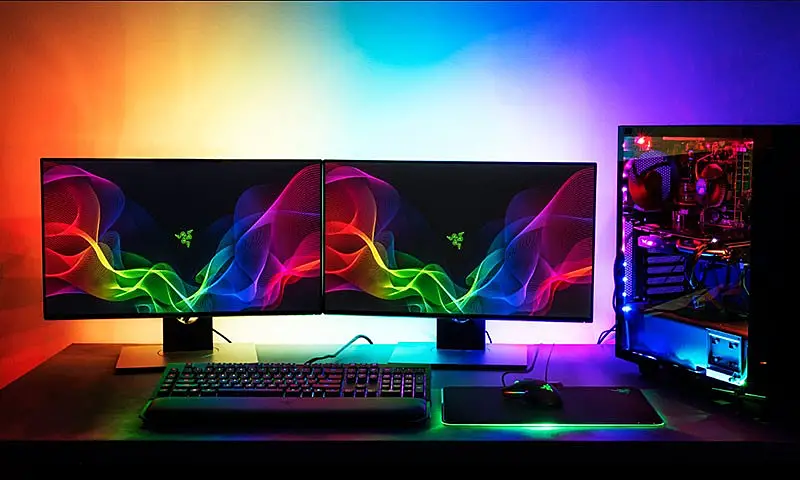
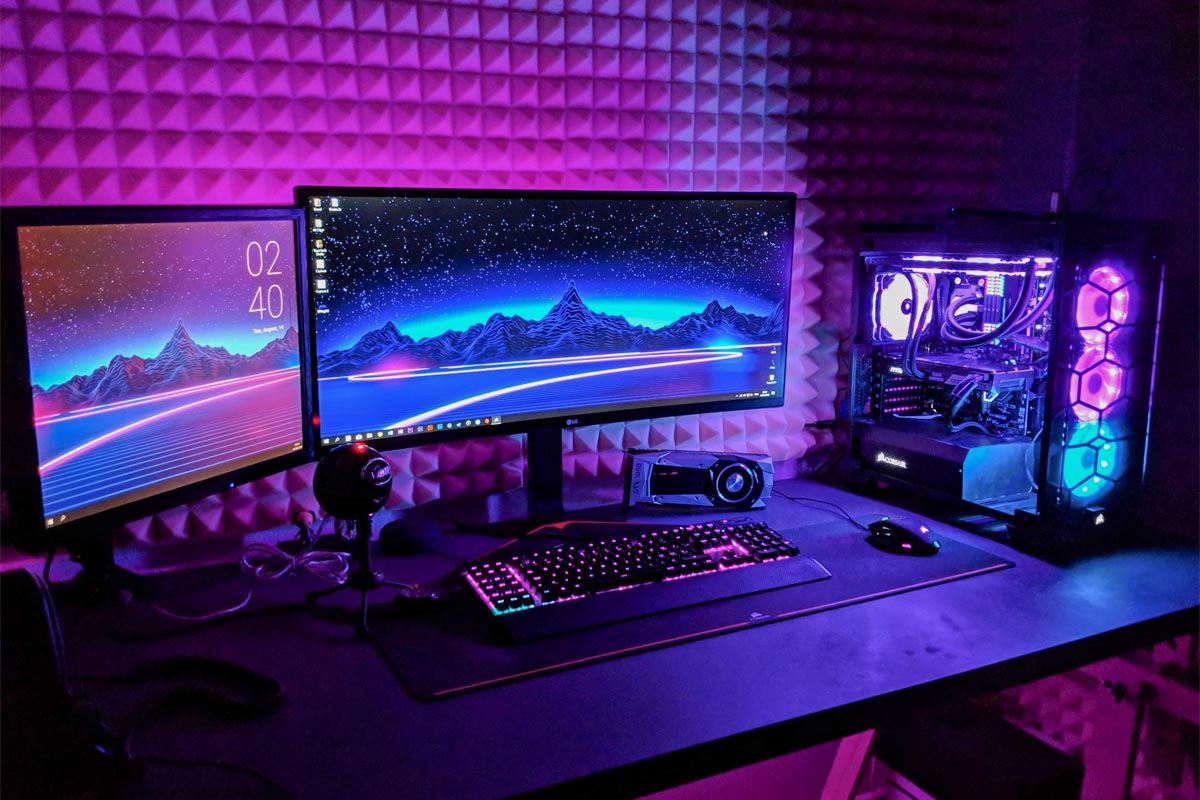
    On the gaming side of things, RGB lighting or RGB lights are built within peripherals such as computer mice, keyboard, monitor, mouse pads, speakers, and even tables. Colored RGB lighting, or led lights, are installed on CPU casings, cooling fans, memory sticks, and other PC hardware.

    Note that RGB components will not guarantee better performance over standard colored counterparts. RGB keyboards function the same way as a standard keyboard, RGB color model mice also work the same way as standard mice would. RGB hardware only has their additive color model as an extra of sorts to help market the product.

    How Does RGB Lighting Work?

    Devices with RGB colors are controlled by their user, and some RGB gaming setup often come with a couple of controllers to help manage RGB strips and the entirety of their RGB lighting setup.

    Motherboards nowadays have what you call a port for RGB called the RGB header. You connect an RGB controller or device to this header and you’ll be able to control the different RGB devices connected to your system. You’ll also be able to come up with custom colors, like a lighter shade of magenta to go along with your current workstation theme.

    There are two different RGB headers, addressable and non-addressable. Addressable headers allow you to control RGB lighting individually, while non-addressable doesn’t. There are different devices compatible for each header, so be sure to check out the manufacturer info to find out what kind of header your motherboard has.

    There are also devices to help you control the RGB effects, either through a physical hardware or a custom software installed in your PC. Keyboards like Razer are connected through Razer Synapse, their proprietary RGB controller for all of their branded device. As long as you have a Razer product with RGB lighting, Synapse is your go-to software and nothing more.

    Does RGB Lighting Provide More Value?

    The RGB color model has become popular because of the way it looks on a desktop or computer peripheral. RGB settings are fully customizable, so computer enthusiasts find different ways to work with RGB led strips and panels to add more flair to their computer.

    With that said, anything that has red, green, and blue lighting are automatically associated with RGB lighting and is considered to give off “gamer vibes”. That’s why you see a lot of products marketed and labeled as “GAMER” or “GAMING” even if they’re just draped with red, green, and blue lighting effects. But note that RGB lighting does not have any impact on performance at all.

    These primary colors have also found a way to make certain peripherals a lot pricier than standard colored counterparts. For example, RGB mice and keyboards might be a few bucks more expensive than their boring counterparts.

    What Is An RGB Monitor?

    The RGB monitor was one of the newest components to ever get a customized set of three colors to don the usually boring backside. Essentially, an RGB monitor has a lighting system that lights up the back part of the monitor, which shines against the wall like a disco light with different colors.

    This is a cool new trend that’s catching up with the gamer community, even though some DIY projects pioneered RGB display long before they were even commercialized or manufactured.

    Why Is An RGB Monitor So Popular?

    The appeal of an RGB monitor is incredibly high, but there’s actually more to it from a practical side of things.

    Imagine you’re playing your favorite game in a dimly-lit room, and the only bright source of light comes from your monitor. The computer screen displays a lot of colors and goes straight to your retina, but when you maintain this kind of dark room – bright monitor balance, you’ll notice that’s something’s amiss.

    A monitor with an RGB lighting does not take away a lot of the darkness from the room, but actually reduces the brightness from the display without touching a single setting. How is this possible?

    Your eyes has a way of balancing the colors red, green, and blue. When your eyes are focused on vibrant colors, like a game being displayed on the monitor, the RGB backlight enhances the color palette within the display. Black colors look sharper and stronger, and white colors look just as vibrant. The caveat here is that you’re not configuring anything here. RGB provides some form of contrast as a whole to what the eyes are seeing. You’re intently focused on what’s being displayed, but the colors behind the monitor are making things a lot easier on the eyes.

    It’s the equivalent of using a wheelbarrow to carry heavy loads as opposed to just carrying them by hand. The wheelbarrow, of course, being the RGB lights that help your eyes with their visual load.

    How Does This Backlighting Work?

    Razer Chroma Lighting What Does RGB Stand For in Gaming

    RGB led strips have always been the go-to DIY solution for lighting projects at home. They are affordable, they’re easy to set up with devices, but they’re dumb. They’re dumb in a way that you can’t really fully control them as much as you want. They’ll make your room look aesthetically cool, but not to the kind of setup that you really want.

    RGB monitor backlighting is uncommon, but it’s picking up in terms of popularity. Some manufacturers have already built in RGB into their monitors as we speak and can sync with Addressable or Non-Addressable headers.

    As a result, you’re getting more design synthesis with your components without losing a lot of options to customize. RGB monitors may still get stuck with one color for their bezel, but the lighting makes all the difference.

    How Can RGB Monitors Benefit You As a Gamer?

    RGB LEDs on a monitor can affect the way your eyes perceive the visible spectrum of different colors. Most gamers end up looking at one spot of the room for a prolonged period of time, so it’s quite surprising to know that an RGB monitor or even RGB LEDs in general can help them with their eyesight and more.

    RGB Monitors Help Protect The Eyes

    An RGB monitor’s soft light against a dark room prevents glare and reflections that you’d normally get from looking at the monitor for way too long. This reduces instances of eyestrain for gamers.

    To explain this, we need to look closely at the human eye. There are two photoreceptors, the rods and the cones. The iris expands or contracts depending on the color signal they receive, or from what we’re immediately seeing. The expansion or contraction of the iris helps regulate the light that’s seen by the retina.

    When you’re just looking at a plain old rectangle for prolonged periods of time, your iris doesn’t adjust as much. In fact, it retains the expansion or contraction for the time that you’re using it consistently. The eyes put in way too much work than what they’re just supposed to do. Having an RGB monitor with ambient backlight helps provide you with a consistent level of brightness without directly affecting your iris.

    Your eyes will look at something that’s brighter or darker but will not expand or contract as much with an RGB backlight.

    RGB Monitors Look Bigger

    Because the RGB monitor looks like it has aura emanating around it and illuminating the entire room to some extent, there’s the illusion of a bigger size and the screen size looks bigger without having to go for bigger displays.

    RGB Monitors Provide Better Contrast

    The additional lighting provided by the RGB does not affect image quality on the monitor. It’s actually the opposite. Image quality looks a lot better and sharper because of a darker background behind the monitor (i.e. the RGB backlight). The black colors are deeper and richer, and the changing colors of the RGB lights give off this illusionary play with the eyes that makes other colors look just as good and awesome.

    Any Downsides To RGB Components?

    RGB lighting is downright distracting, regardless if it’s a monitor or a keyboard. Some users often go overboard with the RGB lighting to the point that the room and workstation looks like someone threw in a can of paint and it just exploded all over the place.

    RGB has also become a meme in some Internet communities. For example, Reddit users have found it funny that the standard for PC power is the extent of the RGB usage. The more RGB lighting you have, the more powerful your PC is. This is sarcasm, mind you, but there are a few people out there who fall for such claims.

    Another downside to RGB is that there are people who aren’t exactly gamers who get hyped up by tech savvy salesmen. These people often get tricked into buying an RGB mouse or keyboard and making them think they’re way better but in reality it isn’t. They end up spending more money than they should just because someone decided to put in the words “GAMING” on the box.

    Remember, the lighting effects do not add to the performance or gaming experience. They’re just there to make other devices look fancy and colorful. Unless it’s stated otherwise on the box, take the claims of gaming products with a grain of salt. Just because they have all the colors of the rainbow doesn’t mean you can type faster or move your mouse quicker.