Author: Jim Stephenson

  • GDDR5 vs GDDR6 – Which Is Better?

    GDDR5 vs GDDR6 – Which Is Better?

    Out shopping for one of the latest graphics cards? Well, you’ve probably encountered letter-number combinations such as “GDDR5” and “GDDR6”. And if you’re not a tech-savvy person, you’ve probably only concerned yourself with how much graphics memory capacity a video card has.

    Your personal computer or laptop is made up of different components such as the CPU, RAM, storage devices, and graphics card. Between these different components lies one specification that encompasses all of them – MEMORY.

    But not all of them have the same type of MEMORY. For example, RAM or RANDOM ACCESS MEMORY uses memory to store data that allows the computer to run. Storage devices like your HDD and SSD use memory for long-term data storage.

    RAM uses short-term memory because they come and go as needed by the CPU. HDD and SSD use long-term memory.

    Now, graphics card use what they call VRAM or Video RAM. It works a lot like the RAM on your CPU, but instead, it stores short-term data in order for the graphics card to run. The GPU’s VRAM cannot be accessed by the CPU.

    Having said that, more video cards are now using GDRR6 as they slowly transition from the GDDR5 chips. But what does that mean for the end user? What’s the actual difference between these types of video memory?

    We’ll find out in this article as we discuss the subtle differences between GDDR5 vs GDDr6.

    What Does GDDR Even Mean?

    Nvidia RTX 3050 GDDR5 vs GDDR6

    GDDR is short for Graphics Double Data Rate, and is a form of short-term memory used by GPUs to store data. The VRAM is responsible for compiling images received and displays them on your monitor.

    Graphics card manufacturers will always post the type of GDDR the GPU is using. Right now, the current version is GDDR5 for a lot of the semi-recent video cards but we are now getting graphics cards with GDDR6 memory. Soon, GDDR6 will become the industry standard.

    How and Where is GDDR Used?

    GDDR memory is used for everything that has to do with graphics. You use VRAM for gaming, 3D modeling, video editing, and more.

    Data that’s used for image compilation is cached into the VRAM and comes and go as it’s needed. Data stored in VRAM is short-term, which is also it’s downfall. Unlike SSD and other storage devices, data does not stay long in a VRAM. Once the data is used, it’s removed from the VRAM to make room for the next set of data.

    But its short-term memory capacity is also its biggest weakness. If the video card doesn’t receive power or is turned off, you lose all data for that session.

    GDDR5 vs GDDR6 – Which Should You Go For?

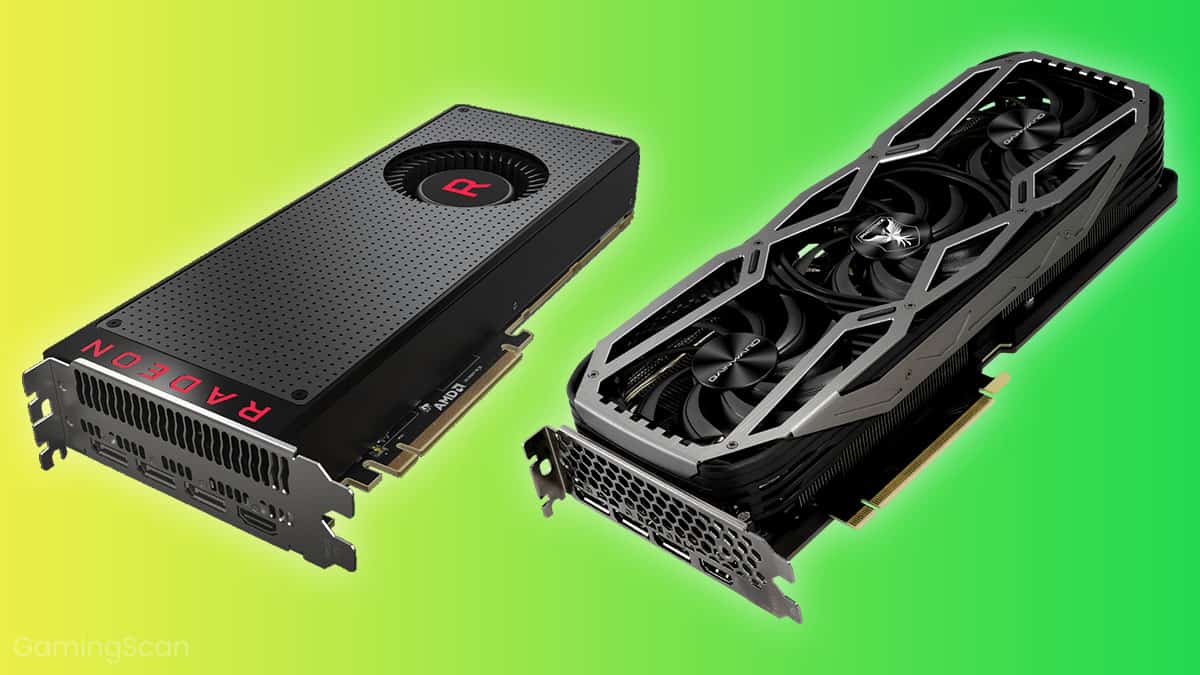
    Two Different GPUs GDDR5 vs GDDR6

    The biggest difference between GDDR5 vs GDDR6 is their transfer speeds. GDDR5 has a transfer rate of 8GB per second and GDDR6 has a transfer speed anywhere between 14gb and 16GB per second. Roughly double the transfer speeds of a GDDR5 graphics card.

    Is this increase in transfer speed noticeable by your average user? The benefits are hard to quantify, mostly because the newer iterations of graphics cards are intended to out-do their old counterparts. Having said that, a new iteration will almost always leave a performance gap between them.

    Another point for consideration is their capacity. GDDR5 graphics cards have different sizes ranging from 512MB to 8GB, whereas your GDDR6 will have higher capacity. Your GDDR6 graphics card will only have two sizes: 8GB and 16GB.

    What About GDDR5X?

    GDDR5X is considered a half-step between the GDDR5 and GDDR6. with a transfer speed between 10GB and 14GB. It has a higher transfer speed than the GDDR5, but is only slightly lower than the GDDR6.

    What Are Some Examples of Graphics Cards with GDDR Memory?

    Graphics Cards with GDDR5 Memory

    NVIDIA

    AMD

    Graphics Cards with GDDR6 Memory

    NVIDIA

    AMD

    Do You Even Need GDDR6?

    By now you’ve already known the difference between GDDr5 vs GDDR6, and you’re probably thinking…

    Do you even need a GDDR6 graphics card? Is there are a way to upgrade the GDDR installed in your graphics card?

    We got good news and bad news.

    First the good news. What you need out of the GDDR6 graphics card will determine whether or not it’s worth getting. Do you need the graphics boost to power through rendering tasks? If so, a GDDR6 graphics card might be a good investment.

    But if you have a GDDR5 GPU and want to upgrade the VRAM only, well that’s where we have the bad news. Unfortunately, VRAMs are soldered directly onto the GPU, so you can’t replace them.

    But overall, a GDDR6 is still considered a direct upgrade over the GDDR5. But even if it’s an upgrade, it doesn’t mean that it’s inherently better. For example, a GDDR5X graphics card liker the GTX 1080Ti has the same performance as an RTX 3060Ti.

    How Faster Is The GDDR6 Over GDDR5?

    The theoretical difference between the two generations of video RAM is one thing, but real-world benchmarking is another. The latter is more realistic since you’re comparing results in real time.

    But is it even possible to do a physical benchmark? Yes!

    One benchmarking done by a forum poster named VideoCardz compared two GDDR generations from one graphics card – the Nvidia GeForce GTX 1650. The GPU has two iterations, namely a GDDR5 variant and GDDR6 variant.

    The GDDR5 variant has a higher base clock speed of 1485MHz compared to the GDDR6’s 1410MHz speed. But the GDDR6 variant has a higher memory speed of 12,000MHz than the GDDR5’s 8000MHz.

    As you can see from the charts below, the GDDR6 variant was slightly better amongst different games. The GDDR6 variant was about 5% to 8% better compared to the GDDR5 variant.

    GTA 5 Benchmarking GDDR5 vs GDDR6
    Gaming Performance GDDR5 vs GDDR6

    Gaming performance averaged at 6% for the benchmarked games such as GTA 5, Overwatch, and Valorant.

    Both GPUs have the same TDP of 75 watts, but the GDDR6 variant used 9% lower power consumption than the GDDR5 variant.

    As you can see, the overall GPU performance gap isn’t that great between the GDDR5 and GDDR6. Sure the latter has a higher performance recorded in the benchmark, but it’s pretty much negligible to say the least.

    And by negligible, we mean that if you’re running a game at 60FPS on ultra settings on the GDDR5 variant, then you should be able to do the same thing on the GDDR6 variant. You won’t notice the difference between the FPS and graphics settings even.

    Is 8 GB GDDR6 Enough?

    If you plan to go into 1080p gaming, then 8GB of GDDR5 or GDDR6 is more than enough. But if you’re doing video editing, 3D modeling and animation, and other professional tasks, then you’ll need something higher than 8GB.

    Is There a GDDR6 Shortage?

    Between 2020 and 2021, there has been a shortage of GDDR6, thereby limiting the production of the RTX 30-series and Radeon RX 6000-series graphics cards.

    A global shortage of semiconductors plagued the industry, further worsened by the COVID-19 Pandemic. Shipping of stocks weren’t done on time because shipping of medical supplies was heavily prioritized.

    The shortage was made worse by cryptocurrency miners who hoarded the GDDR6 graphics cards. Scalpers also hoarded stocks of these graphics cards, thereby driving the price upwards.

    The Wrap Up

    Now you know that GDDR stands for graphics double data rate. It refers to the standard VRAM that a graphics card uses to store short-term data.

    GDDR6 is definitely a solid choice for gaming and other graphically-challenging workloads. However, they’re quite on the expensive side but they’re worth it if you ask me.

    The difference in performance between a GDDR5 vs GDDR6 isn’t that substantial as seen from the benchmarks above, unless you’re comparing low end GPUs to a high-powered one.

  • What Is A 64 Bit Operating System?

    What Is A 64 Bit Operating System?

    When you’re out buying a new operating system, you’ve probably noticed a suffix attached to the OS. This suffix could either be a 32-bit or 64-bit operating system. For example, Windows 10 32-bit operating system or Windows 10 64-bit operating system.

    But what exactly do they mean? What is a 32-bit operating system? What is a 64-bit operating system? Why is the 64-bit operating system more expensive than the 32-bit? Why do a lot of technicians and programmers swear by the 64-bit OS?

    We’ll find out more in this article…

    What Does 64-Bit Mean?

    A 64-bit operating system is designed to work for a PC that processes 64 bits at a time. A lot of personal computers today operate at 64 bits, and a lot of mobile devices are now starting to run at 64 bits. Now, a 64-bit operating system will not work in a PC built for 32-bit, but a 32-bit operating system will work in a system designed for 64-bit. Older hardware will have limited support for 64-bit operating systems, but it doesn’t mean that you’ll have major compatibility issues.

    A 64-bit processor refers to the microprocessor responsible for processing instructions and data in chunks of 64 bits. To put it simply, 64-bit microprocessors can handle larger amounts of calculations per second than their 32-bit counterparts.

    A microprocessor has two key criteria: its memory addresses and the corresponding instruction or data present in each memory address. So your microprocessor will always be tied to memory space where the data and applications are executed along with the corresponding number of bits available on the processor.

    What’s The Actual Difference Between 32-Bit and 64-Bit Processors?

    64-bit processors are capable of handling the following technologies:

    • hyper-threading and faster data exchanges
    • larger internal cache (compared to a 32-bit)
    • advanced instruction sets
    • faster bus speeds and system clock speeds

    But the features are not a result of having 64-bit registers. The actual difference between a 32-bit and 64-bit processor is that the latter has a larger and more increased bus width.

    More About 64-Bit Computing And Compatibility

    If you’re building a new PC, you’re investing in a lot of hardware and software. How much RAM you need, the kind of computer graphics card you want to use, the memory size of the CPU, and most importantly, the kind of operating system you’ll most likely use to avoid compatibility issues.

    However, you’re always going to be plagued by whether or not the new hardware you have now will work with the newer hardware in the future. For example, you have the latest motherboard capable of running the new Nvidia RTX 4000-series GPUs. How confident are you that your motherboard will still be able to accommodate the RTX 5000-series or RTX 6000-series down the line?

    It’s pretty much the same concept when you’re moving from a 32-bit computer architecture to a 64-bit computer architecture. So, here’s what you can expect when you do decide to do that

    Hardware

    64-bit processors will not be compatible with 32-bit processors. Having said that, a motherboard that can only accommodate 32-bit processors can’t run a 64-bit processor. However, you can run a 32-bit processor on a motherboard with a 64-bit processor slot. If you’re going to use a 64-bit processor but you have a 32-bit processor socket on your motherboard, you’ll need to get a new motherboard.

    But it’s not advisable that you run a 32-bit processor on a 64-bit socket because that’s like putting a Toyota engine under a Lamborghini.

    A quick glance over my Device Info will show you what kind of processor and operating system I’m using in the System Type tab. As you can see, I’m using a 64-bit processor together with a 64-bit operating system.

    Device Info What is a 64 Bit Operating System
    Creation responsive internet website for multiple platforms. Building mobile interface on screen of laptop, tablet, smartphone. Layout content on display devices. Conceptual banner of web technology.

    Operating System

    64-bit processors can easily support both 32-bit and 64-bit operating systems. If you have a licensed Microsoft Windows 10 32-bit operating system, you should be able to use that on a 64-bit computer. But you may not be able to maximize the 64-bit functionality and advanced features because you don’t have a 64-bit processor.

    Software Drivers

    Drivers allow the operating systems to recognize hardware devices installed on the motherboard. Almost every piece of hardware will have its corresponding driver, which you’ll find under Device Manager. For example, you’ll see my device driver info for my USB wireless adapter.

    Device Driver What is a 64 Bit Operating System

    Much like operating systems, drivers have their own 32-bit and 64-bit version. If you run a 32-bit operating system, you should be using a 32-bit driver. And the same thing applies for 64-bit operating systems. A 32-bit driver is not compatible with a 64-bit operating system, and vice versa.

    Unlike programs and applications, drivers are always going to have options between 32-bit and 64-bit. There’s no middle ground even if you are using new technology.

    Applications

    Applications and programs will run depending on the operating system. A 64 bit operating system will need to run 64 bit applications and programs, and likewise for 32 bit operating systems. For example, you’ll need a 64-bit word processing program for a 64-bit version of Windows or Mac OS.

    Just like drivers, you’ll have compatibility issues running a 32-bit application on a 64-bit operating system. Note that you might find several programs out there that won’t matter if you install it on a 32-bit or 64-bit version of Windows.

    Advantages and Limitations of 64-Bit Processors

    Using a 64-bit processor has its own advantages.

    More Memory Space

    You have more memory space that gives you more computing power so to speak. With a 64 bit version of Windows or Mac OS, you can maximize programs that rely on heavy processing power such as database management tools, 3D rendering programs, and so on.

    Data Transfer Is Better and Faster

    Running a 64 bit processor with a 64-bit operating system will allow you to move and transfer data. And because you need bits for both addressing and data, you actually have double the capacity with a 64 bit processor compared to a 32 bit processor.

    But with these advantages, you also have some limitations.

    Catch Up Is Still Difficult

    64-bit processors are more common in the market now compared to what it was a couple of decades ago. But even today, 64-bit processors cannot access all of the memory space that it has to offer. With newer operating systems, new technology, and better supporting hardware, you’re still looking at about 48-bits of memory space being used by 64-bit processors. But the industry is getting better when it comes to giving you improved processor performance, so we’re more or less going to see this issue disappear within the next few years.

    Waste of Memory Space

    64-bit is backward compatible with 32-bit computing, but it often results in wasted memory space. To support compatibility, some programs and data sets need to pad their data to address the additional 32 bits. It works, but it’s not going to be as effective as it should be.

    But this issue is often resolved by downloading a new version of a 32-bit legacy software and is replaced by their 64-bit counterparts respectively.

    The Wrap Up

    Using a 64-bit processor on a 64 bit operating system is always going to be the most ideal route, even if it means having to spend a few extra dollars on buying the OS. You have more memory space and higher memory size, improved security, and overall better performance.

  • Does Ram Brand Matter?

    Does Ram Brand Matter?

    Building a new PC will have you going through different brands and manufacturers for each PC component, from the CPU to the GPU to the RAM itself.

    But you’re thinking: why would I even bother going for branded RAM modules? Shouldn’t I just be concerned with the speed and specs?

    Believe it or not, there’s a significant difference between using branded RAM and non-branded one. And we’ll tell you more about it in this article.

    Does RAM Brand Matter?

    Let me answer this question with another question: would you settle for non-branded shoes if you’re more concerned about quality and durability?

    RAM brand matters in the same way that you’d want to go for buying branded electronics or any other item. Quality is always your #1 priority when you want to go for the top-tier RAM brands.

    However…

    Should You Mix Two Different RAM Manufacturers In One PC?

    Does RAM brand matter if you want to mix two different RAM modules of the same specs? That’s another question worth asking. And we’ll have different answers for that.

    1. You could mix different RAM modules from different brands so as long as they share the same specs.
    2. You can’t mix RAM modules with different RAM specifications, even if they come from the same brand. For example, you can’t get a DDR4 RAM to work together with a DDR3 RAM. Your PC will run whatever is the slowest RAM stick installed while downgrading the faster one to match the speed.

    On the first point, there’s nothing incoherently wrong with mixing different brands of RAM so as long as they share the same specifications. But it’s not exactly recommended either. The minute differences in how they were manufactured could make or break their performance altogether.

    If you want to use different RAM brands, you’ll need to make sure that the two different RAMs have the same specifications listed:

    • RAM type or generation
    • Voltage requirements
    • RAM speeds
    • CAS latency
    • Motherboard compatibility

    And more…

    If quality assurance is what you need, then just buy the same RAM sticks coming from the same brand. The RAM market is relatively bigger compared to CPU and GPUs. The latter will have only two brands fighting for supremacy, but RAMs have different manufacturers that are going toe-to-toe at any given time.

    Having said that…

    Can you mix RAM brands? Yes, so as long as they share the same specifications. But if you want to cut the guesswork, then just buy the same brand.

    Will Any Brand of RAM Work With Your PC?

    Does RAM brand matter when you’re building your first PC? Well, the more correct question should be: does RAM brand matter when it comes to matching your motherboard?

    RAM brand doesn’t really play a lot when it comes to compatibility. What you do need to be on the lookout for is the type of RAM you’re using.

    Much like RAM, motherboards have different manufacturers. Your compatibility issue will depend on how recent the motherboard is. For example, older motherboards can handle DDR3 RAM modules, but not DDR4 modules. If you’re upgrading from a DDR3 to a DDR4 but your motherboard can’t handle the latter, you’re going to need to buy a new motherboard.

    Can You Use DDR4 and DDR5 RAM Modules Together?

    Motherboards are designed to handle only one type of RAM altogether. If your motherboard can handle a DDR5, then just install a DDR5 RAM. Chances are, if a motherboard supports the latest RAM generation, then it can support the previous generations. But it’s not recommended.

    Running a DDR4 and DDR5 at the same time is just not possible. They’re both different physically and internally.

    What Are The Best Brands In The RAM Market?

    The RAM market share is divided amongst brands such as Corsair, Kingston, Patriot, and G.Skill. These are the most popular brands of RAM right now, and they’re individually known for their quality, price, speed, and more.

    But let’s go over them one by one…

    Corsair

    Corsair Vengeance RGB Does RAM Brand Matter

    Corsair is a brand name that needs no introduction. They’re known for their high quality peripherals and components, including their RAM. Corsair is one of the best RAM brands out there and is one of a few brands that’s preferred by a lot of PC builders.

    And as you can see from the image above, they appeal mostly to builders and gamers alike. You also get a decent lifetime warranty for their RAM and other components, so you feel safe knowing that you’re getting a high end RAM with the best quality control possible.

    Kingston’s HyperX

    Kingston Fury Does RAM Brand Matter

    Much like Corsair, Kingston is known for their excellent computer components. The quality of their RAM modules, storage devices, headsets, microphones, and other peripherals are excellent. Most users can testify to how great they make their products.

    And on a personal note, I am using a Kingston HyperX Fury RAM and HyperX Quadcast Microphone. It comes with good warranty from the store and manufacturer warranty as well.

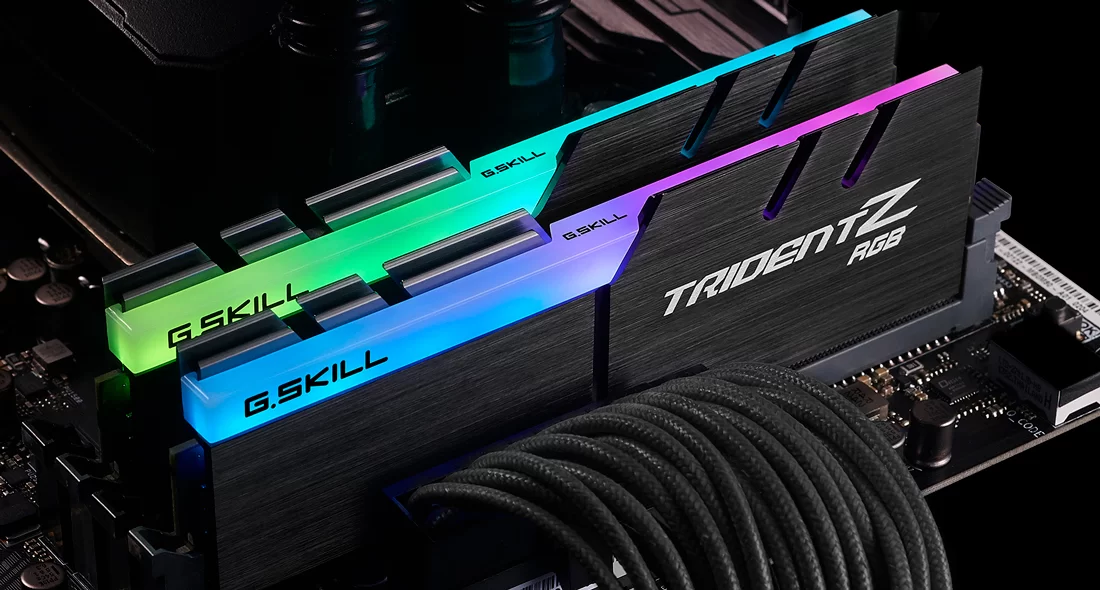
    G.Skill

    GSkill Trident RAM Does RAM Brand Matter

    If you want a high end RAM without paying top dollar, then you can always go for G.Skill RAM modules. Much like Corsair, G.Skill is a fan favorite amongst builders, especially those who like to add RGB to their builds.

    It’s one of the top brands on this list solely because they make RAM kits of all sizes and speed, so they’re sure to cater to whatever floats your boat. They’re affordable enough that you don’t have to spend a lot of money without worrying about quality control.

    And speaking of quality control, G.Skill RAMs are covered by limited warranties, and while that’s not a lifetime compared to what Corsair has to offer, they do their best to make sure you get the best RAM stick possible.

    Patriot

    Patriot RAM Does RAM Brand Matter

    Like G.Skill, Patriot is one of the well known brands of RAM with excellent quality and customer servicer. Lifetime warranty is limited, but that’s a non-issue at this point.

    Patriot brings to the market their high-performance, low-cost RAM modules that’s capable of giving the three companies above a run for their money.

    What Are You Looking For When Buying RAM?

    If you’re planning to buy RAM from the companies above or from other brands, you need to know a few things about what to look for. You don’t want to end up with slower RAM sticks, or worse, RAM sticks that are not compatible with your motherboard.

    Remember, you only need to know two important units of measurement: GB or Gigabyte for RAM Size and MHz for RAM Speed.

    Size

    If you’re in the market for new RAM sticks, then size is the first thing you need to keep an eye out for.

    Most people think that it’s difficult to determine how much RAM you need, but it isn’t. The current standard for office PCs is somewhere between 8GB and 16 GB. For gaming, 16GB is the bare minimum and 32GB if you want to push the envelope further.

    People who do video editing and other forms of heavy workload will require at least 32GB to cover some of their applications used.

    Speed

    RAM speed is measured by the number of commands it handles in a second. The unit of measurement is called Megahertz or MHz, or millions of transfers per second (MT/s). The higher the number, the faster the CPU transfers data to and from the RAM per second.

    Higher frequencies are ideal, but only if your motherboard and CPU can handle it. Your CPU can only handle a finite number of commands per second, so there’s no point in buying a RAM that goes past your CPU’s capacity.

  • Everything You Needed To Know About AIO Orientation

    Everything You Needed To Know About AIO Orientation

    Everyone’s doing liquid cooling or AIO (all-in-one) cooling nowadays, and it’s no surprise. Processors are becoming more powerful and the amount of heat they generate is just absurd especially when gaming, editing videos, or rendering 3D models.

    But what most people assume is that AIO liquid cooling is all the same, when in fact, it all depends on the brand and make of the cooling system. To properly install your AIO coolers, you need to know a thing or two about AIO orientation and how it affects the performance of the system.

    And that’s what we’ll be discussing in this article…

    Which Is It? Top, Middle, or Bottom?

    The biggest debate when it comes to the proper orientation is its mounting. More specifically, mounting your radiator and the flow of the tubes.

    You’d think that manufacturers should’ve at least told you where to mount the radiator, but unfortunately, it’s vague. No two manufacturers will have the same set of mounting guide, as seen here from our example. Here, we have the mounting guide for the MSI Coreliquid 240R AiO

    On a more serious note, this is the epicentre of the debate surrounding AiO water cooling mounting. More specifically, the radiator and flow direction of the cooling tubes. Knowing where you should mount your new radiator should be a breeze, and you would think manufacturers have this core piece of information in their literature. The mounting of your water cooling system is – at best – open to interpretation or – worse still – quite vague in most manuals.

    MSI Mag Coreliquid AIO Orientation

    For instance, here’s the mounting guide for the MSI Coreliquid 240R AiO, which has long been a best seller at CCL. 

    MSI Coreliquid Mounting Manual AIO Orientation

    The radiator is mounted at the top of the case, which also happens to be the most preferred orientation by a lot of PC builders. But how come people over at Reddit’s r/PCMasterRace would often scoff at others who mount the radiator top side? How bad, or how well, does a topside orientation affect the performance overall?

    Why Does The Location of the AIO Radiator Matter?

    Before we talk about AIO orientation, we need to first understand your AIO radiator.

    The radiator is basically the heatsink. Your liquid cooler will route the cooling solution through the tubes and passing through the CPU/GPU blocks. The cooling solution absorbs the heat coming from the CPU/GPU and runs it across the pipes until it reaches the radiator. The heat is then expelled through the radiator’s fans. In contrast, your traditional air coolers will run a cycle of pulling cold air into the system and expelling hot air out continuously.

    As you can see, there’s no difference in term of functionality between a water cooling system and an air cooler. It just so happens that water cooling systems are more efficient in heat dissipation than air coolers.

    Having said that, you would think that people who run with an AIO system would think twice about where to place their radiators. But most PC builders will run different configurations for their systems.

    According to Reddit, where you place your radiators will affect your system’s temperatures differently. A front-mounted radiator had lower temperatures by about 10 degrees less than a top-mounted radiator, all while using a standard open-air GPU.

    Does this mean that front-loaded radiators are the way to go? Well, yes and no. Temperatures are within the normal range even if you’re using a top-mounted radiator. The biggest issue with using a top mount radiator is that an open-air GPU will seep in hot air to the radiator. This actually makes the radiator work twice as hard.

    On the other hand, a blower-style GPU will expel heat directly outside of the case, so using a top mounted radiator shouldn’t be an issue since it won’t have to deal with excess heat.

    Tubes Pointing Up or Tubes Down? Does It Even Matter?

    We’re done talking about the radiator. Another big issue that we have to talk about is the orientation of the tubes.

    Now, first time users of an AIO liquid cooler would probably focus more on tube orientation for the sake of aesthetics, or if they simply don’t know any better. Having your tubes pointing to the right direction could mean the difference between efficient heat dissipation and lackluster AIO cooler performance.

    If your tubes are pointing the wrong direction, it will make your AIO work harder than it should. You’re also putting your system at risk for getting excess air into the loop, which could damage the system in the long run.

    The main reason why knowing if your tubes should point up or down from the radiator is that it directly affects your pump’s overall health.

    The pump is usually built into the CPU block, but some models will place the pump right alongside the radiator. The pump ensures that the liquid is circulating properly throughout the system. If your pump isn’t working properly, your AIO liquid cooler isn’t working properly. It’s as simple as that.

    So which is actually better for your AIO pump?

    The sad thing is that there’s no DEFINITIVE ANSWER on which tube orientation is the best. It depends on how you’ve actually mounted your radiator.

    How Should You Mount The Radiator?

    We’re now talking about the radiator again. How you mount the radiator will depend on the case you have. Majority of cases in the market right now will allow you to mount either a 240mm or 280mm radiator for AIO liquid cooling. You’ll see mounts for both the top side and the front side.

    Common orientations for AIO radiators are as follows:

    • Front mount radiator with tubes at the top
    • Front mount radiator with tubes at the bottom
    • Top mount radiator with tubes at the bottom
    • Top mount radiator with tubes at the left
    • Top mount radiator with tubes at the right
    • Bottom mount radiator with tubes on the right
    • Bottom mount radiator with tubes on the left

    Please note that bottom mounted radiators are usually installed in Mini ITX cases, due to the fact that manufacturers have to deal with limited space issues.

    Top Mounted Radiator AIO Orientation

    PCs running open-air graphics card will often go for for a front mounted radiator with tubes pointing down. This kind of configuration would allow your pump to work without any hindrances, but the issue here would be the cable management since you have to route the cables differently.

    Will Radiator Placement Matter For Custom Loop Systems?

    Custom loop systems are the AIO liquid cooler’s most expensive sibling. Both custom loops and AIO coolers work the same way, except that the former is built differently and as the name implies, everything is built from the ground up.

    Simply put, radiator placement will not be an issue for custom loop systems because they’re just built differently. The pumps, radiators, tubes, and liquids are all handpicked, so they’re more durable.

    The only downside is that you have to do a lot more maintenance and you’ll need to spend more money to set things up.

    What If I Went For The Wrong Mounting Orientation?

    What is actually going to happen if you used the wrong AIO orientation? How detrimental is a wrong orientation?

    The biggest issue with using the wrong orientation is the access to excess air. Small quantities of air in excess can end up damaging your system in the long run. This is because air can cause problems for your pump. Remember, when your pump and radiator end up working harder than they should be, you end up shortening the system’s life span.

    On top of that, you also have to deal with the following issues:

    • Noise – A radiator that’s mounted the wrong way can lead to unwanted noises coming from the AIO liquid cooling system. Remember, AIO coolers are marketed to be more silent than your traditional air coolers. Under normal loads, pumps make a certain level for noise. Introducing air bubbles into the system can cause gurgling, whining, and choking noises. The reason why you get these noises is because the pump and radiator are working harder than they should. Air bubbles can also cause rattling sides as they bump across the pump’s sides.
    • Temperatures – CPU temperatures are going to be higher than they should when you mount the radiator improperly. This is because the liquid isn’t moved efficiently, so heat dissipation isn’t optimal due to the unwanted air inside.

    Wrapping It Up

    AIO liquid coolers are great at what they do when it comes to making sure that your CPU and GPU are as cool as possible even under heavy workloads. AIO coolers are also more affordable than custom loops but slightly more expensive than traditional air coolers.

    AIO coolers will have the same parts, from the water block to the radiator to the tubes. But it will depend on the brand and make. That’s why it’s important for you to know how to properly mount the radiator for your AIO.

    If your mounting is done incorrectly, you’ll end up with different issues ranging from higher than normal CPU temperatures to higher noise levels. Worst case scenario, your AIO cooler ends up with a shorter life span. On average, you should be replacing your AIO system when they’re more than five years old. An improperly mounted radiator can force you to replace your system in a few years.

  • What’s The Best High End PC Case? (Jul 2026)

    What’s The Best High End PC Case? (Jul 2026)

    When building your gaming rig, the PC case is probably the least of your concerns when it comes to budgeting. You just pick out a decent enough case that’s capable of housing your PC components, a decent number of expansion slots, and some minor extra features.

    But sometimes, it doesn’t hurt to splurge a little when it comes to buying PC cases. You see, some PC cases end up being more expensive than others mostly because of their added functionalities and higher aesthetic value. A high end PC case doesn’t necessarily mean that it should be made of gold or embossed in jewelry.

    On this list, we’ll go over some of the most expensive PC cases you should check out this year. We’ll arrange them from the most expensive down to the most affordable.

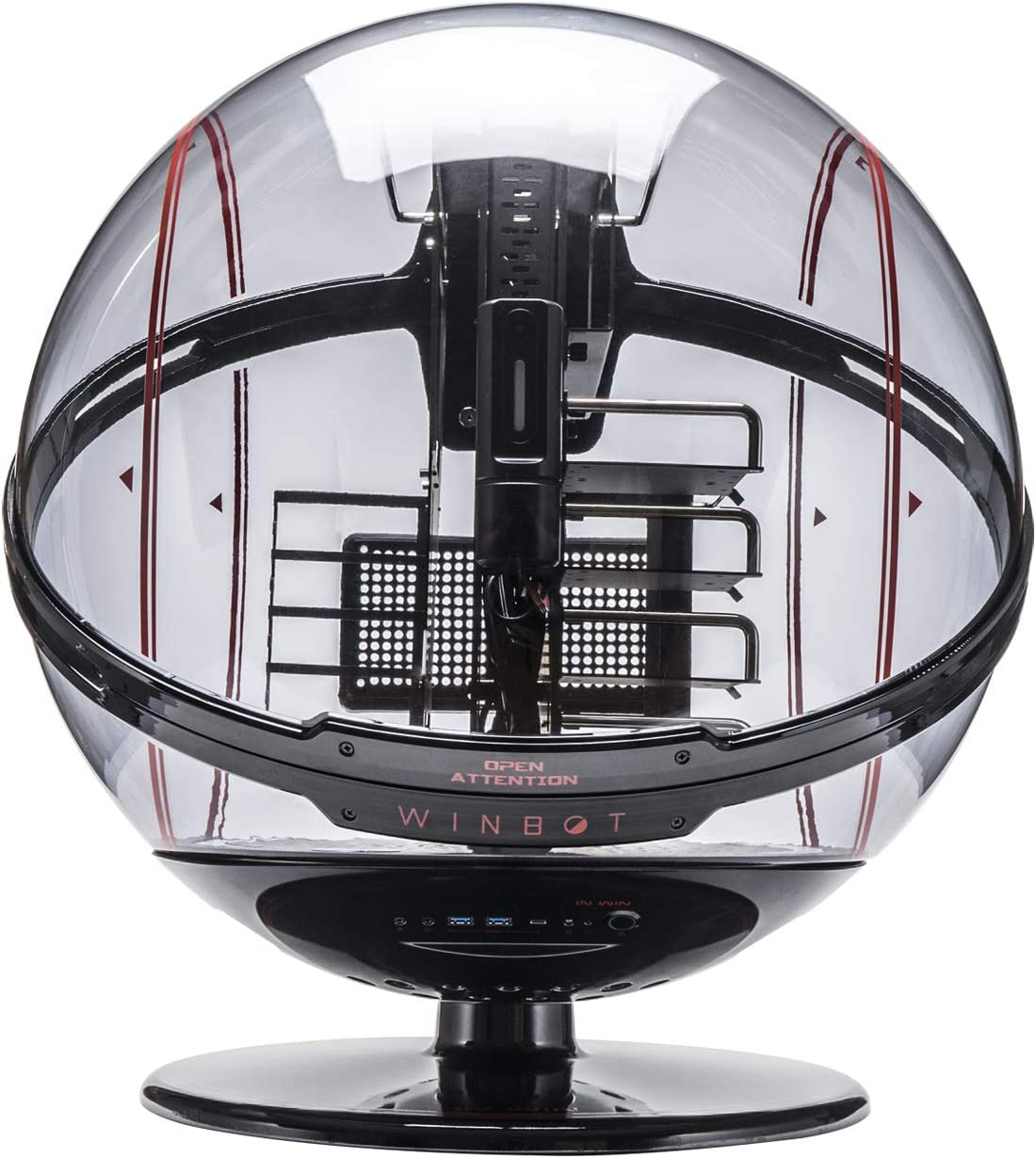
    In Win WINBOT PC Case

    Cost: About $1,000

    InWin WINBOT E-ATX Gaming High End PC Case

    The most expensive PC case on this list is the In Win Winbot PC Case and is always priced somewhere above the $1,000 mark. On their official website, the newer iterations cost well over $5,000 while the Winbot PC case price over at Amazon hovers between $1,000 and $3,500.

    The In Win Winbot PC Case is more than just a hamster wheel of a PC case. It’s fully customizable and packed with features you’ll never see in any of the cases here or anywhere else.

    To start, the In Win Winbot PC Case packs a facial recognition feature and hand gesture capabilities that allow you to move the case as you walk by it. The case rotates for a full 360-degrees with a simple swipe of the hand. The facial recognition feature is also capable of detecting real faces and faces in a photo.

    As of this writing, stocks are limited for the In Win Winbot PC Case so it might take a while before you see this being back in the market.

    Cougar Gemini X Dual PC Case

    Cost: Around $700

    Cougar Dual Tower Case High End PC Case

    The Cougar Gemini X Dual PC Case is a beast of a Mini ITX case for one good reason: dual PC configuration.

    The Cougar Gemini X Dual PC Case has full ATX motherboard support with a secondary mini ITX motherboard support for the second build. It can house up to 5 case fans for both sections for maximum heat management. With the way that the Cougar Gemini X Dual PC Case is built, you can mount it vertically or horizontally.

    The Cougar Gemini X’s casing is 3mm thick, way above the industry standard of 1mm for aluminum casings. The tempered glass is also thicker at 5mm, compared to the 4mm you usually see with other cases.

    The downside to the Cougar Gemini X Dual PC Case is that it’s heavy, but that’s a given. You have a case that supports two PC builds with thick tempered glass panels.

    FSP CMT710 PC Case

    Cost: $450 on average

    FSP CMT710 PC Case High End PC Case

    Going past below $500, we have the FSP CMT710. Just like the Cougar Gemini X, the FSP CMT710 also has dual PC configuratio that houses two separate PCs with an open frame design. The chassis is made of aluminium and has two chambers for dual water cooling systems. There’s also a center compartment for cable management.

    Unlike the Cougar Gemini X, the FSP CMT710 is an open-frame PC case, which makes it all the more aesthetically pleasing to the eye. But then again, dust and dirt will probably gather around your PC components faster on the FSP CMT710.

    Going over its dual PC configuration, the FSP CMT710 provides motherboard support for Extended ATX, Micro ATX, and Mini ITX. The case also has both horizontal and vertical GPU mount support.

    In Win Signature Motorcycle Steel Tube PC Case

    Cost: Around $350-$400

    In Win Signature Motorcycle Steel Tube High End PC Case

    Another entry from In Win is their Signature Motorcycle Steel Tube D-Frame Case which is considered to be a favorite amongst PC builders.

    The Signature Motorcycle Steel Tube D-Frame Case comes in different colors namely Blue, Red, Green, Orange, and White. There are also mini ITX versions of the Signature Motorcycle Steel Tube D-Frame Case. But just like the WinBot PC Case, supply of the Signature Motorcycle Steel Tube D-Frame Case is limited.

    The Signature Motorcycle Steel Tube D-Frame Case comes with an adjustable PSU holder, open air cooling support, and mounted routing holes for the best cable management features that DIY builders fancy.

    Azza CSAZ-804V PC Case

    Cost: Around $300

    Azza CSAZ-804V Pyramid High End PC Case

    We’ve seen a hamster ball PC case and a dual PC case system, but what if we told you there’s a pyramid case? Well, there’s actually a couple of them on this list and they’re made by one company: Azza.

    First up, we have the Azza CSAZ-804V and you’ll find no other case that’s as beautiful as this. The Azza CSAZ-804V has multiple motherboard support for ATX, ITX, Mini ITX, and Micro ATX. It also comes with 120mm RGB case fans at the top of the case.

    Common user feedback about the Azza CSAZ-804V is that it has a mediocre cooling performance due to poor airflow, so you’ll need an AIO cooler for your CPU. But since you’re already spending $300 on the Azza CSAZ-804V, you’re probably eyeing a liquid cooling system already.

    There’s room for creativity here in setting up your LED lights along the pyramid angles. And with the tempered glass side panel windows, it’ll look like the Louvre Museum sitting on your desktop.

    The overall build quality of the Azza CSAZ-804V is top-notch, making it a great choice for building a beautiful and powerful gaming PC.

    Cougar Conquer 2

    Cost: Around $300

    CougaCougar Conquer 2 All New Ultimate Gaming Full Tower Case High End PC Caser Conquer 2 All New Ultimate Gaming Full Tower Case High End PC Case

    Like its price tag, there’s nothing small about the Cougar Conquer 2 PC case. The Cougar Conquer 2 is a full tower PC case with full tower motherboard support, and its aesthetics is just as impressive as its size.

    The Cougar Conquer 2 has removable parts that allow you to easily slide components in and out of the chassis. That way, internal components can be accessed without any difficulty.

    Azza CSAZ-802F PC Case

    Cost: About $270

    AZZA CSAZ-802F Cube CASE High End PC Case

    Here we have another entry from Azza, but this time it’s a cube PC case. The Azza CSAZ-802F is slightly cheaper than its pyramid counterpart by about $30. The Azza CSAZ-802F comes with 5 Hurricane II Digital RGB pre installed fans, graphics card support for up to 280mm, and radiator support for up to 240mm on the front panel.

    With 5 pre installed fans, it goes without saying that the cooling performance of the Azza CSAZ-802F is anything but excellent.

    But what’s impressive about the Azza CSAZ-802F is that despite being a Mini ITX case, it does have support for ATX and mATX motherboards. Talk about complete flexibility.

    Antec Striker PC Case

    Cost: Around $250

    Antec Striker Aluminum and Steel ITX Computer Case High End PC Case

    Up next and slowly crossing the affordability threshold we have the Antec Striker Aluminum and Steel ITX Computer Case, a high end mini ITX case with water cooling support.

    The Antec Striker Aluminum and Steel ITX accommodates smaller form factor motherboards, but that’s not the reason you actually buy this case. The Antec Striker Aluminum and Steel ITX Computer Case is meant to showcase your water cooling system.

    The Antec Striker Aluminum and Steel ITX Computer Case features front GPU mounting and support for up to 2 x 120mm or 1 x 240mm case fans for rear and sides. It also has 240mm radiator support on both sides.

    Needless to say, the Antec Striker Aluminum and Steel ITX Computer Case is one of those PC cases where you buy solely for aesthetic purposes. If it didn’t have water cooling support, it wouldn’t make sense to purchase this case.

    Why Are These PC Cases Expensive?

    In the world of PC building, the most common parts you would often spend more money on are the graphics card, processor, RAM, storage, and cooling system. Whatever’s left of your budget would often go towards the PC case.

    Why would people ever want to spend more money on a PC case than they should? The following factors should give you an idea on why…

    Design and Uniqueness

    As you can see from the list, the majority of the cases have this insane design, regardless if it’s a mid tower case, mini ITX case, or any other type of PC case. The aesthetic appeal of having a case that resembles a robot or a spaceship is just too irresistible.

    Other aesthetic points that draw people into buying these cases are their support for different types of CPU coolers, the types of glass panels the case uses, the size and look of the motherboard tray, and even how the power supply is positioned inside the case.

    Utility and Functionality

    People also end up paying for more features and functionality for these types of PC cases. For example, a case that could house multiple motherboard types is already considered great value. Content creators and streamers usually use the double PC configuration or use a PC with extended ATX support to house powerful and bigger components.

  • How Long Do Liquid Coolers Last?

    How Long Do Liquid Coolers Last?

    When you’re running AAA games on high or near ultra graphics settings, your video card is going to work twice as hard and generate as much heat. And we know that too much heat inside the system can result in degenerating performance. That’s why having a liquid cooling system is probably the best thing you can do for your gaming PC.

    But there are several apprehensions associated with having a liquid cooling system installed in your PC. For one thing, there’s always that big fear of the cooling system leaking liquid inside while you sleep. Or the fact that a liquid cooling system is too fragile to the point that a single bump could unhinge or loosen one of the pipes/tubes. While these fears are valid, liquid cooling systems are a lot more durable and stable than you think.

    Another apprehension that people might have with liquid coolers is their lifespan. You’d think that electronics and cooling liquid don’t mix and will probably result in the quality of the system degrading through the years. But did you know that liquid cooling systems are far more durable than you’d think?

    In this article, we’ll be answering the big question: how long do liquid coolers last? It’s a commonly asked question by a lot of first-time buyers and owners.

    What’s The Difference Between AIO and Custom Cooling System (or Custom Loop)?

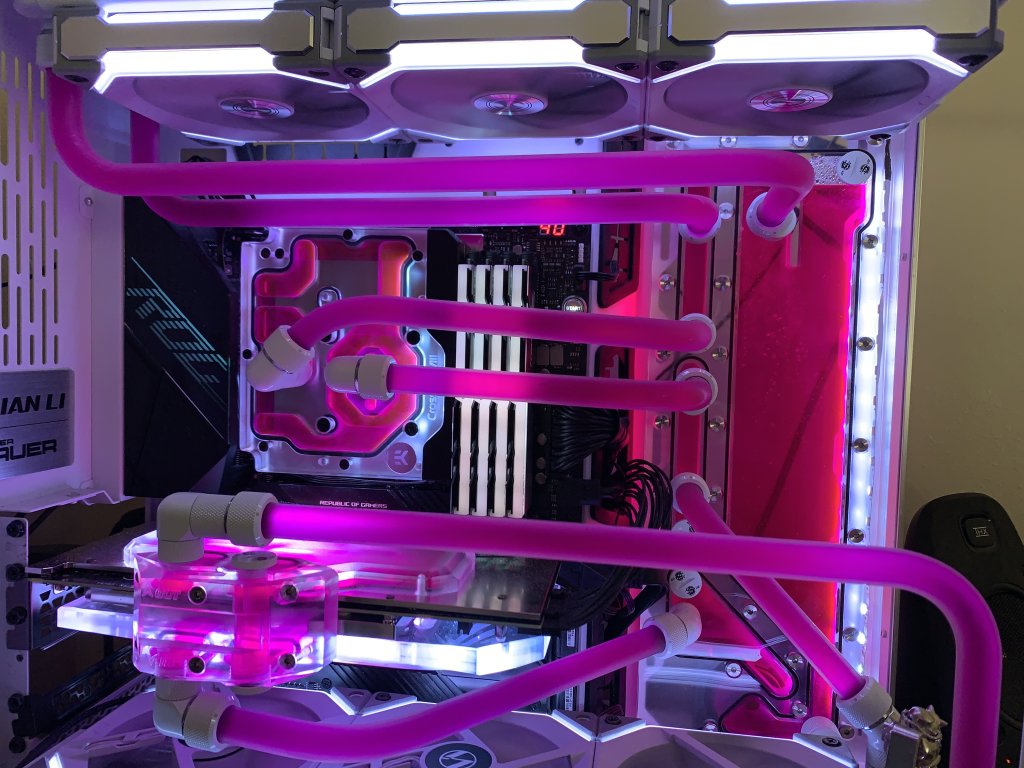
    Custom Loop How Long Do Liquid Coolers Last

    Before we answer the question “how long do liquid coolers last?”, it’s important for first-time buyers to know a couple of things about the system itself.

    There are two types of liquid cooling systems, namely the All-In-One or AIO Cooling and Custom Loop or Custom Cooling System or Custom Tubing.

    The most affordable and easiest to install is the AIO or All-In-One cooling system. This is a prebuilt liquid cooling system that you just install into your gaming rig. That’s it. Your typical AIO kit will come with a pump, radiator, exhaust fans, and a sealed liquid loop. The downside to an AIO cooling system is that if one of the parts fails, you can’t easily replace them. You’re more likely to replace the entire system than to replace one part.

    On the other hand, custom loop or custom tubing is as what the name implies. Everything about the cooling system is customized. Unlike AIO cooling systems, custom loops are built from scratch. A custom liquid cooling system is more expensive but the performance is miles ahead of any AIO liquid cooler.

    What Parts Do You Need To Pay Attention To?

    Regardless of the type of liquid coolers you currently have, there are three important parts that you need to pay attention to. These parts are shared amongst both AIO systems and custom loops.

    Tubes or Tubing

    Custom Tubes How Long Do Liquid Coolers Last

    Custom loops are equipped with a more rigid and more durable set of tubes compared to their AIO counterparts. After all, it wouldn’t make sense to build a custom loop with just cheap tubes, right? AIO tubes are softer, which also has a shorter lifespan than the custom’s tubes.

    If an AIO tube breaks or leaks, you’re not going to be able to replace that. Instead, you end up replacing the entire liquid cooler.

    On average, tubes can last anywhere between 10 to 20 years, depending on the brand and make of the cooling system. AIO cooling systems might go for at least 5 years but it’s not uncommon to see tubes last longer than they should

    Coolant or Liquid Cooling Solution

    Custom Loop Coolant How Long Do Liquid Coolers Last

    The cooling liquid or coolant is another story in itself. Both AIO cooling systems and custom loops share the same type and brand of cooling liquids, which is great because you don’t have to struggle with shopping for refills.

    Having said that, liquid coolants aren’t exactly long-lasting. If anything, you’ll need to replace the cooling liquid at least once a year and the tubes cleaned out the same time.

    The reason for this is that coolants end up becoming dirty over time, even though they’re mixed with biocides and lubricants. Debris builds up overtime, so the fluid transfer might not be as effective as it should be. Debris slows down the loop, which affects your cooling efficacy. And once your cooling efficacy takes a hit, your pump ends up working harder than it should.

    Pump

    ThermalTake Pump How Long Do Liquid Coolers Last

    The pump is the engine behind your liquid cooling system. A pump makes sure that water or liquid cooler continues to flow through the tubes or loops while the computer is running. Even when you’re not doing anything, the pump will stay on.

    This is why pumps end up becoming the second most worn-down component in any liquid cooler. But don’t worry. Pumps, much like your car’s engine, are designed to last for at least ten years before you have issues. By then you’ll have saved enough money to replace it with a new one.

    How Long Does a Custom Loop Typically Last?

    Custom setups last longer than their AIO counterparts, but that’s not to say that an AIO system isn’t durable either.

    With maintenance, a custom liquid cooling setup should run for at least 10 years. You could even make it run indefinitely so as long as you replace the parts at the right time.

    How Long Does an AIO Cooling System Last?

    AIO systems are categorized as closed loop systems, meaning there’s no real need for you to clean out the tubes. You’re looking at the radiator itself as the focal point of the maintenance and basis of the lifespan.

    Unlike custom loop systems, AIO cooling systems don’t have the luxury of having replaceable parts. It’s also not a good idea to disassemble and service an AIO due to the fact that everything about the system is prebuilt. If a problem arises, you won’t even notice it until you see the leaks.

    High-quality AIO coolers last you anywhere between 3 to 5 years. On the upside, AIO coolers are way more affordable so replacing an entire system shouldn’t even put a dent in your wallet.

    How Do You Extend Your Liquid Cooler’s Lifespan?

    The simplest way to extend the lifespan of your water cooling system is to do regular maintenance. That’s it. Plain and simple.

    AIO coolers are easier to maintain as you only need to clean the fans and the radiator. Custom solutions require complete disassembly of the entire system, flushing down the old liquid, and replacing it with a new one. Heat management becomes a big issue when the coolant’s efficacy dwindles. In some cases, coolants also become dirty and discolored, which affects the efficacy of the entire system.

    Having said that, maintenance required by both AIO cooling systems and custom solutions should be done at least once a year. For the latter, the coolants should be replaced every year and tubes should be inspected at least twice a year.

    How Do You Know Your Custom Solution or AIO Coolers Already Need Maintenance?

    Monitoring your GPU and CPU temperatures is a surefire way to know whether or not your cooling system needs maintenance. If your gaming rig ends up being hotter than it should be, even when idle, then it’s time to open the computer case and check if there’s something wrong with your cooling system.

    For custom cooling systems, keep an eye out on your coolant. Because the tubes you use are transparent, it’s a lot easier to detect hints of discoloration and debris. When the liquid is discolored or has debris, it’s time to flush it out.

    For AIO coolers, you don’t need to look at the tubes. Instead, you pay attention to the fans and radiator. Dust accumulation will end up slowing down your fans and radiator, which in turn causes higher-than-normal temperatures.

    In rare cases, strange noises would also prompt you to perform maintenance on your computer cooler. You might want to check if there’s something that’s hitting the fan or if there’s a large enough debris floating through the tubes.

    In even rarer cases, leaks are also something to keep an eye out for. For custom loops, you need to make sure that the tubes are secured and tight. Make sure that there are no visible cracks too. For AIO coolers, leaks shouldn’t even be an issue, but there have been documented reports of such instances.

    What Should You Do When There’s a Leak?

    A leak is never good for your PC components. Distilled water and other liquids will damage your hardware when left untreated, but there’s a way to go about this.

    In case your cooler leaks, turn off your system and dry all affected parts with a lint-free cloth. Some disassembly may be necessary. Wait for at least three days before you reassemble the affected parts.

  • Best Minecraft Castle Ideas (Jul 2026)

    There’s nothing that can’t be built on Minecraft. We’ve seen modern houses, weird mansions, impressive bases, and even architecturally-correct bridges. But there is one type of building that a few Minecraft players go after mostly to challenge their skills – a castle.

    You read that right. A Minecraft medieval castle or modern castle isn’t completely unheard, but there’s not as common as you might think for a couple of reasons.

    First, this is a huge undertaking for any player. It might take hours or even days just to gather the resources and another few days to build everything. Second, this might be a huge project so you’ll probably encounter errors with Minecraft chunks, so you’ll need to learn how to refresh chunks while you build your Minecraft castle.

    However, if you’re fine with all of this and still want to pursue any of the Minecraft castle ideas you see below, then by all means go for it.

    Different Types of Minecraft Castles

    Before we proceed with the list of the best Minecraft castle ideas, we’ll need to go over the common types of castles that players have built over the years.

    Note that you can take inspiration from any of these Minecraft castle types and proceed to make your own.

    Minecraft Medieval Castle

    Medieval Castle Type Best Minecraft Castle IDea

    A common Minecraft castle type is the medieval castle, and is one of the most popular designs in the Minecraft world.

    The medieval castle is an iconic design both in the Minecraft world because it’s thematic to a lot of real life castles, ranging from Dracula Castle to the Disney Castle.

    Minecraft Modern Castle

    Modern Castle Type Best Minecraft Castle Ideas

    A modern castle is probably synonymous to a gigantic mansion. A modern castle is pretty self-explanatory in terms of what this Minecraft castle design or type has to offer.

    You’re looking at a medieval castle combined with modern architecture and aesthetics such as colored glass windows.

    Minecraft Water Castle

    Water Castle Type Best Minecraft Castle IDea

    Much like the modern castle, a Minecraft water castle is also self-explanatory. A water castle is any type of castle design built on an island in the middle of the sea. This is mostly what most Minecraft players make when they want to fish and stay isolated from the other players.

    Minecraft Sky Castle

    Sky Castle Type Best Minecraft Castle IDea

    Another popular survival castle design is the Minecraft Sky Castle, and is the equivalent of a tree house. The sky castle is any type of fantasy castle or modern castle, but situated high up in the sky or at least elevated from the ground.

    This is far from being a Minecraft simple castle because you need to be good at setting up the foundation and groundwork before designing your very own castle. A mountaintop castle or a floating castle might be considered different types of sky castles because they share the same design philosophy.

    What Are The Best Minecraft Castle Ideas?

    Now that we’ve talked about the different Minecraft castle types, it’s time to go over some interesting castle ideas.

    These are not arranged in any particular order, and the creators behind these impressive Minecraft castle ideas are credited.

    Zaypixel’s Small and Easy Classic Medieval Castle

    Zaypixel Small Castle Best Minecraft Castle Ideas

    Castles don’t have to be large, and Zaypixel proves it. This is one of the best Minecraft castle ideas who want something functional yet practical.

    In their YouTube tutorial, Zaypixel will show you the types of materials to build this Minecraft mini castle. If you want to go for a different color, you’re free to replace certain materials.

    Gorillo’s Small Survival Castle

    Gorillo Small Castle Best Minecraft Castle Ideas

    When resources are limited and survival is the name of the game, building a castle might be a terrible idea unless you’re Gorillo.

    Gorillo has this incredible Minecraft castle tutorial on their YouTube channel if you want to make use of limited resources properly. The materials are fairly simple to find, but you’ll need a lot of them. Oak and stone bricks are two of the commonly used materials for this castle idea. It’s a great starter castle for people wanting to try survival game mode.

    Louisdepoui’s Small Castle

    Louisdepoi Small Castle

    Louisdepoui creates this Minecraft small castle design with ease, and like Gorillo’s, this is another starter castle for survival game mode.

    Unlike Gorillo’s, Louisdepoui beautifully incorporates a lot of greenery and flowers into the build while the exteriors are heavily accented by wooden oak. Regardless of the Minecraft game mode, this castle design shouldn’t take you that long to complete. If anything, laying the foundation would probably take you longer than

    Blockworks’ Minecraft Replica of Kenilworth Castle

    Kenilworth Castle Type Best Minecraft Castle Ideas

    Believe it or not, real castles are great sources of inspiration for castle ideas in Minecraft, and Blockworks, together with the English Heritage, proves just that.

    Blockworks was commissioned by English Heritage to recreate the exact replica of Kenilworth Castle inside and out. The purpose of the commission was to give the public an idea of what the castles looked like back in the day.

    To this day, The English Heritage continues to work with Blockworks and other expert builders to bring these ancient castles to life in Minecraft.

    Mutereu’s Rumpelstiltskin’s Castle

    Rumpelstiltskin Castle Type Best Minecraft Castle Ideas

    Who needs a real castle when a fantasy castle looked ten times better? A Minecraft game wouldn’t be complete without structures that came out of the movies. And this one, we have Mutereu’s replica of Rumpelstiltskin’s Castle. And yes, this huge golden castle design is from the Shrek movies.

    This golden but huge castle is easy to replicate on creative mode, but you could attempt to build this in survival mode too.

    French Garden Castle

    French Castle Type Best Minecraft Castle Ideas

    A French castle design is simply amazing to look at. You see, French castles such as the Palace of Versailles are noted for their large open fields and beautiful gardens. And this French castle design, creator unknown, is a beautiful example of medieval architecture at its finest.

    The building process of a French castle is two parts – one for the whole castle and another for the amazing gardens.

    BigTonyMC’s Dwarven Mountainside Castle

    Dwarven Castle Best Minecraft Castle Ideas

    Taking another design from the Minecraft fantasy builds category, we have BigTonyMC’s variation of the Dwarven Mountainside Castle. And yes, you read that right.

    This isn’t a castle on a mountaintop, but a castle built inside the mountain itself. BigTonyMC’s version is one of many you’ll find on YouTube, but we feel this one fits the bill in terms of the best Minecraft castle ideas.

    The premise of a mountainside castle design is simple. Your structure and foundation is built within the mountain, so bulk of your work is digging through the side. BigTonyMC covers this building process in great detail in YouTube channel.

    Stevler’s Medieval Mountaintop Castle

    Medieval Mountaintop Castle Best Minecraft Castle Ideas

    Do you want to take a basic medieval castle and kick it up a notch? Well, Stevler’s going to show you how with his amazing medieval castle on the mountaintop.

    Probably one of the best Minecraft castles we’ve seen yet, this castle design has about 5 rooms, a main tower, and an impressive roof design. The castle gate is large in itself and is one of the main features of the mountaintop castle.

    It only took Stevler two weeks to work on this castle design, but we can see it’s all worth it.

    BlueNerd’s Large Medieval Castle with Courtyard

    Medieval Castle Type Best Minecraft Castle IDea

    BlueNerd Minecraft videos are always the most entertaining and most inspiring, and it’s no surprise that we see his designs on the list of the best Minecraft castle ideas.

    In his YouTube channel, he has this tutorial for an incredibly huge castle with a courtyard. And believe it or not, the screenshot does not give any justice because it doesn’t feature the ENTIRE Minecraft castle.

    This huge castle comes with a courtyard that’s as big as the castle’s ground floor. Surrounding the castle, you’ll see a lot of small village houses with some practical function. You could go about with this build on your own, or have friends help you with this Minecraft castle idea.

    TheGide’s Huge Medieval Castle with Village

    Medieval Castle with Village Best Minecraft Castle Ideas

    A floating castle or a mountaintop castle may be fun and all to design, but what if we told you that someone took it further than anyone on this list.

    Redditor TheGide’s take on his medieval Minecraft castle comes with its own village. And no, they’re not built around the castle as you’d seen in the previous entry. Each of the individual village houses are unique in their design, like it’s as if another player came in and designed their own house.

    The Wrap Up!

    These are just some of the best Minecraft castle ideas we’ve curated over the Internet. From YouTube videos to Pinterest entries to Reddit, you can get inspiration from anywhere if you want to build a castle in Minecraft. And with the number of entries you see on these sites, it’s no surprise to see why Minecraft is extremely popular.

    If you want to build your very own castle, try to start small first as seen with the first two entries. Go into Creative Mode so you become familiar with the process while improving your building skills.

  • How To Reload Chunks In Minecraft

    How To Reload Chunks In Minecraft

    One of the biggest appeals of Minecraft is its ability to give players a chance to create their own world. And we’re not talking about a small-sized world either. Majority of players love to create large-sized worlds, most especially if they’re playing with a lot of crafters and builders. 

    But having large worlds in Minecraft can become problematic. In the game, there’s something referred to as CHUNKS. 

    How exactly do chunks affect the game and why is it important for Minecraft players to know how to fix problems caused by chunks? 

    We’ll answer those questions and more in this article…

    What Are Minecraft Chunks?

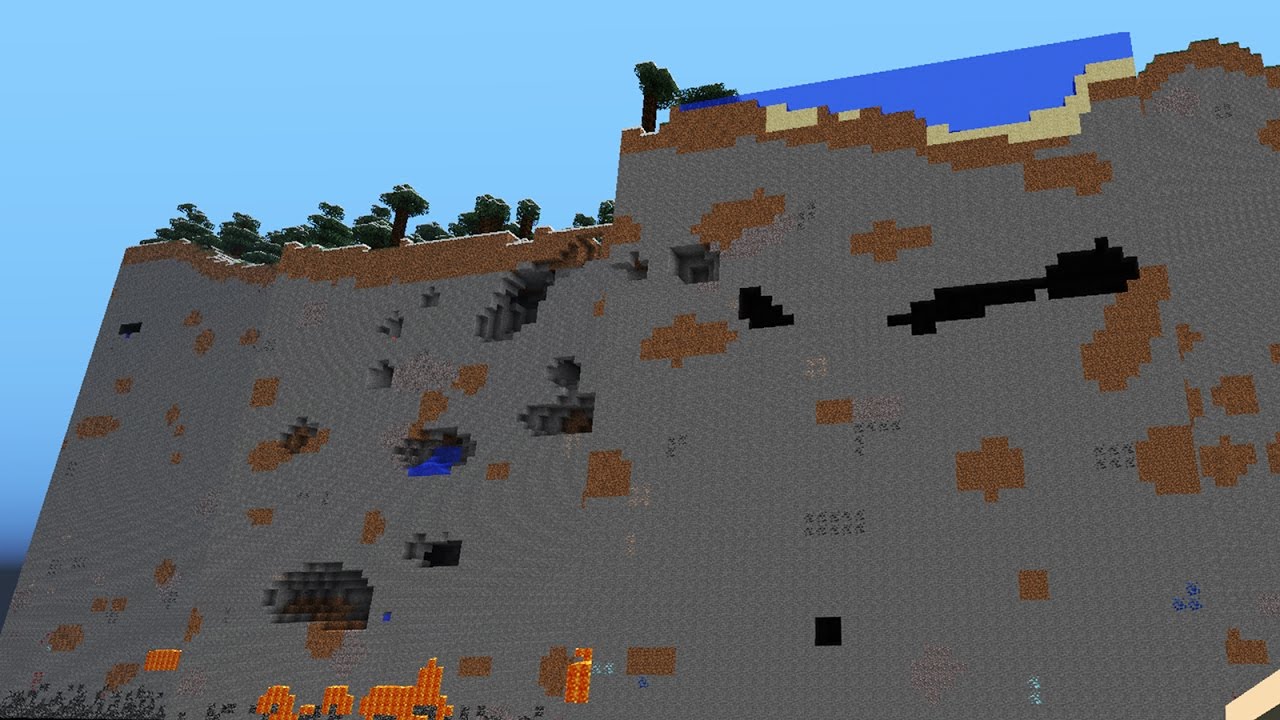
    Chunks are the materials that form the Minecraft world. Think of it as the game’s DNA, to be exact. The sky, water, and ground are made up of chunks. A chunk is composed of 16×16 blocks across a horizontal space that stretches down for 256 blocks, giving you about 65,536 blocks. 

    When you load into your world, chunks are also loaded to create the environment around you. To keep it simple, chunks are loaded based on your immediate vicinity or draw distance settings. Chunks are continually loaded into the game as you move about. When you create something, like a Minecraft kitchen or base, you’re creating using new chunks to form them. 

    Why Do Chunks Bug Out?

    Bugged Chunks How to Reload Chunks in Minecraft

    Chunks are rendered (loaded in) and de-rendered (loaded out). They don’t remain in your field of vision. Once a certain scenery is past your draw distance, those chunks are de-rendered. For example, if you move farther away from your house and you can no longer see it, that means the chunks that comprise the house and everything around it have been offloaded. This allows your gaming PC to run smoothly consistently. 

    The problem here is that these chunks eventually bug out because of how they render and de-render when the landscape changes. For example, building a Minecraft castle or something bigger will probably cause you to de-render chunks when you go about it.

    But don’t worry, there’s an easy fix for this bug and that’s to refresh your chunks. 

    How Do You Refresh or Reload Chunks? 

    Debug Message How to Reload Chunks in Minecraft

    Back then, reloading chunks was problematic. You had to exit your world and relog back in. This would allow players to reload fresh chunks in their positions. Nowadays, at least for Minecraft (PC JAVA), there’s a shortcut to doing this. 

    To do this, you only need to press F3 and A together. Chunks will reload where you’re standing and it will cascade all throughout the world. A debug notice will also pop up in the message tab that says chunks have been reloaded. 

    Doing this reload will clear out any bugs and other anomalies without interrupting your gameplay. Note that this method will only work for the PC Java version. Mobile versions and console versions of the game will still need you to exit and relog the game to reload or refresh chunks. 

    What Are Other Useful F3 Commands?

    F3+A is not the only useful command you can use in the Minecraft PC edition. Here’s a short list of other shortcuts. 

    Just press F3 and the corresponding letters below to do the following: 

    • S – reloads all web resources
    • T – reload textures
    • F – increase draw or render distance
    • P – to toggle auto-pause when another window is open
    • B – toggle mob hitbox
    • N – to switch between Spectator and Creator mode
    • I – copy block and entity data into the clipboard
    • ESC – pause game without going through the menu
    • H – toggle detailed item descriptions

    How Do You Reset Chunks?

    Resetting chunks is different from reloading chunks. Reloading is just re-rendering chunks into the game, like how you’d refresh your computer with the F5 button when desktop is open. 

    Resetting chunks will remove all the loaded chunks and any mods in the game. 

    But resetting might come at a price. Your Minecraft world will never be the same after resetting. You’ll lose your progress and everything you’ve built. 

    But why would you need to reset to begin with? Well, when a Minecraft world becomes too big, your computer performance becomes affected. In most cases, reloading chunks becomes a band aid solution. Another bandaid solution would be to delete an active chunk to relieve the lag. 

    Before you reset your world, you should have a back up of your Minecraft world. You can find your saved world under the “.minecraft” folder under the “%appdata” file. 

    Now why would you need to hit the reset button? Sometimes, when your world becomes too large, game performance may take a hit. In instances like this, a temporary solution would be to delete an active chunk or two from your world to alleviate the performance lag. Press “Windows button +R” and type in %appdata” and you’ll see your saved world, or worlds for that matter. 

    Thankfully, resetting chunks isn’t as easy as reloading them, so you don’t have to worry about resetting by accident. You need a third-party program like MCA Selector for the PC Java edition in order to reset the chunks. You’ll then open your world through the MCA Selector app to reset the chunks. 

    For Minecraft Bedrock Edition, you’ll need to use a different app called Amulet, which is a bit more complicated to do. 

    Is There a Way to See Chunk Borders? 

    Chunk Borders How To Reload Chunks in Minecraft

    For Minecraft Java Edition, you can press F3 and G together to see the chunk grid. The chunk grid is your point of reference that allows you to see how chunks are rendered and de-rendered as you move. 

    The wireframe or grid appears on the chunk you’re standing on, so this grid moves as you move. You’ll be able to see the boundary of the chunks within your field of view. For example, if you stand on the chunk where your doorway is currently located, you’ll see how far you’ll need to go before this specific chunk is de-rendered, and vice versa. 

    For Minecraft Bedrock edition, there’s no option to see chunk borders as there are no grid tools available. But thankfully, the recent update already ensured that the Minecraft players who own Bedrock will also own the Java version, and vice versa. Players will just switch from the Bedrock to the Java edition to use the border tool. 

    Wrapping Up

    There’s a big difference between resetting and reloading chunks, and each of them have their own consequences. Reloading chunks will simply refresh the environment around you, while resetting deletes everything. You can’t bring back deleted chunks, or chunks were reset. 

  • Incredible Minecraft Kitchen Ideas (Jul 2026)

    Incredible Minecraft Kitchen Ideas (Jul 2026)

    Minecraft is probably one of the most popular sandbox games of all time, and we have the numbers to prove it. The game was developed by Mojang Studios in 2011 and was later acquired by Microsoft in 2015 for $2.5 billion. Their lifetime revenue as of this writing is somewhere above $3 billion. That’s just how popular the game is.

    The popularity of the game can be explained by its ability to give players different opportunities to interact with the world around them. Players can cut down trees, mine for minerals and ores, and even raise livestock and villagers.

    The possibilities are endless in Minecraft. You can create modern houses, incredible fortresses, replicas of real life structures, awesome bridges, and more.

    And speaking of designing modern houses, there’s one room that’s often ignored and that’s the kitchen. In Minecraft, kitchens are rooms that let you store your cooking supplies and food. If you’re creative enough, you could turn it into a dining room even.

    In this article, we’ll be going over some of the most amazing Minecraft kitchen design ideas that should inspire you for your next build.

    Our List of Favorite Minecraft Kitchen Ideas

    Listed below are what we consider to be some of the best Minecraft kitchen ideas in the game right now. We also give proper credits to the brains behind the designs, as you’ll see on the headers.

    MCram’s Simple yet Spacious Kitchen

    Simple Kitchen Design Minecraft Kitchen Ideas

    First we have this simple but spacious kitchen design by MCram, and it’s perfect for small-sized modern houses. Now, how you’ll decorate it will be completely up to you.

    In his YouTube video, MCram includes hanging lamps, wooden floors, dining tables and chair, and elevated cupboards. Going into the finer details, you could also adds potted plants and other decorative items.

    Blendingi’s Modern Kitchen

    Modern Kitchen Minecraft Kitchen Ideas

    Up next we have this amazing and minimalistic modern kitchen by Blendingi. You’ll find this modern design over on his YouTube channel.

    The kitchen design is simple enough to replicate, even if you don’t follow the materials to the T. There is enough space for a dining table, wall shelf, fridge, sink, and even a double chest if you really want to.

    And yes, you can even add carpet for you to add your PC on (if you feel like making one on Minecraft).

    MCram’s Modern Kitchen With Black and White Color Scheme

    Black and White Modern Kitchen Minecraft Kitchen Ideas

    Another variation of modern kitchen ideas is this black and white design by MCram. The beautiful combination of black and white really helps a lot of details pop out. But the focal point of this Minecraft kitchen design is the countertop color palette. Accented by the kitchen stools’ and the appliances’ black palettes, everything just works in this minimalistic Minecraft kitchen.

    ManDooMin’s Checkered Kitchen

    Simple Checkered Kitchen Minecraft Kitchen Ideas

    You’ll never run out of inspiration from these modern Minecraft kitchen ideas, and if you want to stick with black and white, here’s another variation by ManDooMin.

    Unlike the previous Minecraft kitchen ideas listed above, ManDooMin includes a wider window with drapes for aesthetics and to let more natural light come in. The kitchen countertop bears a white color palette and is highlighted further against the dark grey floor panels.

    And yes, the kitchen features functional shelves that allow you to place small and decorative items on top of it.

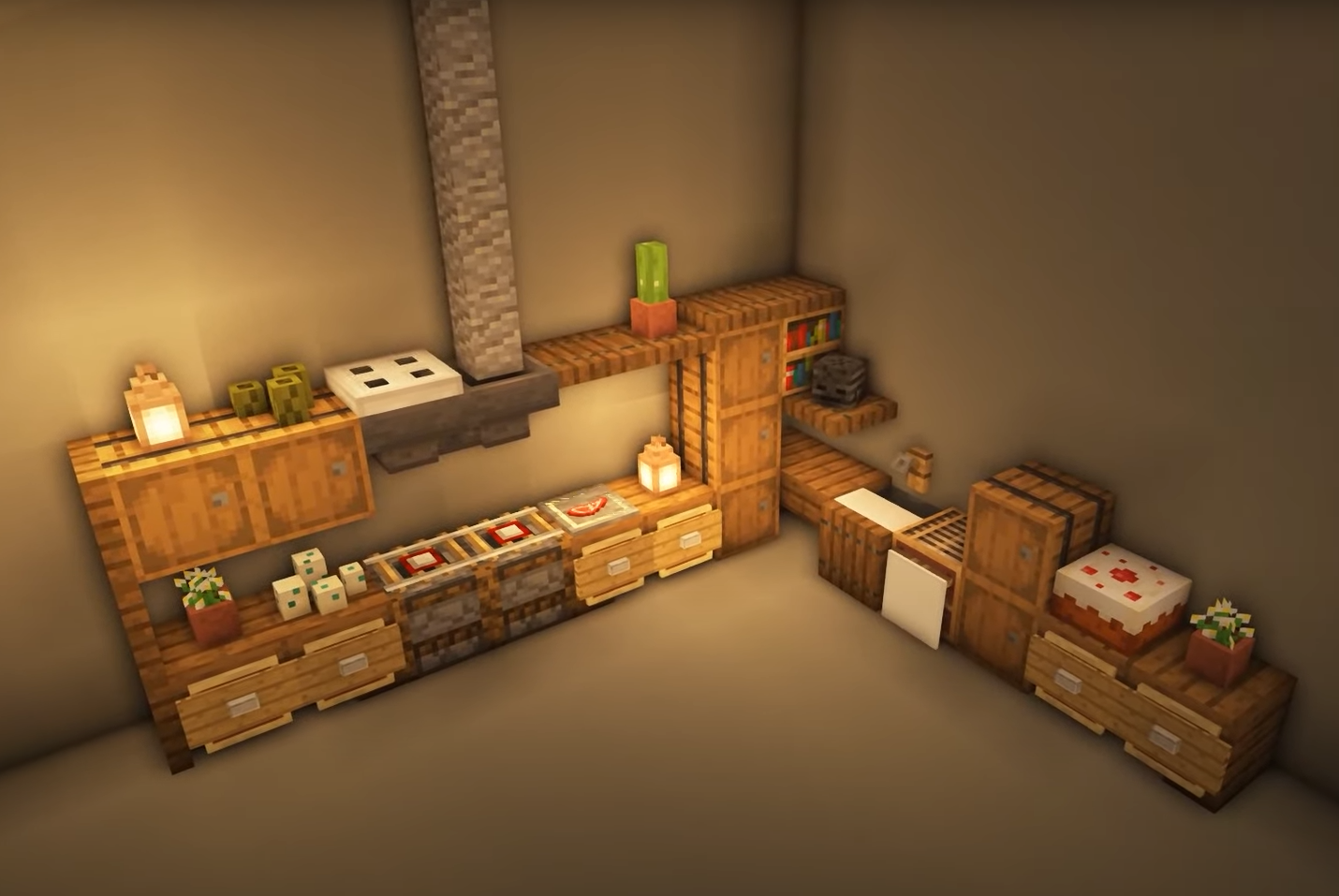
    Nerdak’s Simple Corner Kitchen

    Simple Corner Kitchen Minecraft Kitchen Ideas

    Most of our Minecraft kitchen ideas revolve around the kitchens being the center of the room, but what if we told you that you could build a large kitchen without taking up a lot of space?

    Well, Nerdak’s made it possible thanks to his amazing corner kitchen which is reminiscent of how a restaurant kitchen is usually placed in the building.

    This working kitchen can be incorporated into any house size, even if you have one room available. In his YouTube video, he’ll feature the materials needed to make this kitchen design, including how to build the shelves and cabinets.

    6tenstudio’s Wooden Log Cabin Kitchen

    Modern Kitchen for Wooden Log Cabin Minecraft Kitchen Ideas

    For those of you who built a wooden log cabin, this is the modern kitchen for you. Designed by none other than 6tenstudio, this modern design is heavily accented with different wooden blocks and materials, log decoration and furniture, and even a stone refrigerator.

    The countertop is wider than most designs on here and is easy to recreate. Depending on the kitchen’s height, you should have enough space for at least 3 shelf layers.

    MCram’s Medieval Kitchen

    Medieval Kitchen Minecraft Kitchen Ideas

    If modern Minecraft kitchen ideas are not your thing, then maybe we can convince you to go back in time with this rustic medieval kitchen by MCram.

    A common misconception here is that Minecraft players are fond of creating modern structures and aesthetics, but believe it or not, there’s a vast number of players who would rather go for fantasy-themed designs.

    And MCram does an incredible job in making this medieval kitchen that looks like it comes straight out of Game of Thrones. The build is a decent combination of cobblestones, dark oak planks, stone bricks and stone brick slabs, and jungle planks. Aesthetics include a sea pickle, a water bottle, torches, and trap doors even.

    His YouTube tutorial will go over how you can recreate this ancient Minecraft kitchen, but of course, there’s always enough room for your personal touch.

    Key Takeaways For Kitchen Designs for Minecraft

    Whether you want to build a simple kitchen to store all your food and cooking supplies, or if you want a complete kitchen with all the appliances and other items, you might want to consider the following:

    1. The best Minecraft kitchen is determined by its capability to meet your needs and if it’s a perfect fit for your Minecraft home. And believe it or not, some of the best Minecraft kitchen ideas aren’t based on size either. As seen with Nerdark’s design, you could easily make do with a corner kitchen that could last until you build a bigger home.
    2. Are you unable to farm all the necessary materials? Well, don’t worry. You could always substitute different resources and materials to build your kitchen in Minecraft. In case some materials don’t appear as they should, try resetting the chunks.
    3. Aesthetics don’t really affect functionality, but it still impacts the overall feel of the kitchen. For example, wooden doors leading to your kitchen in Minecraft are a nice touch if you have a wooden house or base.
  • Best Minecraft Bridge Ideas (Jul 2026)

    Best Minecraft Bridge Ideas (Jul 2026)

    Minecraft is one of those games with a lot of staying power and appeal. Its staying power is great because once people are drawn to it, they find it hard to leave the game permanently. Its appeal is high because the number of new players purchasing the game is always consistently high.

    In Minecraft, you’re plunged into a generated map filled with resources such as trees, sand, water, and even livestock. Minecraft players can choose to play alone or with other people. Game modes such as PvP and Survival Mode give players a chance to use their skills to survive and fend off hostile mobs and other players.

    Modern houses, farms, and bases are what most people would build to show off their absolutely amazing building skills, but there’s another infrastructure that’s often forgotten and underestimated: a bridge. In other Minecraft-like games, you’re not even building any bridge at all.

    Minecraft bridges aren’t as uncommon as you might think. There are several maps that require players to build a boat or a bridge to get from one part to the next. And in this article, we’ll go over various Minecraft bridge designs that will inspire you.

    The Best Minecraft Bridge Ideas

    For this section, we’ll go over some impressive Minecraft bridge ideas. But before we proceed to the list, we’ll need to go over a few considerations:

    1. The available resources will determine what kind of bridge design will work for you.
    2. The width and size of the gap you’re trying to bridge (pardon the pun) will determine what kind of bridge design works best.

    The list of bridge designs here isn’t arranged in any particular order, and yes, their creators will be credited so it’s easy for you to locate their YouTube channels and tutorial videos.

    Sekai’s Wooden Bridge

    Sekai Simple Wooden Bridge Best Minecraft Bridge Ideas

    A wooden bridge is probably the easiest and quickest bridge design to implement in any Minecraft world. At its core, this bridge design will also serve as a base template for some of the other bridges on here.

    Here we have Sekai’s take on a wooden bridge, and it’s as simple as it can be. This is perfect for small rivers or gaps and doesn’t require a lot of materials.

    Spudetti’s Stone Bridge

    Spudettei Stone Bridge Best Minecraft Bridge Ideas

    If wood isn’t easily available, then you could easily go for this simple stone bridge design by Spudetti. Minus the aesthetics, the stone bridge design isn’t far off from the wooden bridge in terms of function. This is still the best Minecraft bridge for rivers and small gaps.

    The only difference here is that you only need a hefty amount of stone blocks to get this build going. You can even use different materials that produce stone bricks to make it an eye catching bridge.

    Cubi Craft’s Small Rope Bridge

    Cubi Rope Bridge Best Minecraft Bridge Ideas

    This is one of the most difficult bridge designs because you need to use mods, but it’s possible to do this without mods.

    Rather than using ropes (which are generated from mods), Cubi Craft ingeniously designed the bridge in a way that maximizes the use of inclines and fences. This gives off the illusion of a “hanging” bridge. The longer the gap, the deeper and the smoother the dip will be.

    TheOfficialNano’s Large Suspension Bridge

    Suspension Bridge Best Minecraft Bridge Ideas

    For those who want a challenge and for those who want to go over a large gap, then TheOfficialNano’s bridge design is perfect for you.

    Taking inspiration from The Golden Gate Bridge, TheOfficialNano’s bridge design is perfect for those great gaps or over large bodies of water. You’ll need a lot of materials, and probably some other players to help you with this build.

    Cliffside Wooden Bridge

    Cliffside Wooden Bridge Best Minecraft Bridge Ideas

    Bridges are also used to help people get across canyons or cliffs, and this bridge design is great for any elevated surface.

    The difference between this cliffside wooden bridge and the wooden bridge design above is that the foundations are built along the sides of the cliff.

    SerroLeg’s Curved Wooden Minecraft Bridge

    Curved Bridge Best Minecraft Bridge Ideas

    One of the most interesting bridge ideas we’ve seen across Reddit is this curved wooden bridge. Considered as a simple bridge design, this is a step above the usual wooden bridge template and is perfect for building over a curved gap or a diagonal riverbed.

    If you want additional nighttime lighting, you could go for lamps and lanterns too.

    Conjacko’s Cliffside Hanging bridge

    Cliffside Hanging Bridge Best Minecraft Bridge Ideas

    This is a more complicated version of the hanging bridge design listed above. The concept here is that the bridge hangs or connects to two anchor points on each side, giving it the illusion of hanging.

    With mods installed, the bridge contains rope designs that make it look like it’s worn down and old. There are fences installed on the sides as well. In Conjacko’s videos, he uses a lot of wooden blocks and materials but you’re free to adjust to give it whatever aesthetic you need.

    QueenCynthia’s Cottagecore Bridge

    Cottagecore Bridge Best Minecraft Bridge Ideas

    QueenCynthia’s Cottagecore Bridge is one of many variants you’ll see on YouTube. This is a cute bridge design that’s heavily decorated with flowers and greens, so it kind of gives off a feeling like it came out of a fairy tale.

    And yes, the bridge is functional and should help you cross rivers and canyons when needed. Many players often go for a combination of medieval stone, mossy stone, and wood to give the bridge a natural feel.

    You can also choose to give it a roof and some walls to make it into a covered bridge. If cottagecore aesthetic is your thing in Minecraft, then you can’t go wrong with this design.

    Spudetti’s Impressive Railway Bridge Design

    Railway Bridge Best Minecraft Bridge Ideas

    Last but definitely not least is this impressive railway bridge used for traversing great distances with a cart.

    This template is mostly based on a large stone Minecraft bridge design, but in the middle of it are the rails that will allow you to run a cart across it. Depending on how you want this cool bridge to look, you can choose different materials. Some would use a combination of wood blocks while others prefer a combination of stone bricks.

    The Wrap Up

    These are some of the best Minecraft bridge ideas you’ll see on here. On YouTube, you’ll find different versions of rope bridges, wooden bridges, and even a tutorial for a hidden bridge even. But the best thing about Minecraft is that you can just let your imagination run wild. These bridge ideas, kitchen ideas, and modern house designs are not meant to dictate how you should be building your Minecraft world. They’re only meant to inspire you.