Author: Jim Stephenson

  • How Much Does a Motherboard Cost?

    How Much Does a Motherboard Cost?

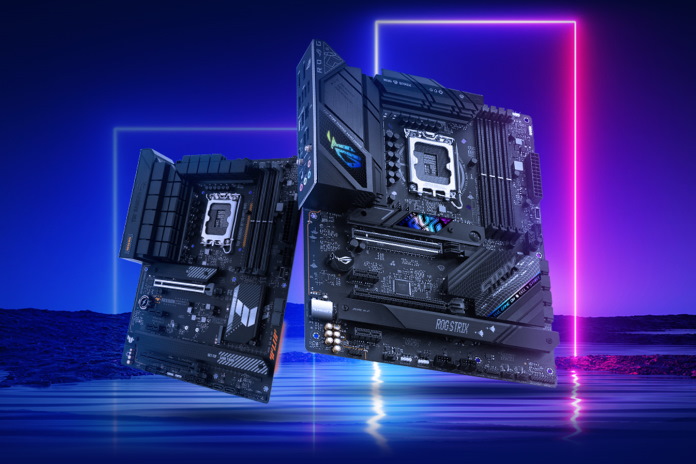
    When building or upgrading your computer, one of the critical components to consider is the motherboard. The average cost of of a motherboard can vary greatly, making it essential to understand what factors influence the price and what features you need for your specific use case.

    Motherboard prices can range from as low as $50-60 for budget options to over $200 for high-end models, with some niche enthusiast boards surpassing the $800- $1000-mark. While most users will only need to spend up to $200, it’s important to consider aspects such as compatibility with your other components, the desired level of performance, and features like expansion slots, integrated or dual graphics cards, and networking support.

    Remember, a well-selected motherboard will serve as the foundation for your computer system, so take your time to research and select a model that fits your budget and meets your present and future computing needs.

    Understanding Motherboard Costs

    New Motherboards How Much Does a Motherboard Cost

    Price Range

    When purchasing a motherboard for your PC, you might wonder how much you should expect to pay. Motherboard prices can vary greatly, with some budget options priced as low as $50-60, high-end models can easily exceed $200, and particularly niche enthusiast boards going as high as $800 – $1,0001. Determining your needs and available budget is essential to find the right motherboard for your build.

    Factors Affecting Price

    Several factors can influence the cost of a motherboard. Understanding these factors can help you make an informed decision when shopping for your next board. Some of the key factors include:

    1. Chipset: A motherboard’s chipset determines its compatibility with certain CPUs and features. Typically, more advanced chipsets support a wider range of CPUs and offer more features, resulting in higher costs2.
    2. Form factor: Motherboards come in different sizes, known as form factors. These include ATX, Micro-ATX, and Mini-ITX. The larger the form factor, the more features and expansion slots a motherboard typically has, which can raise its price2.
    3. Expansion slots and RAM support: The number of expansion slots and supported RAM can affect the motherboard’s cost. More expansion slots (such as PCIe, M.2, and SATA ports) and better RAM support (capacity, speed, and channels) can increase costs.
    4. Quality of components: Higher-quality components, such as capacitors, VRMs, and chokes, can increase a motherboard’s price. These components ensure better power delivery, stability, and longevity, making them worth considering for power users or long-term builds3.
    5. Additional features: Features like built-in Wi-Fi, Bluetooth, premium audio components, RGB lighting, or overclocking support can also drive up motherboard costs. While these options may not improve performance dramatically, they can enhance the overall user experience and aesthetics of your PC build4.

    As you plan your PC build, it’s essential to consider the factors that matter most to you and the ultimate purpose of your computer. By understanding the factors that impact motherboard features and prices, you can make an educated decision and choose the best board within your budget.

    Selecting a Motherboard by Brand

    Choosing a motherboard compatible with your processor is essential, as it directly affects your system’s performance. The brand is an important factor when selecting a motherboard for your PC. Two major players in the market are Intel and AMD, each offering various options ranging from budget-friendly solutions to high-end, feature-rich models. This section will discuss the different offerings by Intel and AMD and prominent motherboard manufacturers like ASUS, MSI, and Gigabyte.

    Intel Motherboards

    If you are building a PC with an Intel processor, you’ll need a compatible Intel motherboard. The good news is that numerous options are available from well-known manufacturers like ASUS, MSI, and Gigabyte. These manufacturers offer feature-packed and high-quality options to suit different budgets and needs.

    • ASUS provides great motherboards with cutting-edge features and excellent build quality. Some of their popular models for Intel processors include the ROG Maximus series and the Prime series.
    • MSI is another reliable choice for Intel motherboards, offering options such as their MPG, MAG, and MEG series, each catering to different performance and budget levels.
    • Gigabyte offers Intel-compatible motherboards through their AORUS and UD Series, providing solid offerings for various budgets and requirements.

    AMD Motherboards

    For those who prefer AMD processors, you’ll need an AMD-compatible motherboard. Intel, ASUS, MSI, and Gigabyte also manufacture excellent motherboards for AMD processors. Here’s a quick overview of their offerings for AMD-based PCs:

    • ASUS offers a variety of AMD-compatible motherboards in their TUF Gaming, ROG Strix, and Prime series. These options cater to budgets and performance needs, providing reliable and feature-rich choices.
    • MSI produces AMD motherboards in their MPG, MAG, and MEG series, just like their Intel counterparts, ensuring customers have a consistent experience regardless of their chosen processor.
    • Gigabyte’s AORUS and UD series also span both Intel and AMD platforms, offering quality options for those building a PC with an AMD processor.

    It’s crucial to carefully research and compare motherboards from these brands, considering factors such as price, features, and compatibility with your specific processor. Balancing your budget and desired performance will help you select the perfect motherboard for your build.

    Motherboard Sizes and Form Factors

    Motherboard Sizes and Form Factors How Much Does a Motherboard Cost

    When considering the cost of a motherboard, it’s essential to understand the different sizes and form factors available in the market. Knowing the right size for your specific needs will help you make a more informed decision. This section will explore the three common form factors – ATXMicro-ATX, and Mini-ITX.

    ATX

    ATX (Advanced Technology eXtended) is the most common motherboard form factor. It offers the most space for components and expansion slots, making it suitable for high-performance gaming and workstation systems. An ATX motherboard measures 305mm in height and 244mm in width, or 12 x 9.6 inches Pc Guide. To accommodate this size, you need to pair it with an ATX-compatible PC case, such as super-towers, full-towers, middle-towers, or mini-towers.

    Benefits of using an ATX motherboard:

    • More PCIe and expansion slots
    • Typically supports multiple graphics cards
    • Greater RAM capacity

    Micro-ATX

    Micro-ATX is a smaller version of the ATX form factor, measuring 2.4 inches shorter in height than Tom’s Hardware. This reduced size means less room for expansion slots and components. However, Micro-ATX motherboards are still suitable for a most standard and budget gaming build. Because of their size, they can fit into more compact and space-saving cases, making them popular for small-to-medium-sized setups.

    Advantages of Micro-ATX motherboards:

    • Less expensive than ATX motherboards
    • Can fit into more compact cases
    • Provides most of the features found in ATX motherboards

    Mini-ITX

    Mini-ITX is the smallest of the three form factors, designed specifically for small and portable systems. Mini-ITX motherboards typically have limited expansion options but provide powerful features within a small footprint. These motherboards are popular for HTPCs (Home Theater Personal Computers), low-power systems, and compact gaming builds.

    Characteristics of Mini-ITX motherboards:

    • Offers ultra-compact size
    • Ideal for small form factor builds
    • Limited expansion options

    As you can see, each motherboard form factor caters to different requirements and demands regarding size and performance. By understanding the specific needs of your build, you can choose the most suitable motherboard size and form factor, ensuring the best balance between cost, size, and features.

    Budget, Mid-Range, and High-End Motherboards

    Budget Motherboards

    Finding a reliable and good-performing motherboard can be challenging when you’re on a tight budget. Luckily, budget motherboards offer essential features and performance for those who need a basic setup. They typically fall between $65-100 and are designed to support basic usage, including office tasks and multimedia playback.

    Some things to consider when looking for a budget motherboard:

    • Compatibility with your chosen CPU
    • Number of RAM slots available
    • Expansion slots (such as PCIe) for future upgrades

    Remember, these boards will not offer advanced features like multiple PCIe slots or high-end audio solutions but should suffice for a basic build.

    Mid-Range Motherboards

    Mid-range motherboards are an excellent option for moderate performance and a wider range of features. These boards usually cost between $130-$250 and provide a good balance of performance and features without breaking the bank.

    Here are some key features you’ll find in mid-range motherboards:

    • More RAM slots for expanded memory
    • Better audio and networking solutions
    • More PCIe slots for additional component upgrades
    • Compatibility with higher-performance CPUs

    Note that mid-range motherboards like the B560 ($120-$170) and B550 ($150-$200) offer a better value for a performance-oriented build.

    High-End Motherboards

    Enthusiasts seeking maximum performance and features should look into high-end motherboards. High-end motherboards are designed for users who demand the best gaming experience or require advanced specifications for professional work. These models can range average price from $100 to $600, with offerings like the X570, Z590, and Z690 being popular choices.

    Notable advantages of high-end motherboards include the following:

    • Overclocking support for both CPU and RAM
    • SLI or CrossFire support for multiple graphics cards
    • Advanced cooling solutions to handle more power-hungry components
    • Premium audio, networking, and storage options

    While they come at a higher cost, investing in a high-end motherboard can future-proof your build and ensure the best performance possible. Remember, always consider your specific build requirements and budget allocation when choosing a motherboard to maximize your investment.

    Key Features to Consider

    When choosing a motherboard, it is essential to consider its key features, ensuring compatibility with your components and meeting your desired performance level.

    CPU Sockets and Compatibility

    The first thing to consider is the CPU socket, which determines the compatibility between the motherboard and your chosen processor. There are different types of sockets, such as Intel’s LGA 1200 or AMD’s AM4, that cater to specific CPU models. Be sure to choose a motherboard with a socket that matches your CPU to avoid compatibility issues. Additionally, if you plan to overclock your CPU, check that your selected motherboard supports this feature.

    RAM Slots and Compatibility

    The amount, type, and speed of the RAM you want to use in your system will determine the necessary RAM slots and compatibility features for your motherboard. Modern motherboards support DDR4 RAM and come with two to eight slots for DIMMs, allowing varying amounts of RAM to be added. Check the motherboard’s specifications for the maximum RAM capacity and speed it can support to ensure it aligns with your needs.

    Graphics Card Compatibility

    For those interested in gaming or graphics-intensive tasks, the motherboard must have a PCIe x16 slot for a dedicated graphics card. Some motherboards offer multiple PCIe slots, allowing for multi-GPU configurations. Consider the spacing around the PCIe slots, as larger graphics cards require additional clearance. Remember to check your desired case’s compatibility with the graphics card to ensure a seamless fit.

    Connectivity Options

    Various connectivity options can enhance the system’s functionality when selecting a motherboard. Here are some essential connectivity options to look for:

    • Wi-Fi and Bluetooth: Consider a motherboard with built-in Wi-Fi and Bluetooth capabilities if wireless connectivity is essential to you. Alternatively, you can add a PCIe Wi-Fi expansion card later if needed.
    • USB Ports: The number of USB ports on your motherboard, as well as their types (USB 2.0, 3.0, 3.1, Type-C), should align with your requirements for connecting peripherals, external storage, or charging devices.
    • SATA Ports: Lastly, ensure that your motherboard has enough SATA ports to connect any hard drives or SSDs you plan to use in your system, especially if you have multiple storage drives.

    Considering these essential features when selecting your motherboard, you can be confident that your chosen components will work together seamlessly and meet your performance expectations.

    Motherboard Chipsets and Generations

    When considering a new motherboard, it’s important to understand chipsets and their corresponding generations. In this section, we will discuss Intel Chipsets and AMD Chipsets.

    Intel Chipsets

    Intel chipsets have different generations, each offering various features. For example, the Z590 is part of the latest 11th generation of Intel motherboards. This chipset supports the newest Intel CPUs and technologies, such as PCIe 4.0 and USB 3.2 Gen 2×2. When selecting an Intel motherboard, you should consider the following:

    • The Generation (e.g., 11th Gen, 10th Gen)
    • Required features and compatible CPUs

    Noteworthy Intel chipsets include:

    • Z590: High-end, suited for gaming and overclocking enthusiasts
    • B560: Mid-range, suitable for mainstream users

    AMD Chipsets

    Similarly, AMD chipsets come in different generations with varying performance levels and features. The AMD X570 and B550 Gaming Plus are popular chipsets within the current generation of AMD’ motherboards range. When selecting an AMD chipset, you should consider the following:

    • The Series (e.g., X570, B550)
    • Needed features and compatible CPUs

    Notable AMD chipsets are:

    • X570: High-end, ideal for gamers and overclocking enthusiasts
    • B550: Mid-range chipset, providing a good balance of features and price
    • B450: Previous generation, but still relevant for budget-conscious users
    • B350: Older generation, more challenging to find, and less feature-rich

    In summary, understanding the various generations and chipsets of motherboards is crucial for making an informed decision in your purchase. By considering the requirements of your system and the features you need, you can select the most suitable chipset for your motherboard, whether it is an Intel Z590 or an AMD B550 Gaming Plus.

    Additional Features and Aesthetics

    When choosing a motherboard, it’s essential to consider the additional features and aesthetics that can impact your computing experience. This section discusses critical factors, including overclocking capabilities, RGB lighting, heatsinks, and cooling solutions.

    Overclocking Capabilities

    It would be best to look for motherboards with excellent overclocking capabilities to squeeze maximum performance from your components. Some boards are specifically designed for overclocking, offering improved power delivery and better voltage regulation to ensure stable operation at higher speeds. When selecting a motherboard, look for features like:

    • Robust power delivery systems: With more robust VRMs (Voltage Regulator Modules), you can ensure stable power delivery to your CPU and memory when pushing higher clock speeds.
    • Robust BIOS features: A comprehensive BIOS with various overclocking options allows for fine-tuning your system for optimal performance.
    • Diagnostic and troubleshooting tools: Motherboards equipped with digital debug readouts, voltage checkpoints, or BIOS flashbacks can make it easier to work with overclocked components and quickly identify any issues.

    RGB Lighting

    For those who prioritize aesthetics, RGB lighting can be an essential aspect of your motherboard choice. Modern motherboards have built-in RGB lights and customizable lighting profiles to match your PC’s color scheme or set effects like pulsing or rainbow patterns. Here are some considerations when seeking a motherboard with attractive RGB lighting:

    • Compatibility with other RGB components: Ensure the motherboard supports RGB synchronization with other components in your build (such as fans, cases, or peripherals) via software like ASUS Aura Sync, MSI Mystic Light, or Gigabyte RGB Fusion.
    • Expansion capability: Motherboards with multiple RGB headers allow you to connect additional RGB strips or accessories to enhance your lighting setup further.

    Heatsinks and Cooling

    In addition to performance and aesthetics, you should consider the heatsinks and cooling systems on a motherboard. Effective cooling solutions can help protect your components from overheating, extend their lifespan, and improve overall system stability. When evaluating motherboard cooling options, take note of the following elements:

    • Heat pipe design: Motherboards with heat pipes connecting various heatsinks can distribute heat more effectively, reducing hotspots and promoting better overall cooling.
    • Active or passive cooling: Some motherboards include fans built into the VRM heatsinks. While this may provide better cooling, it can also introduce an additional point of failure (i.e., fan bearings) and increase noise levels.
    • Aesthetic appeal: Heatsinks can also contribute to your build’s visual appeal. Choose a motherboard with a heatsink design that complements your desired theme or color scheme.

    By paying attention to these additional features and aesthetics of existing motherboard before making your purchase, you can find a motherboard that suits your needs and preferences.

  • 20+ Incredible Mobile Device Statistics

    20+ Incredible Mobile Device Statistics

    In the fast-paced digital age, mobile devices have become an integral part of our daily lives. From smartphones and tablets to wearable gadgets, these compact and versatile devices have revolutionized the way we communicate, access information, conduct business, entertain ourselves, and much more. Their importance in world today cannot be overstated, as they have become a ubiquitous presence, shaping our personal and professional spheres.

    Featured Image Mobile Device Statistics

    Key Mobile Device Statistics

    • Mobile operators generated $1.08 trillion in revenue in 2021. It is projected that this amount will increase by $100 billion annually between 2021 and 2025 [1].
    • Vodafone, a prominent mobile service provider, has experienced a decline in earnings in recent years. In 2018, Vodafone earned 7 billion Euros (equivalent to US$7.5 billion) [2].
    • The Americas serve as Apple’s largest regional market, with net sales amounting to $49.28 billion during the 1st quarter of FY 2023. Europe and Greater China follow in second and third place, respectively [3].
    • Global smartphone sales reached 1.52 billion units in 2019 and are anticipated to continue growing in the coming years [4].
    • The revenue of the global smartphone market exhibited an upward trend between 2011 and 2022. However, in 2022, revenue declined from $448 billion to $419 billion [5].
    • Mobile devices account for over 70% of the total YouTube traffic [14].
    • In 2020, mobile devices were used by 99.3% of Internet users in China to access the online platform. [15].
    • Regardless of the activity, such as watching YouTube, Netflix, or browsing social media platforms like Instagram and Facebook, approximately 70% of media consumption takes place on smartphones [16].
    • The global market for mobile phone accessories was valued at $278 billion in 2020, and it is projected to reach $413 billion by the end of 2030 [23].
    • WhatsApp currently boasts more than two billion monthly active users, with the majority of them located outside the United States [24],[25].
    • Gaming holds the top spot as the most popular category in the Apple Store, capturing a market share of 12.68% among all iOS apps. Business apps come in second place with 10.35%, followed by Education apps at 9.8% [26].

    Mobile Device Sales and Revenue Statistics

    • In 2021, mobile operators earned $1.08 trillion in revenue. Between 2021 and 2025, this amount is expected to increase by $100 billion every year [1].
    • Vodafone, one of the leading mobile service providers, has been reported to have decreased earnings over the last few years. In 2018, Vodafone earned 7 billion Euros (US$ 7.5 billion). But in the third quarter of FY 2021/2022, the company earned 6.49 billion Euros (US$ 6.9 billion) [2].
    • Apple’s largest regional market is The Americas, generating net sales amounting to $49.28 billion during the 1st quarter of FY 2023. Europe and Greater China follow in second and third place respectively [3].
    • Smartphone sales all over the world reached 1.52 billion units in 2019 and is expected to increase over the next few years [4].
    • The global smartphone market’s revenue increased between the years 2011 to 2022. In 2022, revenue dropped from $448 billion to $419 billion [5].
    • In-app advertising has a market share worth $69.7 billion as of 2018. It’s expected to grow at a CAGR of 19.4% starting from 2019 all the way to 2025. By then it’ll be worth $226 billion [6].
    • In 2019, the total count of mobile subscriptions surpassed eight billion for the first time, reaching a staggering 8.3 billion subscriptions. By 2021, this number had risen further to 8.6 billion. [7].
    • Approximately 6.9 billion active mobile broadband subscriptions were recorded globally in 2022. [8].
    • Samsung Electronics recorded revenues of approximately 76.8 trillion South Korean won, equivalent to around 58 billion U.S. dollars, in the second quarter of 2022. The mobile communications segment of the South Korean tech giant contributed roughly 24 billion U.S. dollars to this total, while its semiconductor business added an additional seven billion [9].
    • During the fourth quarter of 2022, Apple emerged as the leader in global smartphone shipments, followed by Samsung. Xiaomi secured a firm hold on the third position, capturing an 11% market share [10].
    • T-Mobile US generated revenue of 20.79 billion U.S. dollars in the fourth quarter of 2021. The merger between T-Mobile and Sprint in April 2020 greatly contributed to the substantial revenue increase throughout the entirety of 2020 [11].
    • The global revenue for the OLED smartphone display market is projected to decline between 2021 and 2023. In 2021, sales and app revenue from OLED smartphone displays reached 33 billion U.S. dollars, with an anticipated decrease of two billion U.S. dollars by 2023 [12].
    • Mobile gaming advertising revenue in the United States reached 5.49 billion U.S. dollars in 2021. It is projected to increase to approximately 7.9 billion U.S. dollars by 2024 [13].

    It’s clear that smartphone users left and right are highly invested in owning the latest cell phones or mobile device. Most smartphone users would upgrade their units every couple of years just to keep up with the technology.

    How many smartphones are being sold to global smartphone users? Well, the numbers would be high and will remain to be high within the next few years.

    Mobile Device Usage Statistics

    • Over 70% of YouTube traffic comes from mobile devices [14].
    • As of 2020, 99.3% of Internet users in China are online using their mobile devices [15].
    • 70% of media time is spent using smartphones, regardless if it’s watching YouTube, Netflix, or browsing social media such as Instagram and Facebook [16].
    • The average Internet user checks their phone at least 58 times daily [17].
    • Internet users spent 57% of their time on their mobile devices just browsing the Internet as of 2022 [18].
    • As of April 2023, there are currently 5.18 billion Internet users globally. This is 64.6% of the global population [19].
    • As of 2022, East Asia accounts for 1.2 billion of the world’s Internet users, followed by Southern Asia with over a billion [20].
    • As of 2022, it was reported that 95% of global Internet users log in to the Internet on their Mobile Phones. Internet access via laptops and desktops were about 62.6% [21].

    Other Interesting Smartphone Usage Statistics and Facts

    • Did you know you can use your urine to charge mobile phones? UK scientists have created a device that allowed smartphone users to do just that [22].
    • The global mobile phone accessories market was valued at $278 billion in 2020. It’s predicted to hit $413 billion by the end of 2030 [23].
    • WhatsApp currently has more than two billion monthly active users, with most of them coming from outside the United States [24],[25].
    • Gaming is the most popular category in the Apple Store, accounting for 12.68% market share of all iOS apps, according to mobile app statistics. Business apps follow in second place with 10.35% and Education apps in third place with 9.8% [26].
    • Gross app revenue for Google Play Store hit $10.24 billion during the 3rd quarter of 2022, while Apple App Store earned $21.27 billion on in-app purchases, premium apps, and subscriptions for the same period. Both stores were down in revenue from the previous quarter [27].
    • Stumble Guys is the most downloaded game in the Google Play Store by Android smartphone users. This game generated more than 17 million downloads from Android smartphone users worldwide alone [28].
    • Coin Master is the top-grossing gaming app in the Google Play Store as of September 2022. The game earned more than $47 million in revenues from Android smartphone users worldwide [29].

    Why Are We Dependent On Mobile Devices?

    Communication and Connectivity

    Mobile devices have transformed communication by enabling instant and mobile connections and seamless connectivity across the globe. With the ability to make calls, send text messages, emails, and engage in video chats, they have made communication more convenient and accessible. Social media platforms and messaging apps have also gained popularity, fostering virtual connections, bridging distances, and facilitating real-time interaction with friends, family, and colleagues.

    Information Access and Knowledge

    Gone are the days when acquiring information necessitated a visit to a library or waiting for the evening news. Mobile devices offer an expansive gateway to the world of knowledge. Through internet connectivity and access to search engines, online databases, news portals, and educational resources, mobile users can instantly retrieve information on any subject, empowering them to stay informed, broaden their horizons, and make informed decisions.

    Productivity and Efficiency

    Mobile devices have become indispensable tools for boosting productivity and efficiency, both in personal and professional contexts. With a vast array of productivity apps, users can manage their schedules, set reminders, take notes, collaborate on projects, and access important documents on the go. Moreover, many mobile apps and devices enable remote work, allowing professionals to be productive outside traditional office settings, leading to increased flexibility and work-life balance.

    E-commerce and Financial Transactions

    The rise of mobile devices has spurred the growth of e-commerce. Online marketplaces, shopping apps, mobile commerce, and digital payment platforms have made shopping more convenient and accessible than ever before. Mobile banking apps have also revolutionized financial transactions, enabling users to check balances, transfer funds, pay bills, and conduct secure transactions, simplifying daily financial management.

    Entertainment and Media Consumption

    Mobile devices have become pocket-sized entertainment centers, offering a plethora of options for media consumption. With high-quality screens, powerful processors, and access to a wide range of apps, users can stream movies, TV shows, music, and podcasts, transforming their mobile devices into portable entertainment hubs. Additionally, gaming apps have gained immense popularity, providing a number of smartphone users with immersive experiences and multiplayer connectivity.

    Health and Well-being

    Mobile devices have made significant contributions to health and well-being, with numerous health and fitness apps available at users’ fingertips. These smartphone apps can track physical activity, monitor sleep patterns, provide nutritional guidance, and offer meditation or mindfulness exercises, promoting a healthier lifestyle. Moreover, mobile devices have facilitated remote healthcare services, telemedicine consultations, and access to medical information, thereby increasing healthcare accessibility.

    Personal Development and Learning

    Learning opportunities have been democratized through smartphone use of mobile devices. Educational apps, language learning tools, and online courses have made self-improvement accessible to all. Users can enhance their skills, learn new languages, acquire knowledge in diverse fields, and engage in continuous personal development at their convenience.

    The Wrap Up

    Looking at the numbers above, it’s clear that there are a lot of smartphone users worldwide who use their mobile devices for different purposes. Smartphone usage statistics will show that people are on their phones and devices for games or for work.

    It also helps that the smartphone market continues to crank out new mobile phones with better technology, allowing mobile users to really get the most out of their devices. In more recent years, the smartphone market has seen the entry of gaming mobile phones or phones with specifications necessary for high-end mobile gaming. And no, we’re not talking about handheld consoles either. These gaming phones can run smartphone apps at high speed and efficiency.

    With the numbers in this article, smartphone penetration across different age groups will increase and you’ll find that the average smartphone user will turn to their phones for just about anything.

    Reference

    [1] https://www.statista.com/statistics/371899/mobile-operator-total-revenue-forecasts/

    [2] https://www.statista.com/statistics/1140180/vodafone-mobile-service-revenue/

    [3]https://www.statista.com/statistics/382175/quarterly-revenue-of-apple-by-geograhical-region/

    [4] https://www.statista.com/statistics/263437/global-smartphone-sales-to-end-users-since-2007/

    [5] https://www.statista.com/statistics/687476/global-smartphone-revenues/

    [6] https://www.appannie.com/en/insights/market-data/app-advertising-spend-2021/

    [7] https://www.statista.com/statistics/262950/global-mobile-subscriptions-since-1993/

    [8] https://www.statista.com/statistics/273016/number-of-mobile-broadband-subscriptions-worldwide-since-2007/

    [9] https://www.statista.com/statistics/298704/samsung-quarterly-revenue/

    [10] https://www.statista.com/statistics/271496/global-market-share-held-by-smartphone-vendors-since-4th-quarter-2009/

    [11] https://www.statista.com/statistics/219435/total-revenue-of-t-mobile-usa-by-quarter/

    [12] https://www.statista.com/statistics/962628/worldwide-oled-smartphone-display-market-revenue/

    [13] https://www.statista.com/statistics/248875/in-game-mobile-gaming-revenue-in-the-united-states/

    [14] https://www.youtube.com/intl/en-GB/about/press/

    [15] https://www.statista.com/statistics/255552/penetration-rate-of-mobile-internet-users-in-china/

    [16] https://www.emarketer.com/content/us-time-spent-with-mobile-2019

    [17] https://www.vox.com/recode/2020/1/6/21048116/tech-companies-time-well-spent-mobile-phone-usage-data

    [18] https://www.statista.com/statistics/1289723/share-time-spent-mobile-internet-daily/

    [19] https://www.statista.com/statistics/617136/digital-population-worldwide/

    [20] https://www.statista.com/statistics/249562/number-of-worldwide-internet-users-by-region/

    [21] https://www.statista.com/statistics/1289755/internet-access-by-device-worldwide/

    [22] https://nypost.com/2017/06/20/new-tech-lets-you-charge-your-smartphone-with-your-own-pee/

    [23] https://www.statista.com/statistics/1256273/worldwide-mobile-phone-accessories-market-revenues/

    [24] https://www.statista.com/statistics/258749/most-popular-global-mobile-messenger-apps/

    [25] https://www.statista.com/statistics/260819/number-of-monthly-active-whatsapp-users/

    [26] https://www.statista.com/statistics/270291/popular-categories-in-the-app-store/

    [27] https://www.statista.com/statistics/183469/app-stores-global-revenues/

    [28] https://www.statista.com/statistics/695094/quarterly-number-of-mobile-app-downloads-store/

    [29] https://www.statista.com/statistics/688372/leading-mobile-games-google-play-worldwide-downloads/

  • What’s The Best CPU Cooler for i9 10900K?

    What’s The Best CPU Cooler for i9 10900K?

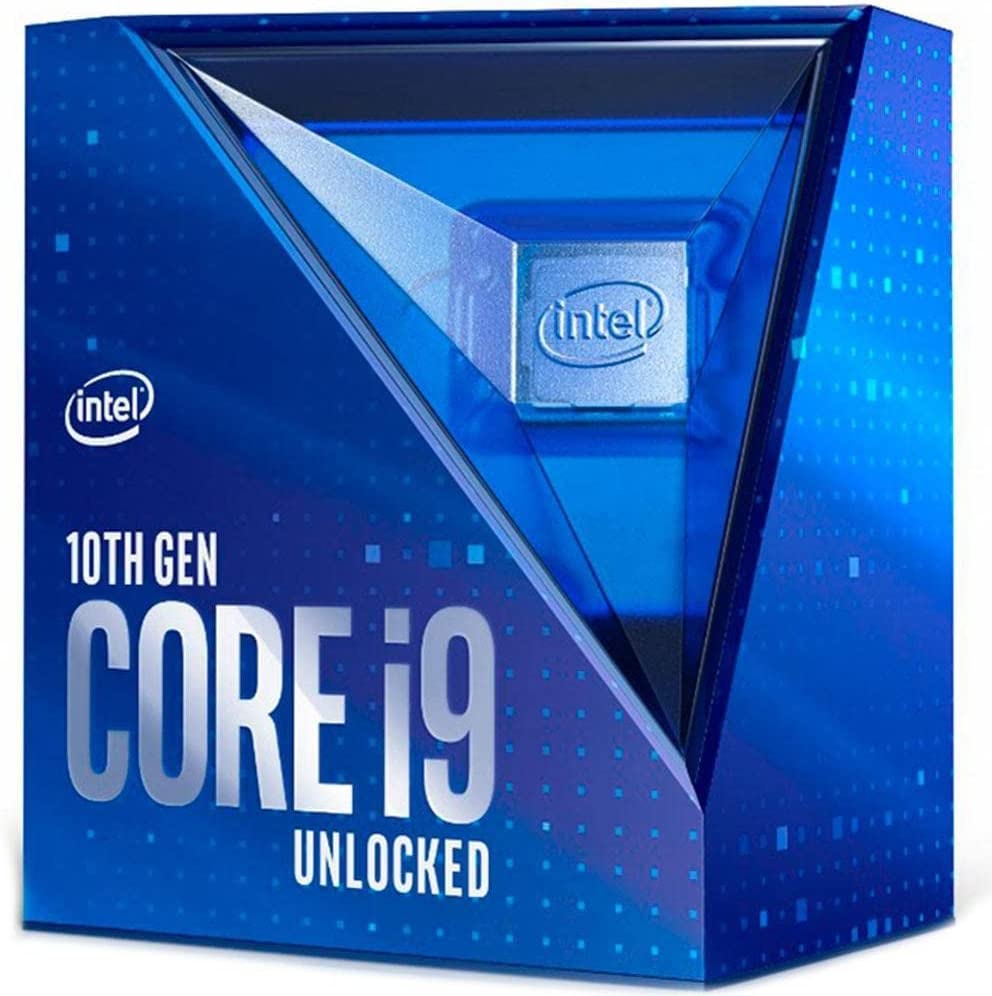
    The Intel Core i9-10900K is a flagship processor designed to deliver unmatched performance for high-end gaming, content creation, and demanding professional applications. With its impressive specifications and groundbreaking features, the i9-10900K is one of the most powerful processors in Intel’s lineup.

    Why Do People Like The Intel Core i9 10900K?

    Intel Core i9 10900K Best CPU Cooler for i9 10900K

    Power and Performance

    The i9-10900K is a 10th generation, 10-core, 20-thread CPU with a base clock speed of 3.7 GHz and an impressive turbo boost frequency of up to 5.3 GHz. This processor excels in multi-threaded tasks, allowing for effortless multitasking and smooth performance in resource-intensive applications. Whether you’re a gamer, content creator, or professional seeking exceptional processing power, the i9-10900K delivers outstanding performance.

    Hyper-Threading Technology

    Hyper-Threading technology plays a pivotal role in the i9-10900K’s performance prowess. With hyper-threading, each physical core can handle two threads simultaneously, doubling the number of available threads. This technology enables more efficient utilization of the processor’s resources, improving multitasking, faster rendering, and seamless execution of multiple software threads.

    Boost Clock Frequencies

    The i9-10900K showcases impressive single-core and multi-core turbo boost frequencies. With Intel’s Turbo Boost Max Technology 3.0, the processor dynamically identifies and maximizes clock speeds on the most demanding tasks, ensuring excellent single-threaded performance. This capability makes the i9-10900K an exceptional choice for gaming enthusiasts and professionals seeking top-tier performance.

    Overclocking Potential

    For enthusiasts and overclockers, the i9-10900K offers exceptional headroom for pushing its performance limits. With Intel’s Turbo Boost Max Technology and unlocked multiplier, users can use the processor’s unlocked nature to achieve even higher clock speeds. Overclocking the i9-10900K can unlock substantial performance gains, making it a favorite among those who seek to push their systems to the extreme.

    Intel Thermal Velocity Boost

    The i9-10900K introduces Intel Thermal Velocity Boost (TVB), which dynamically increases clock speeds based on thermal and power headroom. This feature ensures optimal performance while maintaining thermal efficiency. When the processor’s temperature is below a certain threshold, and sufficient capacity is available, TVB can further boost clock frequencies, enabling even higher performance for shorter bursts.

    Enhanced Intel UHD Graphics

    The i9-10900K integrates Intel UHD Graphics 630, which provides improved graphics capabilities for gamers and content creators. While dedicated graphics cards are typically preferred for demanding gaming and professional applications, the i9-10900K’s integrated graphics deliver decent performance for casual gaming and general multimedia tasks, offering a convenient solution for those without a dedicated GPU.

    Intel Advanced Technologies

    The i9-10900K incorporates several advanced technologies to enhance performance and user experience. Some notable features include:

    1. Intel Optane Memory support, enabling faster storage access and system responsiveness.
    2. Intel Turbo Boost Max Technology 3.0, optimizing single-threaded performance for critical tasks.
    3. Intel Hyper-Threading Technology, providing improved multi-threaded performance.
    4. Intel Virtualization Technology, facilitating efficient virtualization and running multiple operating systems simultaneously.

    Why Do You Need Robust CPU Coolers For i9 10900K?

    It comes as no surprise that with a powerful CPU such as the i9 10900K, you’ll need a hefty and solid CPU cooler to help keep it cool. The CPU is known for its high power consumption while guaranteeing solid productivity performance, be it gaming, rendering, or office tasks.

    Heat Generation

    The i9-10900K is a 10-core, 20-thread processor designed to handle intensive workloads. It performs complex calculations and operates at high clock speeds, generating significant amounts of heat. Without an effective enough cooling system or solution, the excess heat can cause thermal issues that affect performance, stability, and even the lifespan of the CPU.

    Thermal Throttling and Performance Impact:

    When a processor reaches high temperatures, it activates thermal throttling as a protective measure. Thermal throttling reduces the CPU’s clock speed to dissipate heat, which leads to decreased performance and slower processing times. With a high-performance CPU like the i9-10900K, thermal throttling can significantly impact performance, limiting its ability to deliver its full potential.

    Overclocking and Heat

    Overclocking, pushing a CPU beyond its stock frequencies, can yield substantial performance gains. However, higher clock speeds increase heat generation exponentially. The i9-10900K’s exceptional overclocking potential makes it a favorite among enthusiasts and power users. Still, it also emphasizes the need for a powerful CPU cooler to handle the additional heat generated during overclocking.

    Temperature Management and Longevity

    Excessive heat can negatively impact the longevity and reliability of a CPU. Prolonged exposure to high temperatures can lead to degradation of internal components, reducing the processor’s lifespan. Utilizing a powerful CPU cooler can effectively manage temperatures, minimizing the risk of long-term damage and ensuring the i9-10900K remains in optimal condition for an extended period.

    Turbo Boost and Cooling Efficiency

    The i9-10900K features Intel Turbo Boost Max Technology 3.0, which dynamically increases clock speeds based on thermal and power headroom. An efficient cooling solution is essential to leverage this technology and attain maximum performance fully. A powerful CPU cooler allows the processor to maintain lower temperatures, enabling Turbo Boost to operate at higher frequencies for longer durations.

    What’s The Best CPU Cooler for i9 10900K?

    This list contains some of the best air coolers and AIO liquid coolers in the market right now. We’ve not included custom loop liquid coolers because they’re expensive and are assembled based on user preference.

    Here are some top CPU coolers known for their excellent performance and compatibility with the i9-10900K:

    Noctua NH-D15

    Noctua NH-D15 Best CPU Cooler for i9 10900K

    Regarding cooling high-performance processors like the Intel i9-10900K, the Noctua NH-D15 is widely recognized as an exceptional CPU cooler. It is meticulously engineered and crafted to provide unmatched cooling capabilities.

    The Noctua NH-D15 is a dual-tower air cooler that delivers outstanding cooling performance. With its six heat pipes and two high-quality NF-A15 PWM fans, the NH-D15 ensures optimal heat dissipation, effectively maintaining low temperatures for the i9-10900K even under heavy workloads or overclocking.

    The NH-D15’s dual-tower design and direct-contact copper heat pipes maximize heat transfer from the i9-10900K’s heat spreader to the cooling fins. The generous surface area, complemented by the aluminum fins and nickel-plated copper base, facilitates rapid heat dissipation, ensuring efficient cooling even during demanding CPU tasks.

    Noctua is renowned for its commitment to silent operation, and the NH-D15 lives up to this reputation. The NF-A15 PWM fans included with the NH-D15 incorporate advanced aerodynamic optimizations, anti-vibration pads, and smooth-bearing technology to deliver exceptional airflow while maintaining near-silent operation. This guarantees that your i9-10900K remains cool without generating excessive noise.

    Compounding with RAM modules and motherboard components is crucial when selecting a good CPU cooler indeed. The NH-D15 excels in this aspect by providing ample clearance for taller memory modules and avoiding interference with PCIe slots. This compatibility ensures a hassle-free installation process and peace of mind when building your i9-10900K system.

    be quiet! Dark Rock Pro 4

    be quiet Best CPU Cooler for i9 10900K

    Be quiet! Dark Rock Pro 4 is an excellent CPU cooler known for its precision engineering and remarkable silent operation. It offers exceptional cooling capabilities for processors like the Intel i9-10900K.

    Crafted as a dual-tower air cooler, the be quiet! Dark Rock Pro 4 excels in providing outstanding cooling performance. It utilizes seven high-performance copper heat pipes and two premium Silent Wings PWM fans to ensure efficient heat dissipation, keeping the i9-10900K cool even during demanding workloads and overclocking.

    The Dark Rock Pro 4’s dual-tower design and advanced heat pipe layout optimize heat transfer from the i9-10900K to the cooling fins. Its unique construction, featuring nickel-plated fins and a copper base, enables rapid heat dissipation, and excellent cooling performance for the CPU even during intensive usage scenarios.

    be quiet! is renowned for its commitment to near-silent operation, and the Dark Rock Pro 4 lives up to this reputation. Equipped with two Silent Wings PWM fans featuring advanced fluid-dynamic bearings and airflow-optimized fan blades, this cooler delivers exceptional cooling performance while generating minimal noise, providing a peaceful computing experience.

    be quiet! has earned a solid reputation in the PC cooling industry, and the Dark Rock Pro 4 upholds this legacy. With numerous positive reviews and satisfied customers, this cooler has become a preferred choice for enthusiasts and professionals seeking outstanding cooling performance, whisper-quiet operation, and long-term reliability.

    Corsair H115i RGB Platinum

    Corsair H115i RGB Platinum Best CPU Cooler for i9 10900K

    The Corsair H115i RGB Platinum is a standout choice for high-performance processors such as the Intel i9-10900K. It provides an exceptional combination of powerful cooling performance and eye-catching RGB lighting, making it a premium solution for temperature management.

    Featuring a large 280mm radiator and two high-performance ML140 PWM fans, the Corsair H115i RGB Platinum efficiently dissipates heat, effectively drawing it away from the i9-10900K. Its liquid cooling technology delivers superior cooling performance, especially during heavy workloads and overclocking scenarios.

    The H115i RGB Platinum uses Corsair’s advanced magnetic levitation (ML) fans, specifically designed for quiet operation. These fans provide excellent airflow while minimizing noise output, ensuring a silent computing experience. The pump is also engineered for quiet operation, ensuring effective cooling performance without compromising acoustic comfort.

    With liquid cooling solutions offering superior thermal dissipation, the H115i RGB Platinum excels in this regard. Its large radiator surface area and the two ML140 PWM fans facilitate efficient heat transfer, cooling the i9-10900K even under demanding tasks. This extreme cooling efficiency guarantees optimal processor temperatures, maintaining stability and maximizing overall performance.

    Cooler Master Hyper 212 Black Edition

    Cooler Master Hyper 212 Black Edition Best CPU Cooler for i9 10900K

    The Cooler Master Hyper 212 Black Edition incorporates a direct contact heat pipe design, ensuring efficient heat transfer from the i9-10900K processor to the cooling fins. The high-quality materials used in the four heat pipes allow for rapid heat dissipation, effectively managing CPU temperatures even during demanding workloads and gaming sessions.

    With its single tower and aluminum fins, the Hyper 212 Black Edition offers a large surface area for enhanced heat dissipation, resulting in optimal cooling and better performance throughout. The tower’s asymmetric shape provides ample clearance for RAM modules, preventing compatibility issues and facilitating easy installation.

    Featuring a 120mm PWM fan, the Hyper 212 Black Edition balances cooling performance and noise levels. The fan operates quietly while providing both air cooling and sufficient airflow to dissipate heat effectively. The PWM functionality enables automatic fan speed adjustments based on the CPU’s temperature, ensuring efficient cooling under varying workloads.

    An outstanding feature of the Hyper 212 Black Edition is its affordable price, making it an excellent choice for users seeking reliable cooling without straining their budget. This cooler offers a high cooling performance at a budget-friendly cost and exceptional value for money almost the same performance.

    Cooler Master’s strong reputation in the PC hardware industry is reflected in the Hyper 212 Black Edition. With numerous positive reviews and satisfied customers, this cooler has become popular among PC enthusiasts and builders who value quality and performance.

    NZXTKraken X63

    NZXT Kraken X63 Best CPU Cooler for i9 10900K

    NZXT is known for its impressive RGB lighting, and the NZXT Kraken X63 meets expectations. It features advanced RGB lighting on the pump head and fans, allowing users to customize the lighting effects to match their system’s style. The NZXT CAM software simplifies customization and synchronization with other NZXT RGB components, resulting in a visually stunning and coordinated setup.

    The Kraken X63 has two Aer P series fans for optimized airflow and static pressure. These fans effectively dissipate heat while keeping noise levels low. With fluid dynamic bearings, chamfered intake, and exhaust, they offer exceptional cooling performance without sacrificing quiet operation.

    Controlling the Kraken X63 is made easy with the NZXT CAM software. Users can monitor temperatures, adjust fan speeds, and customize pump settings to achieve precise cooling control. The intuitive interface simplifies configuration, ensuring the i9-10900K remains cool during demanding workloads or overclocking.

    NZXT has prioritized user-friendliness in the design of the Kraken X63. The all-in-one liquid cooler comes pre-filled and sealed, eliminating manual filling or maintenance. Installation is a breeze thanks to the modular mounting bracket and flexible tubing. Additionally, the cooler is compatible with a wide range of CPU sockets, including Intel’s LGA 115x and LGA 1200.

    The Wrap Up

    So, what’s the best CPU cooler for i9 10900K out of all the contenders on here?

    The Noctua NH-D15 is our pick from the air coolers on this list. It’s considered as one of the best CPU coolers not just for the i9 10900K, but for other high powered processors too. It’s a silent air cooler that doesn’t disappoint in terms of performance.

    If you want an AIO cooler, then the NZXT Kraken X63 is a solid pick. This recommendation comes with personal experience using this particular AIO cooler. I’m using the NZXT Kraken X63 on top of a Ryzen 7 processor, and even under heavy workloads, it doesn’t disappoint. The noise level is almost negligible at times.

    Between liquid coolers, AIO coolers, and air coolers, it boils down to two things: preference and budget. If you want more power without breaking the bank, then air coolers are your solid picks. If you want performance over anything, then get a high end air cooler or high end AIO cooler.

  • How To Update Blender

    How To Update Blender

    In the dynamic world of 3D art and modeling, Blender shines as a powerful software that has captured the hearts of countless artists and modelers worldwide. Check here to see if you have the best PC for Blender.

    Why Do Professionals Love Blender?

    The amount of people who download Blender is insane. But why do aspiring 3D artists love it and why does the Blender Foundation continue to provide support for the artists?

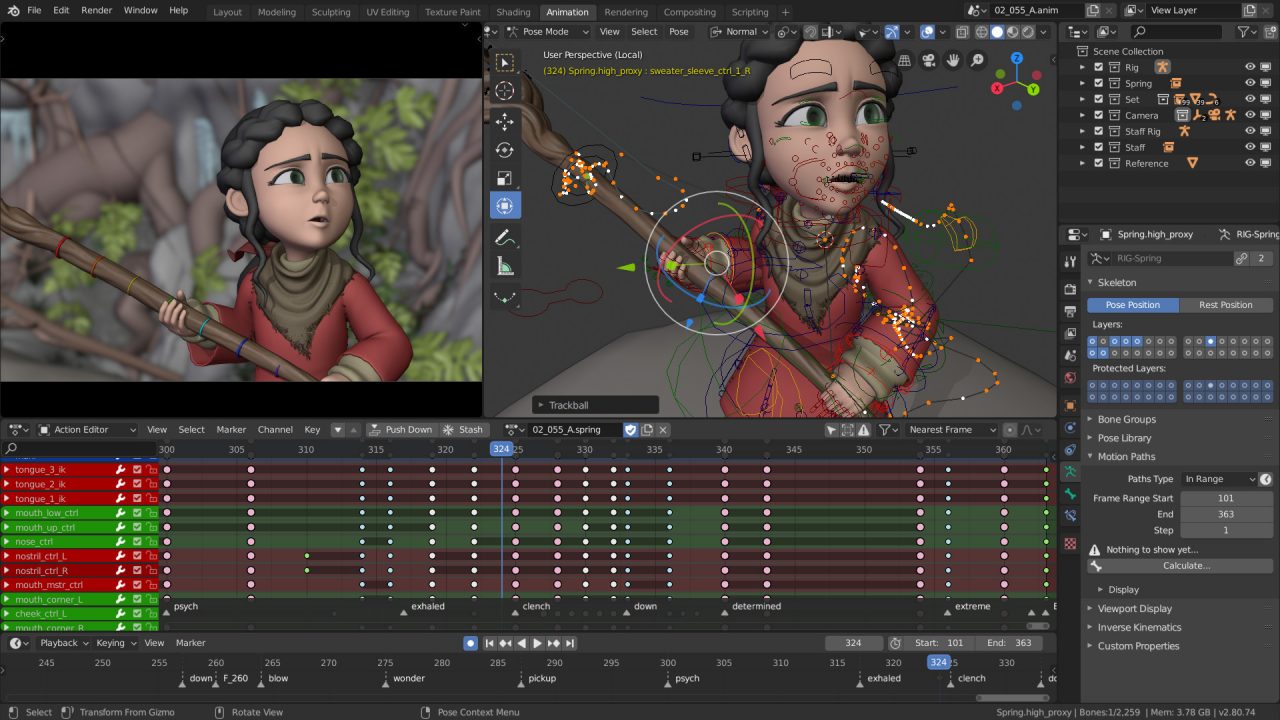
    Blender Interface Work Sample How To Update Blender

    Unleashing Creative Possibilities

    Blender is a free and open-source 3D creation suite encompassing various creative disciplines, including modeling, animation, rendering, compositing, and more.

    Its versatility, user interface, and comprehensive feature set make it a favorite among artists looking to push the boundaries of their creativity.

    This is why you should always update Blender when you can. Being an open-source software, you’re bound to see newer versions pop up on the Blender Foundation website. These new versions help keep the current version installed as stable as possible.

    Modeling Mastery

    One of Blender’s standout features is its robust set of modeling tools. Artists can sculpt, shape, and manipulate 3D objects with precision and ease. Blender offers a variety of techniques, from basic polygonal modeling to advanced sculpting and procedural modeling.

    With the ability to work with modifiers, artists can maintain non-destructive workflows, allowing for greater flexibility during the creative process

    An updated version of Blender will make sure that all your models will look as smooth and nice as possible.

    Animation Excellence

    Blender’s animation capabilities empower artists to breathe life into their creations. Keyframe animation, armatures, and rigging systems give artists precise control over movements, while physics simulations and particle systems allow for realistic motion and dynamic effects.

    Whether character animation, motion graphics, or complex simulations, Blender offers comprehensive tools to bring ideas to life.

    Visual Prowess

    Blender’s rendering capabilities are second to none. The software offers two powerful rendering engines, Cycles and Eevee, each with its strengths. Cycles excel in producing photorealistic renders, utilizing ray tracing and global illumination techniques, while Eevee provides real-time rendering for quick previews and interactive experiences. With advanced lighting and shading options, artists can achieve stunning visual results in their projects.

    Material Magic

    Blender’s material and texture system enables artists to create visually captivating surfaces. With its node-based shader editor, artists have unparalleled control over material properties, allowing for the creation of realistic textures, reflective surfaces, and intricate material effects. Blender’s UV mapping capabilities ensure precise placement of textures, enhancing the level of detail in models.

    Seamless Compositing

    Blender’s built-in compositor adds another layer of creativity to the software. Artists can seamlessly combine rendered passes, adjust colors, apply filters, and add visual effects to achieve their final output’s desired look and feel. The node-based workflow of the compositor allows for flexibility and efficiency, empowering artists to create stunning visuals with ease.

    Collaborative Workflow

    Blender’s compatibility with various file formats ensures smooth integration of new version into existing production pipelines. Artists can seamlessly import and export 3D assets, facilitating collaboration with other software and team members. Blender’s scripting capabilities and extensive library of add-ons further enhance workflow efficiency, allowing artists to customize their experience and automate repetitive tasks.

    Supportive Community

    Blender boasts an enthusiastic and passionate community of artists and modelers. Through online forums, tutorials, and resources, Blender users can engage with fellow creators, exchange knowledge, and find inspiration.

    This vibrant community contributes to Blender’s continuous growth and development, providing a supportive environment for artists to thrive. People in the community are always eager to help, from troubles with Blender installation to the more complicated issues.

    How To Update Blender

    Check for Updates

    Visit the official Blender website or the Blender Foundation’s download page to check for and download the latest stable version here. From there, you can check if your version of Blender matches with the latest Blender version on the official website.

    Review the latest official release and notes to learn about the new features and improvements in the beta versions of the updated version. It’s worth noting that an updated version of Blender doesn’t mean that it offers a lot of new stuff right off the bat. Sometimes, the latest version is just there to help stabilize a couple of features.

    Backup Your Work

    Before updating, it’s crucial to back up your projects and custom settings to ensure you retain valuable work and preferences.
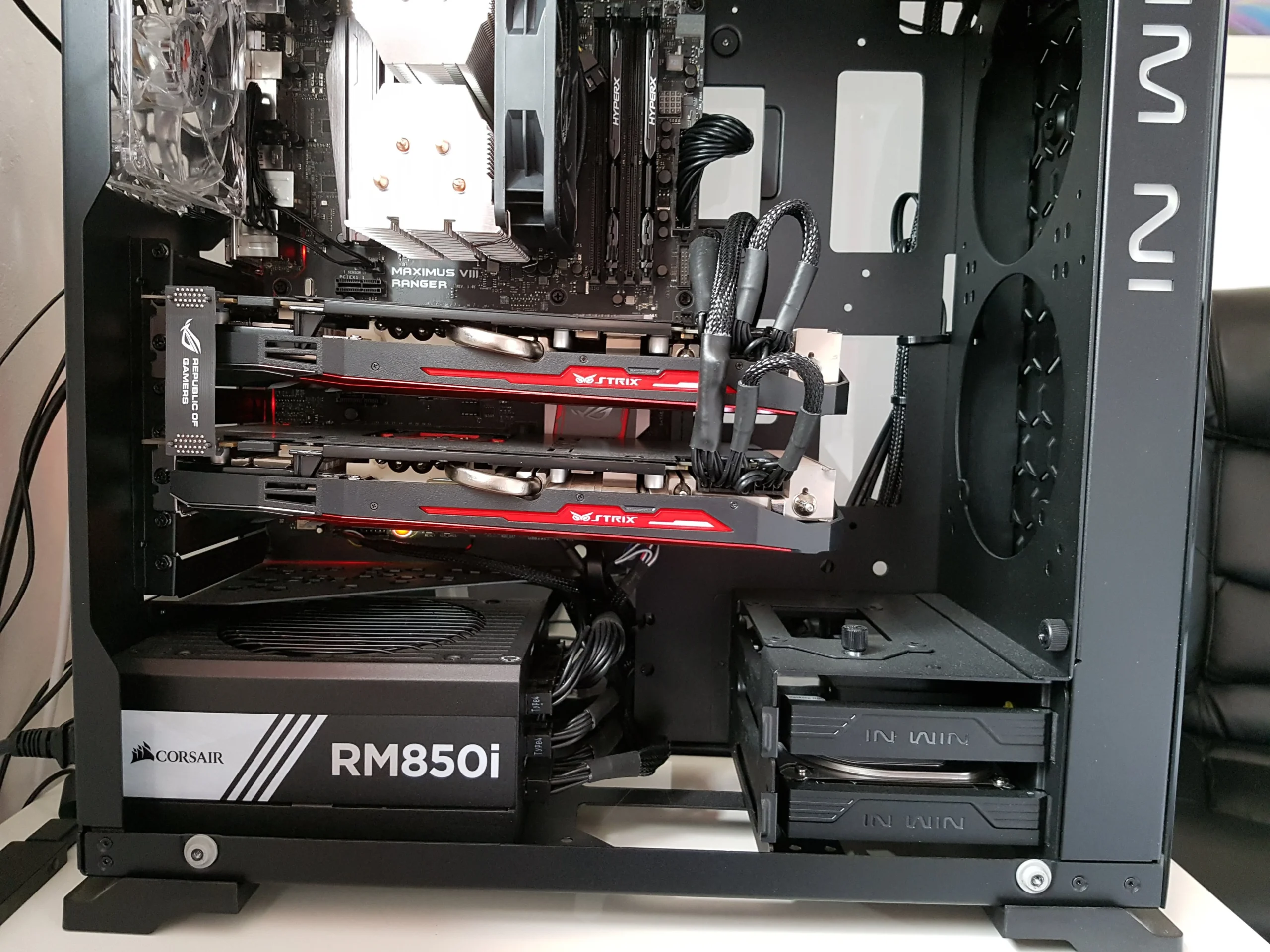
    An uncommon issue here is that the latest version might not be able to accommodate your custom settings. When you launch Blender after updating it, some of your addons or settings might not work.

    You can check the new version notes from the Blender website and see if there are issues with addons or custom settings.

    Download and Install the Latest Version

    Download the installer for the latest version of your operating system.

    Run the installer app and follow the on-screen instructions to install the updated version of Blender.

    Migrating Preferences (Optional)

    If you wish to retain your custom settings, you can migrate your preferences from the previous version to or download the latest updated one.

    Blender provides an option during installation to import preferences from multiple versions.

    Common Troubleshooting Issues:

    Compatibility Issues

    Ensure that your computer meets the system requirements for downloading the updated Blender version.

    In case of compatibility issues, consider updating your operating system or graphics drivers to the latest versions.

    Add-on Compatibility

    Some add-ons may be in different versions from the current version of the updated version of Blender app.

    Check if the add-ons you rely on have been updated to support the latest Blender release. If not, you may need to disable them or find alternative add-ons temporarily.

    File Compatibility

    You may encounter compatibility issues when opening projects created in previous versions of Blender versions.

    Before updating an older version of Blender, make sure to finish and save any ongoing projects. After updating, open older projects and carefully review any warnings or errors. Resolve any compatibility issues by following Blender’s documentation or seeking assistance from the Blender community.

    Performance Issues

    If you experience performance issues after updating, consider adjusting viewport quality, render settings, or GPU acceleration options to optimize performance.

    Additionally, clearing cache files or reducing the complexity of your scenes can improve performance.

    If you are having graphics issues, then you might upgrade your GPU driver to the current stable release before you open Blender.

    Bug Reports and Community Support

    If you encounter any issues or bugs during or after the update, consider reporting them to the Blender development team. Detailed bug reports help developers identify and resolve issues promptly.

    Engage with the Blender community by participating in forums and online discussions or seeking guidance from experienced users. They can provide valuable insights and solutions to troubleshooting issues.

    Wrapping It Up

    Blender is a comprehensive and versatile software offering unparalleled tools for 3D artists and modelers. Blender has become a staple in the creative industry with its powerful modeling capabilities, advanced animation tools, stunning rendering options, and seamless integration.

    Supported by a dedicated community, Blender allows artists to explore their creative boundaries and bring their imaginative visions to life.

    And as always, be sure to check the official Blender page to find out if there are new versions being released.

  • Gaming by the Numbers: 20+ Insane Xbox Statistics (Jul 2026)

    Gaming by the Numbers: 20+ Insane Xbox Statistics (Jul 2026)

    Since its inception in 2001, the Microsoft Xbox has revolutionized the gaming industry, captivating millions of gamers worldwide. From the first-generation console’s humble beginnings to the latest iteration’s cutting-edge technology, the Xbox has constantly pushed the boundaries of gaming experiences.

    Microsoft Xbox Through The Years

    Before we go to the interesting facts and Xbox stats, let’s take a trip down memory lane and see just how far the Xbox has come.

    Xbox (2001)

    The original Xbox console marked Microsoft’s entry into the gaming console market. Released in 2001, it introduced powerful hardware, an innovative controller, and a built-in hard drive. The Xbox showcased graphically impressive games, such as “Halo: Combat Evolved,” which became an iconic franchise synonymous with the console. Microsoft laid the foundation for its future successes, establishing a solid fan base and demonstrating its commitment to delivering exceptional gaming experiences.

    Xbox 360 (2005)

    With the Xbox 360, Microsoft aimed to redefine the console gaming landscape. This console introduced high-definition graphics, online multiplayer capabilities through Xbox Live, and an extensive library of Xbox games. The Xbox 360’s Kinect sensor revolutionized motion-based gaming, immersing players in interactive experiences. It also provided multimedia functionality, transforming the Xbox into a home entertainment hub.
    Xbox One (2013)

    Building upon the success of its predecessor, the Xbox One focused on creating an all-in-one entertainment system. With improved hardware and a redesigned controller, this console emphasized multimedia integration, enabling seamless switching between Xbox games, television, and apps. It introduced Xbox Live Gold and Game Pass, offering enhanced online services and a vast selection of downloadable games. However, the initial emphasis on entertainment features overshadowed gaming, leading Microsoft to reposition the Xbox One in response to feedback from the gaming community.

    Xbox Series X|S (2020)

    The current generation of Xbox consoles, the Xbox Series X, and the more affordable Xbox Series S represent a leap forward in performance and graphical capabilities. Powered by custom processors and high-speed SSD storage, they offer faster load times, stunning visuals, and support for ray tracing technology. The Xbox Series X delivers true 4K gaming at 60 frames per second, while the Series S offers 1440p resolution with smooth gameplay. These consoles prioritize gaming experiences and introduce features like Quick Resume, allowing players to switch between multiple games seamlessly.

    Key Microsoft Xbox Statistics

    Microsoft Global Revenue Xbox Statistics
    • Microsoft experienced an 18 percent increase in global revenue from 2021 to 2022, surpassing $198 billion [1].
    • Microsoft’s most prominent segment is productivity and business processes, generating $63.4 billion in revenue [2].
    • The gaming segment of Microsoft yielded $15.3 billion and $16.4 billion in revenue for Fiscal years 2021 and 2022, respectively [3].
    • In 2021, Microsoft sold over 800,000 units of the Xbox One, which was lower than the previous year’s figures. The predecessor, Xbox 360, was released in 2005 and sold more than 85.8 million units until 2017 [4],[6].
    • Xbox One console sales reached 31.58 million in North America and 12.8 million in Europe. As of June 2022, more than 50 million units of Xbox One have been sold worldwide [5].
    • Xbox Game Pass, a cross-platform gaming subscription service by Microsoft, was launched in June 2017. As of January 2021, it has over 18 million subscribers worldwide [7].
    • Retail software revenue for Xbox consoles reached $1.67 billion 2020, with most users spending on Xbox gaming software, digital downloads, microtransactions, and Xbox Game Pass subscriptions [8],[9].
    • In 2022, Xbox Live subscribers received over $700 worth of free video games [10].
    • The number of gamers worldwide is expected to surpass 3 billion by 2023. In 2015 there were already 1.05 billion gamers globally, and the number has continued to rise [11].
    • As of 2020, over 244 million people were playing on the Microsoft Xbox [12].
    • According to a 2020 survey, 18.2% of participants played video games for an average of 4 to 7 hours per week, and 25% of those participants were Xbox players [12],[13].
    • 65% of adults in the USA enjoy playing video games [14].
    • Male gamers aged between 21 and 35 constitute approximately 18% of Xbox users [15].
    • 56% of Xbox One users are in a relationship or married [16].

    Microsoft Xbox Revenue Statistics

    Xbox One Sales Number Xbox Statistics

    First up in this series of Xbox statistics is the revenue and market segment. We know that the Xbox is one of the most successful and one of the biggest game consoles in the market right now. But how much money is Microsoft making from gaming consoles alone?

    • Microsoft’s global revenue from 2021 to 2022 increased by 18 percent and generated over $198 billion in revenue [1].
    • Microsoft’s largest segment is its productivity and business processes segment, generating $63.4 billion in revenue [2].
    • In terms of their product and service offering, their gaming segment generated $15.3 billion and $16.4 billion for Fiscal year 2021 and 2022 respectively [3].
    • In 2021, unit sales for Microsoft Xbox One reached more than 800,000. However it was a lower from the previous year’s unit sales figures. The Xbox 360, the Xbox One’s predecessor, was released in 2005 and sold more than 85.8 million units up until 2017 [4], [6].
    • Unit sales for Xbox One consoles in North America reached 31.58 million units and 12.8 million units in Europe. Globally, more than 50 million units of Xbox One have been sold as of June 2022 [5].
    • Xbox Game Pass was first launched in June 2017. this was Microsoft’s cross-platform gaming subscription service that allow its subscribers to play games from its library in PC or from the Xbox. As of January 2021, there are more than 18 million Xbox Game Pass subscribers worldwide [7].
    • In 2020, retail software revenue for Xbox console reached $1.67 billion, with majority of its users spending money on Xbox gaming software with digital downloads, microtransactions, and Xbox Game Pass subscriptions [8],[9].
    • Retail value of free video games offered to Xbox Live subscribers has fluctuated over the last couple of years. In 2022, more than $700 worth of free video games were provided to Xbox Live subscribers [10].
    • By 2023, it’s expected that number of gamers all over the world will hit more than 3 billion. As of 2015, there were already 1.05 billion gamers in the world, and that number continued to increase over the years [11].
    • There are more than 244 million people playing on the Microsoft Xbox as of 2020 [12].
    • According to a survey done in 2020, 18.2% of participants played an average of 4 to 7 hours every week. A quarter of that participants (25%) were Xbox players [12],[13].
    • 65% of adults in the USA love playing video games [14].
    • Male gamers between the ages of 21 and 35 years old makeup about 18% of Xbox users [15].
    • 56% of Xbox One users are in a relationship or married [16].

    The Xbox sales statistics and revenue statistics just prove how many Xbox users there are in the world right now, despite the assumption that people would rather go for the PS5 or Nintendo Switch as their primary game consoles of choice rather than the Microsoft Xbox.

    Microsoft Xbox Player Demographics

    Now that we’ve gone over the numbers that prove how big the Xbox brand is over the years, it’s time to go over the number of Xbox users that back these big sales numbers.

    • By 2023, it’s expected that number of gamers all over the world will hit more than 3 billion. As of 2015, there were already 1.05 billion gamers in the world, and that number continued to increase over the years [11].
    • There are more than 244 million people playing on the Microsoft Xbox as of 2020 [12].
    • According to a survey done in 2020, 18.2% of participants played an average of 4 to 7 hours every week. A quarter of that participants (25%) were Xbox players [12],[13].
    • 65% of adults in the USA love playing video games [14].
    • Male gamers between the ages of 21 and 35 years old makeup about 18% of Xbox users [15].
    • 56% of Xbox One users are in a relationship or married [16].
    • Xbox Live Gold is only available in 42 countries, but Microsoft is expanding its reach soon [17].
    • 47.5% of households with an Xbox One unit also owned a PS4, and 27.4% owned a Playstation 4 Pro. In contrast, 32.2% of households who owned Playstation 4s had an Xbox One [18].

    Other Interesting Microsoft Xbox Statistics

    We know that the most popular Xbox console was the Xbox 360, mostly because it’s sold close to 90 million units total from 2005 to 2017. The Xbox One has sold more than 50 million units since its release, which accounts for a large portion of the company’s gaming revenue.

    But let’s move on from the boring numbers and focus on some Xbox fun facts and other video game statistics.

    • Xbox Live Gold users are given free games with their subscription. This number goes up and down, depending on the content being given out. As of 2022, more than $700 worth of video games were given out to Xbox Live users. In 2021, the value of free video games was significantly higher at $1,074 [19].
    • The Xbox Series X came with 12 new games on its release. Now while these games weren’t free, you were able to play the latest games such as Halo Infinite and Cyberpunk 2077 [20].
    • Console wars are always going to be a thing, and it’s between the Xbox Series X and PlayStation 5 [20].
    • Celebrities such as Megan Fox and Mila Kunis are proud owners of Xbox consoles and other consoles [21].

    Why Do People Love Playing on the Microsoft Xbox?

    Master Chief Xbox Statistics

    Unparalleled Gaming Performance

    The Xbox is renowned for its cutting-edge hardware and technological prowess, delivering a superior gaming performance. The Xbox Series X, the latest iteration, boasts a custom 8-core AMD Zen 2 processor, offering remarkable speed and responsiveness. \

    With its advanced GPU architecture and high-bandwidth memory, the Xbox provides breathtaking visuals and seamless gameplay, enhancing the overall immersive experience.

    Extensive Game Library

    One of the Xbox’s greatest strengths lies in its vast library. Gamers can delve into an extensive collection of exclusive titles and multi-platform favorites. The iconic Halo franchise, the captivating Gears of War series, and the critically acclaimed Forza racing games are just a few examples of the exceptional exclusives that draw players to the Xbox.

    The Xbox Game Pass subscription service also grants access to a diverse range of games, ensuring an ever-growing and constantly refreshing library of options.

    Thriving Online Community

    Online multiplayer gaming has become a cornerstone of modern gaming culture, and the Xbox excels in providing a vibrant and interconnected community. The Xbox Live service offers seamless online multiplayer experiences, allowing players to connect, compete, and cooperate with friends and fellow gamers worldwide.

    With features like party chat, achievements, and a robust matchmaking system, the Xbox fosters a sense of camaraderie and healthy competition, enhancing the overall enjoyment of gaming.

    Cross-Platform Integration

    Microsoft’s commitment to cross-platform integration further amplifies the allure of the Xbox. With features like Xbox Play Anywhere, gamers can seamlessly transition between Xbox consoles and Windows 10 PCs, enjoying their favorite games on multiple devices.

    Furthermore, the Xbox ecosystem supports cross-platform play, enabling players to engage with friends on different platforms, breaking down barriers, and expanding the gaming community.

    The Wrap Up

    The Microsoft Xbox has evolved significantly since its inception, continuously raising the bar for gaming consoles. With each iteration, Microsoft has refined and expanded its consoles’ capabilities, adapting to gamers’ changing needs and expectations.

    The Xbox’s journey has been marked by technological advancements, memorable franchises, and a commitment to delivering immersive gaming experiences. As we eagerly anticipate the future of the Xbox ecosystem, it’s clear that Microsoft will continue to innovate and shape the gaming landscape for years to come.

    References

    [1] https://www.statista.com/statistics/267805/microsofts-global-revenue-since-2002/

    [2] https://www.statista.com/statistics/273482/segment-revenue-of-microsoft/

    [3] https://www.statista.com/statistics/733960/worldwide-microsoft-major-product-and-service-revenue/

    [4] https://www.statista.com/statistics/680526/global-xbox-gaming-consoles-unit-sales/

    [5] https://www.statista.com/statistics/1005418/xbox-one-console-unit-sales-country/

    [6] https://www.statista.com/statistics/1101914/unit-sales-xbox-360-region/

    [7] https://www.statista.com/statistics/1276183/xbox-game-pass-subscriber-count-global/

    [8] https://www.statista.com/statistics/237187/global-pc-console-games-revenue-by-type/

    [9] https://www.statista.com/statistics/200035/xbox-gaming-software-revenue-global/

    [10] https://www.statista.com/statistics/750146/value-games-offered-xbox-live-subscribers/

    [11] https://www.statista.com/statistics/748044/number-video-gamers-world/

    [12] https://www.fountaingroup.ca/-/media/rj/rjl-advisor-sites/sites/p/e/pedroribeiro/files/activision-blizzard—the-fountain-group.pdf

    [13] https://www.statista.com/statistics/936654/weekly-time-spent-playing-video-games-usa/

    [14] https://www.theesa.com/news/65-of-american-adults-enjoy-playing-video-games/

    [15] https://www.visualcapitalist.com/multi-billion-dollar-console-gaming-market/

    [16] https://www.windowscentral.com/heres-some-interesting-stats-about-xbox-one-owners-microsoft-shared-partners

    [17] https://news.xbox.com/en-us/2021/01/22/update-on-xbox-live-gold-pricing/

    [18] https://www.gamedeveloper.com/business/data-suggests-almost-half-of-xbox-one-users-also-own-a-playstation-4

    [19] https://www.statista.com/statistics/750146/value-games-offered-xbox-live-subscribers/

    [20] https://www.gamesradar.com/xbox-series-x-release-date-games-cost-specs/

    [21] https://www.ranker.com/list/celebrities-who-are-gamers/celebrity-lists

    [22] https://www.windowscentral.com/microsoft-discontinues-xbox-one-x-and-xbox-one-s-all-digital-edition

    [23] https://www.bbc.com/news/business-12697975XB

  • What’s The Best Mouse for Blender?

    What’s The Best Mouse for Blender?

    Blender is a free and open-source 3D creation software that has been gaining popularity among 3D animators and modelers. It is a comprehensive tool that allows users to create everything from 3D models to animations and even video games. If you want the best mouse for Blender then read on. Looking to upgrade your PC? Check out our article on the best PC for Blender.

    Why is Blender Used A Lot?

    One of the standout features of Blender is its robust and versatile toolset. It offers various tools for modeling, texturing, lighting, and animating 3D scenes. Additionally, Blender has a highly customizable interface that allows users to arrange and modify the interface to suit their workflow. This level of customization can help users work more efficiently and with greater precision.

    Another critical advantage of Blender is its active and supportive community. The Blender community comprises developers, artists, and enthusiasts collaborating and contributing to the software’s development. This community produces a wealth of tutorials, resources, and plugins that users can leverage to enhance their workflow and explore new techniques.

    Finally, Blender’s price tag makes it an attractive option for users just starting with 3D modeling and animation. Unlike other serious 3D modeling software that can cost thousands of dollars, Blender is completely free and open-source, which makes it accessible to anyone who wants to learn 3D modeling and animation.

    Why Do Some People Hate Blender?

    While Blender is a powerful tool, it has some drawbacks that users should be aware of. One of the main issues is the software’s steep learning curve. Due to its extensive toolset and complex interface, it can take some time for users to become proficient with Blender. Additionally, some users may find Blender’s interface less intuitive than other 3D software, making it easier for new users to navigate.

    Another potential drawback is that Blender’s rendering engine is less robust than other 3D software. While Blender’s rendering engine can produce high-quality renders, it may be slower and more efficient than other render engines. Additionally, users may need to purchase third-party rendering software to achieve specific effects or styles.

    Finally, Blender’s open-source nature means it may receive a different level of technical support than commercial software. While the Blender community is active and supportive, users may encounter bugs or technical issues that require more specialized support.

    What’s The Best Mouse for Blender?

    Logitech MX Master 3

    The Best Gaming Mouse for Blender

    Logitech MX Master 3 Best Mouse for Blender

    The Logitech MX Master 3 is a wireless mouse designed for productivity, making it a great choice for anyone working with 3D animation software. The mouse has a comfortable ergonomic design and is packed with features that make it easy to use and customize.

    Tech Specs:

    • Dimensions: 124.9 x 84.3 x 51 mm
    • Weight: 141 g
    • Sensor: Logitech Darkfield High Precision 4000 DPI
    • Battery Life: up to 70 days on a single charge
    • Connectivity: Bluetooth Low Energy or Logitech Unifying USB receiver
    • Compatibility: Windows, Mac, Linux, iPad, and Android

    The Logitech MX Master 3 is a highly customizable mouse that allows users to create specific profiles for their workflow. It features a unique scroll wheel that can switch between ratcheted scroll wheels and smooth scrolling, which is useful when working on complex 3D models. The mouse also has a thumbwheel that can be customized to perform specific actions, such as zooming or panning.

    In addition, the Logitech MX Master 3 has a high-precision sensor that provides accurate tracking on any surface, including glass. This makes it easy to work in any environment, whether at a desk or on the go. The ergonomic mouse itself is also very comfortable to use, with a contoured shape that fits snugly in the hand, and its battery life is impressive, lasting up to 70 days on a single charge.

    While the mouse is very responsive, it has a polling rate of only 125 Hz, which can result in some lag when playing games or using applications that require a faster response time. In addition, the mouse may be too large for people with smaller hands, as its ergonomic design is optimized for larger hands. You could dabble with the Logitech software if you want to customize some of the buttons.

    Overall, the Logitech MX Master 3 is a fantastic wireless mouse packed with features that make it an excellent choice for anyone working with 3D animation software. Its customizable buttons, unique scroll wheel, and comfortable design make it easy to use for long periods, and its high-precision sensor provides accurate tracking on any surface. While it may not be the very best mouse choice for gamers or people with smaller hands, the Logitech MX Master 3 is a highly recommended mouse for productivity and 3D animation work.

    3Dconnexion SpaceMouse Pro

    An Unusual Computer Mouse With a Lot of Function

    3Dconnexion SpaceMouse Pro Best Mouse for Blender

    The 3Dconnexion SpaceMouse Pro is a 3D navigation and input device, designed specifically for 3D applications, making it an ideal tool for 3D animation professionals. The device’s unique design allows users to easily navigate through 3D models. It comes with a wide range of customizable features that can be tailored to the user’s needs.

    Tech Specs:

    • Dimensions: 204 x 142 x 58 mm
    • Weight: 665 g
    • Sensor: Advanced 6-degrees-of-freedom sensor
    • Buttons: 15 programmable buttons
    • Connectivity: USB
    • Compatibility: Windows and Mac

    Why People Should Buy It:

    The 3Dconnexion SpaceMouse Pro is an excellent device for anyone who works with 3D models on a regular basis. The device has a unique design that allows users to navigate through 3D models with ease, making it an ideal tool for 3D animation professionals. The device comes with 15 programmable buttons that can be customized to perform specific actions, such as zooming or panning.

    In addition, the 3Dconnexion SpaceMouse Pro has an advanced 6-degrees-of-freedom sensor that provides accurate tracking and allows for precise navigation through 3D models. The device is also very comfortable to use, with a contoured design that fits snugly in the hand. Its build quality is solid and durable and good mouse is compatible with both Windows and Mac computers. Unlike most mice, it has no dedicated middle mouse button, but in all honesty, it doesn’t need it.

    Now, tThe device has a steep learning curve, and it can take some time to get used to its unique navigation system. In addition, the device is large and heavy, which may make it uncomfortable to use for extended periods.

    Furthermore, the 3Dconnexion SpaceMouse Pro is relatively expensive compared to other 3D navigation devices on the market. It may not be a worthwhile investment for those who do not work with 3D models regularly or those who only a good mouse to work with simple 3D models.

    Razer Naga Trinity

    A Fantastic Mouse with Pleasant Hand Rest Position

    Razer Naga Trinity Best Mouse for Blender

    The Razer Naga Trinity is a gaming mouse designed for MMO (massively multiplayer online) gamers. Its unique modular design allows users to switch between three different side plates of wired mouse, each with a different button layout complete control it, making it a versatile tool for gaming and productivity.

    Tech Specs:

    • Dimensions: 119 x 74 x 43 mm
    • Weight: 120 g
    • Sensor: 5G optical sensor
    • Buttons: 19 programmable buttons
    • Connectivity: USB
    • Compatibility: Windows and Mac

    The Razer Naga Trinity is an excellent gaming mouse for MMO gamers who require many programmable buttons. Its modular design allows users to switch between up to three devices with different side plates, each with a different button layout, making it a versatile tool for gaming and productivity. The device features a 5G optical sensor that provides accurate tracking and responsive movement, making it an excellent option for fast-paced gaming.

    In addition, the Razer Naga Trinity has 19 programmable buttons that can be customized to perform specific actions, such as casting spells or activating skills. The buttons are well-placed and easy to reach, and they have a satisfying clicky feel that provides feedback to the user. The device also has a comfortable design that fits snugly in the hand, and its build quality is solid and durable.

    The downside is that while it has decent and clever function keys, the device has a large and bulky design that may need to be more comfortable for users with smaller hands. Furthermore, the modular design may be unnecessary for some users and may not justify the higher price point compared to other gaming mice on the market.

    In addition, while the device is compatible with both Windows and Mac, it is optimized for Windows, and some programmable features may need to be fixed on a Mac.

    If you want one of the best gaming mice to use for Blender, then the Razer Naga Trinity is a solid pick. On a personal note, I am a proud owner of one and I’ve been using at least four clever function keys for macros on World of Warcraft.

    Logitech G Pro Wireless

    A Solid Wireless Mouse with Extensive Battery Life

    Logitech G Pro Wireless Best Mouse for Blender

    The Logitech G Pro Wireless is a great mouse, a gaming mouse designed for esports professionals and serious gamers. Its lightweight and durable design provides precise and accurate tracking, making it an excellent option for fast-paced gaming.

    Tech Specs:

    • Dimensions: 125 x 63.5 x 40 mm
    • Weight: 80 g
    • Sensor: HERO 16K optical sensor
    • Buttons: 8 programmable buttons
    • Connectivity: LIGHTSPEED wireless technology or USB
    • Compatibility: Windows and Mac

    The Logitech G Pro Wireless is an excellent gaming mouse for esports professionals and serious gamers who require precision and accuracy in their games. Its lightweight and durable design makes it a pleasure to use, and its HERO 16K optical sensor provides accurate tracking and responsive movement. The device also features LIGHTSPEED wireless technology, which provides a lag-free wireless gaming experience comparable to wired gaming.

    In addition, the Logitech G Pro Wireless has eight programmable buttons that can be customized to perform specific actions, such as casting spells or activating skills. The buttons are well-placed and easy to reach, and they have a satisfying clicky feel that provides feedback to the user. The device also has a comfortable design that fits snugly in the hand, and its build quality is solid and durable.

    The downside here is that the device has a higher price point compared to other gaming wireless mice on the market, which may be a turn-off for some users. In addition, the device has a limited number of programmable buttons, which may need to be increased for users who require a larger number of buttons.

    Furthermore, while the device is compatible with both Windows and Mac, it is optimized for Windows, and some programmable features may need to be fixed on a Mac.

    Overall, the Logitech G Pro Wireless is an excellent gaming mouse for esports professionals and serious gamers who require precision and accuracy in their games. Its lightweight and durable design, accurate tracking, and responsive movement make it a top choice for fast-paced gaming. While there may be better choices for users requiring a larger number of programmable buttons or for those on a tight budget, the Logitech G Pro Wireless is highly recommended for serious gamers who want the best possible gaming experience.

    Microsoft Surface Precision Mouse

    A Wireless Version Of a Familiar And Comfortable Mouse

    Microsoft Surface Precision Mouse Best Mouse for Blender

    The Microsoft Surface Precision Mouse is a high-end wireless mouse designed for productivity and performance. It features a sleek and modern design, precise tracking, and customizable buttons, making it an excellent option for professionals and power users.

    Tech Specs:

    • Dimensions: 122.6 x 77.6 x 43.3 mm
    • Weight: 135 g
    • Sensor: Microsoft BlueTrack
    • Buttons: 6 programmable buttons
    • Connectivity: Bluetooth 4.0 or USB
    • Compatibility: Windows and Mac

    The Microsoft Surface Precision Mouse is an excellent choice for professionals and power users who value precision and customization. Its ergonomic design is comfortable for extended periods, and its precise tracking ensures accurate and responsive movement.

    One of the standout features of the Surface Precision Mouse is its ability to customize the six programmable buttons using Microsoft’s Mouse and Keyboard Center software. Users can assign specific commands, macros, or shortcuts to each button, saving time and improving productivity. Additionally, the device features a smooth scrolling scroll wheel, that allows users to scroll through long documents or web pages quickly.

    The Surface Precision Mouse also features Bluetooth 4.0 connectivity, allowing easy pairing with compatible devices. The device is compatible with Windows and Mac, making it a versatile choice of productivity mouse for users working with multiple platforms.

    Its higher price point may be a turn-off for users looking for a more affordable mouse. Additionally, the device’s size and weight may not be comfortable for users with smaller hands or who prefer lighter mice.

    Another potential drawback is that the device’s Bluetooth wireless connectivity sometimes may not be as reliable as a wired connection, which could lead to occasional lag or disconnections. Finally, while the device is compatible with Mac, some of its customizable features may need to be fixed on a Mac.

    Overall, the Microsoft Surface Precision Mouse is an excellent wireless mouse that is well-suited for professionals and power users who value precision and customization. While it may not be the best option for users who prefer a lighter or more affordable wired mouse yet, its ergonomic design, precise tracking, and customizable buttons make it a top choice for those who demand the best possible performance from their input devices.

    SteelSeries Rival 600

    A Gaming Mouse WIth All The Right Ergonomic Features

    The SteelSeries Rival 600 gaming mouse boasts advanced features and a sleek design. It’s designed for competitive gamers who demand precision and customization from their input devices. Here’s a closer look at its features and benefits.

    Tech Specs:

    • Dimensions: 131 x 69 x 43 mm
    • Weight: 96 g
    • Sensor: TrueMove 3+
    • Buttons: 7 programmable buttons
    • Connectivity: USB
    • Compatibility: Windows and Mac

    One of the standout features of the SteelSeries Rival 600 is its advanced TrueMove 3+ sensor, which provides accurate and responsive tracking precise cursor movement. The sensor can track movements up to 12,000 CPI (counts per inch), making it cheap mouse ideal for gamers who need precise movements in games. Additionally, the device features customizable weights that allow users to fine-tune the mouse’s balance and feel, which can improve precision and accuracy.

    Another key feature of the SteelSeries Rival 600 is its customizable buttons, which can be programmed using the SteelSeries Engine software. Users can assign specific commands, macros, or shortcuts to each button on regular mouse, which can help streamline their workflow and improve productivity. Additionally, the mouse features a durable build quality, with reinforced side grips and a customizable RGB lighting system that adds a touch of style to any gaming setup.

    While the SteelSeries Rival 600 is a top-performing gaming mouse, some may have better options. One drawback is that the device is heavier than some other gaming mice on the market, which may be uncomfortable for users who prefer lighter mice. Additionally, the device’s design may not be comfortable for users with larger hands, as the shape may need more support.

    Another drawback is that the device is only compatible with Windows and Mac, which may be a limitation for users who use other operating systems. Additionally, while the customizable weights are a nice feature, they may only be necessary for some users, which could add unnecessary costs to the device.

    Overall, the SteelSeries Rival 600 is an excellent gaming mouse that offers advanced features and precise tracking. While it may not be the best option for users who prefer a lighter or more affordable mouse, its customizable buttons, adjustable weights, and durable build quality make it a top choice for competitive gamers cad users who demand the best possible performance from their input devices.

    The Wrap Up

    In conclusion, choosing the best mouse for Blender is essential for any 3D artist or animator. The Logitech MX Master 3, 3Dconnexion SpaceMouse Pro, Razer Naga Trinity, Logitech G Pro Wireless, Microsoft Surface Precision Mouse, and SteelSeries Rival 600 are all excellent options that offer unique features and advantages for different users.

    Ultimately, the best mouse for Blender will depend on the user’s personal preferences, workflow, and budget. You can find the perfect best mouse for blender to take your Blender creations to the next level by considering the factors that matter most to you.

  • What Is GPU Sag and Why Is It a Problem?

    What Is GPU Sag and Why Is It a Problem?

    As computer hardware enthusiasts and gamers, we often focus on the latest and most significant components, such as CPUs, graphics cards, and motherboards.

    However, we sometimes overlook the potential problems that can arise from improper installation, usage, and maintenance of these components. One such issue that has become increasingly prevalent with the rise of heavy, high-end graphics cards is GPU sag.

    What is GPU Sag?

    How It Looks Like GPU Sag

    GPU sag refers to the phenomenon where a graphics card begins to droop or bend downwards, causing strain on the PCIe slot, the motherboard, and potentially the GPU itself.

    This can happen when the graphics card’s weight exceeds the PCIe slot’s strength or when the mounting mechanism is not strong enough to hold the graphics card vertically in place. GPU sag can affect both the aesthetics and functionality of your system and potentially damage your hardware.

    What Are The Common Causes of GPU Sag?

    GPU sag, or the downward bending of a graphics card due to the weight of its components, can cause problems for computer users. It can affect both the aesthetics and functionality of the system and potentially damage the hardware. In this article, we will explore the different causes of GPU sag and provide insight into how to prevent it.

    Heavy Graphics Cards

    One of the primary causes of GPU sags is the weight of the graphics card itself. Modern graphics cards are often large, heavy, and loaded with high-performance components like cooling fans, heatsinks, and other features.

    These components contribute to the weight of the graphics card and can cause it to bend downward over time. The weight of the graphics card may not be an issue when it is first installed, but over time, the downward force of gravity can cause the card to sag.

    This is also a common problem when you mount your GPU vertically.

    Weak PCIe Slot

    The PCIe slot on a motherboard is where the graphics card connects to the system. In some cases, the PCIe slot may need to be stronger to support the weight of a heavy graphics card. This can cause the slot to bend or break, damaging the motherboard and the graphics card. A weak PCIe slot is a common cause of GPU sag and can be especially problematic for users with high-end graphics cards.

    Improper Mounting

    Another cause of GPU sag is improper mounting. If the graphics card is not mounted correctly or secured to the case, it may move around or shift over time, causing it to sag. This can happen if the mounting screws of a vertical GPU mount are not tightened correctly, or the case does not provide enough support for the graphics card. Improper mounting can cause damage to both the graphics card and the PCIe slot and can result in a loss of performance.

    Thermal Expansion

    Another factor that can contribute to GPU sag is thermal expansion. When a graphics card is in use, it generates heat. The heat can cause the components on the card to expand, which can put additional pressure on the PCIe slot and the motherboard. Over time, this pressure can cause the graphics card to sag. This is especially true for graphics cards with large heatsinks or cooling systems, as they generate more heat and put more pressure on the components.

    Overclocking

    Overclocking is a technique used to increase the performance of a graphics card by adjusting its settings. While overclocking can boost performance, it can also cause the graphics card to generate more heat.

    This additional heat can cause the graphics card to sag over time, especially if it is already heavy or improperly mounted. Overclocking can also cause problems such as stability issues and reduced lifespan.

    Inadequate Case Support

    Finally, inadequate case support can also contribute to GPU sags. If the case does not have enough support for the graphics card, or if the support is not positioned correctly, the graphics card may begin to sag. This can cause damage to the PCIe slot and the motherboard and can result in a loss of performance.

    What Are The Effects Of a Sagging GPU?

    Is a GPU sag bad if it’s something that occurs overtime? Most users may not encounter problems like a graphics card sag, but it’s still as common as power supply issues and other hardware problems.

    Aesthetics

    One of the most noticeable effects of GPU sag is its impact on the appearance of a computer system. A sagging graphics card can give the impression that the system needs to be better constructed and can detract from the overall aesthetic.

    This can be especially problematic for users who have invested in high-end components and want their system to look as good as it performs. GPU sag can also cause components like fans and heatsinks to be misaligned, further detracting from the system’s overall appearance.

    Reduced Performance

    GPU sag can also impact the performance of a graphics card. When a graphics card is sagging, it can put pressure on the PCI e slots and cause it to become misaligned. This can lead to poor connectivity and a reduction in data transfer rates.

    Sometimes, it can even cause the PCIe slot to break, rendering the graphics card useless. Reduced performance can also result from thermal throttling, which occurs when the cooling system on the graphics card is not working as effectively due to the misalignment caused by GPU sag.

    Stability Issues

    GPU sag can also cause stability issues within a computer system. When a graphics card is sagging, it can move around or shift within the PCIe slot, which can cause damage to the slot or the graphics card itself.

    This damage can cause stability issues, such as crashes or freezes, leading to data loss or corruption. Stability issues can also result from overheating caused by poor ventilation due to the misalignment of components caused by GPU sag.

    Hardware Damage

    Worst case scenario, the most severe effect of GPU sag is the potential for hardware damage. When a graphics card is sagging, it can pressure the PCIe slot, causing it to become misaligned or even break.

    This can further damage the motherboard and the graphics card, which can be costly to repair or replace. Hardware damage can also occur due to the misalignment of other components, such as fans and heatsinks, which can cause them to fail prematurely.

    Are There DIY Solutions to GPU Sag?

    GPU sag, the downward bending of a graphics card due to its weight, is a common problem that can have several adverse effects on a computer system. These effects can include reduced performance, stability issues, and even hardware damage.

    Fortunately, there are several DIY solutions and prevention methods to prevent GPU sag and keep their gaming system running smoothly.

    GPU Support Brackets

    One of the most effective solutions for GPU sag is to use and install a GPU support bracket. These brackets are designed to provide additional support for the graphics card, reducing the weight on the PCIe slot and preventing sagging. They typically attach to the case with screws and support the graphics card from underneath, ensuring it remains level and secure.

    Several types of GPU support brackets are available, ranging from simple brackets that attach directly to mount the case to more complex designs that feature adjustable arms or even built-in fans for improved cooling. Most cases even have built-in support brackets or other mechanisms to prevent GPU sag.

    Backplates

    Another permanent solution for GPU sag is to use a backplate. Backplates are metal plates that attach to the back of the graphics card and provide additional support. They can help distribute the graphics card’s weight more evenly, reducing the stress on the PCIe slot and preventing sagging. Backplates also offer some aesthetic benefits, as they can help to cover up any unsightly cables or components on the back of the graphics card.

    Smaller Form Factor Graphics Cards

    Another way to prevent GPU sag is to choose a smaller form factor graphics card. Larger graphics cards are more likely to sag due to their weight, so choosing a smaller card can help to reduce the risk of sagging. This can be especially useful for users with smaller cases or limited space, as smaller graphics cards can easily fit into tight spaces.

    Smaller form factor graphics cards are also typically lighter than their larger counterparts, which can further reduce the risk of sagging. However, ensuring that the smaller graphics card still meets the user’s performance needs is essential, as sacrificing performance for size may be a viable option for some.

    How To Prevent GPU Sagging

    Proper Mounting and Securing

    One of the most critical prevention methods for GPU sag is to ensure that the graphics card is properly mounted and secured in the case. This means using the correct screws and brackets to attach the graphics card to the case and ensuring it is level and secure.

    It is also essential to ensure the graphics card is not loose or wobbling vertical pc case, as this can cause stress on the PCIe slot and lead to sagging over time.

    Proper Ventilation

    Another important prevention method for GPU sag is to ensure that the case has proper ventilation. Overheating can cause the graphics card to sag, as the heat can cause components to expand and shift.

    Ensuring that the case has adequate airflow and that the cooling system is working effectively can help to prevent overheating and reduce the risk of sagging.

    Cable Management

    Proper cable management can also help to prevent GPU sag. Cables that are too tight or too loose can put pressure on the graphics card and cause it to sag over time.

    Make sure that cables are correctly routed and secured can help to prevent this issue and keep power to the graphics card level and secure.

    The Wrap Up

    GPU sag is a common problem many users that can negatively affect a computer system. However, users can employ several solutions and prevention methods to prevent or fix GPU sag and keep their system running smoothly.

    These include using GPU support brackets, and backplates, choosing smaller form factor graphics cards, properly mounting and securing the graphics card, ensuring proper ventilation, and good cable management. 

  • 25+ Impressive Board Game Statistics (Jul 2026)

    25+ Impressive Board Game Statistics (Jul 2026)

    Board games have been enjoyed by people of all ages and backgrounds for centuries. From ancient games like chess and Go to modern classics like Monopoly and Settlers of Catan, board games have always been a popular form of entertainment.

    With the rise of digital gaming, board games have also seen a surge in popularity, with many new games being created and old favorites being reimagined.

    Key Board Game Statistics

    • The global tabletop game market was valued at $2.5 billion in 2021 and is expected to grow by 60% in the next decade [1].
    • The global market value of board games and card games hit the $12 billion mark in 2018 and is forecasted to hit $21 billion by 2025 [2].
    • By 2023, the global market value of board games is set to hit $12 billion [3],[4].
    • Frosthaven is the most successfully funded projects on Kickstarter, raising close to $13 million from the platform as of February 2023 [7].
    • The board game market is expected to grow by $4 billion over the next four years [8].
    • In Germany, Board games generated 747 million Euros (US$ 815 million) in the year 2021, showing a drastic increase from the previous year [9].
    • Retail sales of games and puzzles in the United States totaled to $3.50 billion in 2022, almost the same as the previous year’s sales [10].

    Board Game Industry Overview

    Believe it or not, people know little to nothing about the board game industry statistics. At the surface level, even the most avid gamers know what the best selling board game is right now. But there’s more to the numbers than just playing board games.

    Let’s take a look at some interesting board game industry statistics that prove how big the industry is:

    Size of the table top games market worldwide in 2021 Board Game Statistics
    • The global tabletop game market, covering everything from board games to dice games to trading card games, was valued at $2.5 billion in 2021. It’s expected that the industry will grow by as much as 60% within the next decade [1].
    • The global market value of board games and card games was estimated at about $12.02 billion in 2018. The forecast shows that the value will increase to $21.56 billion by 2025 [2].
    • The global market value of board games is expected to hit $12 billion by 2023 [3],[4].
    • The CAGR of the board game market is expected to hit 12.29% from 2021 to 2030 [5].
    • In the United States alone, the market value of board games was estimated at $2.23 billion in 2019 and forecasted to hit $3.73 billion by 2025 [6].

    Board Game Revenue Statistics

    Most Successful Kickstarters Board Game Statistics

    The global board games market is huge and continues to grow over the next decade. But how does that growth convert into revenue? For this section, we’ll go over the board game industry statistics that focus on revenue.

    • The most funded board game on Kickstarter is Frosthaven as of February 2023. The game raised more than $13 million dollars from crowdfunding. They’re followed by Kingdom Death: Monster 1.5 with more than $12 million raised and Avatar Legends: The Roleplaying Game with $9.5 million raised [7]
    • The board game market will grow by $4 billion over the next four years [8].
    • Revenues from board games in Germany hit 747 Euro (US$ 815 million) in the year 2021, showing a drastic increase from the previous year [9].
    • Retail sales of games and puzzles in the United States totaled to $3.50 billion in 2022, almost the same as the previous year’s sales [10].
    • More than 22% of gamers spend over $1,000 on board games and 41% of gamers purchase anywhere between five to ten board games a year [11].
    • Chess is still the highest selling board game of all time, generating almost over 3 million in sales just in the USA alone [12].
    • Tabletop games have the highest market share as of 2020 [13].
    • In Canada and USA, hobby games sales figures show an increase from 160 to 435 million between 2014 and 2020 [14.]
    Hobby Game Sales Per Category Board Game Statistics

    Board Game Popularity Statistics and Demographics

    Now that we know how much money the board game industry makes every year, and what the board game industry trends look like, it’s time to look at the people making these insane board game sales possible.

    Joe and Vin Board Game Statistics

    The media has painted board game enthusiasts as nerdy or geeky, but you and I know that’s not the case. Vin Diesel and Joe Manganiello are Hollywood A-listers, but did you know they’re also board game enthusiasts? Both Vin and Joe are well-known in Dungeons and Dragons circle, and they’re vocal about their love for the game.

    Henry Cavill openly admits to playing Warhammer 40K and is considered by many as the King of the Geeks.

    As more celebrities share their profound love for board games, it comes as no surprise that the global board games market is expected to grow thanks to their influence. But enough about celebrities.

    Why don’t we go over the popularity statistics and demographics behind the board games industry:

    • In 2021, 85% of online conversations about Terraforming Mars were carried out by Men. 50% of conversations online about Jenga were also made by men. However, women scored the highest in terms of online mentions with 49% [15].
    • A survey conducted in Q4 2022 shows that 70% of men and 74% of women in the United States love board games. The same survey also shows that76% of millenials and 70% of Baby Boomers in the USA said they like Board Games. [16]
    • An April 2022 survey showed the frequency of board game participation in the USA. 25% of the survey stated they never played board games while 22% of the survey mentioned they enjoy playing board games once every few months [17].
    • People between the ages of 25 and 54 love playing board games [18]. 
    • A survey conducted on February 2020 in Japan showed that virtual board games are more popular amongst Japanese women than men. Female respondents of said survey were between the ages of 15 and 29 years old [19].
    • From the same survey, board games were the most popular video game genre between Japanese men aged 60 years and up, showing 26% of respondents saying they enjoy the genre [20].

    Why Do We Like Board Games?

    Wil Wheaton and Felicia Day Board Game Statistics

    While technology has given us a myriad of digital entertainment and tabletop gaming options, the allure of board games and tabletop games persists, with a growing number of people rediscovering the joy of playing these classic games. In this article, we’ll explore some of the reasons why people love playing board games and tabletop games.

    Social Interaction

    Board games and tabletop games provide a great way for people to interact with each other, building friendships and social connections. Unlike solitary video games or binge-watching television, playing a board game requires players to sit together, converse, and engage with one another. It’s an excellent way to break the ice with new people and strengthen existing relationships. This interaction can be replicated when you’re playing online games too.

    Mental Stimulation

    Many popular board game or games and tabletop games require critical thinking, problem-solving, and strategic planning, which can help to improve cognitive function. By playing games, people can exercise their brains while having fun, which can lead to improved memory, concentration, and creativity.

    Variety

    Board games and tabletop games come in a wide variety of genres, themes, and styles, which means there’s something for everyone. Whether you prefer games that are competitive, cooperative, or purely for fun, there’s a board game players something out there that will suit your tastes. Additionally, with so many games to choose from, there’s always something new to discover and enjoy.

    Nostalgia

    For many people, playing board games and tabletop games is a nostalgic experience that takes them back to their childhood. Whether it’s playing Monopoly with grandparents or spending hours playing Dungeons & Dragons with friends, these memories can be powerful motivators for continuing to play these games as adults.

    Tangible Experience

    Unlike digital games, board games and tabletop games provide a tangible experience that engages multiple senses. From the feel of the game pieces to the sound of dice rolling, the tactile nature of these games can be incredibly satisfying. Additionally, playing games face-to-face with other people creates a sense of connection that simply can’t be replicated in a digital environment.

    Escapism

    Board games and tabletop games provide a way for people to escape from the stresses of daily life and immerse themselves in a different world. Whether it’s building a civilization in Settlers of Catan or battling monsters in Gloomhaven, these three tabletop games held together can transport players to a different time and place, providing a welcome respite from the real world.

    Reference

    [1] https://www.statista.com/statistics/1375151/table-top-games-market-size-worldwide/

    [2] https://www.statista.com/statistics/1072042/global-card-and-board-games-market-value/

    [3] https://www.statista.com/statistics/829285/global-board-games-market-value/

    [4] https://www.statista.com/statistics/680358/retail-sales-value-of-the-games-and-puzzles-market-worldwide/

    [5] https://www.verifiedmarketresearch.com/product/board-games-market/

    [6] https://www.statista.com/statistics/1072765/us-card-and-board-games-market-value-by-product/

    [7] https://www.statista.com/statistics/1330795/kickstarter-most-funded-tabletop-games/

    [8] https://www.prnewswire.com/news-releases/board-games-market-size-to-reach-revenues-of-around-30-billion-by-2026–arizton-301192937.html

    [9] https://www.statista.com/statistics/1334740/board-games-revenue-germany/

    [10] https://www.statista.com/statistics/247409/toy-sales-in-the-us-games-and-puzzles/

    [11] https://printninja.com/board-game-industry-statistics/

    [12] https://www.therichest.com/lifestyles/best-selling-board-games-of-all-time/

    [13] https://blog.pipecandy.com/post/board-games-market

    [14] https://www.statista.com/statistics/643764/hobby-game-sales-by-category/

    [15] https://www.statista.com/statistics/1322893/board-games-online-conversations-gender/

    [16] https://www.statista.com/statistics/1326946/board-games-popularity-usa/

    [17] https://www.statista.com/statistics/1317823/board-game-participation-level-us/

    [18] https://www.meeplemountain.com/articles/whos-at-the-table-board-game-players-and-communities/

    [19] https://www.statista.com/statistics/1115622/japan-popularity-video-game-genre-board-games-women-by-age-group/

    [20] https://www.statista.com/statistics/1116182/japan-popularity-video-game-genre-board-games-men-by-age-group/

  • What’s The Best CPU For Video Encoding?

    What’s The Best CPU For Video Encoding?

    In recent years, video has become one of the most popular and widely used forms of media. The demand for high-quality video content has also increased with the increasing use of video in various industries. To produce high-quality video content, a powerful CPU is necessary for video encoding. This blog post will discuss the importance of a powerful CPU for video encoding and how it can impact your video production process.

    What is Video Encoding?

    Before we dive into the importance of a powerful CPU for video encoding, let’s first understand what video encoding is. V

    ideo encoding converts raw video data into a compressed format that can be easily shared, streamed, and stored. The video encoding process involves various algorithms that compress the video data while maintaining the video’s visual quality.

    Why is a Powerful CPU Important for Video Encoding?

    Video encoding is a computationally intensive process requiring much processing power. A powerful CPU must ensure the video encoding process runs smoothly and efficiently. A CPU with a higher clock speed and more cores can handle the encoding process more quickly and effectively than a slower CPU with fewer cores.

    A powerful CPU can significantly impact the speed and quality of the video encoding process. When encoding video, the CPU needs to perform complex calculations to compress the video data while maintaining its visual quality. A CPU with more processing power can complete these calculations faster, resulting in quicker encoding.

    Moreover, a powerful CPU can also improve the visual quality of the encoded video. When encoding video, the CPU needs to compress the video data while maintaining its visual quality. A powerful CPU can handle this task more effectively, producing a higher quality encoded video.

    What’s Our Pick For The Best CPU For Video Encoding?

    Video encoding or video editing software don’t require a lot of graphics processing power, but if you want to render high-quality videos at a faster rate, then you’re going to need a decent CPU.

    Regardless of the video editing software you use, the following CPUs below should be more than enough to power through even the heaviest rendering workloads.

    Intel Core i9-13900K

    The Best Intel CPU For Video Editing

    Intel Core i9-13900K Best CPU For Video Encoding

    The Intel Core i9-13900K is considered to be one of the most powerful processors in the market right now. It’s right up there with AMD processors, the Ryzen 9 7950X and Threadripper.

    The Intel Core i9-13900K runs on the new Raptor Lake architecture with 24-core count and 32-threads. If you want power, look no further as this is probably the best investment you’ll ever make to upgrade your video editing workstation.

    Currently, the Intel Core i9-13900K costs around $569 online, but you get what you pay for. You can overclock this CPU for video editing up to 5.8GHz, something that wasn’t achieved by Intel and AMD prior to the release of Intel Core i9-13900K.

    AMD Ryzen 9 7950X

    Best AMD Processor For Video Editing

    AMD Ryzen™ 9 7950X Best CPU For Video Encoding

    With a 16-core count and 32-thread count, it’s no surprise that the AMD Ryzen 7950X dominates the entire roster of the AMD processors.

    The AMD Ryzen 7950X is known for its single-core and multi-threading performance during rendering. What this means is that video editors don’t have to wait that long to render any video because the AMD Ryzen 7950X is both reliable and fast.

    It’s as expensive as the Intel Core i9-13900K but you’re getting enough raw performance to run video editing applications and other intensive programs. The downside is that you need an AM5 motherboard, so that’s another dent in your budget. As it stands, there’s no backward compatibility offered by the AMD Ryzen 7950X.

    AMD Ryzen 9 7900X

    A Solid Midrange AMD CPU For Video Editing

    AMD Ryzen™ 9 7900X Best CPU For Video Encoding

    If the AMD Ryzen 9 7950X is way out of your budget, you can settle for the AMD Ryzen 9 7900X, the previous gen CPU from the AMD Ryzen CPUs. It’s about $100 cheaper than the Ryzen 9 7950X, so you could consider it as the best CPU for video encoding or editing within a reasonable price range.

    On paper, the AMD Ryzen 9 7900X is a midrange CPU for video editing. With a 12 CPU core count and 24 threads, the AMD Ryzen 9 7900X is able to compete with most of the current gen Ryzen 9 processors and Intel Core processors.

    Intel Core i5-13600K

    A Dominant Midrange Intel CPU That Beats Any Ryzen 5 CPU

    Intel Core i5-13600K Best CPU For Video Encoding

    If you’re an Intel fanboy, then you’ll want the Intel Core i5-13600K. Like the AMD Ryzen 9 7900X, it’s a decent midrange Intel CPU that beats Ryzen 5 CPUs by a mile. Did we mention that the Intel Core i5-13600K is also more affordable than the Ryzen 9 7900X by $100 but still as powerful?

    The Intel Core i5-13600K is a 14-core count CPU for video editing and can be overclocked to 5.1GHz, just a few Hz shy of the 5.8GHz overclocked speed of the Intel Core i9-13900K. These extra cores and threads beats any of the Ryzen 5 CPUs, but what really takes the cake is its price tag. It’s priced currently at $330, making it the best CPU for video editing and more.

    Intel or AMD – Which One Has Better Performance?

    Video editing is a resource-intensive task that requires a powerful processor. Regarding choosing a CPU for video editing, two names stand out: AMD and Intel. Both brands offer a wide range of processors with varying specifications good performance, making it difficult to decide which one to choose.

    AMD and Intel are two of the largest CPU manufacturers in the world. AMD has given Intel tough competition in recent years, with its Ryzen series processors offering impressive performance at a lower price point. On the other hand, Intel has been the go-to choice for professionals for many years, with its Core series processors powering many high-end workstations.

    When it comes to video editing, both brands offer CPUs that are capable of handling the demands of the task. However, the choice between AMD and Intel ultimately depends on your specific requirements and budget.

    CPU Cores and Threads

    One of the most important factors to consider when choosing a CPU for video editing is the number of cores and threads. Cores are individual processing units within a CPU, while threads allow each core to execute multiple tasks simultaneously.

    AMD processors can handle more parallel tasks, making them better for video editing. AMD’s Ryzen series processors have been gaining popularity due to their higher core and thread counts than Intel’s Core series. For example, the Ryzen 9 5900X has 12 cores and 24 threads, while the Core i9-11900K has only 8 cores and 16 threads.

    Clock Speed

    Another important factor to consider is the base clock and speed of the CPU. Clock speed refers to how many cycles a CPU can perform in a second, measured in GHz. A higher clock speed means that the CPU can perform more tasks in less time.

    Intel CPUs are known for their high clock speeds and high core count, which makes them better suited for single-threaded tasks such as gaming. However, when it comes to video editing, the advantage of a high clock speed is offset by the need for more cores and threads. AMD CPUs tend to have lower clock speeds but compensate for this with higher core and thread counts.

    Cache Memory

    Cache memory is a small amount of high-speed memory built into the CPU. It stores frequently accessed data, allowing the CPU to access it more quickly. A larger cache can improve CPU performance, particularly for tasks requiring much data processing.

    Intel CPUs tend to have larger cache sizes than AMD CPUs, which can give them an advantage in tasks requiring a lot of data processing. However, the difference in cache size needs to be more significant to be a deciding factor when choosing a desktop processor or CPU for video editing.

    Integrated Graphics

    Integrated graphics are built-in graphics processing units (GPUs) integrated into the CPU. They are designed to handle basic graphical tasks such as video playback and web browsing. However, for some video editing tasks, a dedicated GPU is required.

    Both AMD and Intel CPUs come with integrated graphics, but AMD’s integrated graphics tend to be more powerful. This means that if you are on a tight budget and cannot afford a dedicated GPU, an AMD CPU with integrated graphics may be a better option.

    Regarding video editing, both AMD and Intel CPUs offer powerful processors capable of handling the demands of the task. However, the choice between AMD and Intel ultimately depends on your specific requirements and budget.

    If you are on a tight budget, AMD’s Ryzen series processors offer impressive performance at a lower price point. If you need a high-end workstation with the best possible performance, Intel’s Core series processors are still the go-to choice for professionals.

    What to Consider When Choosing a CPU for Video Encoding

    When choosing a CPU for video encoding, several factors must be considered. First, you must ensure that the CPU has a high clock speed and many cores. The clock speed determines how quickly the CPU can perform calculations, while the number of cores determines how many calculations the CPU can perform simultaneously.

    You should also consider the CPU’s cache size and its ability to handle multi-threading. The cache size determines how much data the CPU can store and access quickly, while multi-threading allows the CPU to perform multiple tasks simultaneously.

    Lastly, it would be best if you also considered the power consumption of the CPU. A more powerful CPU will consume more power, leading to higher energy bills. However, a more powerful CPU will also result in faster encoding times, saving you time and money in the long run.

    Conclusion

    In conclusion, a powerful CPU is essential for video encoding. It can significantly impact the speed and quality of the video encoding process, resulting in a higher quality encoded video. With a powerful CPU, you can produce high-quality video content more efficiently and effectively, helping you stand out in today’s competitive market. When choosing a CPU for video encoding, you should consider factors such as clock speed, the number of cores, cache size, multi-threading capabilities, and power consumption.

  • Why Does Monitor Keeps Going Black? All The Problems and Fixes Discussed

    Why Does Monitor Keeps Going Black? All The Problems and Fixes Discussed

    Have you ever been in the middle of an important task, only for your monitor to suddenly go black? If so, you’re not alone.

    A monitor that keeps going black can be a frustrating and disruptive problem, mainly if you rely on your computer for work or entertainment.

    While there are various reasons why a monitor may go black, the good news is that many of them can be quickly resolved with some troubleshooting.

    In this blog post, we’ll explore the most common causes of monitor blackouts, walk you through some basic and advanced troubleshooting steps, and offer some solutions that can help you get your monitor back up and running in no time.

    Why Does My Monitor Keeps Going Black?

    No Display Monitor Keeps Going Black

    Your monitor keeps going black for a lot of reasons. Sometimes, it’s caused by power settings or faulty display adapters. Sometimes, it could be as simple as a faulty HDMI cable.

    But for you to understand why your monitor randomly keeps going black, you’ll need to learn about the common causes:

    Power Supply Issues

    When you’re running on energy saving mode or insufficient power, incorrect power settings can cause your monitor to randomly go black. Your computer screen can also flicker when there’s a power surge.

    A quick fix would be to check Windows settings to see if your power saver features are turned on and then go from there. If your monitor randomly goes black during a power surge, you might want to invest in a surge protector.

    Video Cable Problems

    Damaged HDMI Cable Monitor Keeps Going Black

    When your monitor screen goes black after moving your PC a bit, you probably dislodged the HDMI cable. This happens when you’ve just got done cleaning and disassembling your system unit. Loose or damaged cables can also cause monitor blackouts, and both are easy fixes.

    Graphics Card or Driver Issues

    An outdated graphics driver or display driver can also cause monitor blackouts. This happens when your current graphics driver is no longer compatible with your monitor or struggles to keep up with the monitor’s performance.

    On the other hand, graphics cards with faulty hardware can cause the problems listed above.

    How to Do You Troubleshoot Monitor Blackout?

    No Signal Monitor Keeps Going Black

    Now that we know the different causes of why your monitor keeps going black, we’ll walk you through some basic and advanced troubleshooting steps to help you pinpoint and resolve the problem.

    Step 1: Check the Power Supply and Connections

    The first step in troubleshooting monitor blackout is to ensure that your monitor receives enough power and that all the necessary connections are securely in place. Check the power cord and adapter to ensure they are properly connected, and ensure your monitor is plugged into a surge protector instead of directly into a wall outlet. If the power supply is not the issue, move on to the next step.

    Step 2: Inspect the HDMI Cable or VGA Cables

    If the power supply is not the issue, the next step is to inspect the video cable connecting your monitor to your computer.

    Check for any damage or wear and tear signs, and ensure the cable is securely plugged in at both ends. If the cable appears damaged or frayed, it’s time to replace it.

    Step 3: Check Graphics Card and Drivers

    If the power supply and video cable are not the issues, the problem may lie with your graphics card or drivers. Ensure that your graphics drivers are up-to-date and compatible with your monitor.

    Try connecting your monitor to a different computer to determine if the issue is with the monitor or the graphics card. If the graphics card is faulty, you may need to replace it.

    Step 4: Address Overheating Issues

    Check for any dust accumulation inside your monitor or blockages in air vents. If you find any, use compressed air to blow out the dust or move any obstructions away from the vents.

    If your monitor is overheating, it may go black to prevent damage. Let the graphics card or CPU cool down for a few seconds. If this doesn’t fix monitor randomly even after a demanding third party application is closed, then you’ll need to go to the next step.

    Step 5: Check Monitor Settings

    If all the above methods do not resolve the issue, the problem may lie with your monitor settings. Check your monitor’s power-saving settings to ensure that they are not causing your monitor to go black after a certain period of inactivity.

    Also, ensure that your display settings are set correctly for your monitor, including the refresh rate and resolution.

    Step 6: Scan for Malware or Viruses

    If none of the above steps resolve the issue, the problem may be due to malware or viruses on your computer. Run a virus scan to check for any problems and remove any threats detected.

    Step 7: Check Monitor QR Code

    If you’re unsure whether your monitor has a QR code, take a closer look at the back or bottom of the device. Many monitors now include QR codes that provide quick access to support information and resources. Scanning the QR code with a smartphone or tablet will instantly redirect you to the support page specifically designed for your monitor, where you can find troubleshooting guides, driver downloads, and other helpful information.

    Step 8: Consider a New Monitor

    If you’ve tried all the above steps and are still experiencing monitor blackout, consider purchasing a new monitor.

    Over time, monitors can wear out and start experiencing issues. If your monitor is old and has been experiencing problems, investing in a new monitor may be a more cost-effective solution in the long run.

    The Wrap Up

    In conclusion, dealing with monitor blackouts can be a frustrating experience, but by following the troubleshooting steps outlined in this blog post, you can quickly diagnose and fix the issue.

    From checking the power supply and connections to inspecting video cables, updating drivers, addressing overheating issues, checking monitor settings, scanning for malware or viruses, and considering a new monitor, several solutions are available to help you resolve the problem.

    Remember to be patient and methodical in your approach to troubleshooting the issue, and don’t hesitate to seek professional help if necessary. With a bit of persistence, you can get your monitor back up and running in no time.