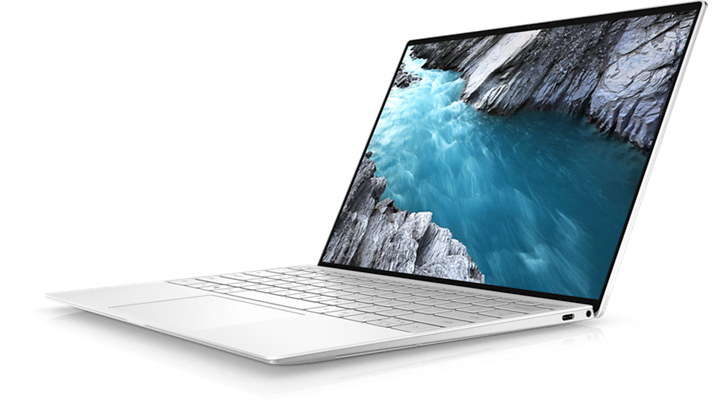
The MacBook Air is a line of laptops developed by Apple Inc. The first MacBook Air was released in January 2008, and since then, it has gone through multiple updates and redesigns. The MacBook Air is a popular choice for people who want a portable and powerful laptop that can handle everyday tasks with ease.
Why Do People Even Like The Macbook Air?
Design
The MacBook Air has a sleek design and is incredibly thin and light. The current model, released in 2020, is just 0.63 inches (1.61 cm) thick and weighs only 2.8 pounds (1.29 kg). The laptop is made of aluminum, which gives it a premium feel and makes it durable. The MacBook Air comes in three different colors: gold, silver, and space gray.
Display
The MacBook Air has a 13.3-inch Retina display, which means it has a high pixel density and can display clear and sharp images. The display also supports True Tone technology, which adjusts the color temperature based on the ambient light in the room. This makes the display more comfortable to look at and reduces eye strain.
Performance
The MacBook Air is powered by Apple’s M1 chip, which is a powerful and efficient processor designed specifically for Macs. The M1 chip has eight cores, including four high-performance cores and four high-efficiency cores. This allows the MacBook Air to handle demanding tasks like video editing and running multiple apps at the same time.
Battery Life
The MacBook Air has a long battery life and can last up to 15 hours on a single charge. This means you can use the laptop throughout the day without having to worry about running out of battery.
Keyboard and Trackpad
The MacBook Air features Apple’s latest keyboard design, which uses a scissor mechanism for more precise and comfortable typing. The keyboard is also backlit, which makes it easier to type in low light conditions. The trackpad is large and responsive and supports multi-touch gestures, making it easy to navigate the operating system and apps.
Ports
The MacBook Air has two Thunderbolt/USB 4 ports, which support fast data transfer and can be used to connect external displays, storage devices, and other peripherals. The laptop also has a headphone jack, which is a feature that many newer laptops are starting to omit.
Are There Windows Laptops Better Than The Macbook Air?
While the MacBook Air is a fantastic laptop, there are other laptops on the market that may be better suited for your needs. Here are some tips on how to use laptops better than the MacBook Air.
Gaming Laptops
If you are an avid gamer, then a gaming laptop may be a better choice for you than the MacBook Air. Gaming laptops are designed with high-end graphics cards and powerful processors that can handle even the most demanding games. They also have features like high refresh rate displays and RGB lighting that can enhance your gaming experience.
Workstation Laptops
If you are a professional who needs a laptop that can handle complex tasks like video editing, 3D modeling, and rendering, then a workstation laptop may be a better choice for you than the MacBook Air. Workstation laptops are designed with powerful processors, dedicated graphics cards, and large amounts of RAM that can handle these tasks with ease. They also have features like high-resolution displays and color accuracy that are important for professionals.
2-in-1 Laptops
If you need a laptop that can also function as a tablet, then a 2-in-1 laptop may be a better choice for you than the MacBook Air. 2-in-1 laptops have screens that can be flipped or detached from the keyboard, allowing them to be used as tablets. They are ideal for tasks like note-taking, drawing, and presentations.
Budget Laptops
If you are on a tight budget, then a budget laptop may be a better choice for you than the MacBook Air. Budget laptops are designed to be affordable, but they still offer decent performance and features. They are ideal for tasks like web browsing, word processing, and watching videos.
Windows Laptops
If you prefer the Windows operating system over macOS, then a Windows laptop may be a better choice for you than the MacBook Air. Windows laptops offer a wider variety of hardware options, and they are often more affordable than Macs. They also offer compatibility with a wider range of software and peripherals.
What’s The Best Macbook Air Alternative?
Apple Macbook Air has set the bar for premium laptops, or those that are priced at $1,000 or higher. Macbook Air was also in itself an alternative to Macbook Pros, which were more expensive than the Air.
However, most of the newer laptops released over the last two or three years within the same price range as an Apple Macbook Air are competing right alongside the Macbook Air. Sometimes, they might even have an edge over the Macbook Air.
This list features the best Macbook Air Alternatives that have better specs and features than the Macbook Air itself. This list of Macbook alternatives isn’t arranged in any particular order.
First on this list of Macbook alternatives is the LG Gram 16, and it’s one of the strongest contenders here. It competes evenly against the Macbook Pro, but without being as heavy as the Pro.
The LG Gram 16 features a thin and light design with a lot of power underneath. You’re getting at least an Intel Core i7 processor, at least 16GB of RAM, and Intel Iris XE integrated graphics card.
You may not be able to play games on this beast, but it does a hell of a good job with office work, browsing, and some graphic design even.
Without a doubt, Razer has established itself as one of the most dominant and most popular brands of laptop in the industry right now. And while they primarily focus on gaming, their foray into the office productivity sector has not gone unnoticed. And for their entry into this list, we could’ve easily picked any of the Razer Blade laptops. But we digressed and went for their premium notebook called the Razer Book.
And given the size of the Razer Book, you’re not going to find a discrete graphics card installed on here. The Razer Book features an Intel Core i7 processor, Intel Iris XE integrated graphics card, 16GB of RAM, and 256GB of SSD storage.
The Razer Book comes with with a 13″4 touch display surrounded by thin bezels and a lightweight chassis that makes it the best mobile companion in the market.
When we’re talking about Macbook Air alternatives, we would’ve been hesitant to include the Yoga 9i series of laptops from Lenovo given their previous iterations’ lackluster performance. But the current generation of Yoga 9i has changed our minds, and it’s probably the best Macbook Air alternative under the 2-in-1 laptop bracket.
Under the hood, we get an Intel Core i7 processor and Intel XE graphics card, 512 SSD storage, and 16GB of RAM. The Lenovo Yoga 9i also features a 14″ UHD touch screen monitor, and a whole lot of ports. Did we mention that it also has an impressive battery life of at least 10 hours (average)?
You might equate the Lenovo Yoga 9i to the Microsoft Surface Laptop series, also a strong contender in the 2-in-1 laptop market. But the Lenovo Yoga 9i is relatively more affordable than the Surface Laptop, which also makes it a decent alternative.
To have any gaming laptop on here on this list of the best Macbook Air alternatives would be cheating, but you might want to hear us out first.
It goes without saying that gaming laptops, regardless of brand, are automatically better Macbook Air alternatives primarily for their specifications. However, their mobility doesn’t give them an edge over the Macbook Air due to the poor battery life and large size.
But…
With the advent of 14-inch gaming laptops, people are now getting power and portability in one nifty gadget. And on this list of the best Macbook Air alternatives under the gaming laptop category, we have the Dell Alienware x14 R1.
Much like the Razer Blade series of laptops, Alienware is also one of the most recognizable brands of gaming laptops in the industry. They were known for not holding out on sheer size and power, and they made it clear that their users were not willing to compromise power for size. While they dominate the 15-inch and 17-inch gaming laptop market, they’re also trying to fight their way towards the 14-inch market dominated by the likes of the HP Spectre series, HP Envy series, and even Razer.
The Dell Alienware x14 R1 features a powerful 12th generation Intel Core i7 processor, at least 16GB of RAM (upgradable), an Nvidia GeForce RTX 3060 graphics card, and 1TB SSD. Like we said, Dell Alienware does not hold out on power even under such a small and lightweight chassis. It also has a decent battery life for a gaming laptop, meaning you can spend a couple of hours gaming without being plugged in. But then again, you don’t want to game just running on the battery.
Apple’s Macbook Air might have a difficult time keeping up with the likes of the Dell Alienware X14 R1. It’s just one of the best Macbook alternatives out there under the 14-inch gaming laptop category.
If you want something thinner than the Macbook Air, the Thinkpad X1 Nano, or the Dell XPS 13, then consider the Samsung Galaxy Book2 Pro 360.
And yes, this is considered by a lot of people as the best Windows laptop that’s just as portable as the Macbook Air M2 or other Macbook Air variants for that matter. Just because it’s thin doesn’t mean it lacks in power too.
Under the hood, you get Intel Core i7 processor, 16GB of RAM, 256GB SSD storage, and Intel Iris XE integrated graphics. The Samsung Galaxy Book2 Pro 360 also features a 360-degree hinge that lets you turn this laptop into a tablet.
The Wrap Up
In conclusion, while the MacBook Air is an excellent laptop, it’s not necessarily the right choice for everyone. There are many great alternatives on the market that may be better suited for your needs, such as gaming laptops, workstation laptops, 2-in-1 laptops, budget laptops, and Windows laptops.
When choosing a laptop, it’s important to consider your specific needs and budget. Think about what tasks you will be using the laptop for and what features are most important to you. Do your research, read reviews, and compare specs to find the best option for you.
Remember, the perfect laptop is one that meets your needs and fits within your budget. Don’t feel pressured to choose a certain brand or model just because it’s popular or trendy. With a little research and some careful consideration, you can find the perfect laptop for your needs, whether it’s the MacBook Air or one of the best Macbook Air alternatives on the list above.
Laptops have become an essential tool for graphic designers who need to work on-the-go or in different locations. With the increasing demand for high-quality visuals, designers need a laptop that can keep up with their demanding workloads. A laptop for graphic design needs to have a powerful processor, a dedicated graphics card, ample storage, and a high-resolution display to accurately showcase the design work. In this article, we’ll explore the features and considerations to keep in mind when choosing a laptop for graphic design.
Our Handpicked List of The Best Laptops for Graphic Design
One of the most solid investments you can ever make is to get yourself an Apple Macbook Pro 2021. Recent versions are even better.
Unlike your Macbook Air, the Apple Macbook Pro does not shy away from hiding its power. And like all of the Apple products, you can get full customization of the specs. You can go for 8TB SSD and up to 64GB of RAM. Combined with its powerful M1 chip and a 16.2-inch Liquid Retina XDR display, the Apple Macbook Pro is a must-have for graphic designers.
And like most Apple products, the Apple Macbook Pro is on the expensive side. It’s still a whopping $2,100+ or so, and for a good reason.
Just priced $200 cheaper than the larger Macbook Pro, which is still expensive
The 14-inch Macbook Pro is something new that Apple offered recently. The 14-inch Macbook Pro is an improvement over the older 13-inch variants, and is just as powerful as the 16-inch version above.
The 14-inch Macbook Pro also has the same specs as the 16-inch version, so there’s not much difference here aside from the screen size. If you’re particular about bringing around a heavy or large laptop, then the 14-inch Macbook Pro is something to consider.
But don’t hold out just yet as we have other smaller laptops on this list.
Possibly The Best Big-Screen Laptop for Graphic Designers
SPECIFICATIONS
CPU: Up to 11th Generation Intel Core i9-11980HK
Graphics: Up to NVIDIA GeForce RTX 3060 6GB GDDR6
RAM: Up to 64GB DDR4-3200MHz
Screen: 17.0″ FHD+ (1920 x 1200) InfinityEdge Non-Touch Anti-Glare 500-Nit – 17.0″ UHD+ (3840 x 2400) InfinityEdge Touch Anti-Reflective 500-Nit
Storage: Up to 4TB M.2 PCIe NVMe
Good:
Large screen size
Not as thick as other 17-inch laptops
Cheaper than Macbook Pro
Bad:
Mediocre battery life
As a graphic designer, you want a lot of screen real estate even for a laptop. And we have just that: the Dell XPS 17. The Dell XPS 17 comes with a 17-inch UHD screen with HDR resolution, so graphic designing or video editing on this beast.
The Dell XPS 17 comes with an Intel Core i9 processor (upgradeable to 11th generation) and various choices for:
up to 64GB of RAM
up to Nvidia GeForce RTX 3060
up to 4TB M.2 PCIe NVMe SSD
The Dell XPS 17 could be confused for a gaming laptop, given that it’s powered by an Intel Core i9 processor and an Nvidia GeForce RTX 3060, which is insane. It’s $100 cheaper than the Macbook Pro 14-inch and about $300 cheaper than the Macbook Pro 16-inch variant. If you want a lightweight laptop but don’t want to spend money on an Apple Macbook, then the Dell XPS 17 is your go-to graphic design laptop.
And with power like this, you’d assume that the Dell XPS 17 would end up big and bulky like a typical gaming laptop but that’s not the case here. It’s slimmer and lighter than the XPS 13 and XPS 15 laptops. Ultimately, the best choice for graphic design for its sheer power, size, and utility.
The downside here is its battery life. We’re just not impressed with a 2-hour run time on battery, which could be lower if you’re doing graphic design work. However, no one ever does graphic design work on an unplugged laptop because the dedicated GPU won’t work. You’re getting graphics processing power from the integrated graphics, which is slower than your dedicated GPU.
The Acer Concept D7 is another alternative to either the Dell XPS 17 or the Macbook Pro. This 15-inch laptop packs a 4K UHD resolution at 16:9 IPS, so everything just looks so good on the screen.
Underneath this simplistic laptop, you get a 9th generation Intel Core i7 processor, up to 32GB of RAM, and choice between Nvidia GeForce RTX 2060 or 2080. Needless to say, the graphics performance alone on the Acer Concept D7 is impressive. It’s not the best laptop for graphic design for everyone, but someone somewhere will probably need this more than any of the laptops mentioned above.
The specs of the Acer Concept D7 competes with gaming laptops of the same make and price tag, minus the RGB lighting and other fancy aesthetics. While we say that this is bulkier than the Macbook Pro, it’s still considered by many creative professionals as a lightweight laptop.
Screen: 14.5-inch 2880 x 1800 120Hz OLED, 12.7-inch 2880 x 864 IPS
Storage: 1TB SSD
Good:
Dual screen laptop. Enough said.
Decent specs
Bad:
Screen size is mediocre
Battery life is also mediocre
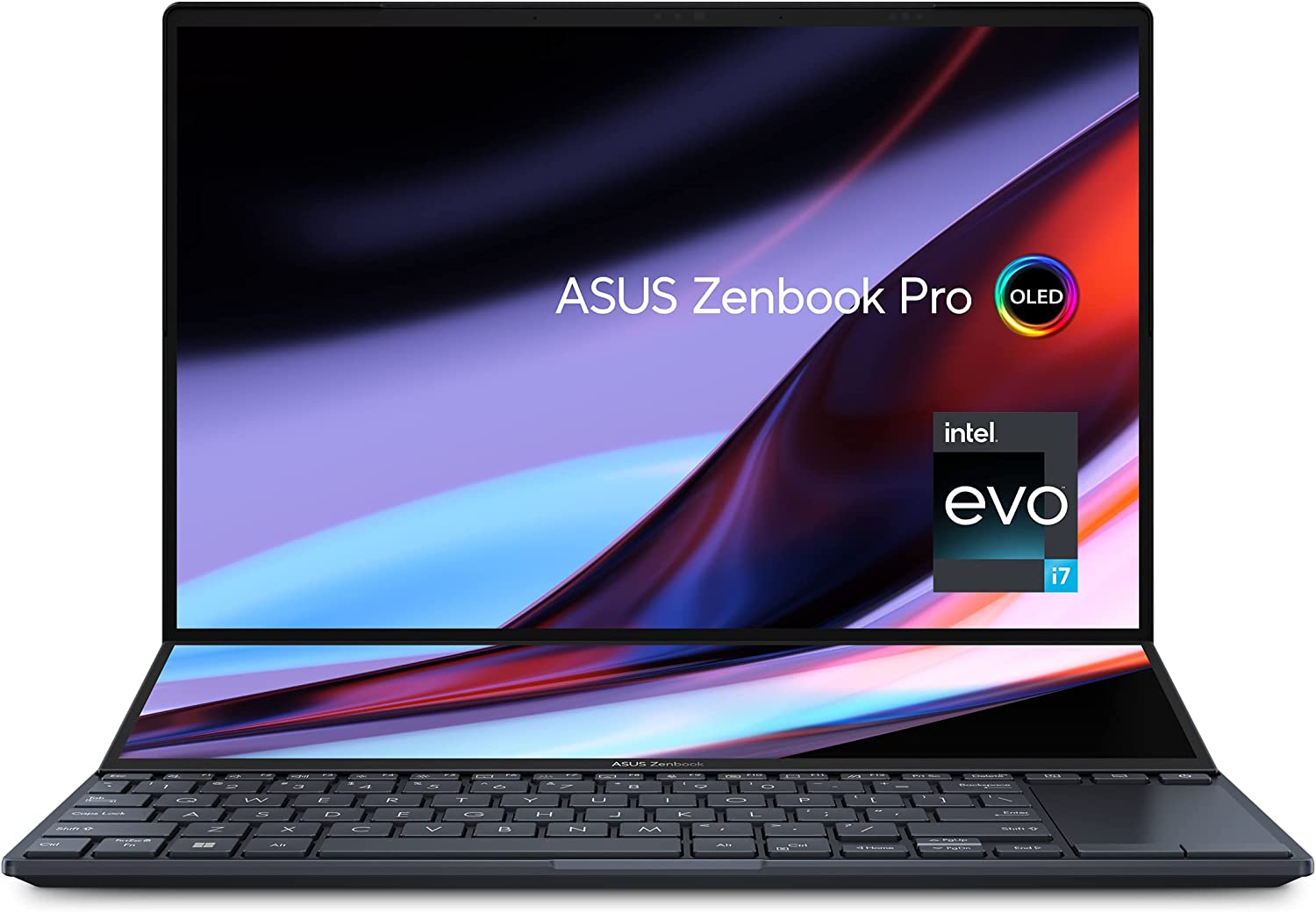
Where do we even begin with the Asus Zenbook Pro 14 Duo OLED?
Oh right. The dual screen feature. The main screen is 14.5-inches at 2880×1800 resolution with 120Hz refresh rate while you’re getting a secondary screen at 2880×864 IPS. Goes without saying that this might be one of the best laptops for graphic design solely because of the dual screen feature.
The second screen is a Touch Bar on steroids, so you can freely move apps and tools to and from the bottom screen. The screen is also compatible with a stylus, so you can turn it into a makeshift tablet too.
The power underneath the chassis is also just as impressive as the screens themselves. You’re getting a 12th generation Intel Core processor, 32GB of RAM, 1TB of SSD storage, and choice between an Intel Iris XE graphics card or an Nvidia RTX 3050 Ti graphics card. The Asus Zenbook Pro 14 Duo OLED is more than capable of running any graphic design software. With its gorgeous display, colors are vibrant and with better contrast. Just perfect for graphic designers and other creative professionals.
The price tag of the Asus Zenbook Pro 14 Duo OLED is close to the Apple Macbook Pro, but it definitely has better features. It’s a powerful laptop despite its size and can guarantee at least an impressive performance for gaming and creative work.
Choosing The Best Laptop For Graphic Design
So how do you pick the which of the best laptops for graphic design is right for your work? Clearly you’ll be guided by what you can afford, which is why we have the best options for all budgets here. But there are a few other things to consider too.
That said, here are some factors to consider when selecting a laptop for graphic design:
Processor: A powerful processor is essential for graphic design work. Intel Core i7 or i9, or AMD Ryzen 7 or 9 are good options to consider.
Graphics card: Look for a laptop with a dedicated graphics card, such as an NVIDIA GeForce or AMD Radeon. These cards can handle the demands of graphic design software and help improve performance.
Display: A high-quality display is crucial for graphic design work. Look for a laptop with an IPS or OLED display, as these offer better color accuracy and viewing angles.
RAM: The more RAM you have, the better your laptop will perform when working on complex graphic design projects. Look for a laptop with at least 16GB of RAM.
Storage: You’ll need plenty of storage space to store your design files and software. Consider a laptop with a fast SSD, which can improve the speed of opening and saving files.
Portability: If you plan on using your laptop for work on the go, consider a lightweight and compact design. However, keep in mind that more powerful laptops may be heavier and bulkier.
Battery life: Look for a laptop with long battery life, especially if you’ll be using it for extended periods without access to a power outlet.
Brand and customer support: Choose a laptop from a reputable brand with good customer support. This will help ensure that you can get help if you encounter any issues with your laptop.
What Specs Should Go Into Graphic Design Laptops?
When buying a laptop for graphic design, you’ll need to take into account the specifications of the models you’re researching, but what are the kind of specs you need?
For a good graphic design laptop, you’ll want a modern processor from either Intel or AMD. When it comes to MacBooks, Apple has its own chip – the M1 – which performs brilliantly as well. We recommend an 11th gen Intel or AMD Ryzen 4000 mobile processor if you want to future-proof the laptop.
When it comes to RAM, the more you have, the better, especially if you want to multitask. We suggest a minimum of 8GB RAM, but ideally 16GB if your budget can stretch to it.
A dedicated graphics card is also worth thinking about, especially for graphically intensive workloads. However, these can up the price of a laptop considerably, and modern integrated GPUs are good enough for day-to-day graphic design use.
What’s Our Pick For The Best Laptop for Graphic Design?
From this list of the best laptops for graphic designers, we’re inclined to go with the Dell XPS 17 and Acer Concept D7.
For the price you’re paying, the performance of either laptop is up there and competes with modern gaming laptops even. You can do graphic design work and video editing on these laptops, possibly even 3D animation and modeling. If you can live with its mediocre battery life, the Dell XPS or Acer Concept D7 is a solid pick.
If you want a laptop with amazing battery life, then the Macbook Pro is your go-to laptops for graphic design.
The Wrap Up!
In conclusion, finding the right laptop for graphic design can make a significant impact on your workflow and productivity. With the right combination of performance, display, and portability, a laptop can help you bring your design ideas to life no matter where you are. Remember to consider your specific needs and preferences when selecting a laptop, such as the size, weight, battery life, and connectivity options. With so many options on the market, it can be overwhelming to choose the best laptop for graphic design, but by keeping these factors in mind, you’ll be well on your way to finding the perfect laptop to meet your design needs. So whether you’re a professional graphic designer or a creative hobbyist, invest in a quality laptop that will enable you to showcase your design skills to the fullest.
Revit is a powerful BIM or building information modeling software used by architects, engineers, and contractors to help them design buildings in 3D, access building information, and design building components in 2D and 3D models.
Simply put, it allows certain professionals to help them design things for houses, buildings, and more. This is why you need a powerful Revit computer or laptop to help you run this software.
Why do you need a powerful workstation or laptop?
Well, you’re doing a lot of 3D modeling, simulation, and designs. This kind of workload will require a hefty amount of processing power. Having said that, you’ll need to build Revit workstations or get a laptop that’s capable of handling Revit smoothly.
What Are The Minimum Requirements?
Operating System: Windows 10 64-bit or Windows 11. macOS 10.13 (“High Sierra”) or higher for Apple
CPU: Single-Core or Multi-Core Intel, Xeon, i-Series processor or any AMD equivalent with SSE2 technology.
Memory: 8GB
GPU: DirectX 11 capable GPU with Shader Model 5 and 4GB VRAM.
Storage: 30GB Disk Space
Display: 1280×1024 with true color, or Ultra High 4K monitor
As you can see, a workstation or laptop that ensures the best Revit performance is no joke. If building a Revit computer is too much for you, we can make it easy by recommending the best performance laptops in the industry right now capable of running Revit and more.
Best Overall Laptop for Revit Software, Gaming, and More
Specs:
12th Generation Intel Core i7
Nvidia Geforce RTX 3070
16GB DDR4 RAM
1TB SSD
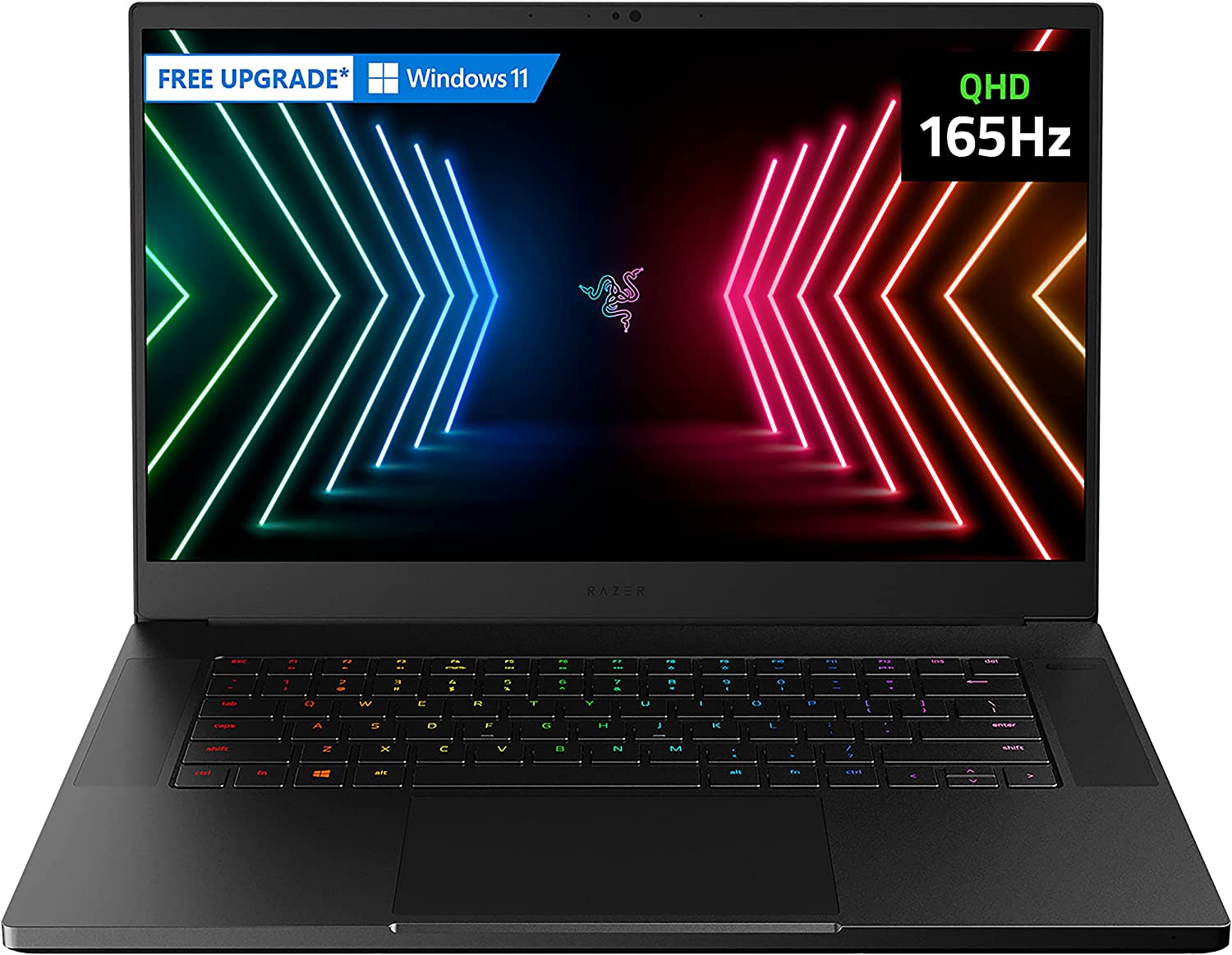
First on the list we have the Razer Blade 15, packed with a 12th generation Intel Core i7 CPU, Nvidia GeForce RTX 3070 graphics card, and a beautiful high resolution Full HD IPS monitor. If you’re looking for the best PC for Revit, consider the Razer Blade 15.
With the 12th generation Intel Core i7 CPU, you’re getting multiple cores and faster clock speeds than most of the CPUs on here. For me, the keyboard size on the Razer Blade 15 is relatively small, so it will be difficult to manipulate it comfortably.
With 1TB SSD for storage and 16GB of RAM (with option to add more, I should say), Revit users should also be able to do some gaming on the side with the Razer Blade 15.
Designers left and right love using Apple products, and the Apple MacBook Pro 2021 is no exception. You’re getting a boosted workstation for Revit software and other programs, perfect for your industry-hardened structural engineers to your ever creative graphics designers.
The M1 Chip system is more than capable of handling rendering workloads, even with an integrated graphics card.
It’s also smaller compared to its other competitors on here, which might be a deal breaker for a lot of people. As it stands, it only has a screen size of 14.2 inches.
In terms of portability and power, we’d have to place the Asus ZenBook 15 Ultra-Slim right beside the Razer Blade 15 above.
But it’s not only the power of the Asus ZenBook 15 Ultra-Slim that we’re drawn to. We’re also drawn to its amazing and versatile touchpad. The operation area of the touchpad is about 5.65 inches, which is a lot bigger than the other models.
The touchpad also operates as a second mini-monitor that provides you with better desktop control. No need to attach the Asus ZenBook 15 Ultra-Slim to an external monitor unless you really need to.
The specs of the Asus ZenBook 15 Ultra-Slim is as impressive as the touchpad itself. You’re getting enough power to run Revit and other programs without a hitch, but still be able to pack it easily in a messenger bag.
You’ve probably never heard of this brand of laptop, but it’s on this list for a good reason.
The Eluktronics MECH 15 G3R is a powerful laptop with high-end CPU and GPU, choice of 16GB or 32GB of RAM, and 1TB SSD. Everything you need to install Revit and more are found in the Eluktronics MECH 15 G3R.
But you’re probably thinking: with all that horsepower, how’s it deal with high temperatures?
The Eluktronics MECH 15 G3R is equipped with high-performance fans and adequate heatsink holes that allows it to cool down efficiently even when working under heavy loads.
If the fans are not enough, it can be connected to the external water cooler (as seen in the image). The external liquid cooling device can be purchased separately for about $199.
But the Eluktronics MECH 15 G3R isn’t as portable as the rest of the Revit workstations on here. It’s bulky and heavy, but you get what you pay for.
You don’t need external devices when you’ve got the ASUS ROG Scar 15, an impressive gaming and all-around laptop packed with a Core i9 processor and RTX 3070Ti GPU but still as light as it can be.
The monitor is a beautiful 300Hz IPS FHD display. Anything displayed on it looks really good. whether it’s for graphic design or running Revit files.
16GB of RAM and 1TB SSD storage make the ASUS ROG Scar 15 capable of running even the most complex models built on Revit without difficulty.
With the best CPU and a powerful GPU installed in the laptop, it’s no surprise why this laptop comes with a hefty price tag.
Powerful Laptop with Multiple Connectivity Options
Specs:
Intel Core i7-10870H
16GB DDR4 RAM
NVIDIA GeForce RTX 3070 8GB GDDR6
1TB SSD
Alienware is a brand that needs no introduction. It was one of the first brand names ever to be associated with gaming laptops. Now, they’ve moved on to developing high-powered gaming desktops.
On this list, we have the Alienware R4, equipped with a powerful GPU/CPU tandem and a longer battery life than any of the other laptops on here. And much like the Eluktronics laptop above, the Dell Alienware R4 is bulky and heavy. It’s also just as expensive as the
The Autodesk Revit software doesn’t require multiple processors or a hefty count of CPU cores, but it does need you to work with a large-sized screen if you want to see the finer details of some Revit designs.
And what better way to see all the details than with the Acer Nitro 5 AN517, a bulky and sizey laptop with a whopping 17-inch 144Hz IPS display? Majority of the laptops on this list have 15-inches at most, but the Acer Nitro 5 AN517 beats them out by a couple more.
You’re already getting 144Hz FHD display with enough power to run Revit and a lot of the modern games. Cooling won’t be an issue, thanks to the Acer CoolBoost technology that improves the cooling fan’s performance by up to 10%.
Buying Guide For Building a Revit Workstation
We’ve showcased some of the best laptops in the market, but what if you want to build a PC for Revit?
From the list, you’ll need a powerful PC capable of handling Revit or any other 3D modeling software. That means your shopping list is going to look like this:
Intel Core i7 or its AMD Ryzen counterparts
16GB DDR4 RAM for system memory
1TB Solid State Drive and additional 2TB/4TB HDD for storing files
Nvidia GeForce RTX 20-series or 30-series GPU or its AMD counterparts
23-inch FHD Monitor with least 120Hz refresh rate
We’re going for an Intel Core i7 at the very least because you need more CPU cores when it comes to rendering, modeling, gaming, and animation. AMD Ryzen 5 or 7 is a solid choice if the Intel Core i7 is too expensive for you.
For the graphic cards, we’re going to go with the Nvidia RTX 20-series at the very least. They’re probably the best value GPU for building a PC for Revit. Most users would probably go for the 20-series or its AMD counterparts, but the Nvidia RTX 30-series are slowly becoming more affordable.
You’re also going to want 16GB of RAM at the very least and at least 1TB SSD, so save times are going to be faster. You can upgrade to more RAM and SSD when you need to down the line.
Now the bigger question: can you build a PC on a budget?
You could, but you won’t get the speed or performance to carry out the heavy Revit design tasks. We’re not saying the PC will not run, but it will definitely struggle.
Animation tasks can be daunting, from the process itself to generating the final output. This is why you need a high-end desktop PC or one of those well-built gaming laptops.
The biggest consideration you’ll ever make is whether or not your computer is capable of running majority, if not all, of the available animation software in the industry. We’re talking about software that covers 2D and 3D animation tasks, on top of other software for video editing, graphics design, and even some video games.
At its core, the setup that you want for your future computer for animation is close to what you’re getting for a gaming PC or gaming laptop.
With that being said, we’ll take a look at some of the best computers and laptops for animation tasks and more. We’ll feature both high-end systems as well as a budget option for your consideration.
What Is The Best Laptop or Computer for Animation?
Storage: 1 TB PCIe NVMe M.2 SSD and 2 TB 7200RPM SATA HDD
What’s Good?
A powerful and robust workstation for animation and other tasks
What’s Bad?
Prebuilt PC, so less room for customization and/or upgrades
All right, this is one of the best prebuilt gaming PCs you’ll ever lay your hands on. Though we mentioned you barely have enough room for upgrades, you don’t really need to.
You’re getting an Nvidia GeForce RTX 3080 for your graphics card, which is one of the best graphics cards in the market right now (outside of the RTX 4000 series), an Intel Core i9-10900K processor, choice of up to 64GB RAM, and a 1TB SSD combined with 2TB HDD for storage. Is it powerful enough to compete against 120Hz gaming laptops? You get.
This is probably the only desktop computer you’ll ever see on this list, mostly because you can always build one yourself following the same specifications as the HP OMEN 30L, or better.
Just from the CPU and GPU itself, you’re getting two of the best models in the market right now. You won’t be getting bottlenecked as both the CPU and GPU are capable of powering through anything you throw at it.
You’re probably spending a few more dollars on here to upgrade the RAM up to 64GB, which is more than enough for any animation software. Storage-wise, you’re getting 1TB of SSD so you can preload all your games and software into this beast without worrying about running out of space.
Processor: Apple M1 Pro or M1 Max (Up to 10-core CPU)
RAM: Up to 64GB Memory
Integrated GPU: Up to 32-core GPU
Storage: Up to 8TB SSD
What’s Good?
Up to 21 hours of battery life, depending on usage
Powerful and compact
What’s Bad?
Expensive but worth it
Apple fans should rejoice as the 2021 MacBook Pro is on this list, and for good reason. Unlike the MacBook Air, the 2021 MacBook Pro does not hold out on power. You’re getting enough processing power for even the most demanding animation software. And yes, the display itself is a thing of beauty. There’s no surprise here as to why animators are huge fans of the 2021 MacBook Pro.
The Apple M1 Pro competes with the likes of Intel Core i7 and AMD Ryzen 7 processors without difficulty. Its also got a 32-core integrated GPU supported by 64GB of RAM and up to 8TB SSD.
Processor: Intel Core i7-9750H (Up to 4.5 GHz) to i9-9980HK (Up to 5.0 GHz)
RAM: 16GB to 64GB DDR4 Memory
GPU: Nvidia Quadro RTX 3000 to Quadro RTX 6000
Storage: 1TB+1TB to 2TB+2TB PCIe NVMe SSD with RAID 0 with Physical TPM chips
What’s Good?
This thing is packed and powerful
What’s Bad?
Probably the most expensive computer on this list.
Where do we even begin with the ASUS ProArt StudioBook Pro X? This has everything you need to run video editing software, graphics design apps, and yes, even the most demanding 3D animation software.
If we were to give you just the specs alone, you’d probably assume that this was a prebuilt gaming PC or a powerful workstation. The fact that the ASUS ProArt StudioBook Pro X is a laptop makes it even more impressive.
You’re getting either a 9th generation Intel Core i7 or 9th generation Intel Core i9 processor, up to 64GB of RAM, and an Nvidia Quatro RTX 3000 to Quadro RTX 6000 series graphics card. Your storage is either choice of 2x 1TB PCIe NVMe SSD or 2x 2TB PCIe NVMe SSD. You’ll have enough power and storage room for a plethora of animation projects.
At this point, upgrading to the maximum specifications possible won’t put a dent in your wallet. This is already an expensive workstation, so you might as well go all out for this machine.
To sum it up, if you need a powerful computer that you can bring around, the ASUS ProArt StudioBook Pro X is a solid pick. There’s enough power for tedious CPU rendering processes, a decent enough battery life that allows you to work on the go without plugging it in, and hardware that puts a midrange gaming PC to shame.
Processor: Intel Core i5-9300H (Up to 4.1 GHz) to i7-11800H (Up to 4.6 GHz)
RAM: 8GB to 16GB DDR4 Memory
GPU: Nvidia GeForce GTX 1650 to RTX 3050Ti
Storage: 256GB to 1TB PCIe NVMe SSD
What’s Good?
Affordable and powerful enough for mid-range animation projects
What’s Bad?
Specs could be better, but you get what you pay for
Let no one ever tell you that there’s something wrong with going for budget options. Just because it’s cheap doesn’t mean it’s subpar, at least for laptops. For animators on a tight budget, the Acer Nitro 5 is the best pick for you.
At the very least, you’re probably spending about $800 to $1,300 for this option because of its upgrade options. For a few hundred dollars more, you could set yourself up with a powerful computer.
Let’s talk about the specs. You’re getting at least an Intel i5 processor and at least 8GB of RAM with an Nvidia GeForce GTX 1650 for the GPU. You get at least a 256GB SSD for storage space. The base setup is probably about $600 to $700. If we’re pushing the limits, you could upgrade the Acer Nitro 5 with an Intel i7 processor, 16GB of RAM, Nvidia GeForce RTX 3060 (or RTX 3050Ti), and up to 1TB SSD for about $1,300.
The Acer Nitro 5 also boasts of a 15″ HD display with a 144Hz refresh rate, which should give graphic designers and animators enough screen real estate to work with. This portable laptop is light enough to carry around, so you can work on the go.
And as expected from Acer, we get high quality USB ports and HDMI slots if you want to run dual monitors. For those who want to invest in animation projects, this is a good starting point.
Storage: 512GB NVMe SSD (2 x M.2 slots; 1 slot open for easy upgrades)
Display: 15.6 to 17.3 inches; Full HD
What’s Good?
Solid value in terms of performance and price
What’s Bad?
Mediocre battery life
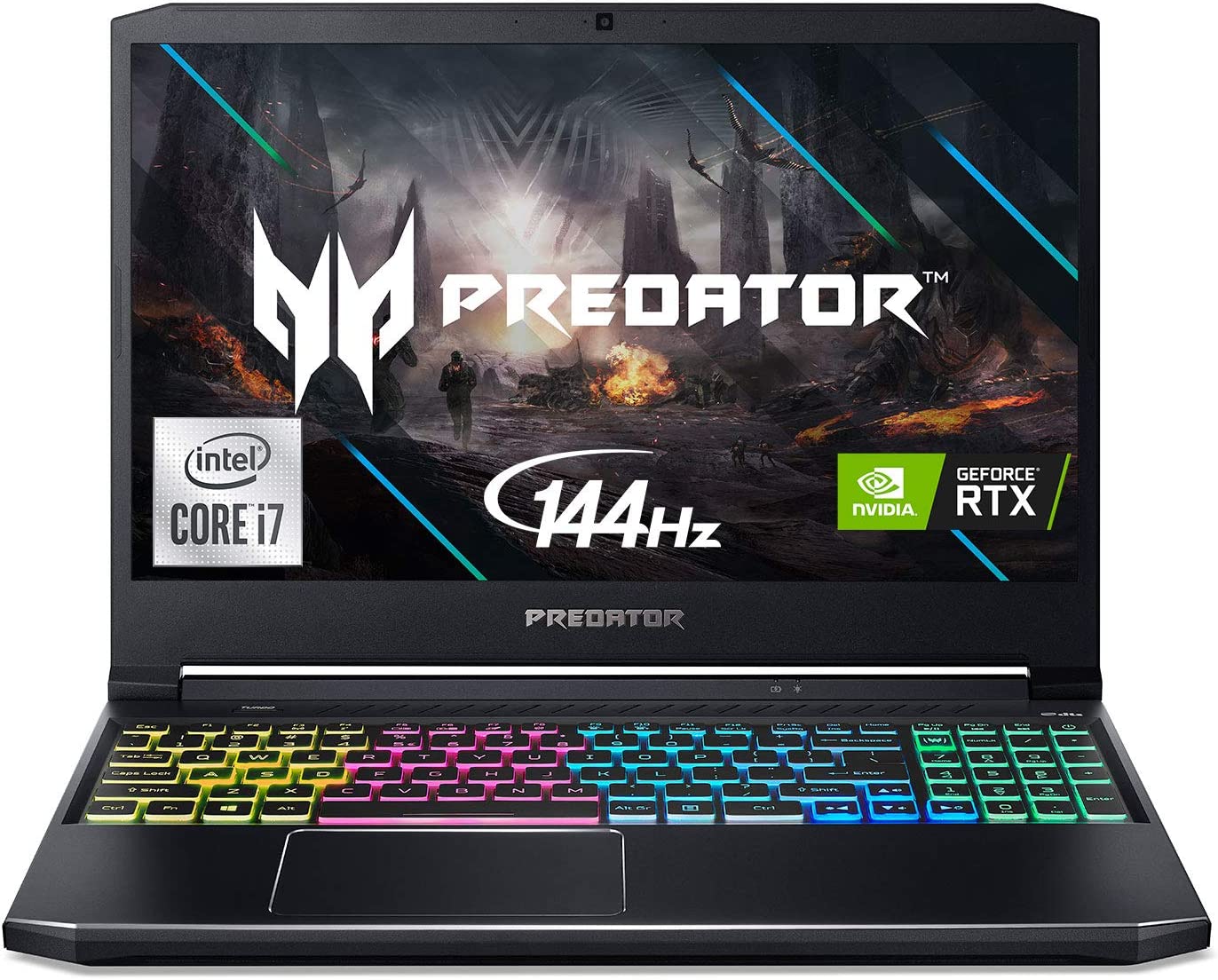
The Acer Predator Helios 300 might be one of the best laptops for animation just because of its impressive spec sheet. It’s packing a lot of processing power because of the graphics cards and its incredibly powerful processor.
The Acer Predator Helios 300 comes with a 10th generation Intel i7 processor, 16GB RAM, choice of GPU between the Nvidia GeForce RTX 2060, RTX 2070 Max-Q, or RTX 3060. There’s room for upgrades if you want to boost your RAM or storage space. To say that the Acer Predator Helios 300 will give you an impressive performance is an understatement.
For animation projects that need Maya or other advanced software, the Acer Predator Helios 300 has enough RAM for the heaviest animation work. Just don’t run two animation programs side by side. If you want to push it to the limit, you can upgrade to 64GB.
If we’re running on the battery life for animation tasks, then you’re probably going to be disappointed. It’s estimated you’re getting 6 hours of battery life, which isn’t terrible but it’s not ideal either. Remember, you’re probably running browsers and other programs on top of the animation software. So, realistically speaking, you’re hitting about 3 to 4 hours.
What’s The Right Computer Hardware?
We’ve seen great laptops and a premium PC listed in this article. But if you want to build the best desktop PC for 3D animation or want the best laptops for animation, then you want to pay attention to what kind of hardware you’re getting.
And with 3D animation, video editing, and even graphic design, you need mid-range hardware. You don’t need the most powerful laptop or PC for that matter, but you want to make sure that you’re getting the power and performance that you need.
Having said that, what are you looking out for?
Processors
One of the two components you need to pay attention to is your processor. You want something that has the highest clock speed and max turbo speed possible, and that should fit your budget.
We’re not saying you should invest in an Intel i9 or AMD Threadripper, but they’ll probably go a long way in terms of helping you edit and render 3D animation work.
Graphics Cards
Another non-negotiable component is the graphics card, and we’re sorry to say that your integrated GPU might not be enough. Keyphrase there is “might not be enough”. The CPU you get will dictate how far you can take your integrated GPU, but if you want something reliable, then a dedicated GPU is a must.
If you want a solid graphics card that could power through any animation work, you’ll need at least an Nvidia GeForce GTX graphics card (probably 1650 or 1660). You can work with the RTX series as well (RTX 3050, 3060, 3070, and 3080).
If you want something more expensive but with a more impressive performance to price ratio, then you’ll need workstation GPUs. These are more expensive than the usual graphics cards you see in the market, but they are more robust and reliable.
RAM
Your PC or laptop’s rendering capabilities are also reliant on your RAM, so the more RAM you have, the better.
You probably want to settle for at least 16GB, and that should get you enough speed to switch between animation software, web browsers, and other programs. If you want to push it to the extremes, you can probably hit up to 128GB of RAM if the motherboard allows it.
Storage
Storage is pretty much an important component for two reasons:
You need something fast to store your operating system, applications, and games.
You need something robust to store all the raw files and outputs.
For this setup, you want to go with an SSD storage to house everything, from your operating system to your games to your animation software and so on. SSD is a thousand times faster than traditional HDDs, but they’re a bit on the expensive side if you want a bigger capacity.
Which is why you want to go for a traditional HDD as your backup storage. You’ll be storing all your files and everything else that doesn’t rely on faster load times.
We recommend going with a 1TB SSD and up to 2TB HDD. You can scale up higher with a 2TB SSD and 4TB HDD, but prepare to shell out a lot of money for the SSD.
Display
Whether you’re on a gaming laptop or on animation CPU, you’ll need to work with a great monitor. But performance-wise, it doesn’t really affect your system as a whole.
The reason you want a great display, or set of displays, is you want to have the best view possible when working. This means you get just the right brightness and contrast, the right RGB setting, and even the right refresh rate.
What do you want at the bare minimum?
Go for anything that’s at least an 1080p full HD (FHD) screen.
For an animation CPU, you want to pair it with at least a 15-inch screen. But bigger will always be better.
For laptops, you want at least a 15″ FHD or UHD screen. 13″ screens are too small.
What’s Our Pick?
If we’re talking about the best laptop for animation projects and more, we’ll go with the ASUS ProArt StudioBook Pro X. It’s a portable workstation that’s meant for handling even the most challenging task for animating, rendering, and more.
It’s the best computer for animation you’ll ever lay your hands on, but it’s going to cost you a few thousand dollars. But hey, consider it an investment in the long run.
It’s one of the most asked questions that laptop owners have. Decades ago, you’d have scoffed at the idea of laptops getting their own discrete graphics card, but here we are now. Laptops have literally become somewhat of a mobile version of a desktop, mostly because the former and the latter are built similarly in more ways than one.
And if you have a gaming laptop, you’re probably wondering as to whether or not you can upgrade your laptop GPU. After all, it wouldn’t make sense to buy a new laptop just to upgrade a GPU right?
Well, we’ll answer those questions and more in this article.
How Different Is a Laptop’s Graphics Card from a Desktop Graphics Card?
A graphics processing unit, or GPU, in a laptop works the same way as a desktop GPU. The graphics card is responsible for rendering images, videos, and graphics, and powering through graphics-intensive tasks.
There really isn’t a big difference between a laptop GPU and a desktop GPU. GPUs of modern laptops have excellent graphics performance, mostly because they carry the same model of desktop graphics cards. However, laptop GPUs aren’t as powerful. For example, an Acer Predator Helios comes with a 6GB Nvidia GeForce RTX 3060 laptop graphics card. A desktop version of an Nvidia GeForce RTX 3060 has 12GB of VRAM.
Why don’t gaming laptops and their graphics cards have the same specs as their desktop counterparts?
It boils down to hardware, and how a gaming laptop is built in general. Certain hardware components such as Motherboard and RAM in laptops are different from desktop PC. If you were to actually use the same desktop motherboard and build it into a laptop, you’d end up with something bigger than your average laptop.
The limitation of the laptop’s graphics card’s specifications is dictated by what kind of motherboard is used, and how big the laptop is. Note that laptops are meant to be carried around for work purposes. But a gaming laptop will allow you to play games, do some video editing, and more without building a PC.
Gaming on laptops might not be the same as gaming on a PC, but you’ll still be able to achieve 60FPS and ultra graphics settings regardless.
Can You Upgrade Your Laptop’s Graphics Card?
A similar question like this is often asked by one of two people:
Those who find buying a new gaming laptop too expensive
Those who want to upgrade their old GPU but want their older laptops to play games and more
The answer to this question is NO.
Yes, most laptops today have upgradeable RAMs and storage, but the two things that can never be upgraded (at least this time of writing) are the CPU and GPU.
However, some laptop manufacturers like Dell, have separate graphics cards that aren’t soldered into the motherboard, so you might be able to upgrade the graphics processing unit. But the vast majority of gaming laptops aren’t exactly upgradable.
Are There Alternatives to Upgrading To A Better Graphics Card?
If you have an old laptop and want to play games on it, there is another way for you to upgrade your graphics card. Note that this isn’t really optimal, but they will give you enough graphics performance for gaming, graphic design, video editing, and more.
USB Graphic Cards
Laptops can use USB graphics cards, but not exactly for gaming. As the name implies, the USB graphics card is plugged into a USB port. You then get access to extra graphics output (like an HDMI port or VGA as seen in this Startech USB Graphics Card). This will basically allow you to run a second screen simultaneously with your laptop.
External Laptop Graphics Cards
Another way for you to upgrade to a better GPU is to use an external GPU enclosure and connected to the laptop via the Thunderbolt port.
A good example would be the Razer Core X Aluminum External GPU Enclosure. External GPUs come with separate cooling system and requires additional power cables for the power supply since it doesn’t tap into the laptop’s PSU.
You can use any desktop graphics card on any compatible external GPU enclosure, but don’t expect the same kind of graphic performance as you would on a powerful desktop.
20 or 30-odd years ago, if we told you that laptops were going to be used for something other than doing office work, you’d probably scoff at the thought. After all, a laptop is a compact version of a personal computer and because of its size, you wouldn’t expect it to house powerful hardware. At least, this was what people thought 20 years ago.
Now, laptops have gone above and beyond doing office work. With all the advancements made in personal computing, we now have GPUs and CPUs designed for laptops. This means that whatever PC specs you could build, you’ll find a laptop that has similar or more powerful specs.
The downside to high-end laptops is their battery life and usage. By default, laptops will automatically switch to the integrated graphics card (iGPU) when it’s unplugged rather than use the discrete GPU for anything that needs graphics processing power. You’ll still be able to use the laptop for photo editing, but don’t expect the battery to last you an hour or so.
And speaking of laptops for photo editing, that’s exactly what we’re going to talk about in this article. Even though you’re just editing photos, the processing power required by photo editing software is a bit higher than what you’d need for gaming.
The photo editing laptops we will be listing in this article all have higher-than-average specs and a hefty price tag. If you’re getting started with photo editing as a career, or if you want to improve your current setup to become more mobile, then these photo editing laptops are up for consideration.
What Is The Best Laptop For Photo Editing?
These laptops are not arranged in any particular order, so the decision on what’s the best photo editing laptop will ultimately boil down to what you need and how much you’re willing to shell out.
We’re not playing favorites here, but if you just want to get the best laptop for photo editing, video editing, and other tasks, then the MacBook Pro M1 is a solid pick if you have no qualms with spending about $2,000.
The MacBook Pro M1 is better than its 2020 predecessors by a mile, breaking through the RAM restrictions and display size. With a 16-inch screen and an option to upgrade to as much as 64GB, photo editors will be more than happy to put this minimalist beast to the test.
And as for battery life and combined with the M1 chip architecture, you’d be surprised to know that the battery life on the MacBook Pro M1 can go as high as 21 hours even when you’re doing video editing or photo editing. If you want a second monitor, you can easily go for monitors under $100.
RAM: 8GB default, can be upgraded to as high as 24GB
Screen: 13.3-inch Retina Display with True Tone
Storage: 256GB base storage space, upgradeable to 2TB SSD
Why Consider It?
Amazing screen quality
Excellent performance and portability
Why Avoid It?
2 USB ports may not be enough for photo editors
Small screen size, may not be enough for photo editors or video editors
If the MacBook Air is way too expensive for you but you still want to go for something made by Apple, then you can’t go wrong choosing the 13-inch MacBook Pro. Even with specs that’re a bit underwhelming compared to the Macbook Air, the MacBook Pro still does a great job for powering through photo editing tasks, video editing tasks, and more.
And with a price tag that’s almost 50% less than what the MacBook Air would cost you, we believe that the MacBook Pro gives you the best bang for your buck.
An All-Around High-End Laptop For Photo Editing and More
Specs Cheat Sheet
CPU: Choice of Intel Core i7 12th Gen or Intel Core i9 12th Gen
GPU: Choice of Nvidia GeForce RTX 3060, Nvidia GeForce RTX 3070Ti, or Nvidia GeForce RTX 3080Ti
RAM: 32GB
Screen: 17.3-inch screen at 2,560×1440 pixel resolution
Storage: 1TB SSD
Why Consider It?
Quality display
Excellent overall laptop build
Powerful specifications packed inside a compact machine
Why Avoid It?
Expensive!
Probably one of the highest-performing laptops on this list, the Razer Blade 17’s reputation precedes itself for both gamers and creative professionals. With a price tag higher than that of both Apple products listed above combined, you’re getting what you pay for.
First, you’re getting either an Intel Core i7 or an Intel Core i9. Both are considered powerful processors for gaming, video editing, and more. Then you have the Nvidia GeForce RTX graphics cards for serious graphics processing performance. Tinkering with the options for upgrades, you’ll be spending close to $6,000 for an Intel Core i9 and an RTX 3080Ti combination.
But even with these specs, is this the best laptop for photo editing? If you don’t mind spending a lot of money on an all-around machine, then this is a solid pick. The hardware will definitely last you for more than five years, and you won’t ever feel the need to upgrade to a newer machine or model of the Razer Blade for the foreseeable future.
For the budding photo editing professional or creative professional, consider this a hefty but worthwhile investing for growing your career.
Screen: 14.4-inch 2400×1600 resolution at 120Hz refresh rate
Storage: 256GB base SSD storage size with option to upgrade to 2TB SSD
Why Consider It?
Lightweight and portable
Excellent Retina display
Why Avoid It?
No HDMI port or memory card slot
The Microsoft Surface Laptop Studio is possibly one of the most minimalistic laptop/tablet combinations we’ve ever laid our eyes on, and maybe the best laptop for photo editing for the photographer on the go.
The Microsoft Surface Laptop Studio features a hybrid design so you can convert from laptop to tablet on the fly, but sadly, no 360-degree hinge. Rather, the Microsoft Surface Laptop Studio features a dual-hinge similar to traditional laptops and a secondary hinge located in the middle of the screen so you can prop up the screen.
Inside the Microsoft Surface Laptop Studio, we have the Intel Core i7 11th gen CPU and room for upgrading up to 32GB RAM and 2TB storage for a minimal cost. At most, you’re spending $1,399 to max out on upgrades.
Its portability is both its strength and weakness. The absence of a GPU, speakers, and webcam will definitely be a disappointment for those looking for more. But hey, you get what you pay for. This is a photo editing laptop at best with no added features.
RAM: 8GB stock RAM, with option to upgrade to 64GB
Screen: 15.6-inch IPS LCD screen at 3840×2400 resolution
Storage: 512GB SSD, upgradeable to 2TB SSD
Why Consider It?
Excellent performance
Decent number of available ports, including SD slot
Why Avoid It?
Mediocre battery life
Expensive
Dell is notoriously good at creating powerful hardware, from their gaming laptops to their prebuilt desktop PC lineups. Coming into this list is the Dell XPS 15, or Dell XPS 9000, and this Windows laptop is absolutely packed to the teeth.
For the Dell XPS 15, we got the Intel Core i9 processor and an RTX 3050 for excellent graphics performance for gaming and other stuff. The screen’s also what we’d consider to have one of the best configs for photo editors and other creative professionals. The Dell XPS 15 comes with a 4K resolution at a 16:10 ratio, with a 500-nit brightness.
But this is not a budget laptop either. You’ll need to mix and match certain upgrades to get the performance that you need. But regardless, the Dell XPS 15 is one of the best laptops for photo editing and more.
An Uncompromising Laptop With Specs and Aesthetics To Match
Specs Cheat Sheet
CPU: Intel Core i9 12th generation
GPU: Intel Iris XE
RAM: 8GB stock RAM, with option to upgrade to 32GB
Screen: 14.5-inch screen at 2880×1800 screen resolution
Storage: 512GB stock SSD storage, with option to upgrade to 1TB SSD
Why Consider It?
Impressive dual screen setup
Overall fantastic build
Why Avoid It?
Ergonomically complicated
Mediocre battery life
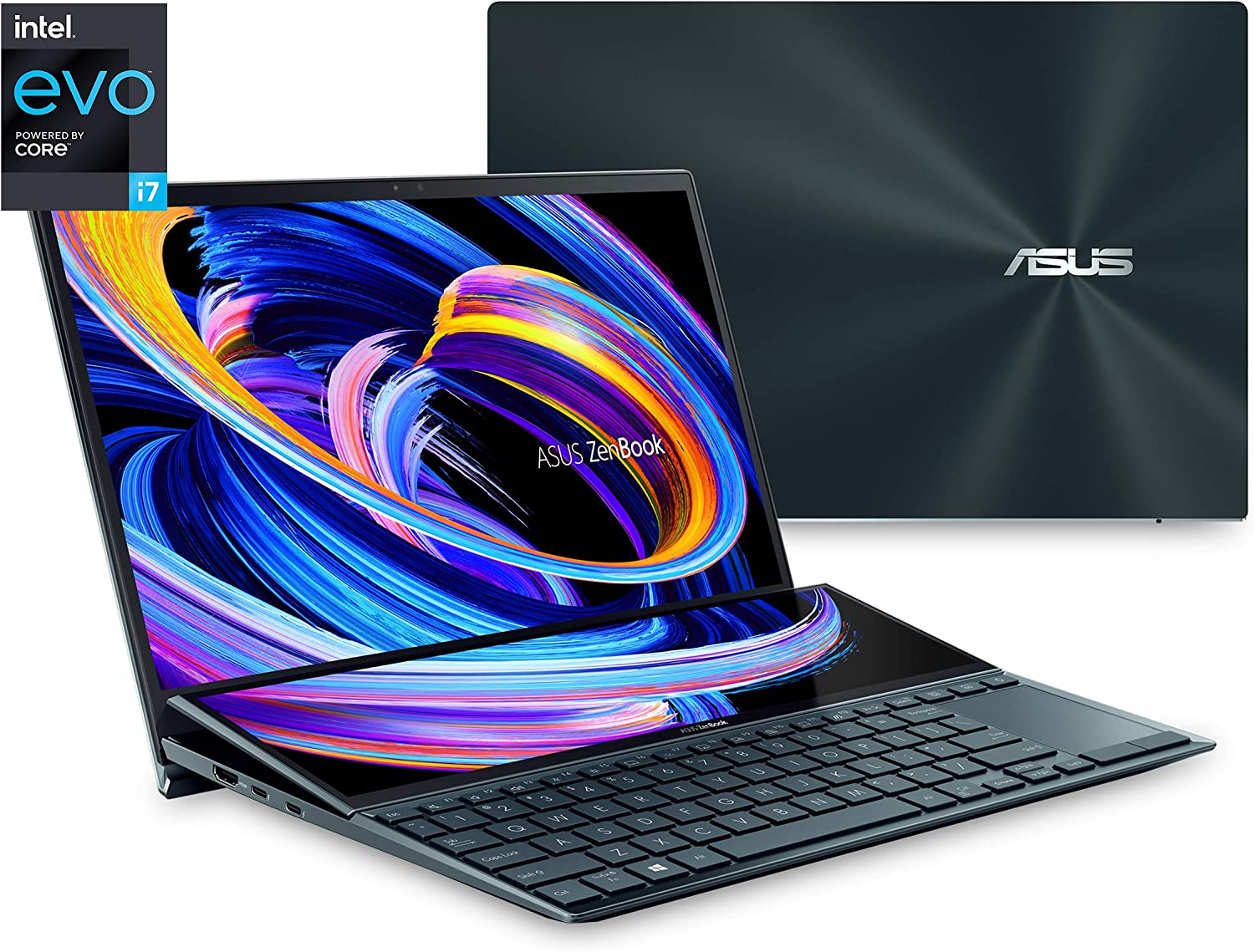
We’ve got the Asus Zenbook Pro Duo 14 on this list for several reasons, and one of the happens to be its impressive touch-sensitive secondary screen nestled right above the keyboard. The ScreenPad Plus, as Asus named it, can be used as a second monitor so you can display another app. You can even split it into three columns to contain different apps.
The main monitor is an impressive 14.5-inch OLED display with 100% DCI-P3 color space coverage and a 550-nix max brightness combined with the most beautiful contrast setup you’ll ever gaze your eyes on.
The Asus Zenbook Pro Duo 14 is quite possibly one of the best laptops for photo editing not just for the screen but also the hardware powering it. The Asus Zenbook Pro Duo 14 comes with an Intel Core i9 Processor and room to upgrade up to 32GB RAM and 2TB SSD.
But there’s a tradeoff. The available screen real estate has made the ergonomics for keyboard and trackpad in a bit of an awkward spot. But so as long as you get used to the setup, it doesn’t really become that much of a bother. The screen quality of the Asus Zenbook Pro Duo 14 still makes it a decent purchase, especially if you like having more screen real estate than regular Windows laptops.
A Spectacular Laptop With Genuine Tablet Functionality
Specs Cheat Sheet
CPU: Up to Intel Core i7 11th generation
GPU: Intel Integrated Graphics
RAM: 16GB
Screen: 13.5-inch OLED screen at 3000×2000 resolution
Storage: 512GB SSD
Why Consider It?
Laptop with OLED display
Incredible battery life
Usable tablet functionality
Why Avoid It?
Not even remotely cheap but not as expensive
Limited graphics performance
If the Microsoft Surface Laptop Studio tickled your fancy, the HP Spectre x360 OLED might be a solid contender for best laptop for photo editing. This might be considered the best laptop for photo editing simply because of its OLED display, and once you go OLED, you’ll never want to settle for anything less.
For photo editing, the HP Spectre x360 OLED has enough processing power to run even the most demanding photo editing software. The HP Spectre x360 OLED’s build quality is excellent, and it’s actually a usable tablet bunled with input pen (with inking support). And in the tradition of HP laptops, the HP Spectre x360 OLED’s battery life is impressive even with an 11th generation Intel Core i7.
An Impressive Gaming Laptop For All-Around Purpose
Specs Cheat Sheet
CPU: Up to 10th-generation Intel Core i7
GPU: Nvidia GeForce RTX 2060, upgradeable to RTX 2070
RAM: 16GB
Screen: 15.6-inch OLED screen with 4K resolution (3840×2160) and touchscreen capabilities
Storage: Up to 1TB SSD
Why Consider It?
It’s a gaming laptop
Excellent build quality and performance
4K OLED display
Why Avoid It?
A bit bulky to lunk around if you’re on the move a lot.
Razer Blade 17 made it to this list, but comes with a large price tag. If you want a compact laptop for photo editing, then the Razer Blade 15 is a solid pick. While it’s primarily a gaming laptop, and arguably one of the best built gaming laptops there is, the Razer Blade 15 packs enough power for editing photos, videos, and maybe some 3D work.
The reason why it’s a contender for the best laptops for photo editing is that it packs a 15.6-inch 4K OLED display. The colors, brightness, and contrast are as vibrant as you can get on a 15-6 inch screen. Oh, it’s got a 300Hz refresh rate and a touch-sensitive screen too.
For this Razer laptop, we get the GeForce RTX 2060 graphics card (upgradeable to RTX 2070 or RTX 2080). It’s not one of the RTX 3000-series graphics cards, but it’s still considerably fast and the graphics processing power is impressive.
The Wrap Up
So which do you think is the best laptop for photo editing? Well, it boils down to what you need and how much you’re willing to spend. A couple thousand dollars might be over the top if you’re just getting started, but you can’t go wrong with investing in a future-proof gadget either.
The Macbook Pro is the ultimate gadget for the on-the-go professional and is considered as the ultimate laptop for a lot of people. For some people, the Macbook Pro is their choice of laptop because of their portability. For others, it’s their sheer power. For the handful, the brand speaks for itself.
But even if the Macbook Pro is expensive, some people just can’t live without it mostly because they’re more familiar with the macOS system than Microsoft Windows. Sometimes, the macOS just offers more for them than any Windows laptop. The latest run of Macbook Pro and Macbook Air are equipped with the M1 processor, known for its power and efficiency. Combined with the SSD storage, the Macbook is a lot more powerful than some Windows laptops (non-gaming laptop, at least).
But there are other laptops out there that we consider to be Macbook Pro alternatives. And by alternatives, we mean these Windows laptops are just as powerful or close to matching the Macbook Pro’s speed and capabilities. These alternatives for the former Macbook user who’s transitioning into Microsoft Windows, or those who want a Macbook-like experience but don’t want to shell out a lot of money.
The Best Macbook Pro Alternatives in the Market Right Now
Dell XPS 13 OLED
Dubbed as the Best Macbook Pro Alternative
If we’re talking about the best Macbook Pro alternative, then it’s got to be the Dell XPS 13. Hands down, its processor is just as powerful as the Macbook Pro’s M1 processor and its design is an absolute replica of a Macbook Pro (minus the Apple logo).
The Dell XPS 13 is a lot more portable than it looks. It weighs about 2.64 lbs. and is about 0.58 inches thick. The Macbook Pro weighs 3.1 lbs. and is 0.61 inches thick. These maybe just numbers, but it does put into perspective just how more compact the Dell XPS 13 is.
For the hardware, the Dell XPS 13 offers more power with system memory being upgradeable up to 32GB and storage up to 2TB. The 13-inch Macbook Pro on the other hand has about the same system memory capacity and the same storage capacity, while the Macbook Air gets up to 16GB system memory and 2TB of storage.
There’s also more connectivity with the Dell XPS 13 than both Macbook Air and Pro. The Dell XPS 13 contains 2 Thunderbolt 3 ports, 3.5mm audio jack, and a microSD slot. There’s a USB-C to USB-A adapter included so you can hook in an external mouse or keyboard. There’s also the variant with touch-based screen capabilities along with UHD+ resolution. Needless to say, the Dell XPS 13 does a good job at giving the Macbook Pro a run for its money.
Now you know why it’s the best Macbook Pro alternative right now.
Our second entry for the best Macbook Pro alternatives is the Asus Zenbook 13 OLED. It’s got all the aesthetic premium design and feel of a Macbook Pro, minus the hefty pricetag.
The display of the Asus Zenbook 13 OLED is at 1080p resolution, but the OLED Panel makes everything on the screen look as crisp and more beautiful. But the Asus Zenbook 13 OLED is more than just looks.
Under the hood, you’re getting either Ryzen 5 or 7 processor, neither of which are underpowered for carrying out multi-threaded tasks. In fact, the latest AMD processors come close to the Apple M1’s performance. You’re also getting up to 16GB system memory with expandable storage up to 512GB SSD. Granted the ports are limited compared to the Dell XPS 13, but no one’s complaining here.
The Asus Zenbook is here to say and is definitely one of the more affordable Macbook Pro alternative in the market.
If you think there’s no Windows laptop out there that’s lighter than the Macbook Air, then you’re wrong because here comes the Lenovo ThinkPad X1 Nano. It boasts of a 13-inch display, which is the same size as the Macbook Air. It also weighs 1.99lbs., making it lighter than the Macbook Air by almost a pound (the Macbook Air weighs 2.8lbs.).
For the hardware, the Lenovo ThinkPad X1 Nano comes with a Tiger-Lake Intel Core i5 or i7 processor and starts off at 8GB system memory (up to 16GB) with 256GB SSD (up to 512GB). It’s not exactly a powerhouse workstation but it does have enough power for office productivity tasks.
But the hardware is not the selling point for the Lenovo ThinkPad X1 Nano. The keyboard on this sleek laptop beats out Apple’s Magic Keyboard by a mile. The keyboard design of the Lenovo ThinkPad X1 Nano is preferred by those who’re typing a lot, like journalists or someone who likes to write emails a lot.
All in all, the Lenovo ThinkPad X1 Nano is the perfect office partner with a decent battery life that doesn’t force you to shell out thousands of dollars. Is it the best Macbook alternative? If you think going light and compact is your preference, the Lenovo ThinkPad X1 Nano is a solid choice for Macbook alternatives.
You want to know what Macbook Pros and Macbook Airs would be like if they had more ports? Look up Razer Book 13. Razer needs no introduction because it’s known for making gaming paraphernalia. They’ve recently jumped into the gaming laptop scene and now they’re known for their Razer Blade series. However, these laptops weren’t focused so much on productivity like an Apple Macbook, but more geared towards gaming.
Razer Book 13 is their attempt to compete against the Macbook and other best Macbook Pro alternatives on this list. Unlike most of their products, the Razer Book 13 does not have a discrete graphics card so it’s thinner and more portable than its gaming counterparts. It does come with an 11th gen Intel Core i5 or i7 and boasts of a 14 hours battery life. But the Razer Book beats the Macbook Air because of the ports. It has two Thunderbolt 4 ports, HDMI slot, SD card slot, headphone jack, and a USB-A port.
The HP Spectre x360 line of laptops was one of HP’s best productivity lines yet. Previously, the HP Spectre x360 13 made the headlines but now we have the Spectre x360 14, considered as an upgrade from the x360 13.
The HP Spectre x360 14 boasts 13.5 inch display with a 3:2 aspect ratio, making it the perfect productivity partner. The base model of the HP Spectre x360 14 comes with a 1920×1280 IPS display with anti reflection features. You can upgrade up to a 3000×2000 OLED display if you want more vivid images. The HP Spectre x360 14 comes with 8GB of RAM and 256GB SSD, but both are upgradeable.
The color scheme of the HP Spectre x360 14 is just beautiful. You can choose between Natural Silver or Nightfall Black. Granted, the HP Spectre x360 14 is a tad bigger than its competitors on this list but the large display makes it all worth it.
HP Envy line of laptops was created to compete against the likes of Dell and Apple’s productivity laptops. But the former is a lot more affordable but comes equipped with a lot more powerful hardware.
The HP Envy 15 makes it to the list because of its $1,600 price range and for the inclusion of an Nvidia GeForce RTX 3060 graphics card. It’s relatively cheaper than Dell XPS 15 too. The only downside here is that it’s a lot clunkier than the other Macbook Pro alternatives on this list because of the graphics card.
All the size of the MacBook Pro 16 without the weight
Looking for a laptop with large displays but still considered as one of the best Macbook alternatives? The LG Gram 16 has everything you need. It’s large, it’s powerful, and yet it bears this ultra-thin profile for portability.
It’s the lightest notebook on this list, coming in at a weight of 2.62lbs. On top of that, it has excellent battery life despite its thinness and guarantees productivity and performance with its Intel Core i7 processor. It also has a great battery life and is a lot more rigid than the Macbook itself.
The LG Gram does not have a discrete graphics card, but you don’t really need this laptop for gaming. The LG Gram 16 falls just below the $1,500 price range, which makes it a lot more affordable than the Macbook Pro.
All in all you’re getting a competent office partner for a significantly reduced cost compared to the Apple Macbook. The LG Gram 16 is definitely a solid Macbook alternative for anyone looking for portability and power but with a cheaper price tag.
The HP Elite Dragonfly made quite a scene in 2020 and became a fan favorite for businesspersons due to its LTE-ready connectivity and luxurious aesthetics. Now, HP has gone and released the HP Elite Dragonfly Max.
The HP Elite Dragonfly Max is one of two Dragonfly models released at the same time. The other model is the Dragonfly G2. But we’re listing down HP Elite Dragonfly Max because it has a lot more to offer.
It comes with 10th or 11th generation Intel Core processors with Thunderbolt support, specifically a Thunderbolt 4 port. You also get up to 32GB of RAM and of course, 5G support. The HP Elite Dragonfly Max’s mic and webcam setup is also as impressive as the specs of the laptop itself.
What Can Compete with the Apple M1 Chip?
Apple users are enjoying the new Macbook Pro and Air for the aesthetics and the macOS itself. Both laptops are powerhouses for the creative individual and gives you enough power for video editing and audio editing on top of your usual office productivity tasks.
What is the Apple M1 Chip Anyway?
Back in 2020, Apple made the bold move of switching from the Intel processors to its own M1 chips for their Macbooks. This paid off as the Macbook’s performance received a huge boost in terms of graphics and processing. The M1 chip architecture now became the standard for use on all Apple laptops and desktops.
This move gave Apple more flexibility and allowed more room for hardware and software optimization. If you want something that can compete against the M1 chip, you’re going to want to look for a laptop with an AMD or Intel processor.
What Are The AMD and Intel Alternatives?
Intel Core processors ruled the market for quite a while but now we’re seeing AMD rise up and go head to head against Intel once more. AMD’s Ryzen processors have earned the respect of content creators for its multi-threading capabilities.
From any of the best Macbook alternative on this list, you want to look for a laptop that’s at least in the 13-inch sizing. Laptops that are 13-inch or 14-inch in size usually come with Core i7 and Ryzen 7 CPUs, with some base models having at least a Intel Core i5 or Ryzen 5. Both Ryzen 5 and Core i5 are all fine for office productivity and day-to-day tasks, but with diminished power levels.
If you really want to land a Core i7 or Ryzen 7 processor, you’re going to want to bump up in size. Some would even have the Core i9 and Ryzen 9 processors, which obviously beat out the M1 processors from Apple. Both line of processors from Intel and AMD are considered workstation-grade CPUs, so performance is anything but subpar and truly competes against the Apple M1. When these processors are combined with a discrete GPU, SSD, and high capacity RAM, the Apple M1 is surely beat.
For hardcore gamers, there’s nothing more important than displays with high refresh rates. Screens like these were only accessible to monitors up until a few years ago. Today, you’re seeing gaming laptops with refresh rates that match some of the best monitors out there.
What does a high refresh rate mean for a gamer though?
Faster and smoother visuals
Lesser graphic tears during gameplay and cinematics
In-game character movement is a lot snappier
Combine this high refresh rate with a high end graphics card, and you’ll get a gaming experience unlike any other. If you think high FPS gaming is not possible with gaming laptops or even mini ITX builds, you’ve thought wrong.
Today, we’re looking at the best 144Hz gaming laptops, ranging from the compact 14″ to the large and in charge 17″. We’ve done hours of research and curated 13 powerful gaming laptops that offer 144hz refresh rate. These laptop can play the latest games and let you do video editing without breaking a sweat all thanks to the high end GPUs installed.
Probably one of the best 144hz gaming laptops in this list is the Lenovo Legion 7i, and it shows. The laptop’s size is just as impressive as the hardware underneath. A 16-inch display compbined with an RTX 2060 should let you play most games at high settings.
There’s a bit of thickness and heftiness to this laptop, measuring at 0.92×14.2×10.2 inches (HWD) with a weight of 5.5lbs. The display aspect ratio sits at 16:10 and fills up nicely across the screen. The sloped corners of the laptop are a lot slimmer than they look.
Gaming performance is excellent with the combination of hardware you’re getting. AAA games such as Witcher 3 and Horizon Dawn should run smoothly at high settings.
Best Value 144Hz Gaming Laptop For Competitive Gaming
Specs at a glance:
CPU: Intel Core i7-11800H
RAM: 16GB RAM
STORAGE: 512 GB SSD
GPU: NVIDIA GeForce RTX 3070
The MSI GL66 sits at second place on this list for the best 144hz gaming laptops because it’s probably the best value gaming laptop for what you’re paying.
The laptop design is just as impressive with a metal lid and RGB keyboard backlight, which is fully customizable by the way thanks to MSI Center Software. This is also an Nvidia GeForce RTX 3070 laptop which makes playing games or watching movies enjoyable. Gaming at 1080p is made possible with the combination of the Intel Core i7 processor and the RTX 3070, allowing the MSI GL66 to compete against the other high end gaming laptops on this list.
Now, if you’re thinking about powerful gaming laptops, ASUS ROG is usually the first thing that comes to mind, or Alienware, or Razer Blade. But you’d be shocked to know what’s under the hood of the Asus ROG Strix Scar G733.
Just from the specs alone should make the Asus ROG Strix Scar G733 the best gaming laptop in this list, and it is. There’s just a lot of power here with the combination of the AMD Ryzen 9 CPU and Nvidia GeForce RTX 3080. The 17.3″ display sets you up for a QHD resolution of 2560×1440 with 240Hz refresh rate. You also get 64GB of RAM with 2TB SSD for storage space. If money is not an issue for you, go for the Asus ROG Strix Scar G733.
GPU: NVIDIA GeForce RTX 2070 8GB GDDR6 with ROG Boost
We’re not playing favorites here, and it’s no pure coincidence that we have another Asus ROG gaming laptop on the list. The ROG Strix G17 G712LW-ES74 is just as powerful as its sibling, the Strix Scar G733. This bad boy comes with a 17.3″ 1080p display with an IPS panel and a low response time of 3ms.
To get you the gaming experience that you need, the ROG Strix G17 G712LW-ES74 comes with an Intel Core i7-10750H backed by 16GB of RAM and the Nvidia RTX 2070 GPU. Sure, it’s not an RTX 3000 series laptop, but the ROG Strix G17 G712LW-ES74 supports the same DLSS and ray tracing capabilities.
Apart from gaming, you should also be able to do some video editing or 3D modeling without straining the laptop too much. It’s what most gamers would consider a mid range gaming laptop, but don’t let them fool you into thinking that this also gives mid range performance.
It may not be as powerful as the Razer Blade, or as the Strix Scar G733, but it should play a lot of AAA games at medium to high settings with minimal issues.
One might think that a 14-inch laptop could hardly handle enough hardware power to give you 144Hz refresh rates, let alone house an RTX 3000 series GPU. But the Razer Blade 14 is not to be underestimated. At this size, it doesn’t let you know how much power Razer can pack into something this small.
You’ll be given two options for the Razer Blade 14: one with the RTX 3080 GPU and one with the RTX 3070. But regardless of what option you pick, they still outpower every other laptop on this list.
Both versions are equipped with the AMD Ryzen 9 5900HX processor, 1TB of SSD, and 16GB RAM. The 14-inch screen consistently hits 144hz at 1080p resolution and scales up to 165hz in 1440p, giving you the sharpest visuals compared to any other laptop on here.
There’s no doubt that the Razer Blade 14 is on the list for the best 144hz laptops. With those specs, casual and competitive gaming performance is guaranteed to be excellent.
Acer Nitro 5 is one of the few laptops on this list that gives you 144hz without reaching the $1000 price tag, making it the top choice for people who want to play games on the go but also carry with them a handy workstation.
The Acer Nitro AN515-57-700J is Nitro 5 ‘s 15-inch models. The display sits at a max of 1080p resolution with a refresh rate of 144Hz and low response time of 3ms. You can also opt for the 17-inch models for Nitro 5, but they will end up costing more.
When it comes to the specs, the Acer Nitro 5 AN515-57-700J is not to be underestimated. You might consider it to be the best laptop under $1000 because it has a high end GPU (an RTX 3050Ti, to be exact) and enough RAM and CPU to let you play games at high frame rates, do some video editing, or even office tasks.
Only a few gaming laptops out there could ever beat the Lenovo Legion 5’s battery life. At best, other gaming laptops can handle about 4 to 5 hours unplugged for normal use, and about a couple of hours unplugged for gaming or watching movies.
But the Lenovo Legion 5 lets you hit up to 8.5 hours, which isn’t exactly game-changing but still double the duration compared to other laptops. And its battery life doesn’t even have you skimping on hardware too.
The Lenovo Legion 5 comes with a GTX 1660Ti graphics cardso you can game on the go, and the Ryzen 7 4800H processor backed by 16GB of RAM should let you do creative tasks easily. Now it’s not the right laptop if you want to play AAA games on high settings. But if you just want something for daily use and casual gaming, the Lenovo Legion 5 is a good option.
Let’s get one thing straight here: the Asus ROG Zephyrus M GU502GU may be thin but it’s not underpowered. The laptop design may be sleek but it has enough power underneath to compete against other laptops with high end GPUs.
With a Core i7 CPU and 16GB of RAM and a GeForce GTX 1660Ti graphics card, the Asus ROG Zephyrus M GU502GU can’t be beat. It has enough power to let you play some of the latest games, granted some of them might be at lower settings, but who’s complaining?
It’s portable and lightweight, making it the best traveling partner for the gamer or office worker on the go. It has more power to let you carry out office and other creative tasks without breaking a sweat.
Acer Predator Helios 300 is what we’d consider to be a solid buy if you’re looking for the right laptop with enough hardware for high end gaming performance. If you’re torn between the Acer Nitro 5 and the Acer Predator Helios 300, go for the latter.
You have two options for the Acer Predator Helios 300: one at 15.6″ and one at 17.3″. Both have refresh rates of 144Hz and have better displays than most of the other gaming laptops on the list.
With an Nvidia RTX 3060 and an 11th-gen Intel Core i7, you should be able to play the latest games for this mid range laptop.
Of course, we’re never going to deny the fact that we have an Alienware on this list. More importantly, the Alienware M17 R4 is the candidate for one of the best 144hz gaming laptops.
Let’s talk about the laptop design first because we’re just so impressed with the optomechanical keyboard. The Alienware M17 R4 comes with a cherry-switch mechanical keyboard, which is something that’s not found in a lot of gaming laptops.
This is a midrange beast with high end specs. You get a Core i9 CPU, an RTX 3080 graphics card, and enough power to let you run most games at high settings. It shows too. The Alienware M17 R4 is a beast in terms of size too.
The Acer Predator Triton 300 SE is another budget-friendly option for different people. It’s the right laptop for casual players who want a traveling gaming gadget, or a hardcore gamer who don’t want to splurge on a gaming laptop, or even the artist who want enough power to run creative tasks.
The Acer Predator Triton 300 SE bears a 14-inch screen, which puts it right up against the Razer Blade 14. But just because it’s more affordable than the Razer Blade 14 doesn’t mean it’s underpowered too.
It runs on a Core i7 processor combined with an RTX 3050Ti graphics card, stacked with 16GB RAM and 512GB SSD. Gaming is smoother than it looks even with its high refresh rate and high resolution display.
Another Budget Friendly 144Hz Gaming Laptop Option
Specs at a glance:
CPU: Intel Core i7-11800H
RAM: 16GB RAM
STORAGE: 1TB SSD
GPU: NVIDIA GeForce RTX3050 TI
Cutting into the list is the MSI Katana GF66, which is another budget friendly option for both hardcore gamers and casual gamers alike. The hardware specs aren’t exactly as impressive as the other high end laptops on this list, but for the price you’re paying here, the MSI Katana GF66’s specs make the most sense.
You’re looking at a Core i7 processor with 16GB of RAM and 1TB SSD, and to top it off, you have the RTX 3050Ti. All in all, it’s mid range power stacked into one amazing affordable laptop. But we’re disappointed with the battery life and the screen display is less vivid compared to the others on here. You’re going to want to go for the high end variants of the MSI Katana GF66, which are equipped with RTX 3060. But with the 3050Ti, gaming experience shouldn’t even be an issue unless you’re running at higher resolutions.
But make no mistake, the MSI Katana GF66’s 144hz refresh rate is just as impressive. You’re probably looking at high resolution gaming at 60fps or higher. The MSI Katana GF66 is what we’d consider the 144hz laptop for the budget conscious gamer.
Another 15.6 Inch Powerhouse With 144Hz Refresh Rate
Specs at a glance:
CPU: 11th Gen Intel 8-Core i7
RAM: 16GB RAM
STORAGE: 1TB SSD
GPU: Three variants: RTX 3060, 3070, or 3080
Last but definitely not the least, we have the Razer Blade 15, which is just as competitive as its smaller brother, the Razer Blade 14. This is also the high-end option for those who don’t mind paying for premium hardware.
There are three variants to choose from, if we’re talking about the GPU options. You’ll get the RTX 3060 starting at $2,399 and RTX 3080 starting at $3,698. For the latter, the RTX 3080 is paired with the 12th Gen Intel 14-Core i7 CPU, delivering the most power and lets you take advantage of the high end QHD screen’s refresh rate and high resolution.
If you want more power and more portability, you can go for the 14″ version if you really fancy the Razer laptops. But if you don’t mind lugging in a few extra pounds with you, Razer Blade 15 is a solid choice from the other best 144hz laptops on the list.
Which Is Better For Gaming Experience – 120Hz Laptop or 144Hz Refresh Rate?
When it comes to choosing a gaming laptop, a high enough refresh rate is one of the biggest considerations. While you’re not exactly replicating the kind of power you may have on your gaming rig, you can still get a high end laptop with a full sized keyboard and Full HD or QHD display that outmatches commercial pre-built gaming PCs.
Ideally, gamers want a high refresh rate so they get the gaming experience at the desired FPS they want. In this case, if they want to achieve 120fps gaming, they’d need at least a 120Hz refresh rate. The laptops we have on this list are some of the best 144Hz laptops, so there’s no doubt that you can’t go wrong with whatever you’re choosing.
Take note that you will go through diminishing returns as you go higher. This means that a 144Hz laptop might not have that much difference compared to a 240Hz laptop, but the difference between a 60Hz laptop and a 144Hz will be more pronounced. But all things should be considered when buying any one of the best 144hz laptops on this list. If you don’t have enough hardware power on that 144Hz laptop, your gaming performance might diminish.
What Are Things To Consider When Purchasing 144Hz Laptops?
If you want to get the best gaming experience possible, you should buy the right 144Hz gaming laptop for you. There are 13 best 144hz laptops on this list, each more powerful than the other in terms of hardware with some being more portable.
Gaming Laptops Are Always Pricey
The engineering behind the best gaming laptop, 144hz or not, is mind-boggling to say the least. How do you compact so much power into a chassis that’s roughly 20″ or smaller? This is why gaming laptops are expensive, to begin with.
When we’re talking about the best gaming laptop, ideally you want the high end specs packed into a small chassis, much like the Razer Blade lineup or the Asus ROG Strix lineup. For this kind of compromise, you’re expected to pay at least a couple thousand dollars. They’re more than enough to compete with any gaming PC in the market, but you have to manage your expectations. Like a gaming PC, hardware also matters when it comes to pricing for a gaming laptop but not as much. You still end up paying less for an RTX 3080 laptop as you would with a gaming PC.
There are also budget-friendly options on this list that will still have you paying a thousand bucks or so, but at least they’re not going to bankrupt you.
The Right Model Matters For Gaming Experience
If you want the best bang for your buck, you need to find the right model for you. When it comes to choosing the best 144hz gaming laptops, you have to choose between power and portability, but never both. Technically you can, but you end up paying more, like the Asus ROG Strix Scar or the Alienware M4 laptops.
Now going for power means that you might be foregoing portability because you’ll end up with a bigger laptop. This is because you need enough space to handle a big GPU or enough room for proper ventilation. A good example here would be the Alienware brand, and not just limited to their 144Hz laptop. They don’t really shy away from making heavy and giant laptops because they pack so much power into them.
On the other side of the spectrum, going for portability might have you foregoing power. Portability does have an advantage because some of the budget friendly options here on this list are just that: portable. But with a budget gaming laptop, you need to manage your expectations because you’re choosing size over power.
When you’re going for portability, you’re going for a laptop with a midrange GPU or less storage than their bigger counterparts mostly because of the chassis’ limitations to accommodate large components. But once again, you can go for both size and portability. The Razer Blade 14 is a good example of a portable but powerful gaming laptop, but you do end up paying more.
Which is Better? 1080p Resolution or 1440p Resolution?
If you’re a competitive gamer who’s into first person shooters, then you’ll know that 1080p resolution will always be the king, even though 1440p is becoming the new standard for gaming resolution. The latter has you focusing more on an immersive gameplay as opposed to making every last frame work.
Any laptop with less than a 17-inch screen would probably be better off with a 1080p resolution because going higher than that might not make a lot of difference, at least visually. If you’re the type of gamer who wants to keep that FPS at 120 or higher, you’ll probably want a 15″ laptop with 1080p display. If you can afford it, go for a 17″ screen with 1440p resolution.
Do 4K Gaming Laptops Exist?
Because we’ve listed all the best 144hz laptops on here, you’re probably thinking: do 4K gaming laptops even exist? And the answer is YES! But before you get excited with buying one, allow us to explain why you shouldn’t.
It makes little to no sense to getting a 15″ laptop with 4K display, unless there’s a specific need for you to carry a portable gadget that can give you that. You’re just wasting money at this point, if you ask me. Even if you’re getting a 17″ laptop, 4K gaming is more of a luxury at this point. Playing ultra settings on demanding games on a 4K laptop is just too demanding, so you end up not getting the FPS that’s acceptable for you. Remember that you are running high end hardware on limited space with limited ventilation and cooling options. You’re not even coming close to what you actually need on a PC to allow you to game at 4K or higher resolutions with an IPS Panel at 60fps.
At the end of the day, if you have the money to burn and you simply want to carry around a laptop that you can brag to your gamer buddies, then by all means, go for the 4K gaming laptops instead. Some of the best gaming laptops in the market right now have 4K resolution, but don’t be shocked by their price tags.
Cooling Issues and Noise Issues
Let’s say you have a gaming laptop and gaming PC with the same hardware. 12th Generation CPU with RTX 3080 GPU, 32GB of RAM, and 1TB of SSD. Put on a visually demanding game and run it at Ultra settings, and you’ll see that the gaming laptop will probably dip in FPS at some point. This is due to the fact that the laptop’s hardware will need perform at max capacity to meet the demands of the game. But to prevent overheating, performance is affected when the laptop’s software has them regulating both CPU and GPU. In other words, either CPU or GPU, or even both, will be slowed down to some extent to let the laptop breathe a little.
It goes without saying that gaming on a laptop, no matter how powerful or portable it is, is going to be hot and noisy. At the very least, running an AAA game on high settings on any one of the laptops listed on here might make them sound like there’s a small car running around in your room or office. But for doing office tasks, creative tasks, or entertainment-related activities, noise shouldn’t even be an issue at this point for any of the laptops listed here.
High performance hardware on a laptop means more heat is generated due to the fact that you don’t have enough space for proper air flow to dissipate heat. Alienware and Razer both have their methods for dissipating heat. This includes the building of their chassis with heat-resistant materials such as aluminum or a mix of aluminum and other plastic.
A gaming PC with a full tower case and on liquid cooling system with enough vents to properly let air in and out of the case will not be bothered by such issues, unless you overclock the CPU or GPU components.
What Do We Recommend?
Out of the 13 144hz refresh rate laptops on here, we have made our choices for the best laptops that give you the best gaming experience possible.
For The Budget Conscious Gamer
We recommend the MSI Katana GF66 for several reasons, but the biggest reason is that you’re getting an RTX 3000 series GPU. Its 1TB SSD should let you store enough games and videos on here without forcing you to delete some of them to make room for new ones.
If the MSI Katana GF66 is not accessible to you for whatever reason, a good second option is the ROG Strix G17 G712LW-ES74. It’s a midrange gaming laptop with a lot of power underneath.
For The Gamer With Money To Splurge
If you have the money to splurge, the Asus ROG Strix Scar G733 is probably the best choice on here. You’re getting 64GB of RAM and an RTX 3080 graphics card. That’s almost as powerful as any workstation in the market. We’d probably bet it’s one of the best gaming laptops in the market right now too for the specs that it has.
Final Words
There you have it. 13 of the best 144Hz gaming laptops that you can find in the market right now. We’ve chosen them based on power, portability, and their capacity to be both. You’ll find solid options for the budget route, and you’ll find other laptops on here if you want to splurge money.
When we’re talking about the best graphics card within the mid-range performance spectrum, nothing else comes to mind than Nvidia GeForce RTX 3060. At 3,840 CUDA Cores and 6GB GDDR6 VRAM, it’s no surprise that every gamer wants this video card.
But availability of the RTX 3060, along with the RTX 3070, RTX 3080, and RTX 3090 are limited. So much so that you just have to purchase prebuilt PCs that have these GPUs, or gaming laptops that are equipped with these cards.
Today, we’re rounding up the best RTX 3060 laptops you could get your hands on. Here’s a quick table to help you navigate this list:
At the top of our list is the ASUS TUF Gaming F15, simply because it’s the best overall RTX 3060 laptop in the market right now. As a leading digital publisher, ASUS has a few RTX 3060 laptops in their roster of gaming laptops.
Talking about the ASUS TUF Gaming F15, there’s a lot of power underneath this sleek laptop. The ASUS TUF Gaming F15 comes with a 14-core Intel Core 17-12700H processor, 16GB DDR5 RAM, and a 1TB NVMe SSD. All of these hardware combined with the RTX 3060 makes for one powerful laptop that can handle the latest AAA games with ease.
The display of the ASUS TUF Gaming F15 is just as impressive, sitting at 15.6 FHD with a 300Hz refresh rate. No big deal considered this is the standard for display size when it comes to gaming. At 1080p gaming, it doesn’t even break a sweat. Think of the ASUS TUF Gaming F15 as a mini desktop PC that you could fit inside your backpack.
One thing that we have to point out here is that the ASUS TUF Gaming F15 comes with a thermal cooling function for when you want to do some extreme gaming sessions. Despite being housed in plastic, the ASUS TUF Gaming F15 is durable enough. The heating is manageable thanks to the plastic material’s heat reduction capability and the laptop’s cooling system.
All in all, this is probably one of the best gaming laptop deals you’ll ever see anywhere because it comes with a price tag of $1,500 (or less, depending on where you’re shopping).
Arguably, second to the ASUS TUF Gaming F15 is the ASUS ROG Strix G17. If you’re looking for good gaming laptop deals, the ASUS ROG Strix G17 should be on your list.
Unlike the TUF Gaming F15, the ASUS ROG Strix G17 uses an AMD Ryzen 9 5900HX processor with a clock speed of 3.3GHz (but can be overclocked to 4.6GHz). This makes it the most powerful laptop on this list that runs on an RTX 3060 graphics card. We say it’s powerful because you can overclock the processor to give you more power for gaming or for editing/rendering.
For the screen size, the ASUS ROG Strix G17 boasts of a 17.3 FHD screen at 1920x1080p resolution with a 144Hz high refresh rate. You can literally play any AAA game at 1080p sitting at about 40+ FPS without making the laptop work a lot. This is made possible with the 16GB DDR4 RAM and the 512GB NVMe SSD. Portability and power form the backbone of the ASUS ROG Strix G17. All of this combined with the RTX 3060 can just make you run the most demanding games with ease.
Just like the TUF Gaming F15, the ASUS ROG Strix G17 does not have any heating issues, giving other laptops of the same specs a run for their money. The overall build of the laptop is decent enough and worth the $1,695 you’re going to pay.
If you can’t get your hands on an ASUS TUF Gaming F15 laptop or an ASUS ROG Strix G17, there’s nothing wrong with settling for second best. And that laptop is the Acer Predator Helios 300.
Make no mistake, just because it’s second best doesn’t mean mediocre specs The Acer Predator Helios 300 comes with an Intel i7-11800H processor, 16GB DDR4 RAM, and 512GB NVMe SSD. If it’s power you’re looking for, this is the RTX 3060 laptop you should set your eyes on.
The Acer Predator Helios 300’s display measures at 15.6 FHD capable of 1920×1080 resolution, with a 144HZ high refresh rate. What really sets the Acer Predator Helios 300 apart from other future brands is its 100% color-accurate panel and good color calibration. This makes the Acer Predator Helios 300 a good choice for playing massive open-world AAA games.
Priced at $1,300, you really can’t complain about what you’re getting. If you’re not a full-on gamer, the Acer Predator Helios 300 can power through productivity tasks or content-related (video-editing) tasks without difficulty.
On this is list is the MSI Creator 15, the best gaming laptop you could ever get for creating content, and do some intense gaming sessions while you’re at it too.
The MSI Creator 15 may be for content creation, but it doesn’t lag behind when it comes to full gaming tasks too. The MSI Creator 15’s processor is an Intel Core i7-11800H, sitting at 8-cores with 16 threads supported by hyperthreading. This makes it the perfect laptop for any multithreading task. To put it simply, video editing and 3D is going to be a breeze.
Another reason why this is the best laptop for content creation is its display. The MSI Creator 15 carries a 15.6-inch 4K UHD OLED Display at 3840×2160 resolution with 100% sRGB coverage. Whether it’s doing Photoshop work, 3D-rendering with Blender, game development or gaming at 4K resolution, the MSI Creator 15 is the perfect partner.
Here we have another gaming laptop from MSI: the MSI Stealth M15M. Much like the MSI Creator, the MSI Stealth M15M carries an 11th generation INtel Core i7-11375H processor. This is a quad-core CPU with clock speeds at 3.0GHz at its lowest and can be overclocked to about 5.0GHz, made possible with Intel’s Turbo Boost Technology.
MSI Stealth M15M was made with the intention of selling this to people who game and travel a lot. The laptop comes with a 15.6inch 144Hz screen with 16GB DDR4 RAM. What’s really impressive about the MSI Stealth M15M is that it only weighs 3.73lbs, which makes it one of the lightest gaming laptops in the market. Other features also include an RGB backlit keyboard with Anti-Ghost Key that helps you a lot in first-person shooters, along with essential ports such as 2 USB 2.0 ports, 1 USB 3.0 ports, one USB Type C 3.1 Gen 1 port, and HDMI output.
But with this size constraint, you’re trading in portability for battery life. While it’s not really an issue, it might be a disappointment for some gamers who’re on the move a lot. Compared to the Razer Blade laptops (noted for being sleek and lightweight), the laptop lasts for 4 to 5 hours on normal usage (i.e. non-gaming tasks, or productivity tasks). If you’re gaming, battery life should probably be about a couple of hours max. But it’s not highly recommended to game without plugging in because you’ll be running on the gaming laptop’s onboard GPU (and not on the RTX 3060).
All in all, the MSI Stealth M15M gaming laptop is still a good investment for gamers who travel a lot.
ASUS ROG, much like the Razer Blade line of laptops, doesn’t hold back its punches when it comes to creating gaming laptops. On this list of the best RTX 3060 laptops, we have the ASUS ROG Zephyrus G14.
This beast is powered by the Ryzen 9 5900HS Processor with clock speeds at 3.0GHz, going all the way up to 4.6GHz. To further boost its gaming power and performance, the ASUS ROG Zephyrus G14 comes with 16GB DDR4 RAM and 1TB NVMe SSD.
On the display side of things, the ASUS ROG Zephyrus G14 possesses a 14-inch Full HD display with 144Hz refresh rate with 1920x1080p resolution. Needless to say, you’re going to be gaming with perfect viewing angles and crystal picture reproduction.
Like the MSI Stealth 15M, the ASUS ROG Zephyrus G14 is a 14-inch laptop with slim bezels. It fits easily in a messenger bag or in a laptop bag. The battery life is also good for doing day-to-day productivity tasks. But when you’re plugged in, expect to do some 4K photo editing, game development, and high-res gaming without breaking a sweat.
Our verdict: the ASUS ROG Zephyrus G14 is a good purchase for a gaming laptop under $1,500. Portability combined with power has never been executed this well.
If you’re looking for a budget gaming laptop that still packs an RTX 3060 GPU, the Acer Nitro 5 is your best choice. The laptop is equipped with an AMD 5000 Series Ryzen 7 5800H processor along with a 6GB RTX 3060 video card. The processor’s clock speeds ranges from 3.2GHz (base speed) and can go as high as 4.4GHz when overclocked.
To help you run the most demanding games in the market right now, the Acer Nitro 5 comes with a 16GB DDR4 RAM and 1TB NVMe SSD. Load times are going to be so fast, you won’t have time to run to the freezer to get a drink.
Enough about the power. Let’s talk about the Acer Nitro 5’s display. It comes with a 17.3-inch Full HD display that allows for 1920x1080p resolution with a high refresh rate of 144Hz. Gaming has never looked so good with this kind of display in a machine that competes fairly well against a typical gaming PC.
It’s not exactly breaking news when we include the likes of Alienware on this list. Dell Alienware is a pioneer in the field of gaming laptops, and they’ve come a long way when it comes to the power they bring to each laptop.
For an RTX 3060 gaming laptop, they have the Alienware M15 R6. This gaming laptop runs on an Intel Core i7-11800H processor combined with a 16GB DDR4 RAM and 512GB NVMe SSD for storage. It goes without saying that running demanding games on the Alienware M15 R6 is going to be a breeze.
But it’s not just power being brought to the table. Like its predecessors, the Alienware M15 R6 has a 15.6-inch QHD Display with a 240Hz refresh rate for gaming. The display resolution goes as high as 1440x2560p, which gives you 50% sharper visuals compared to an average gaming laptop with FHD laptop. If you’re particular about how your game looks, this is the gaming laptop to help you satisfy those high-resolution cravings.
The Bottom Line
There you have it! 8 of the best RTX 3060 gaming laptops you could ever get your hands on. Each gaming laptop on this list is just as powerful as the next one, and it boils down to your preference. Do you want to sacrifice a little bit of power for more portability, or do you want to have a gaming laptop that’s just nothing but raw power?
Whatever your choice is, purchasing any of these laptops listed above is a great move and investment.
Gaming laptops have come a long way, and we’re seeing the peak of extreme computing power that fits right inside your bag.
These machines that we’re about to go through are equipped with the RTX 3070, one of the most sought-after video cards. PC owners are unable to find any stock of RTX 30XX series, so they often resort to purchasing prebuilt RTX 3080 gaming PCs, or any PC with a RTX 30XX GPU built in.
But what’s the best RTX 3070 laptop in the market right now? We’ve narrowed it down to six models coming from the top brands in the industry.
The first on this list is considered to be the best RTX 3070 laptop by several in depth reviews, and we’re about to find out why.
Introducing the Eluktronics MAX 17, a laptop with the best GPU-CPU combo possible with the best portability and some cool looking RGB features. Despite being a powerhouse of a unit, it manages to stay slim and bears a lightweight design, coming in at 5LBs (2.2kgs) excluding the power brick.
The Eluktronics MAX 17 comes equipped with the Ryzen 5900HX and is able to carry out both gaming-related and content-related tasks with ease. The GPU power alone gives you enough juice to run games at ultra high settings. Of course, this is also made possible with 32GB of RAM and a 1TB SSD to run things as fast as possible.
Apart from the impressive graphics card and computing power, the display is also impressive in its own right. The monitor is a QHD (2560×144) resolution with 165Hz refresh rate and measures at 17.3 diagonally.
Next on the list is Alienware M15 R6, and it’s not exactly breaking news that the Alienware is on this list. The brand itself remains to be one of the best and most trusted partners for gamers all over the world.
Enough about the brand, let’s talk about the laptop. The Alienware M15 R6 comes with an 11th-gen Intel i7 CPU, a 512GB SSD, and of course, an RTX 3070 graphics card. Unlike the Eluktronics gaming laptop, the Alienware M15 R6 is equipped with a mechanical keyboard, with each key being robust enough to sustain heavy tapping and pressing during intense PC gaming sessions.
But what’s really awesome about the Alienware M15 R6 is its cooling system. Their cooling system literally sets them apart from any other RTX 3070 laptop out there. The laptop runs on their Cryo-tech system with big vents. Even if you’re running ultra high settings for the most demanding games, the laptop won’t feel hot to the touch.
A robust laptop with guaranteed excellent performance all-around, the Alienware M15 R6 is a beast and makes for the best portable gaming gadget around.
Here we have another leading digital publisher on the list, GIGABYTE. Their entry into the best RTX 3070 laptop comes in the form of the GIGABYTE AORUS 15G XC.
Their gaming laptop comes equipped a 10th Gen Intel Core 17-10870H (unfortunately, it doesn’t have the 11th gen Intel core that other brands are running), 32GB DDR4 RAM, and 512GB SSD. If not for the two other laptops listed above, the GIGABYTE AORUS 15G XC would’ve been garnered the title of best RTX 3070 laptop.
The GIGABYTE AORUS 15G XC gaming laptop bears a 15.6″ screen, which is smaller than the rest but don’t laugh at it. The GIGABYTE AORUS 15G XC also has a full-sized responsive keyboard with lots of space in between, so you don’t have to worry about misclicking.
Of course, the RTX 3070’s total graphics power is only complemented with its CPU, but it’s not nearly as impressive given that it’s only a 10th Gen intel core. But don’t worry, the GIGABYTE AORUS 15G XC is still powerful enough to run games at ultra high settings without breaking a sweat.
The MSI GL66 is an impressive gaming laptop in terms of price and power. In terms of price-to-performance ratio, nothing else comes close to MSI GL66 and believe us when we say that this gaming laptop has more to it than its price tag.
It may cost you less than $1,500, which is quite possibly one of the best gaming laptop deals you could ever land on, but don’t underestimate the MSI GL66. The CPU is a 1.9GHz Intel Core i7-11800H, which is far from what we’re accustomed to seeing in a typical RTX 3070 laptop. But this is expected given the laptop’s price tag, so the tradeoff was well worth it.
But it’s not only the CPU power that’s affected by the price tag. The battery life of the MSI GL66 is only about three hours, and it doesn’t have that much of a cooling system. Still, it bears one of the best brands of graphics cards in the market right now.
CPU-wise, it still delivers power to reliably handle AAA games with ease. The laptop’s RAM sits at 16GB with 512GB of storage. Granted, you’re not going be able to store all of the AAA games without deleting a few of them.
But if you’re after a compact video editing machine, the Razer Blade 14 is the better alternative. However, if you want a compact yet powerful gaming machine for less than $1,500 and the underpowered CPU (at least compared to other brands) does not bother you, you really can’t go wrong with MSI GL66.
This list would not be complete without something from Razer. And sure enough, we’re looking at the Razer Blade 14 as one of the best gaming laptops powered by the Nvidia RTX 3070.
It’s smaller than the other laptops on this list, but size is not everything. You’re still getting a fast and feature-filled machine that’s portable and powerful enough to run games at high settings.
The processor is an AMD Ryzen 9 5900HX, which should give you enough processing power for both gaming and video editing. The Razer Blade 14 also comes with16GB DDR4 RAM and a 1TB SSD, so you can carry out intense gaming sessions without worrying about FPS drops and latency issues.
As for the battery life, it surpasses the Razer Blade 15 and most of the other gaming laptops on this list. At full charge and on power-save mode, you can run this unit unplugged for up to 9 hours (assuming you’re Wi-Fi is off or have put it on airplane mode and running at 50% screen brightness).
It’s not exactly as game-changing as those 20-hour battery life that ultra portable laptops have, but it’s still very impressive for a gaming laptop.
The ASUS ROG Strix G15 is on this list because it’s the best ASUS RTX 3070 laptop in their lineup. The CPU is an AMD Ryzen R9 5900HX and powered by Nvidia’s featured GPU, the RTX 3070 sitting at 115W. But with Dynamic Boost 2.0, you can clock it up to 130W.
Don’t worry about pushing the heat boundaries because the cooling system uses liquid metal compounds and helps keep the G15 cool even during intense PC gaming sessions.
And of course, the complete spec sheet of the MSI GL66 makes it even more impressive. Apart from the AMD Ryzen 9 CPU, you also get 32GB of RAM and a 1TB SSD. Games are displayed on a 15.6 FHD (1920×1080) screen with a 300Hz refresh rate. To put it simply, you’re getting the best display with the highest color gamut and highest color accuracy with minimal or close to zero ghosting.
Another Gigabyte Aorus on this list is the 15P, and just like its sibling on this list, it packs a lot of power underneath the hood.
The Gigabyte Aorus 15P is equipped with an 11th gen Intel Core i7-11800H mobile CPU. This CPU, combined with a 16GB DDR4 RAM and a 1TB SSD, and the Geforce RTX 3070 GPU, you’re looking at excellent performance for gaming, content-related tasks, and entertainment.
The Gigabyte Aorus 15P is built with power as the main concept, but it doesn’t look like it’s powerful. The laptop’s lightweight design sits enables you to lug this beast around without making you sweat. The laptop weighs 5lbs and is about an inch and a half thick. It’s as thick as a book, but doesn’t take up a lot of space inside your bag.
The storage here is probably the best one on this list. If you’re particular about storage, this is the RTX 3070 laptop for you. Sitting at 1TB SSD, you can store games and video files without worrying about deleting some of them to make space for more. Of course, you can always make room for more with an external SSD, all thanks to its many ports.
What FPS Can You Expect From A RTX 3070 Gaming Laptop?
Any of the RTX 3070 laptop we mentioned above can promise excellent performance and value. You’re getting X-gen Intel Core i7 CPUs or AMD Ryzen CPUs and at least 16GB of RAM with 512GB SSD for storage.
You can basically run games such as Battlefield 2042 at max settings and still sit at about 47.3FPS. COD Vanguard may float at about 43.8FPS in 4K ultra settings, but it still runs as smooth as it would on a PC.
For the newer AAA games, you can expect to float between 40 and 50FPS at ultra or max settings. But for the older games, you’ll hit 100FPS for ultra settings without any difficulty. But for some gaming laptops, the FPS might drop significantly if it’s unplugged.
Always make sure that your laptop’s plugged in when you’re gaming. Otherwise, you’re running on the onboard GPU power.
How Does It Compare To Other Future Brands of Laptop Video Cards?
Even with the advent of RTX 3080 gaming laptops and PCs, the RTX 3070 laptop is still very competitive in terms of value and performance. Compared to an RTX 3080, an RTX 3070 laptop doesn’t really have that much of a discrepancy in terms of overall performance.
RTX 3080 laptops only perform 15% better than an RTX 3070 gaming laptop, while a gaming laptop with an RTX 3070 Ti is only 8% to 11% ahead of the 3070. If you are on the hunt for better value without worrying about a decline in performance, purchasing gaming laptops equipped with RTX 3070 is a good move all in all.
You can still game at the highest resolutions possible or be able to carry out content-related tasks without any difficulty at all.